Account Binding and Deletion
Bind or Unbind an Account
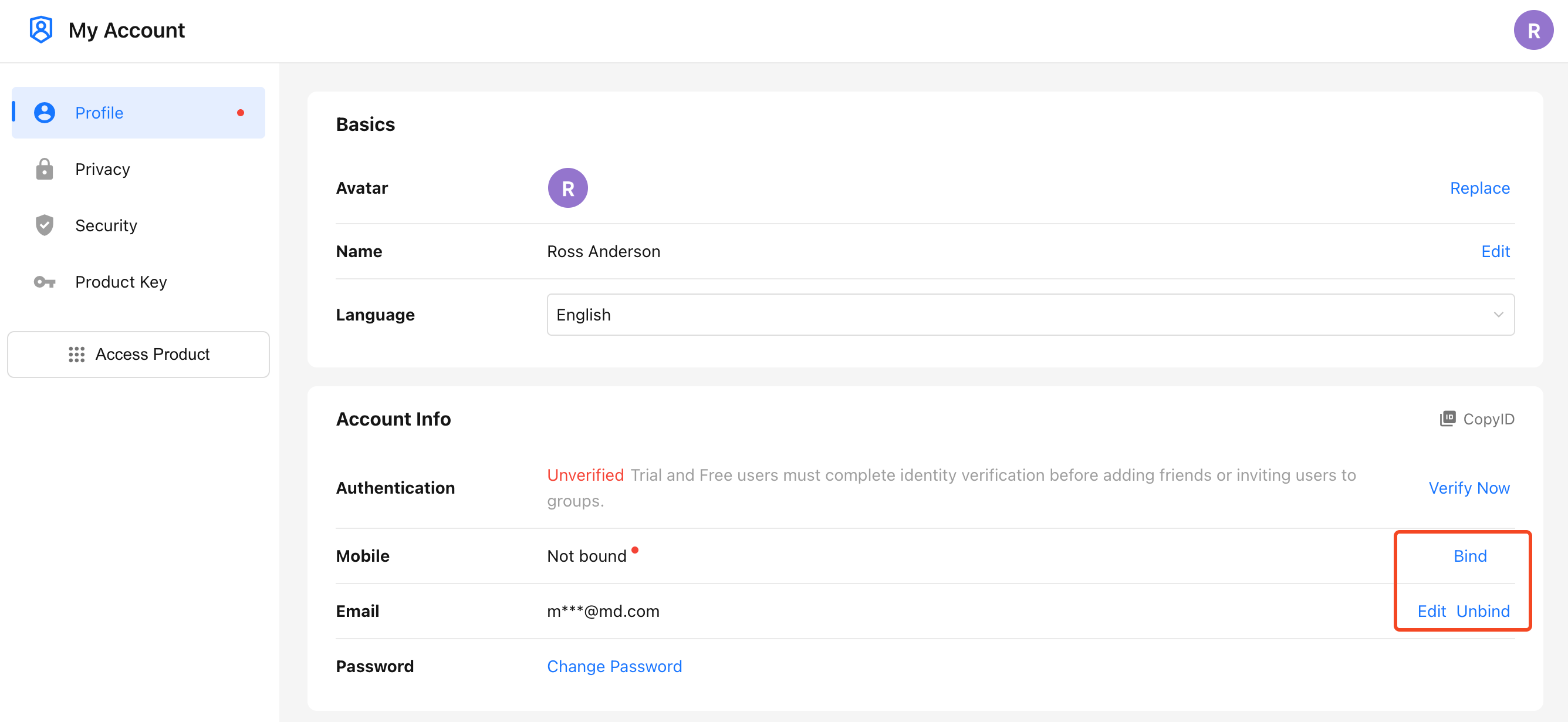
Path: Click your profile picture, then go to Manage My Account > Profile. In the Account Info section, you can bind, change, or unbind a phone number or email address.
- If a phone number or email address is already linked to the account, Edit and Unbind are displayed. If it is not linked, Bind is displayed.
- You can unbind either the phone number or email address only after both are linked to the account. If the account currently has only one of them linked, you can only change it, or bind the other one first and then unbind it.
Mobile: Go to Me > Safety to bind, change, or unbind your phone number or email address as needed.
Phone Number or Email Address Is Already in Use
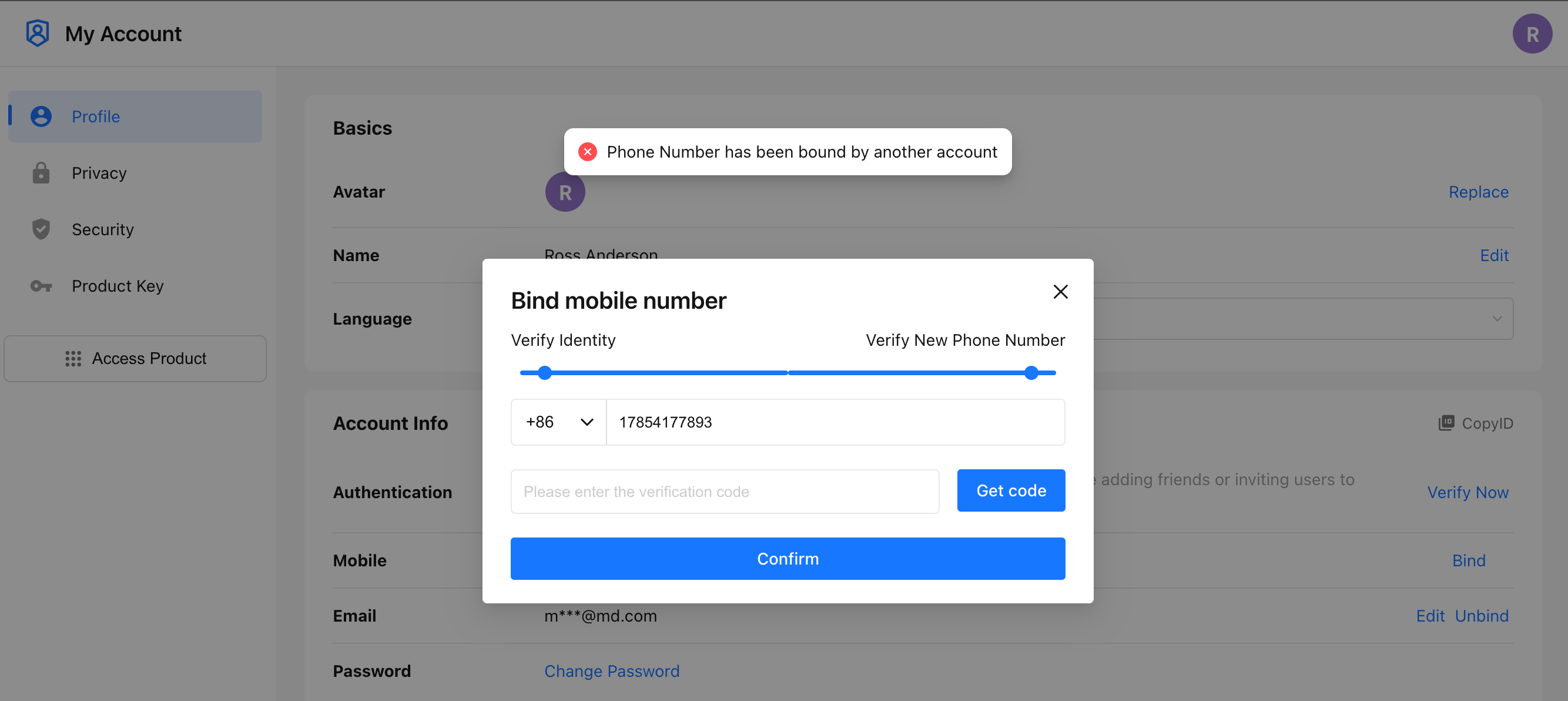
If you see a message indicating that the phone number or email address is already in use, it means it is linked to another HAP account. You need to sign in to that account and unbind it before linking it to the current account.
For example, to release a phone number:
- Sign in to the original HAP account using the phone number that is already in use, then bind another email address that can receive verification codes.
- Unbind the phone number.
- Bind the released phone number to the target account.
Combine Account Credentials
HAP does not support merging account data. If your phone number and email address are linked to two different accounts, you can move them to the account you want to keep and stop using the other account.
To do this:
- Prepare another email address that can receive verification codes.
- Sign in to the account you plan to stop using and bind the new email address to it.
- Unbind the phone number or email address you want to move.
- Sign in to the account you want to keep and bind the released phone number or email address to it.
Delete an Account
Path: Click your profile picture, then go to Manage My Account > Profile and click Delete Account at the bottom of the page.
- A personal account must be deleted by the account owner. Organization administrators can only remove the user from the organization and cannot delete the account on the user's behalf.
- If the account belongs to one or more organizations, it must leave all organizations before it can be deleted.
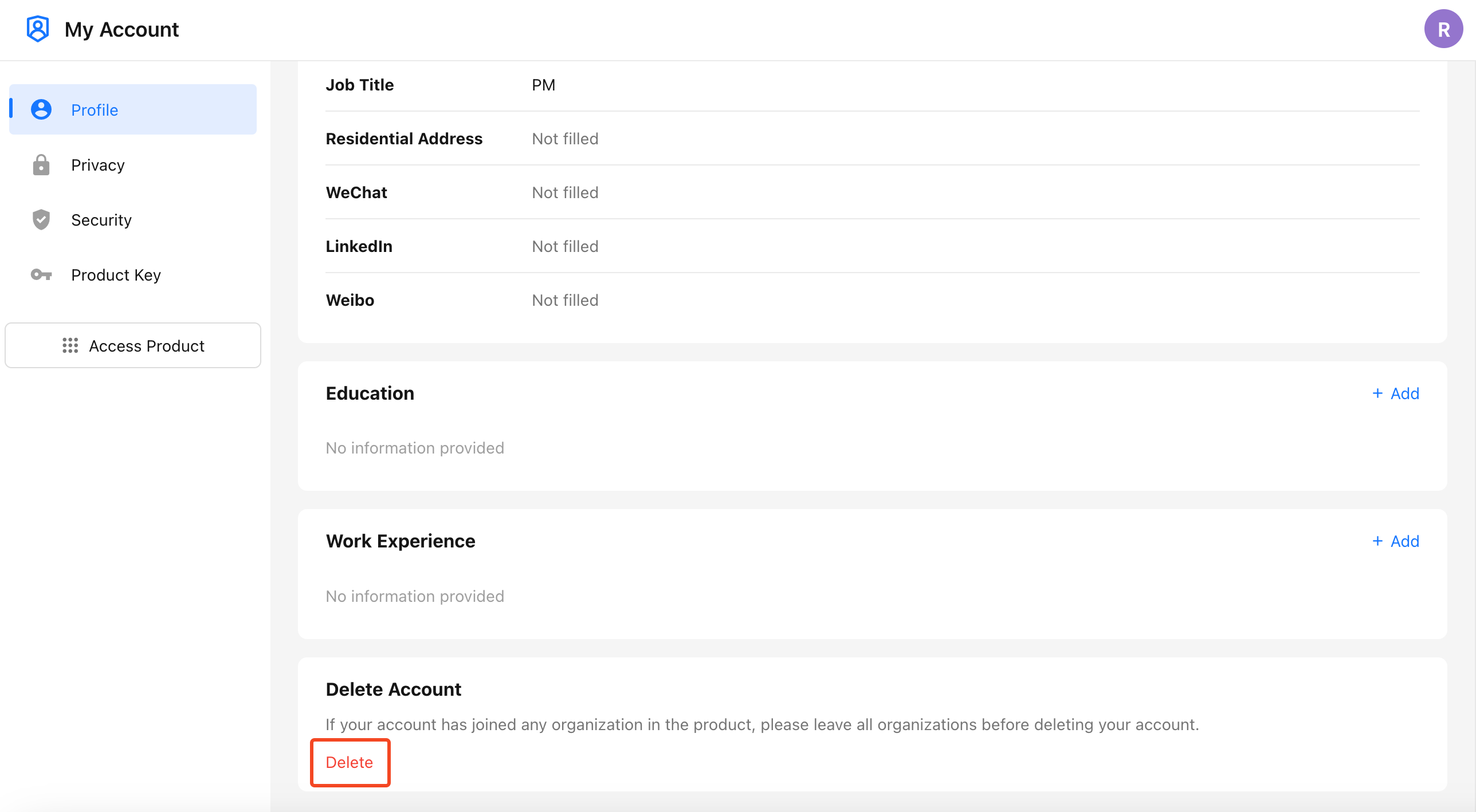
Account deletion process:
- On the Profile tab, click Delete Account at the bottom of the page.
- Enter your password to verify your identity.
- Review the Terms of Use and click Confirm Deletion.
Cancel Account Deletion:
You can cancel the deletion request by signing in again within 15 days after submitting it. If you forget your password during this period, use Forgot Password to reset it, then sign in to keep using the account.
Leave an Organization
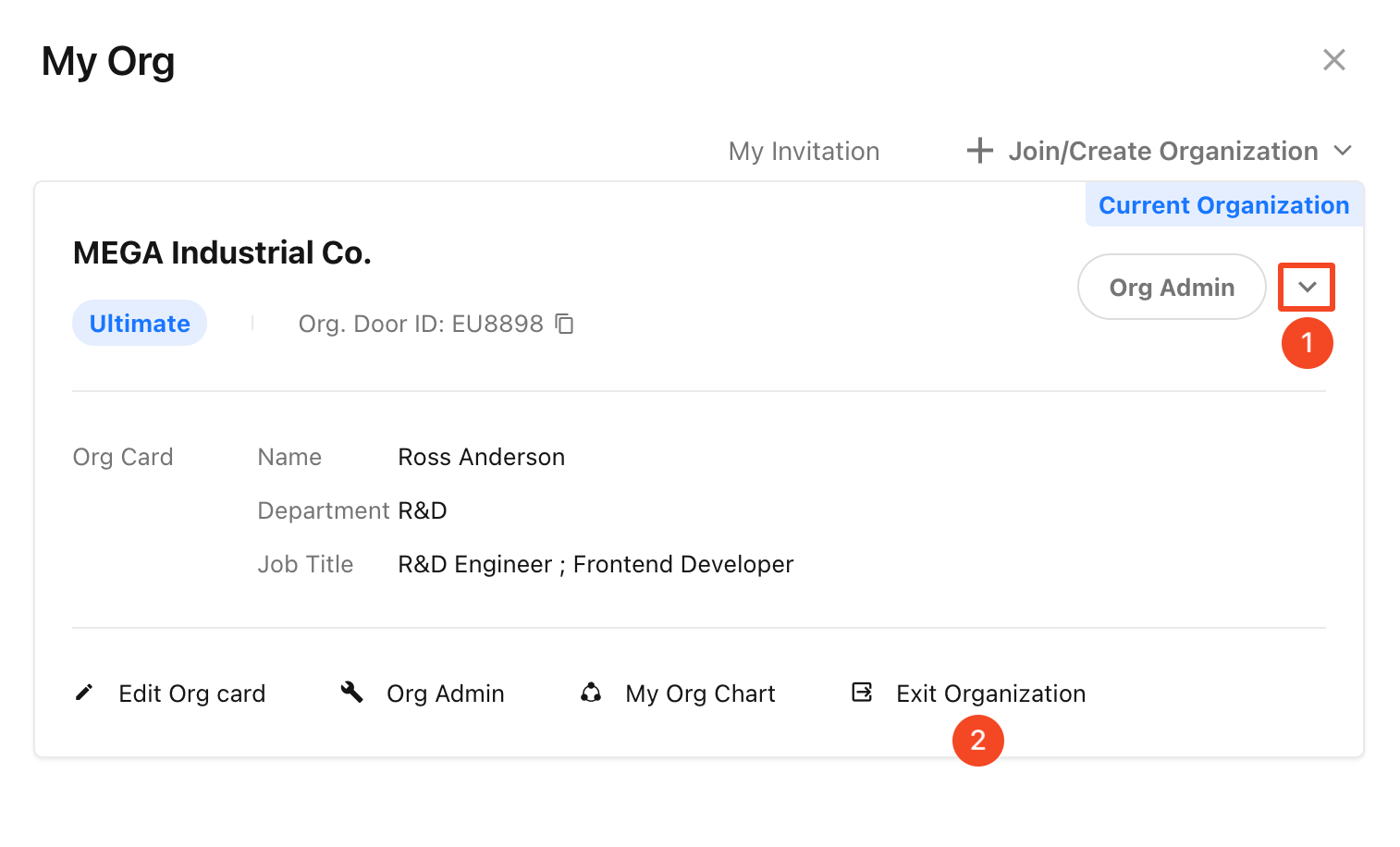
Path: Click your profile picture, select My Org, and choose Exit Organization on the organization card.
Was this document helpful?