API Overview
An API (Application Programming Interface) is a set of predefined interfaces that allows developers to send requests and retrieve data in a standardized way, without accessing source code or understanding the underlying implementation.
HAP currently provides two types of APIs: Organization APIs and Application APIs.
1. Organization APIs
Organization APIs provide access to organization-level data, including users, departments, reporting relationships, logs, and workflow to-dos.
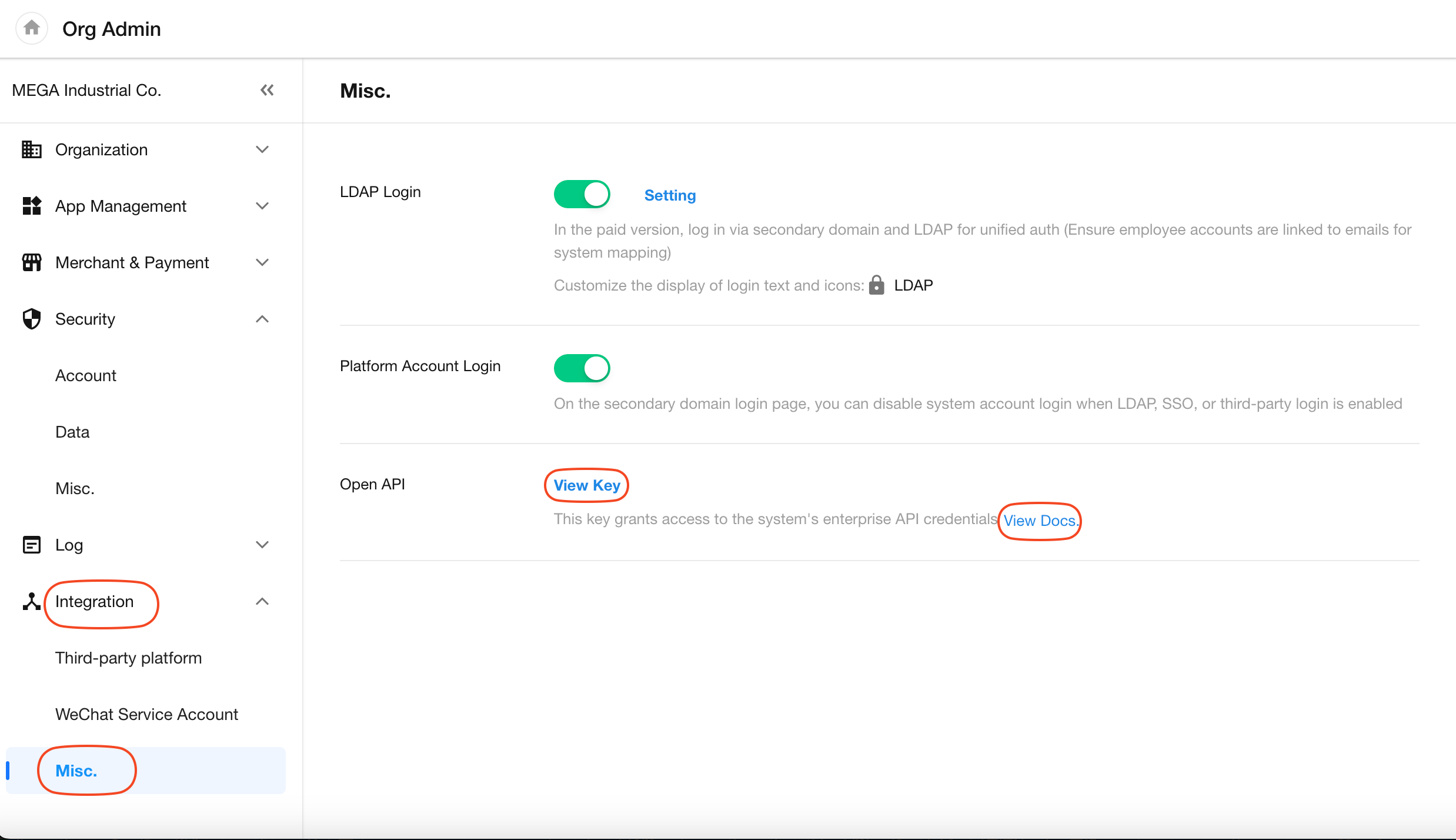
Go to Org Admin > Integration > Misc. > Open API to view the organization's credentials (AppKey and SecretKey) and API documentation.
Organization open API documentation (HAP SaaS): https://apidoc.mingdao.com/organization/en/
For HAP Server, organization administrators can access the documentation from the same location. The API debugging endpoint will automatically use the HAP Server domain.
2. Application APIs
Access the API Documentation
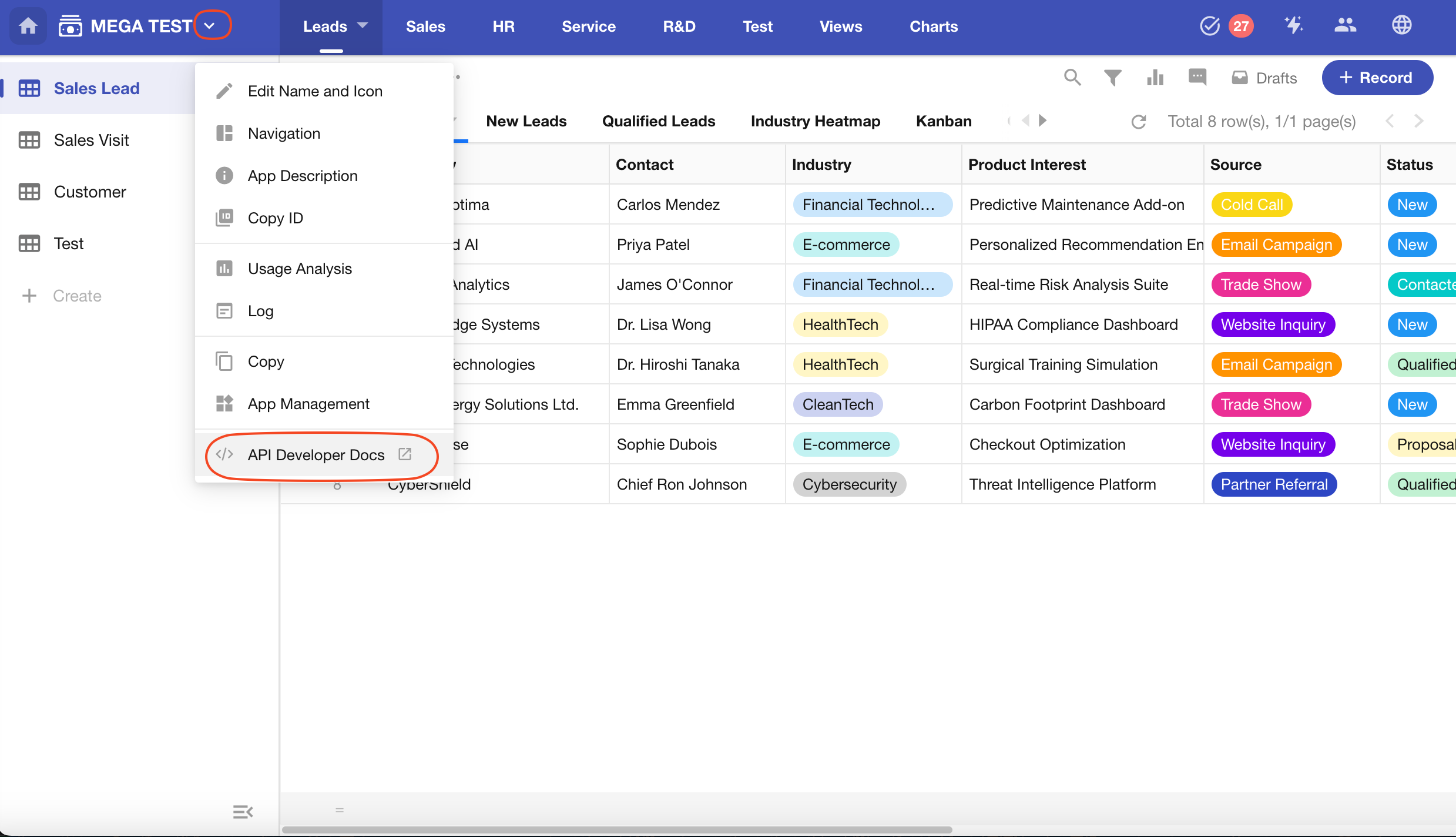
When an application is created, its corresponding APIs are generated automatically. Application administrators can view the API documentation and share it with developers.
Click the button next to the application name and select API Developer Docs.
App Authorization
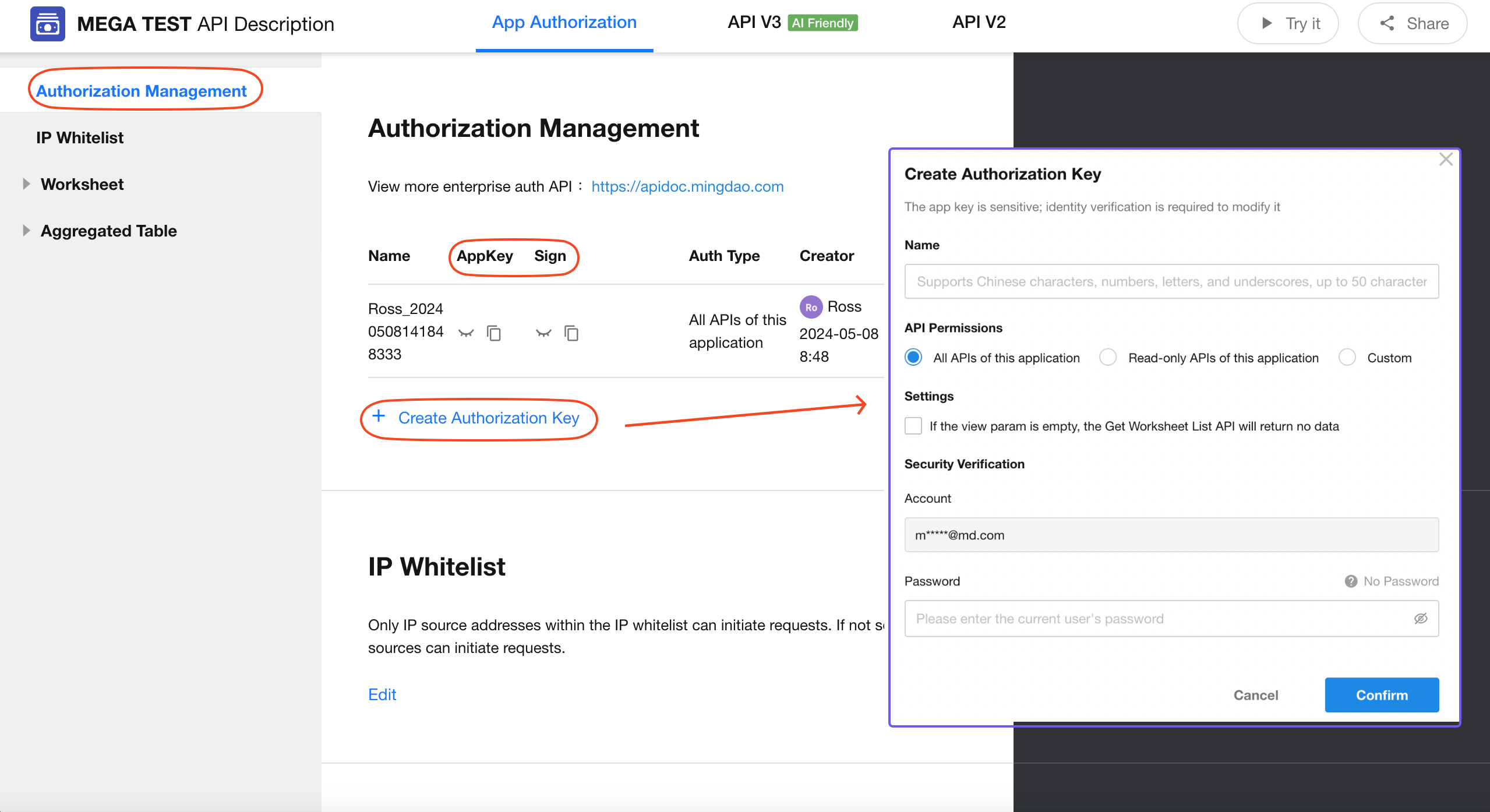
Before calling an app API, an authorization key must be created. App administrators can go to Authorization Management and click Create Authorization Key. This page is not available to developers or operators.
An app can have multiple authorization keys. Each key includes an AppKey, Sign, and an API permission scope. Separate keys can be created for different systems, integrations, or business use cases.
API V2 and API V3
Application APIs are available in two versions: API V2 and API V3.
-
API V2
A ready-to-use API is automatically generated for each worksheet. Request examples are prefilled with parameters such as
appKey,Sign, andworksheetId.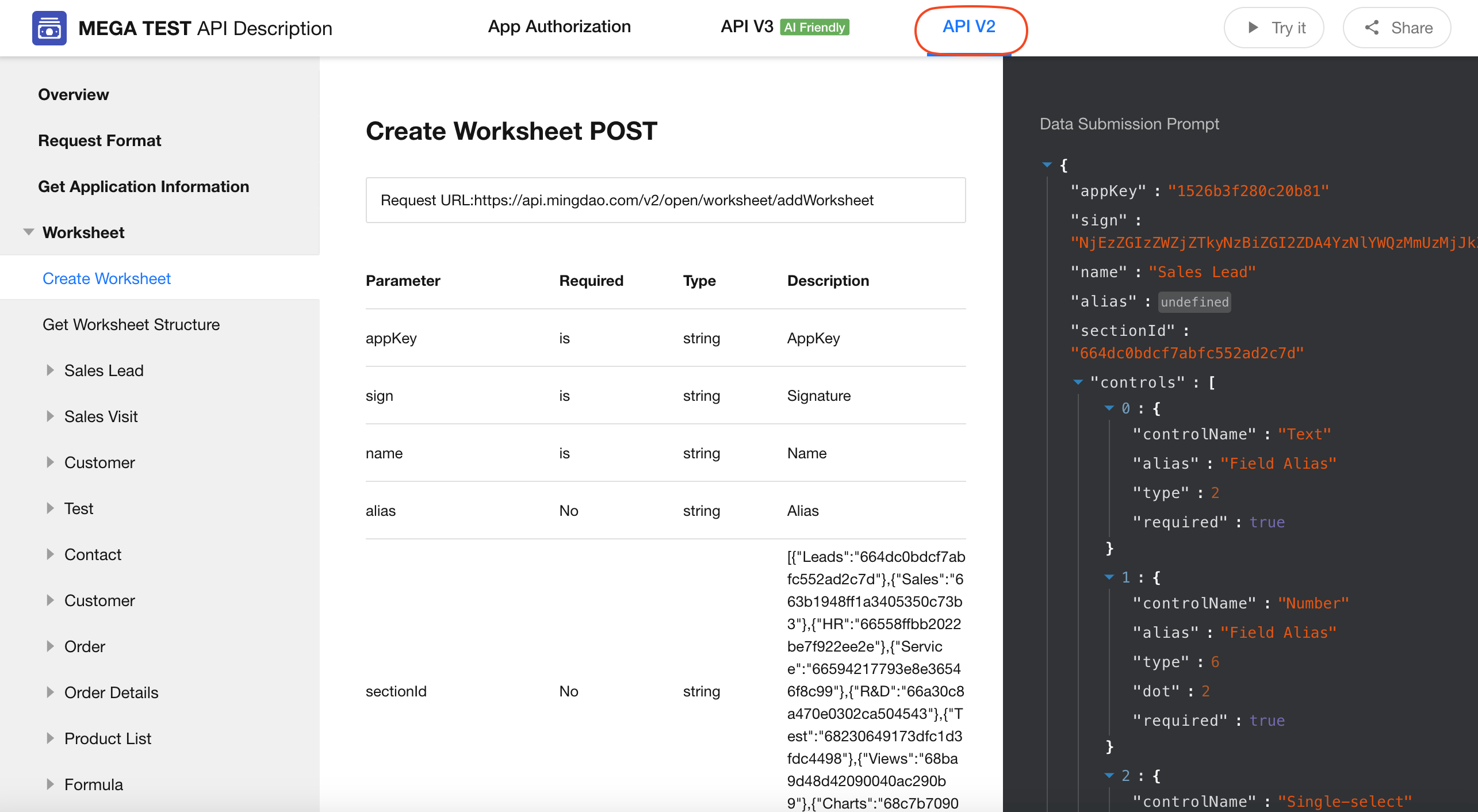
-
API V3
API V3 introduces a redesigned API structure based on V2, with more intuitive endpoint paths and developer-friendly parameter names. The updated structure is also easier for AI tools to understand and use.
Additional capabilities include:
- Create, update, and delete worksheets APIs
- Workflow APIs
- Worksheet data aggregation APIs
- Public query APIs (for querying users and departments)
API V3 uses a unified structure across all applications. For details, refer to the API V3 documentation:
https://apidoc.mingdao.com/application_v3/appkey-sign/en/
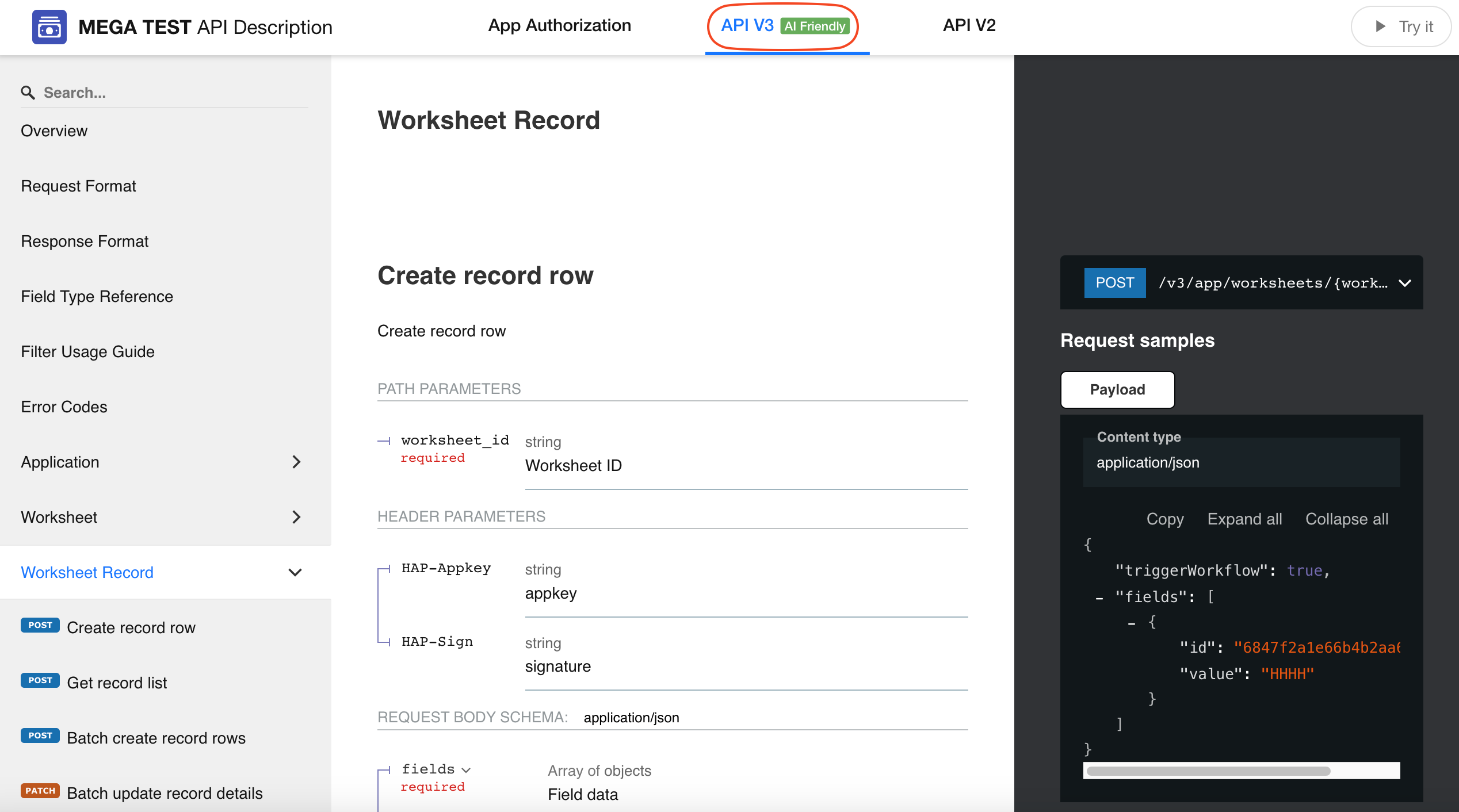
Field and View Information Table
Each worksheet includes detailed information about its fields and views.
-
Field Information Table
Includes:
- Field ID
- Field Name
- Type
- Control Type ID
- Description
-
View Information Table
Includes:
- View ID
- View Name
- View Type
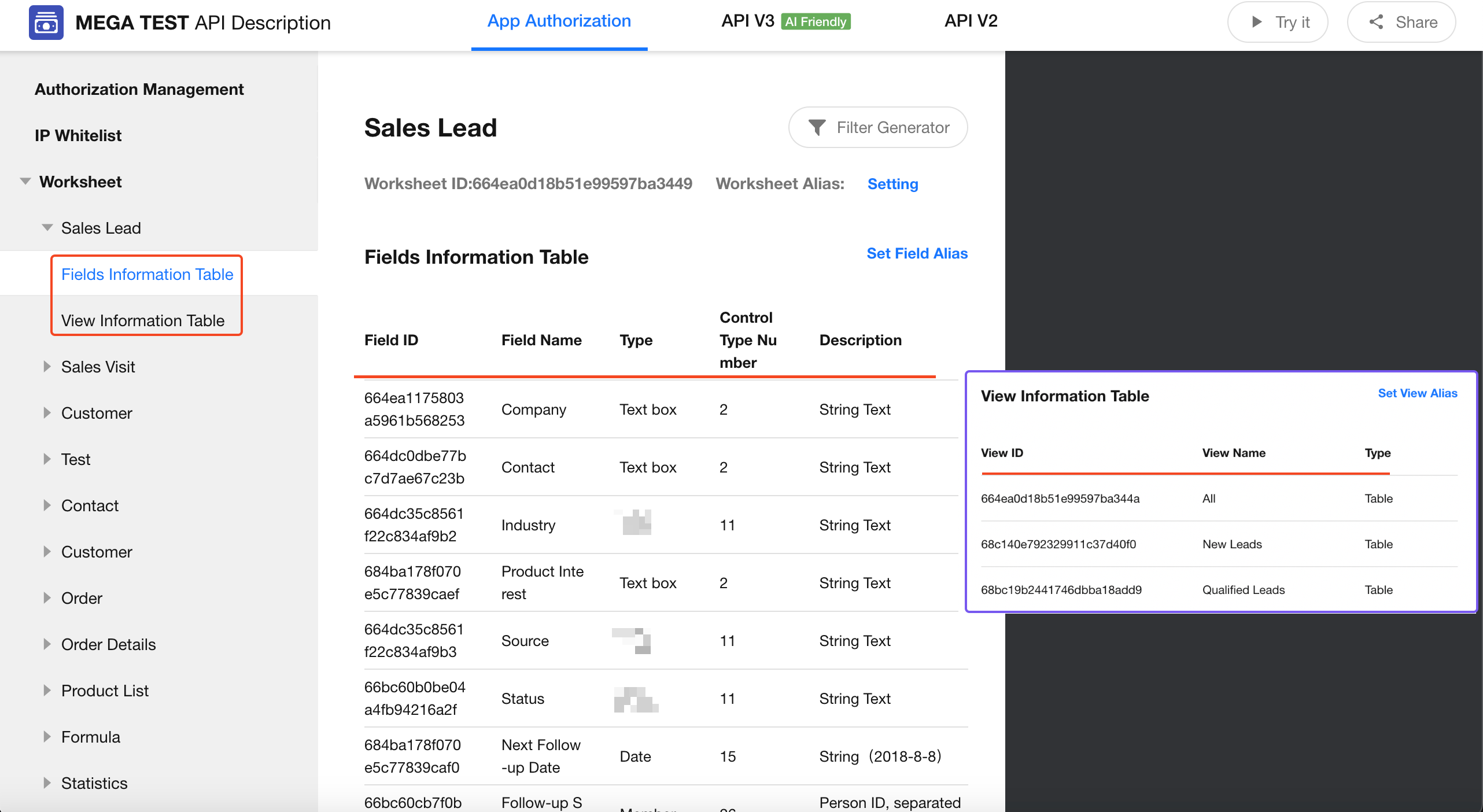
Share and Test APIs
Use the options in the upper-right corner of the API documentation page to test and share APIs.
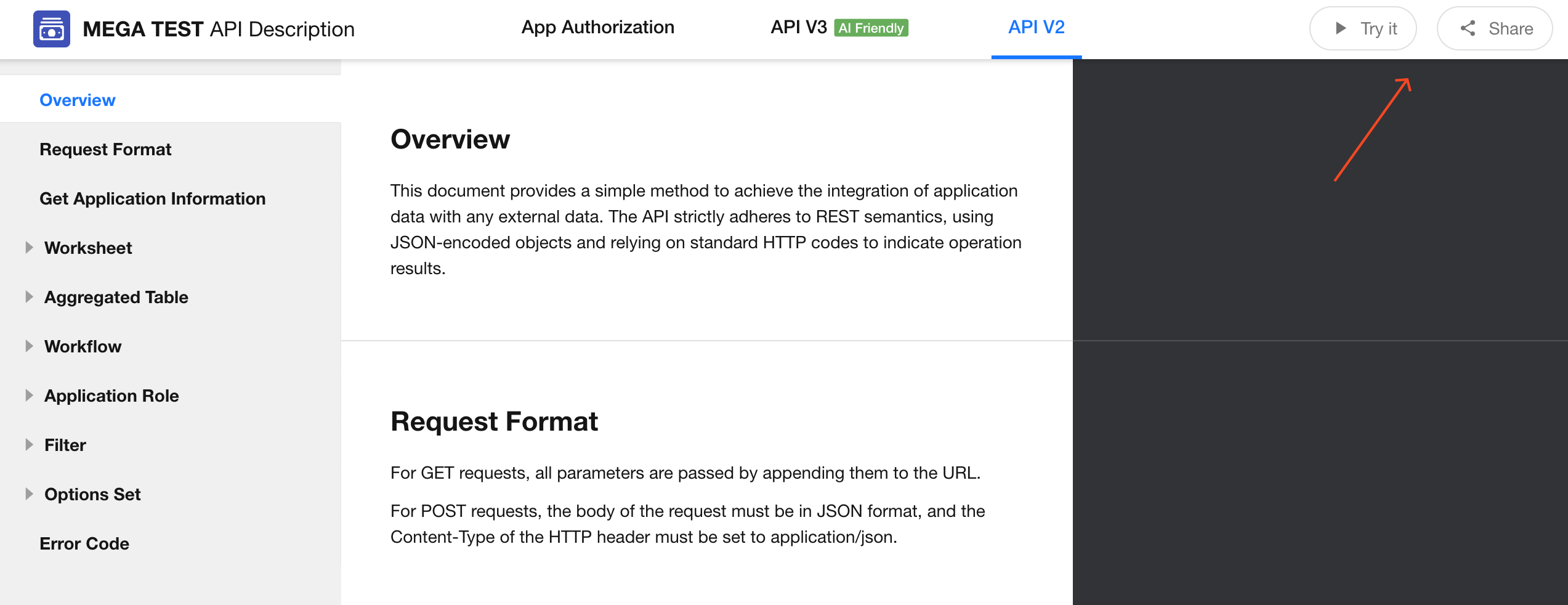
-
API V3
The documentation can be shared directly:
-
API V2
When sharing API:
- Credential information is hidden.
- Examples that reference credentials display placeholder values such as
YOUR_APP_KEYandYOUR_SIGN. - You can configure an expiration date and password for the shared link.
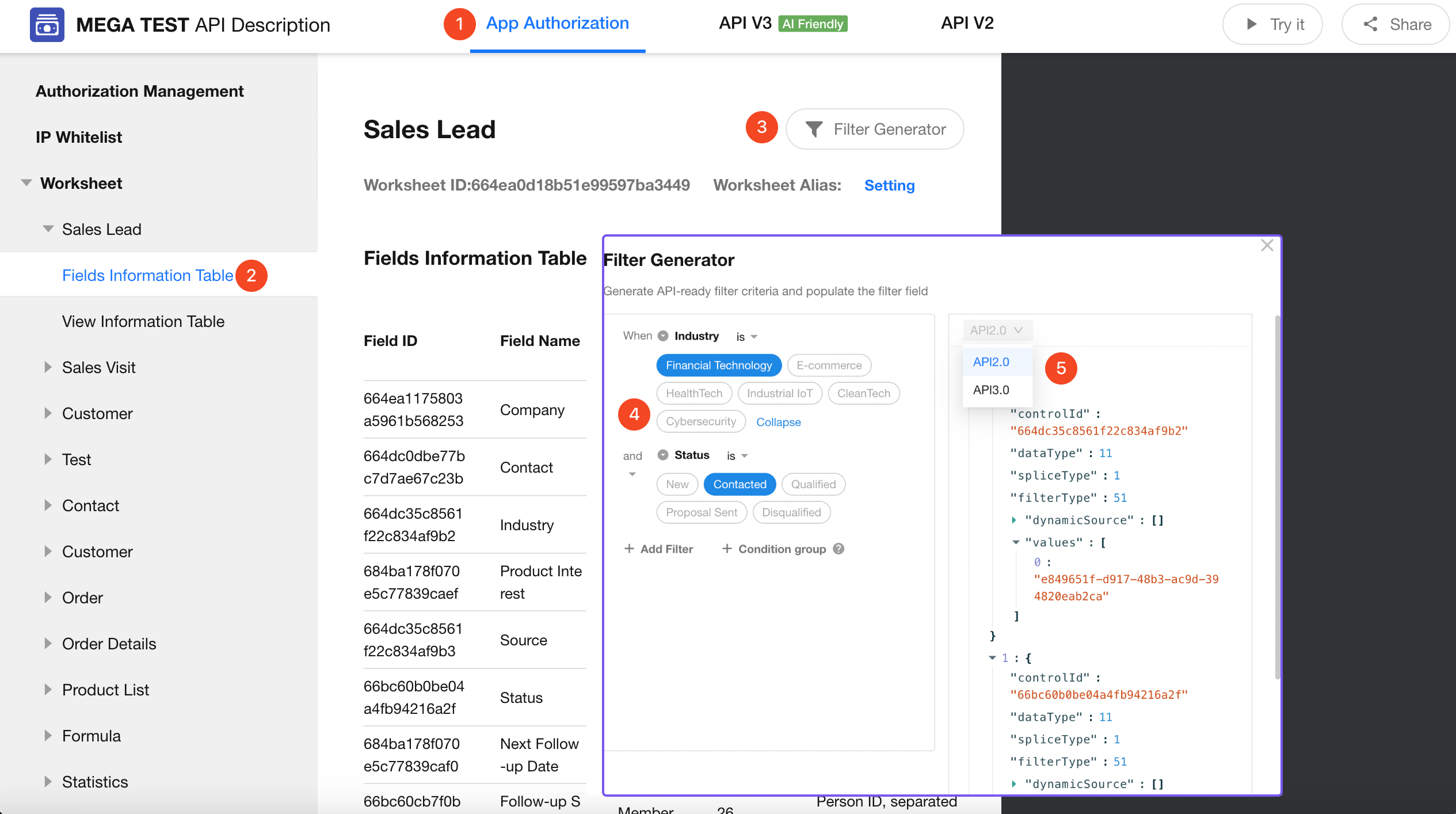
Filter Generator
The Filter Generator allows you to generate filter code through a visual configuration interface.
Path:
Application API Documentation > Worksheet > Target Worksheet > Field Information Table > Filter Generator
API Rate Limits and Restrictions
API Rate Limits
API requests are currently rate-limited only by source IP address. No rate limits are applied at the application or user level.
Requests that exceed the rate limit or request body size limit will be rejected.
| API | QPS per IP (Requests Per Second) | Request Body Size Limit |
|---|---|---|
| Add Record (addRow) | 50 | 16 MB |
| Batch Add Records (addRows) | 50 | 16 MB |
| Edit Record (editRow) | 50 | 16 MB |
| Batch Edit Records (editRows) | 50 | 16 MB |
| Delete Record (deleteRow) | 50 | 16 MB |
| Get Record Count (getFilterRowsTotalNum) | 50 | / |
| Get Record List (getFilterRows) | 50 | / |
| Other APIs | Unlimited | / |
| HAP Server | Unlimited | 25 MB |
1. If requests from the same IP exceed the rate limit, the API gateway returns HTTP status code 503 and the following response: {"error_code":90001,"success":false,"error_msg":"API rate limit exceeded"}.
If you encounter this error, consider the following approaches:
- Implement retry logic to improve application resilience.
- Add delays between requests, especially when processing requests in a loop (for example,
Sleep(200ms)).
2. If the request body exceeds the size limit, the request is rejected directly and the API gateway returns HTTP status code 413: Request Entity Too Large.
If you need to process larger payloads, consider the following approaches:
- Split the data – Divide large datasets into smaller batches and submit them separately.
- Optimize the payload structure – Remove unnecessary fields and reduce the request size where possible.
Appendix
Error Codes
| Code | Description |
|---|---|
| 0 | Failed |
| 1 | Success |
| 51 | Request rate limit exceeded |
| 10000 | Access denied, IP restricted |
| 10001 | Invalid parameter |
| 10002 | Invalid parameter value |
| 10005 | Insufficient permissions for the data operation |
| 10006 | Data already exists |
| 10007 | Data does not exist or has been deleted |
| 10101 | Token not found |
| 10102 | Invalid signature |
| 10105 | User access token expired |
| 10106 | User organization access token restricted |
| 100005 | Duplicate field value |
| 100006 | Option limit reached |
| 100007 | Maximum number of attachments reached |
| 430013 | Worksheet not found in the application |
| 430014 | Insufficient worksheet field permissions |
| 430017 | Insufficient application attachment quota |
| 430018 | Draft record limit reached |
| 430019 | Required field value is empty |
| 430020 | Invalid subform data |
| 430021 | Data does not meet business rules |
| 430022 | Worksheet not found |
| 90000 | Request limit exceeded |
| 99999 | Data operation exception |
API V3 Endpoint List
Online API documentation:
https://apifox.mingdao.com/get_app_info
| No. | Category | Endpoint | Description |
|---|---|---|---|
| 1 | Application | Get Application Information | Retrieve groups, worksheets, and custom pages within an application |
| 2 | Worksheet | Get Worksheet List | Retrieve all worksheets in an application |
| 3 | Worksheet | Get Worksheet Structure | Retrieve the complete worksheet structure, including fields and views |
| 4 | Worksheet | Create Worksheet | Create a new worksheet and define its fields and layout |
| 5 | Worksheet | Update Worksheet Structure | Modify a worksheet structure, including adding, editing, or deleting fields |
| 6 | Worksheet | Delete Worksheet | Delete a specified worksheet |
| 7 | Record | Get Record List | Retrieve records with support for pagination, filtering, sorting, and views |
| 8 | Record | Get Record Details | Retrieve all field values for a specific record |
| 9 | Record | Create Record | Create a new record and optionally trigger workflows |
| 10 | Record | Update Record | Update field values in a specified record |
| 11 | Record | Delete Record | Delete a specified record (supports both logical and permanent deletion) |
| 12 | Record | Batch Create Records | Create multiple records in a single request |
| 13 | Record | Batch Update Records | Update multiple records in a single request |
| 14 | Record | Batch Delete Records | Delete multiple records in a single request |
| 15 | Record | Get Related Records | Retrieve related data from a specified relationship field |
| 16 | Record | Get Record Pivot Data | Perform worksheet data analysis with aggregated statistics |
| 17 | Record | Get Record Sharing Link | Generate an external sharing link for a record with optional password protection and expiration settings |
| 18 | Record | Get Record Logs | Retrieve change history logs for a record |
| 19 | Record | Get Record Discussions | Retrieve discussions associated with a record |
| 20 | Option Set | Get Option Set List | Retrieve all option sets and their options within an application |
| 21 | Option Set | Create Option Set | Create a new option set, including option values, colors, and assigned values |
| 22 | Option Set | Update Option Set | Modify an option set name or option content |
| 23 | Option Set | Disable Option Set | Disable (delete) a specified option set |
| 24 | Workflow | Get Triggerable Workflow List | Retrieve workflows that can be triggered within an application |
| 25 | Workflow | Get Triggerable Workflow Details | Retrieve workflow details and input parameter definitions |
| 26 | Workflow | Trigger Workflow | Manually trigger a workflow |
| 27 | Role | Get Role List | Retrieve all roles and member information within an application |
| 28 | Role | Create Role | Create a role and configure permissions |
| 29 | Role | Get Role Details | Retrieve permissions and member information for a specified role |
| 30 | Role | Delete Role | Delete a specified role |
| 31 | Role | Add Role Members | Add users, departments, or other members to a role |
| 32 | Role | Remove Role Members | Remove specified members from a role |
| 33 | Role | Remove Member from All Roles | Remove a user from all roles in the application |
| 34 | Public Query | Find Users | Find users by exact name match (with masked phone numbers and email addresses) |
| 35 | Public Query | Find Departments | Find departments by exact name match |
| 36 | Public Query | Get Region Information | Retrieve administrative region information (province, city, district) |
Was this document helpful?