Worksheet Data Mirroring
The Worksheet Data Mirroring feature in the Integration Center allows users to continuously sync any worksheet's data to a relational database. This is commonly used to mirror HAP business data to an external relational database for further analysis or reporting purposes.
1. Access the Mirroring Page
From the home page, go to [Integration] > [Data Integration] > [Worksheet Data Mirror].
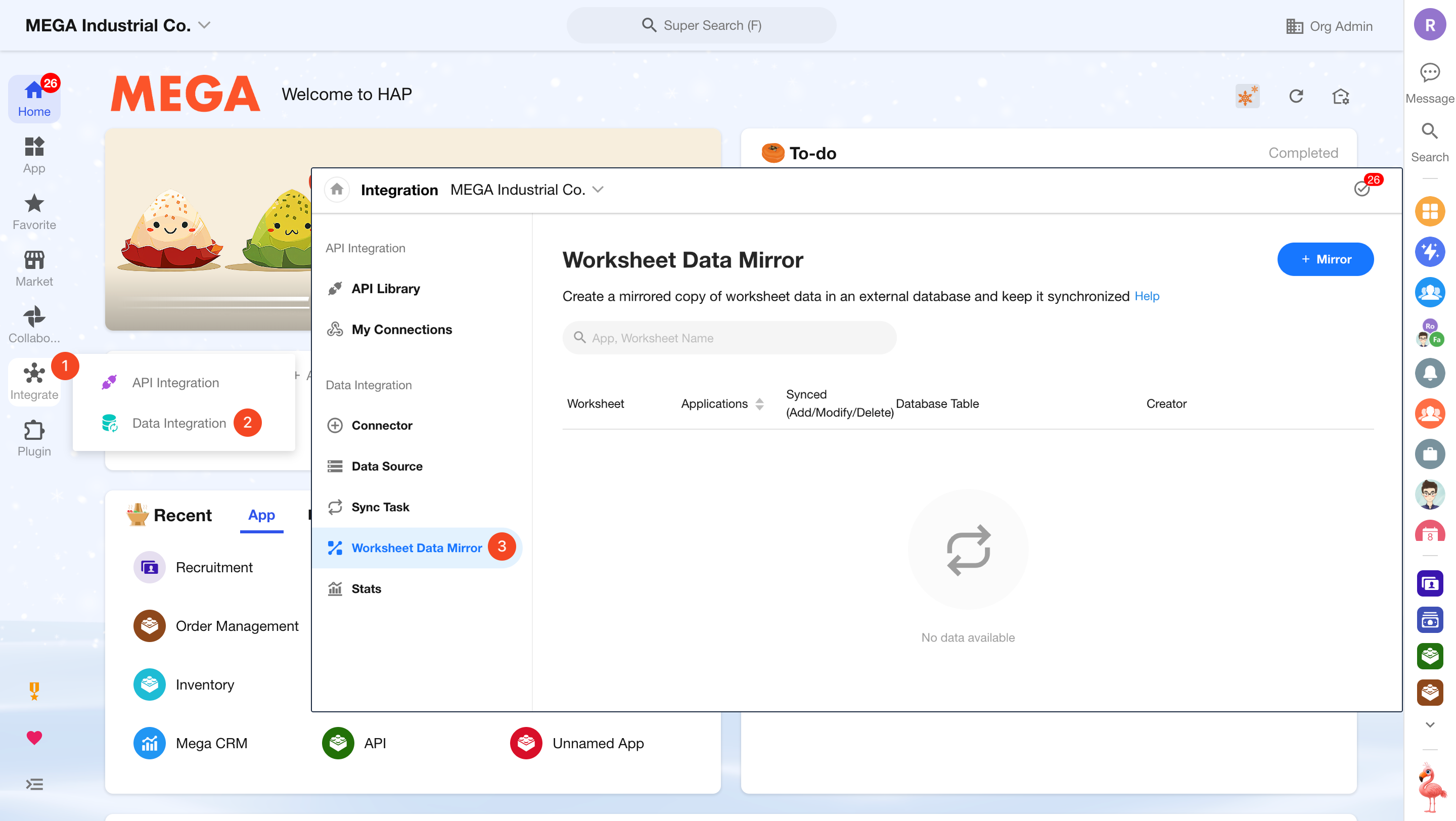
2. Create a New Mirroring Task
Click Create Mirror, then select the target app, worksheet, data source, and database.
Only data sources that support being a destination are available. Currently, only MySQL and PostgreSQL databases are supported.
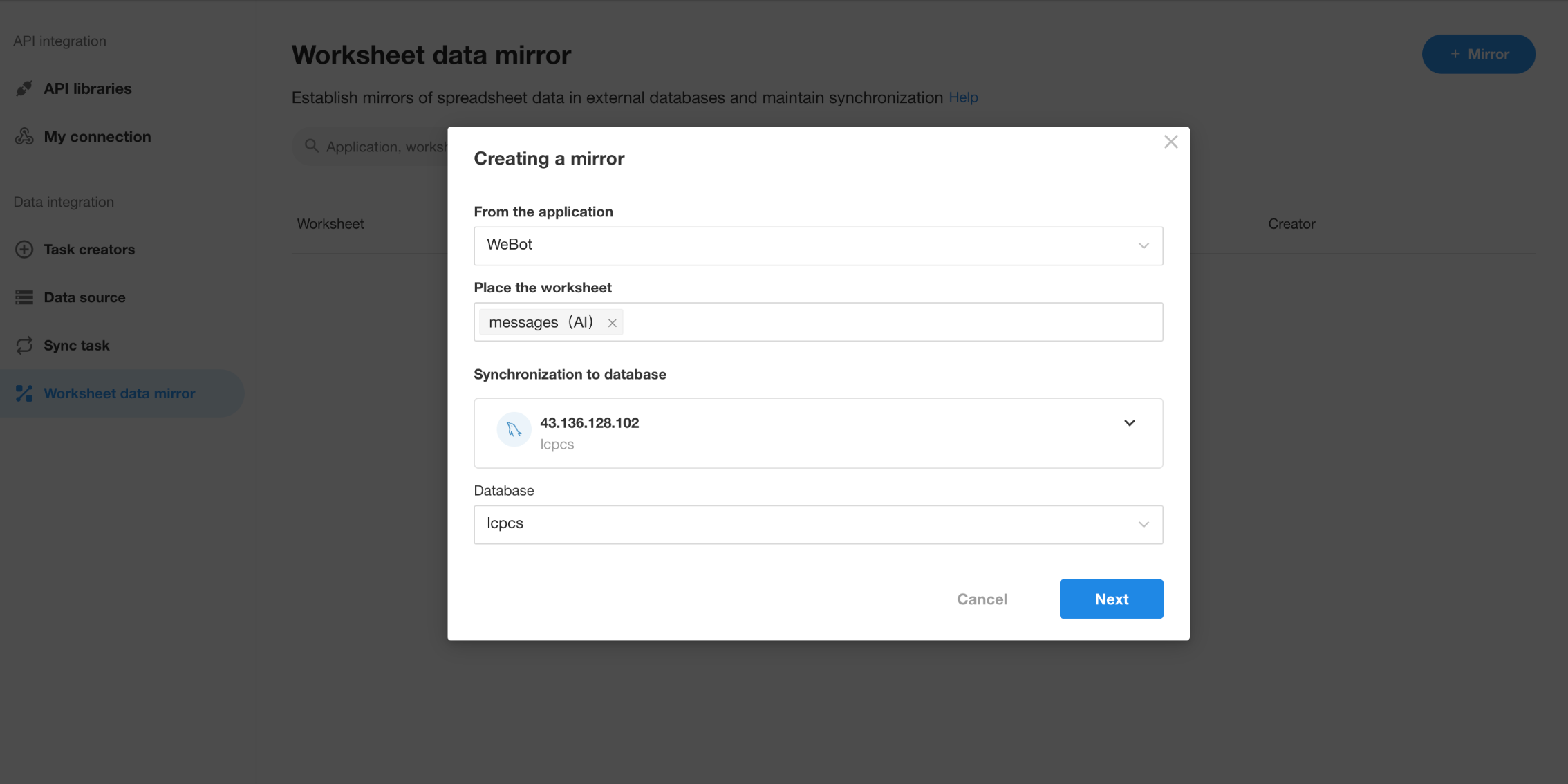
3. Confirm Table Name and Field Structure
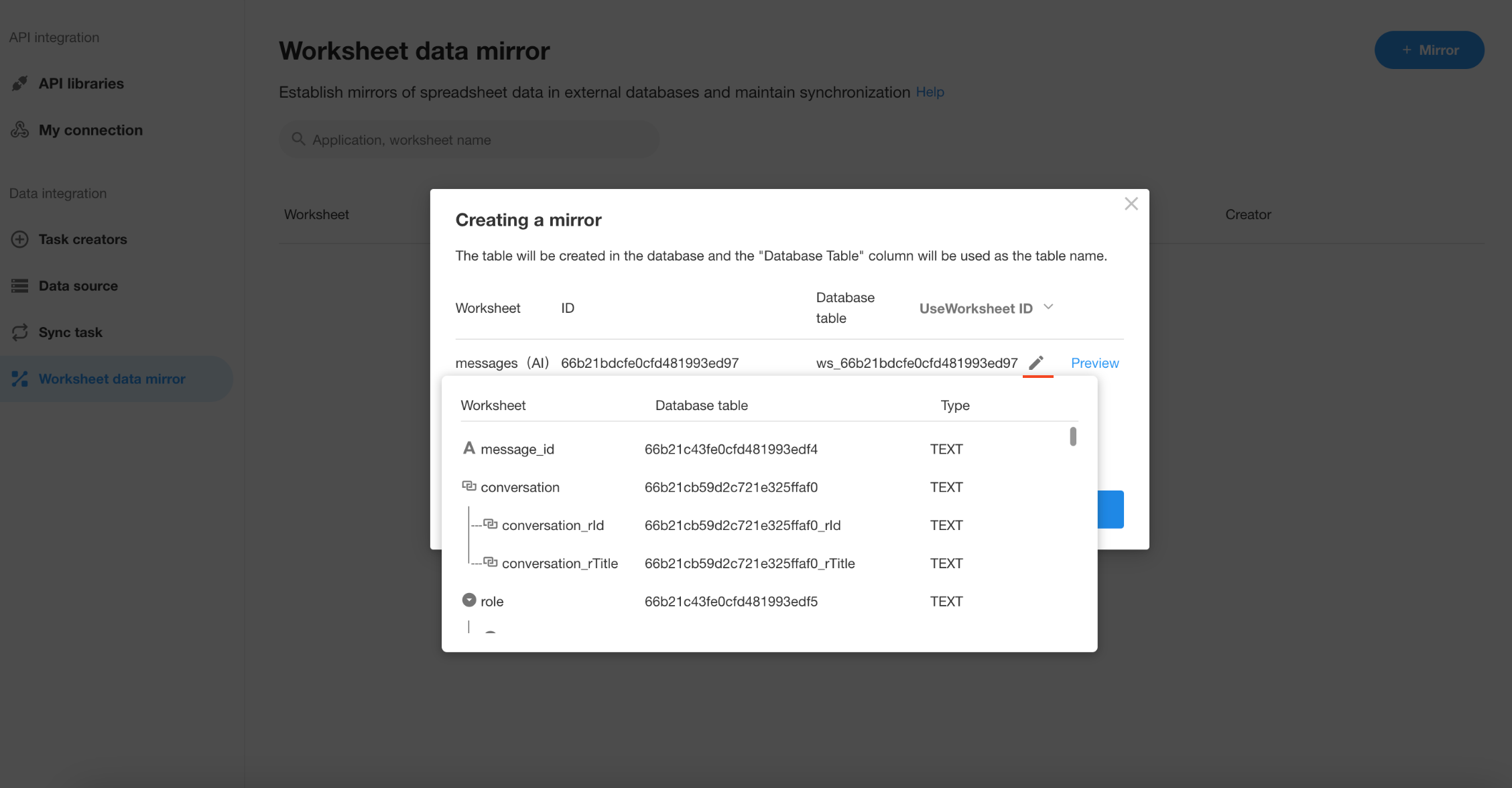
4. Manage Mirrored Tables
Once created, a mirrored copy of the worksheet will be automatically generated. You can preview data or delete the mirror if needed.
Was this document helpful?