Key Usage Limits You Should Know
HAP SaaS
Worksheets
-
Maximum 200 fields per worksheet
- System fields are excluded from the count, such as: Creator, Owner, Created Time, Updated Time, and System Approval Fields.
-
Up to 1,000 rows in a subform
-
Maximum related records in relationship fields:
- Dropdown mode: up to 50 related records
- Card mode: up to 200 related records
- Table and Tab Table: no limit on the number of related records
-
Maximum 1,000 related records fetched, including:
-
Rollup fields can only summarize data from up to 1,000 related records
(To recalculate all related records, manually click the refresh icon next to the field or use the “Calibrate Single Record” option in workflows) -
“Get Multiple Data” workflow nodes can fetch at most 1,000 related records via relationship fields
→ To retrieve more than 1,000, use the “Get from Worksheet” method -
Foreign fields (store data) only sync data from up to 1,000 related records
Example:
If record A in Worksheet A relates to 2,000 records in Worksheet B, and Worksheet B contains a foreign field referencing a field from A—then when A is updated, only 1,000 records in B will reflect the change. The remaining records will not be updated.
If the foreign field is display-only, it always shows the latest data.
-
-
Recycle Bin
- Deleted items such as apps, worksheets, custom pages, fields, records, and workflows are retained for up to 60 days.
-
Excel Import Limits
- Max 20,000 rows and 200 columns per import
-
Single/Multiple Select Fields
- Up to 1,000 options total
- During import, the field itself must not exceed 50 options unless using a shared option set (which allows up to 1,000)
-
Record Volume Threshold Alerts
-
When a worksheet reaches 95%, 99.5%, or 100% of the record limit, the system will notify the app admin.
For example, in the Standard Edition with a limit of 100,000 records per worksheet, alerts will be triggered at 95,000, 99,500, and 100,000 records.
-
In the Free Edition, alerts are sent to super admins when the total records across all worksheets reach 50,000, following the same 95%/99.5%/100% thresholds.
-
Views and Custom Pages
-
Table views support displaying up to 50 columns
-
Batch operations in table views support a maximum of 1,000 records per operation
- You may update records via import
- Use filters to limit the result set under 1,000 records and perform operations in batches
-
Charts embedded in custom pages automatically refresh every 15 minutes
-
A custom page can include up to 60 components, such as charts, embedded pages, etc.
Workflows
-
The “Update Record” node supports processing up to 100 records at a time for batch updates or deletions
-
A subprocess can process up to 10,000 records
-
The Send API Request node must complete its request within 10 seconds. Requests exceeding this limit will time out.
-
Code Block execution must not exceed 10 seconds. If execution takes longer, it will result in a timeout.
API
-
When retrieving records via API, the maximum number of records per request is 1,000
-
When batch creating, updating, or deleting records via API, the maximum number of records is also 1,000
-
When uploading Base64-encoded attachments via API:
- Max size: 7MB for HAP SaaS
- Max size: 14MB for HAP Server
API Rate Limits
To ensure system stability, the API gateway enforces rate limits based on the source IP, not by application or user. Exceeding rate limits or payload size restrictions will result in specific errors.
| API | QPS per IP (Requests per Second) | Request Body Limit |
|---|---|---|
| Add Record (addRow) | 20 | 16MB |
| Batch Add Records (addRows) | 20 | 16MB |
| Edit Record (editRow) | 20 | 16MB |
| Batch Edit Records (editRows) | 20 | 16MB |
| Delete Record (deleteRow) | 20 | 16MB |
| Get Record Count (getFilterRowsTotalNum) | 50 | / |
| Get Record List (getFilterRows) | 50 | / |
| Other APIs | No Limit | /A |
| HAP Server | No Limit | 25MB |
1. Rate Limit Exceeded
When an IP exceeds the allowed rate limit, the API gateway will return HTTP Status Code 200, and {"error_code":90001,"success":false,"error_msg":"Rate limit exceeded"}.
Recommendations:
Implement error handling and retry logic in your integration
Add a delay (e.g., Sleep(200ms)) between requests, especially in loops
2. Request Payload Too Large If the payload exceeds the size limit, the API gateway will return HTTP Status Code 413,Request Payload Too Large.
Recommendations:
Split large datasets into smaller chunks
Optimize payloads by removing unnecessary fields or compressing the data structure
HAP Server
Worksheet
-
A single worksheet can contain up to 2,000 fields
- This does not include the 6 system fields: Creator, Created Time, Last Modified By, Last Modified Time, Owner, Record ID
-
Each subform supports up to 1,000 records
-
Rollup fields can summarize up to 1,000 related records
- When manually refreshed, all related records can be aggregated.
-
Foreign fields (store data) only sync data from up to 1,000 related records
Example:
If record A in Worksheet A relates to 2,000 records in Worksheet B, and Worksheet B contains a foreign field referencing a field from A—then when A is updated, only 1,000 records in B will reflect the change. The remaining records will not be updated.
If the foreign field is display-only, it always shows the latest data. -
For single/multiple select fields during import:
- The number of options in the field itself cannot exceed 50
- If referencing a predefined option set, there is no limit
Views and Custom Pages
-
In table view, batch operations handle up to 1,000 records per operation by default (customizable)
- You can also update via import
- Or use filters to limit the number of records and process in batches
-
In custom pages, charts auto-refresh every 15 minutes by default (customizable)
Workflows
-
The following nodes can process up to 200 records at a time by default (customizable):
- Update Record
- Delete Record
- Add Record
- Code Block
-
Subprocesses can handle up to 20,000 records by default (customizable)
-
The Send API Request node has a default timeout of 10 seconds. How to customize timeout
-
Code Block execution time is limited to 10 seconds by default. How to customize timeout
-
For workflows triggered by data changes in worksheet, the default trigger delay is 5 seconds. How to customize delay
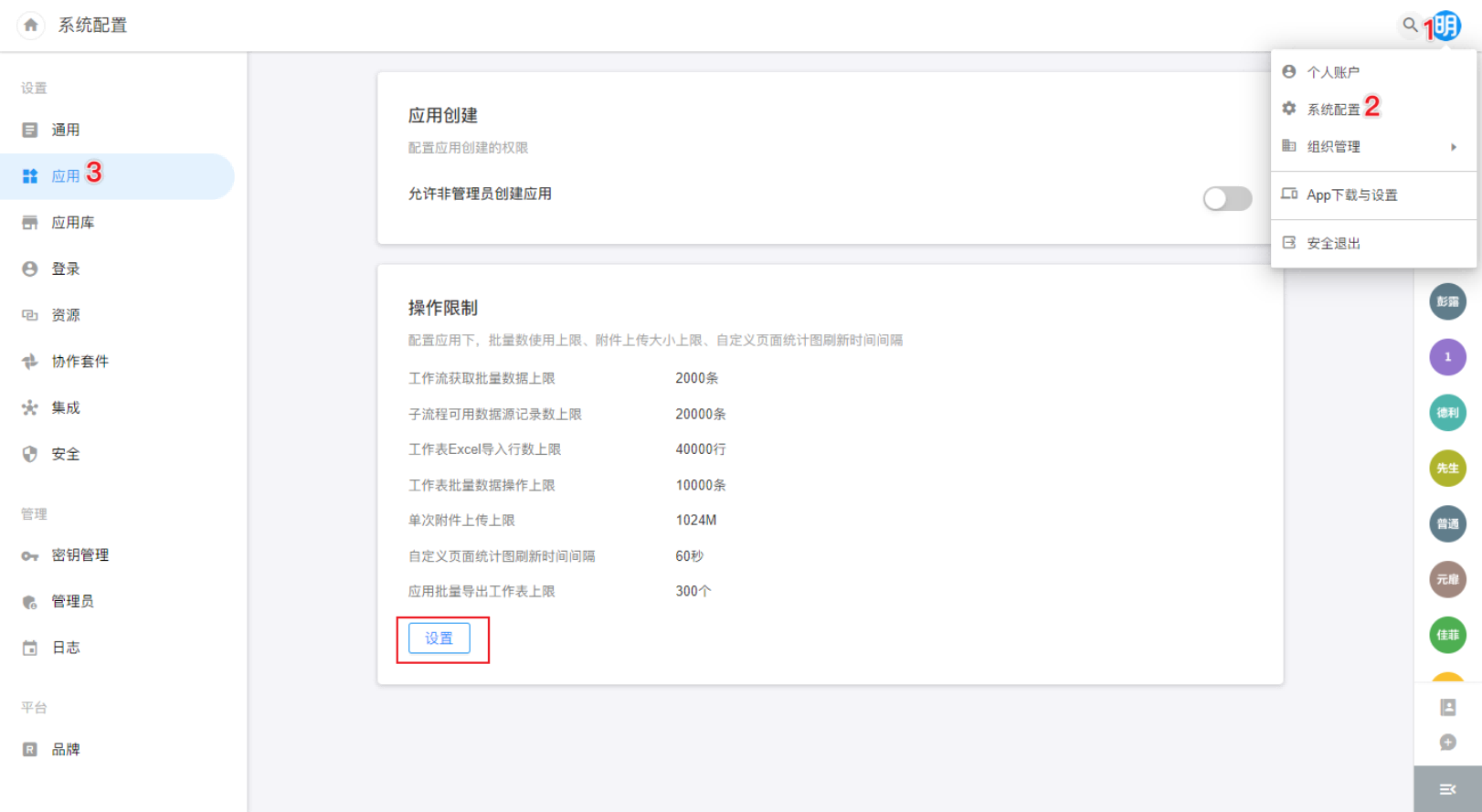
Customizing Operation Limits
Was this document helpful?