Embed a URL in a Custom Page
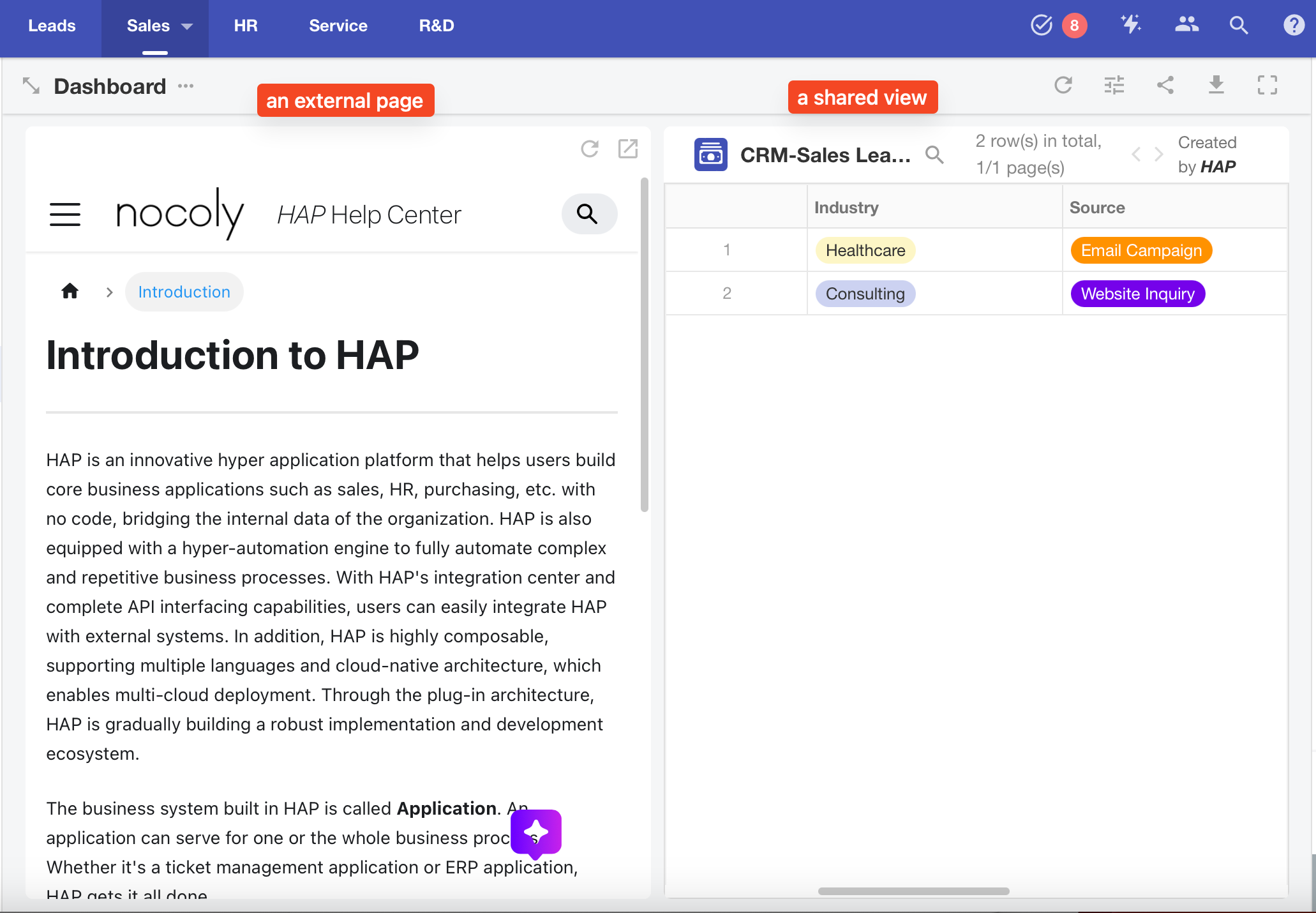
In a custom page, you can embed an external system page, or even embed a specific view from within the platform.
Example:
Step-by-Step Guide
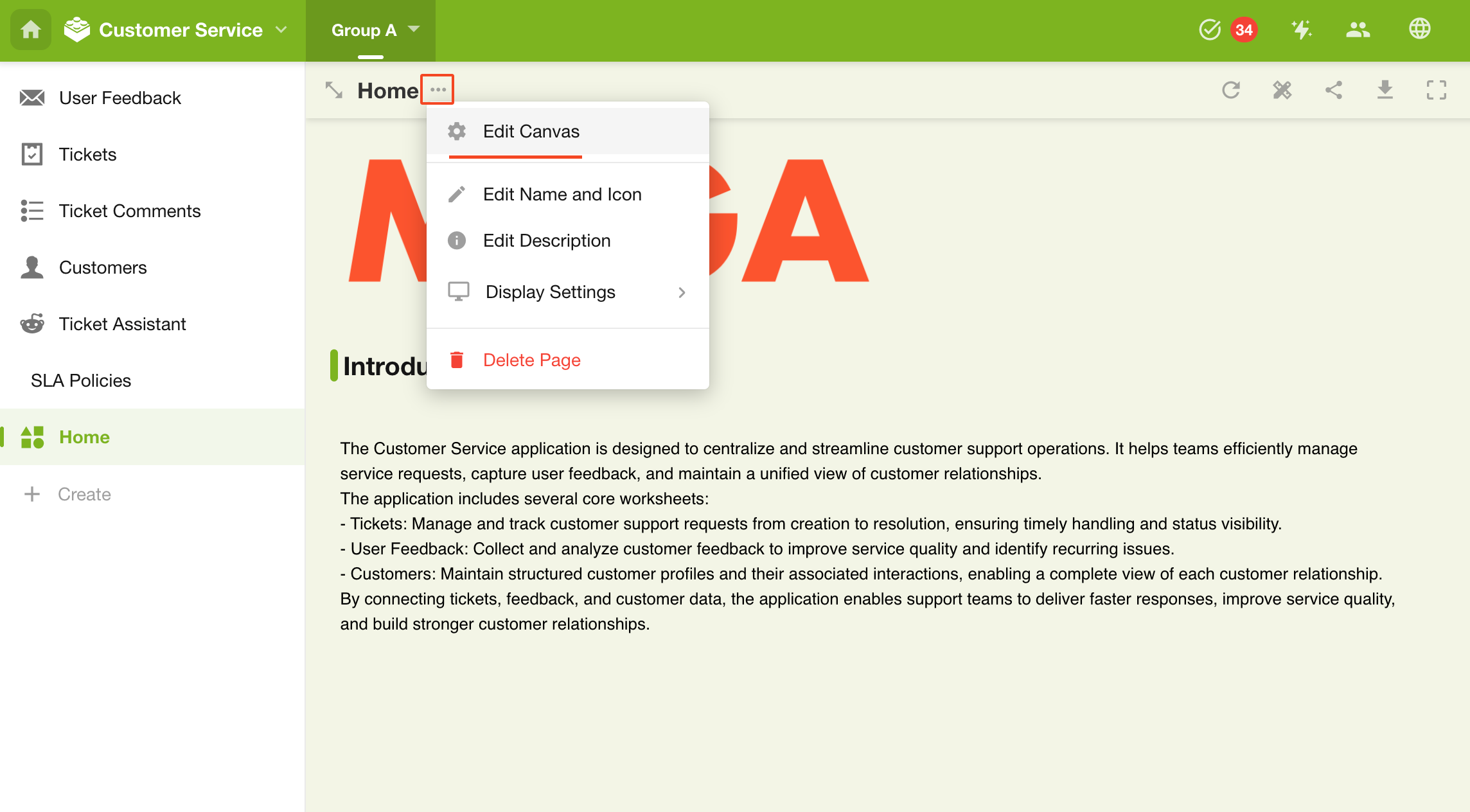
1. Go to the Custom Page Editor
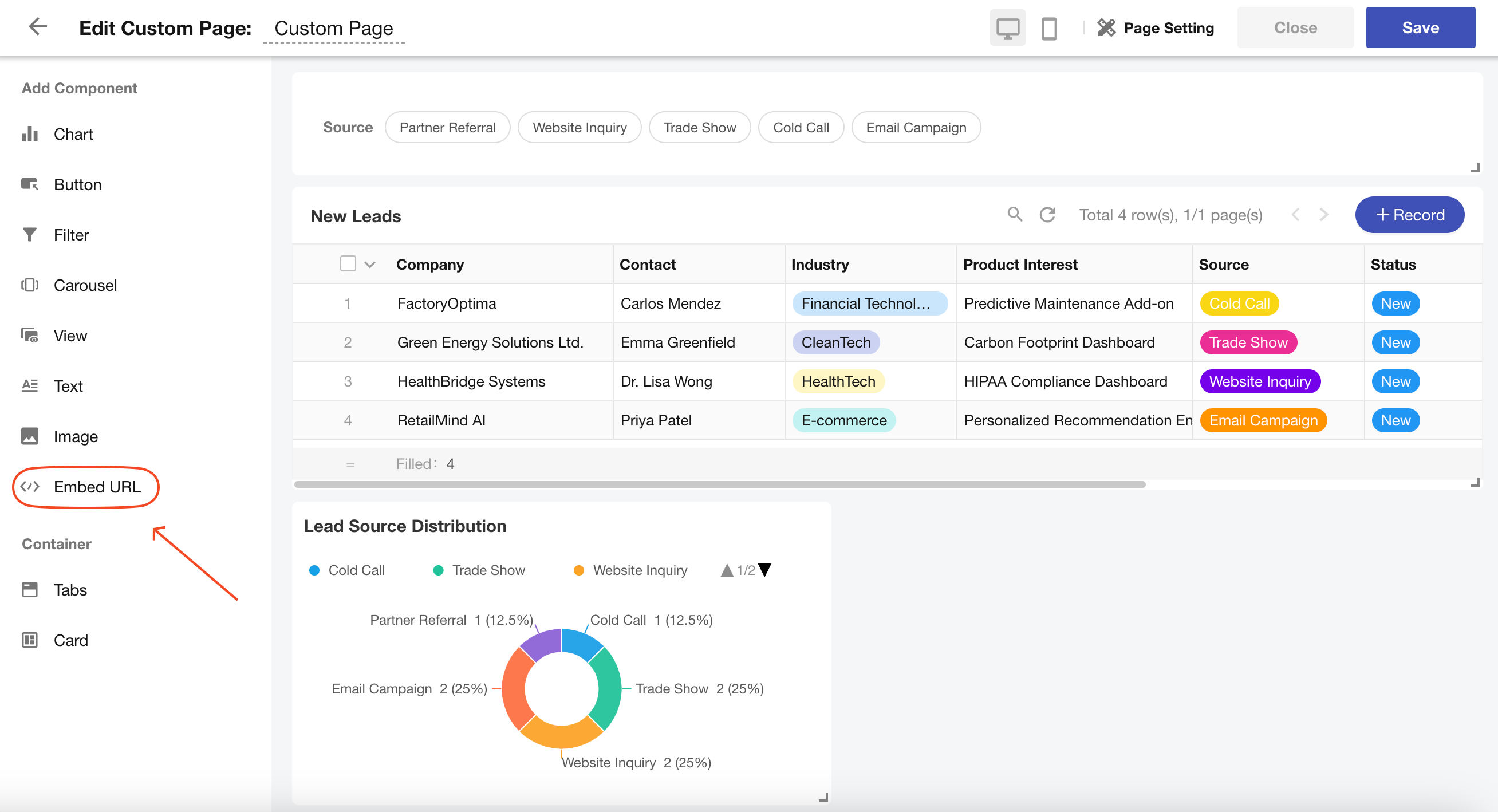
2. Add a "Embed URL" Component
3. Enter the URL
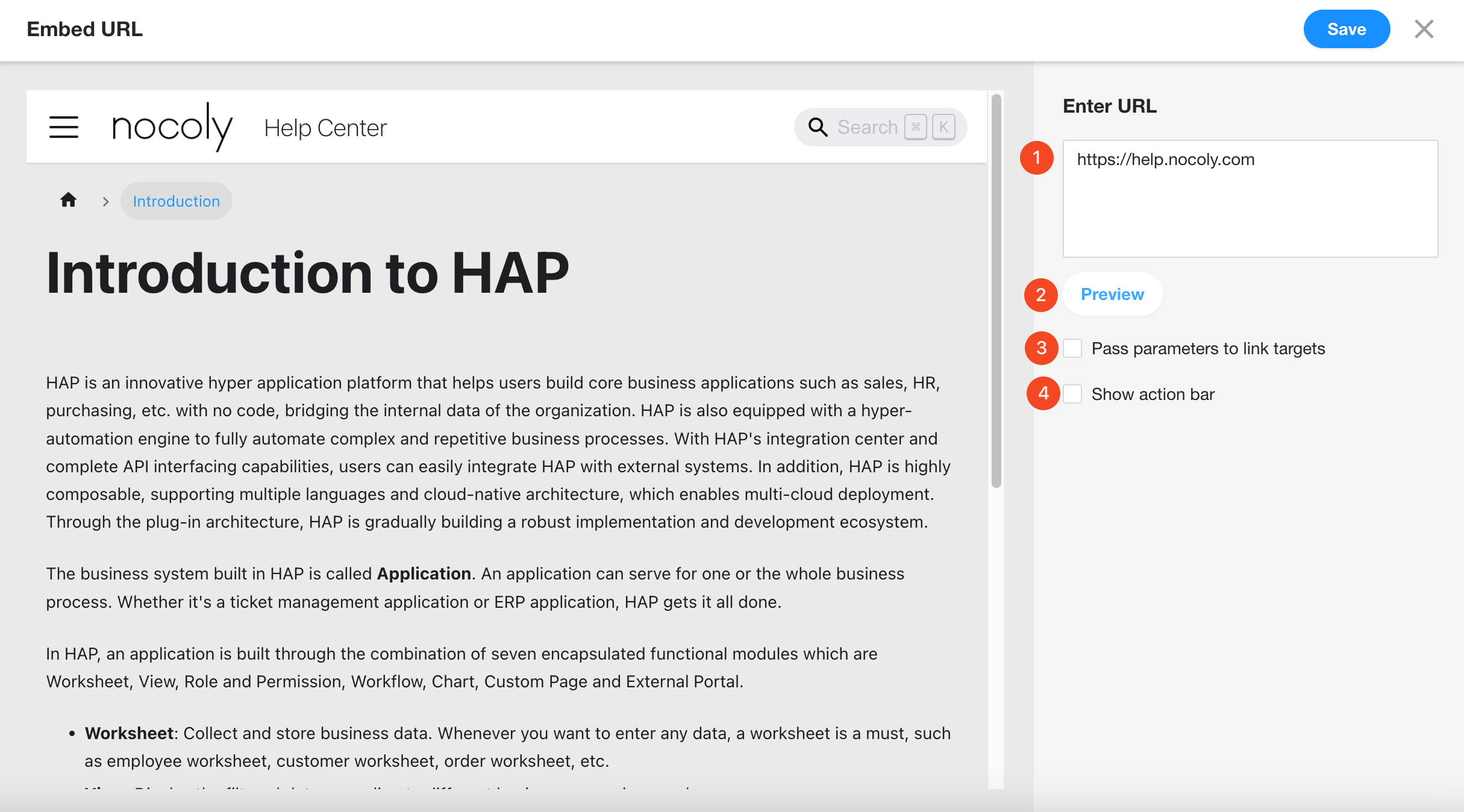
Note: The URL must be an https secure link.
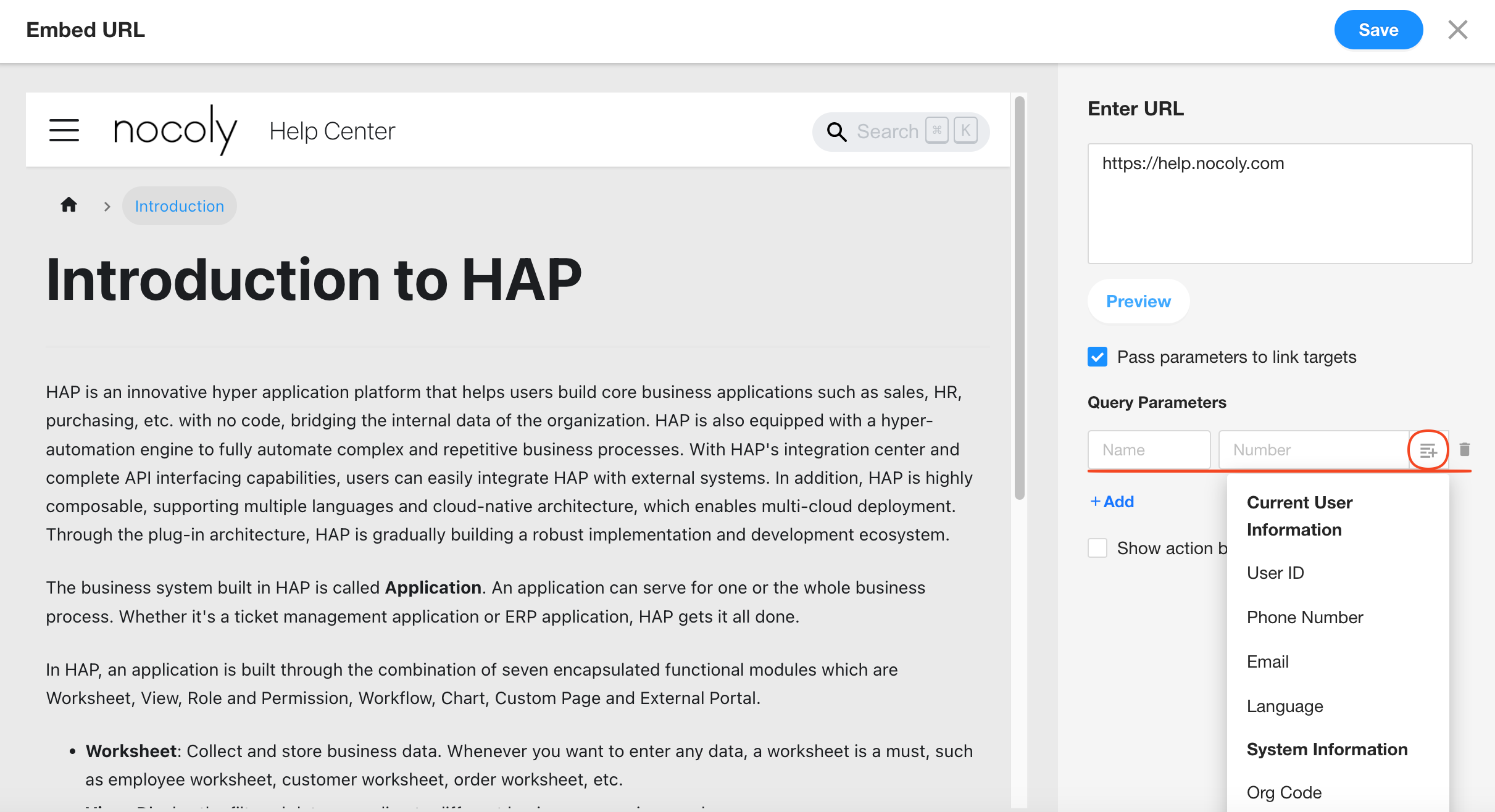
4. Configure Parameters
You can define parameters as fixed values or dynamic values.
Currently, only user account information is supported—worksheet data cannot be referenced.
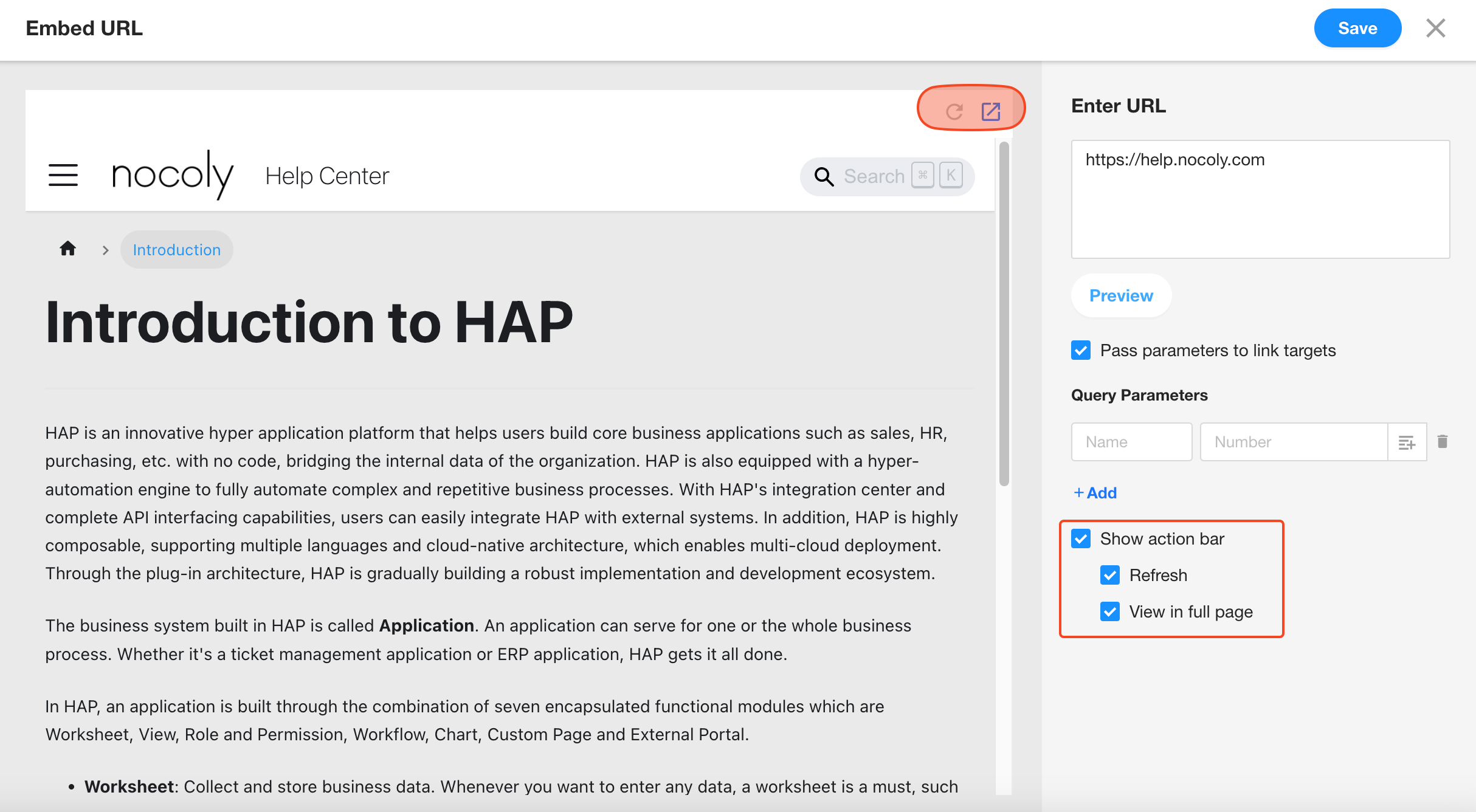
5. Show Action Bar
If enabled, a toolbar will appear at the top right of the embedded area, with options to Refresh and Open in New Tab.
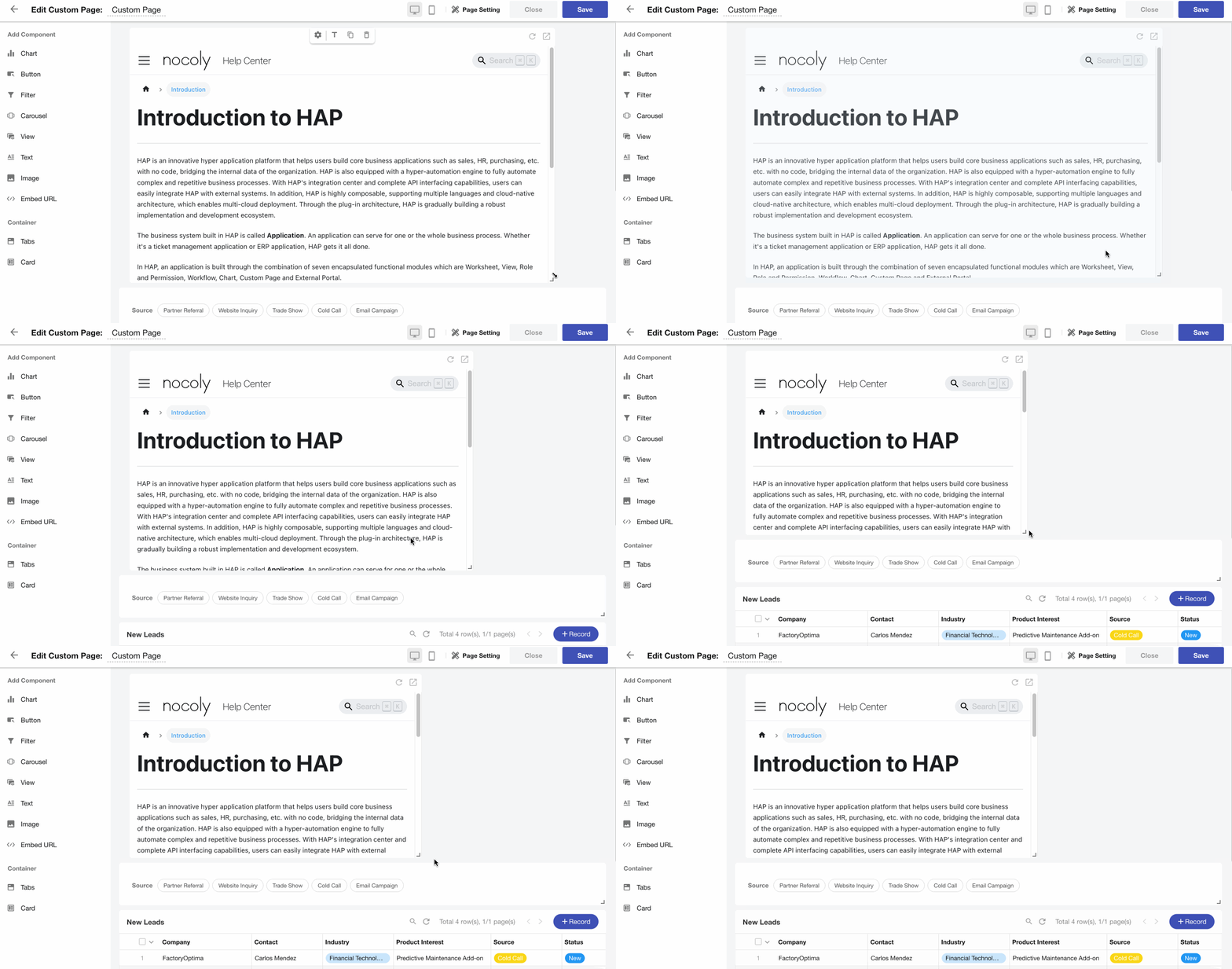
6. Adjust Embedded Area Size
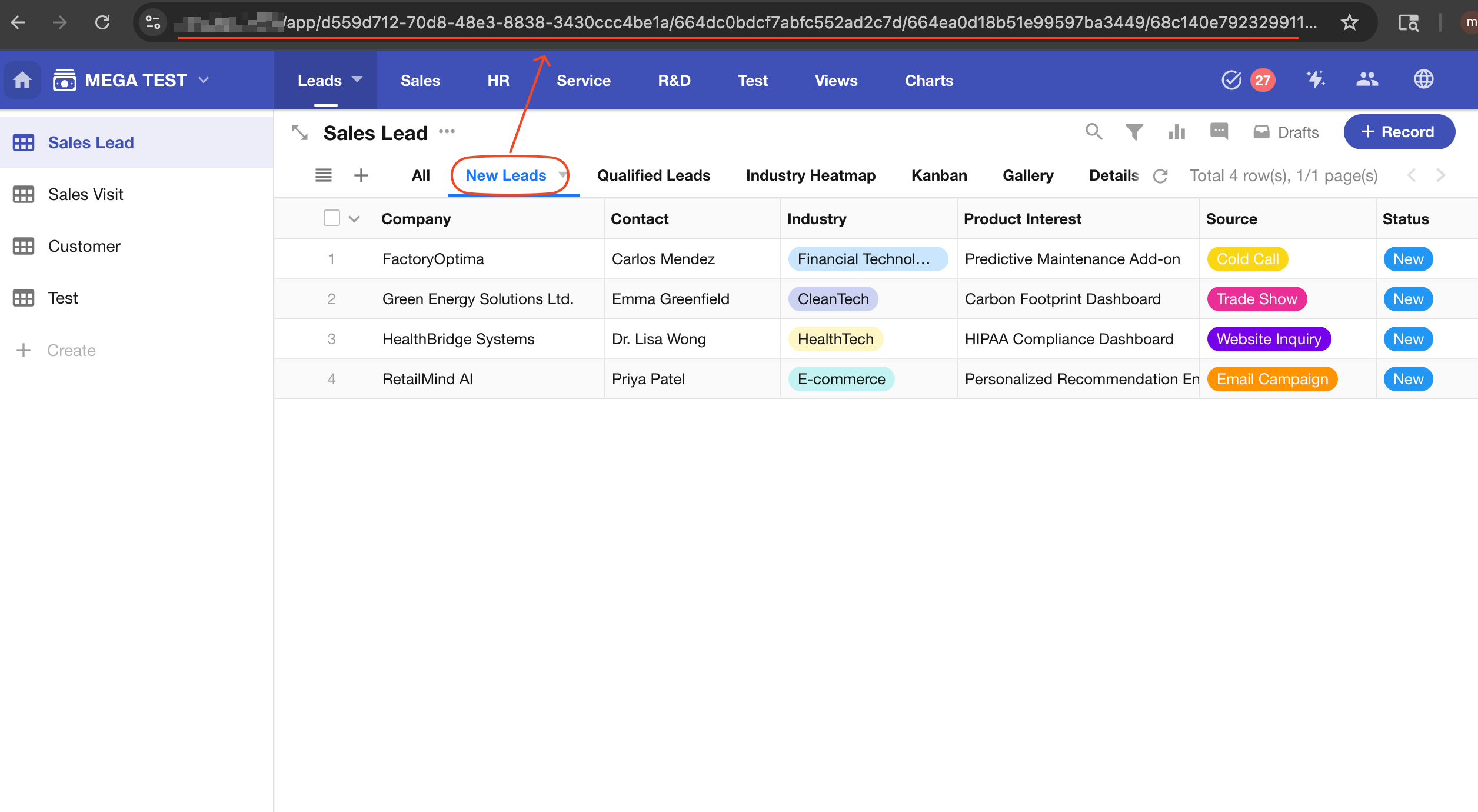
How to Get the URL of a Page in the Platform
-
Log in to HAP via your browser.
-
Open the target view inside a worksheet and copy the URL from the address bar.
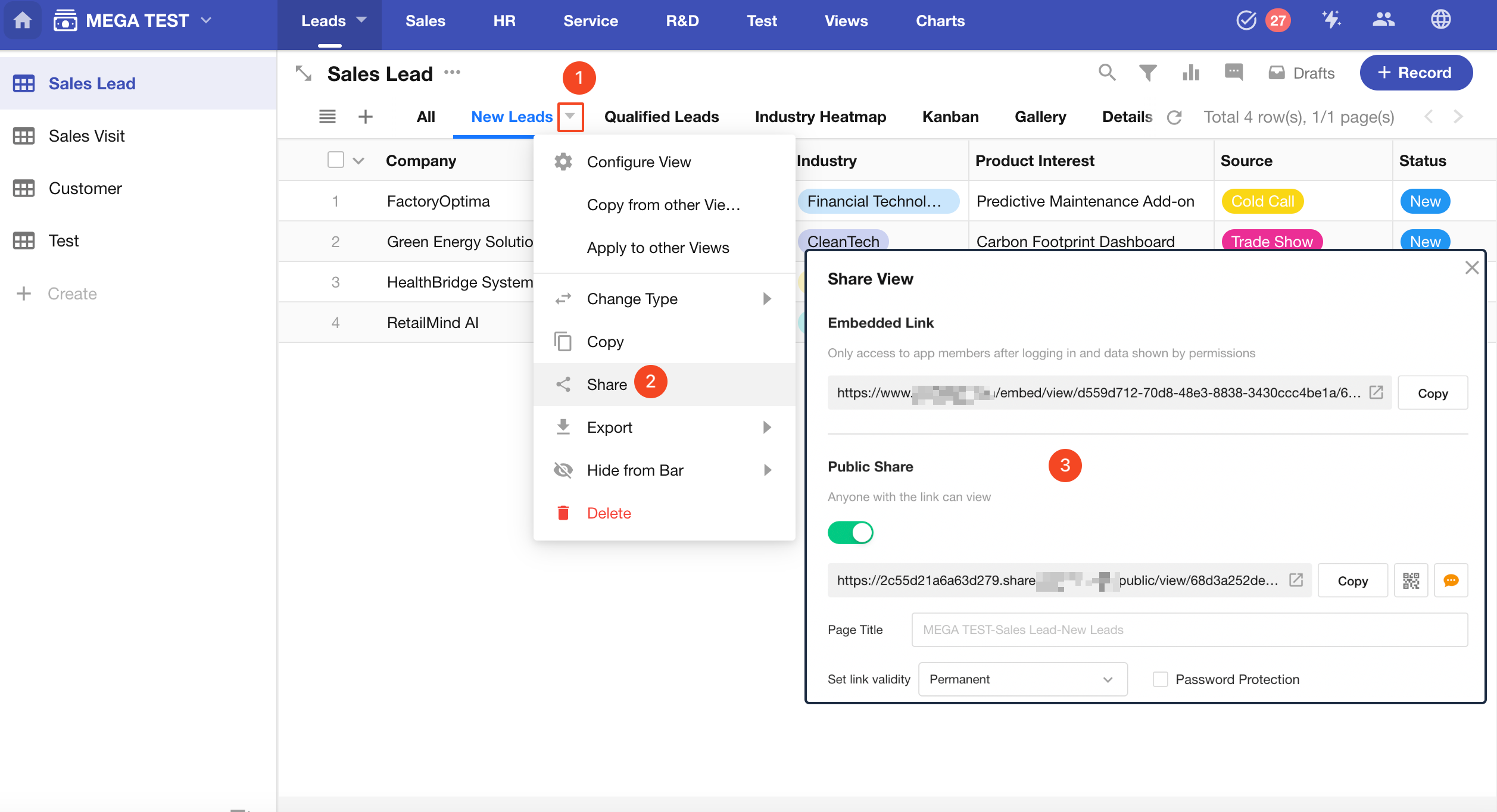
- Alternatively, you can get the share link of the view:
Was this document helpful?