Workflow To-Do
The Workflow To-Do displays all workflow items (approvals, filling in, carbon copies) that require your action. You can also view processes you’ve already handled.
If you are an Application Admin and want to check the progress of workflows that you're not directly involved in, you can view it through the workflow’s execution history or in Records.
Accessing Your Workflow To-Do
-
On Web (PC)
-
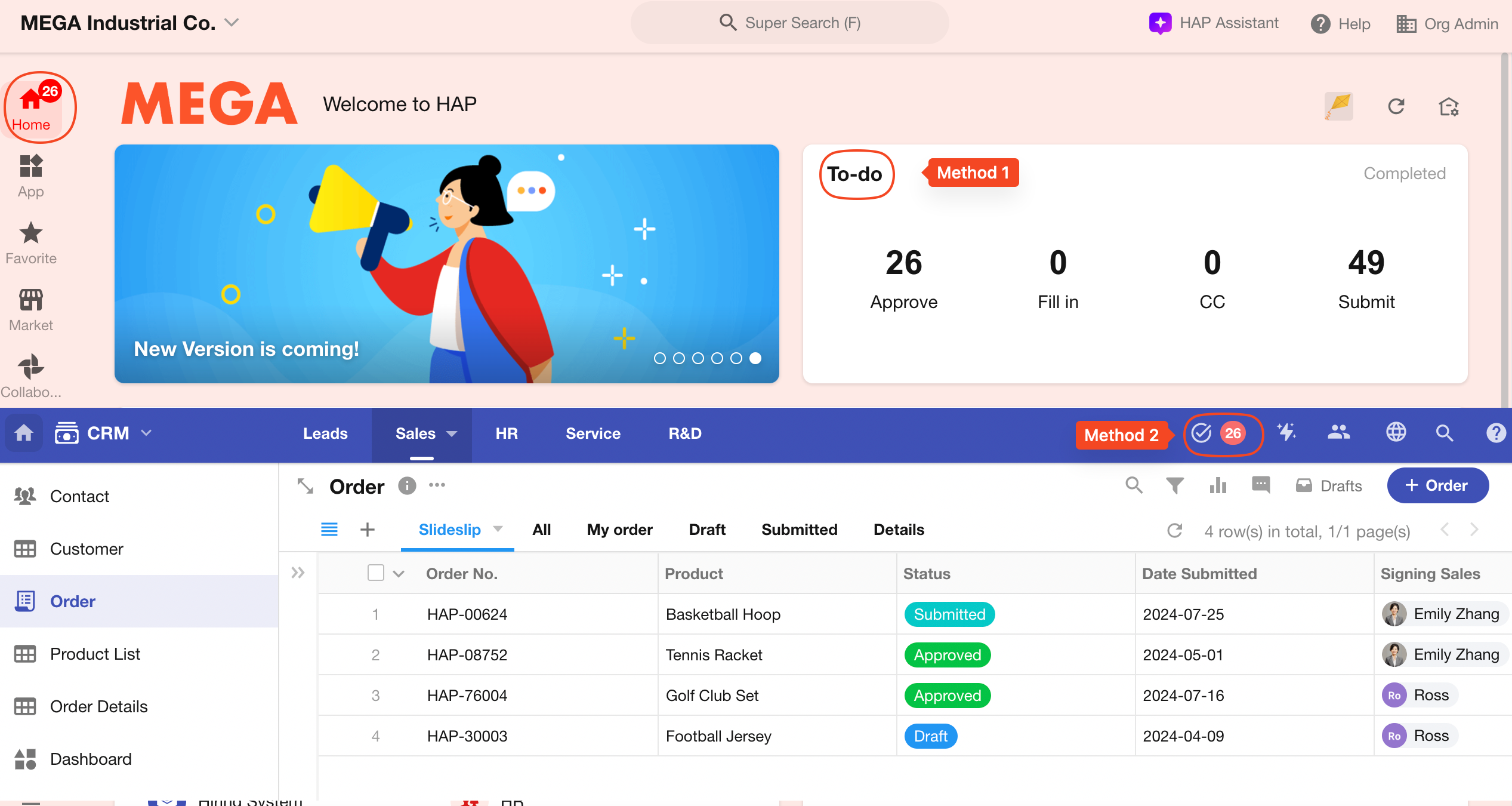
Option 1: Click the "To-Do" icon on the homepage.
-
Option 2: Navigate into an app, then click "To-Do".
-
-
On Mobile App / H5
-
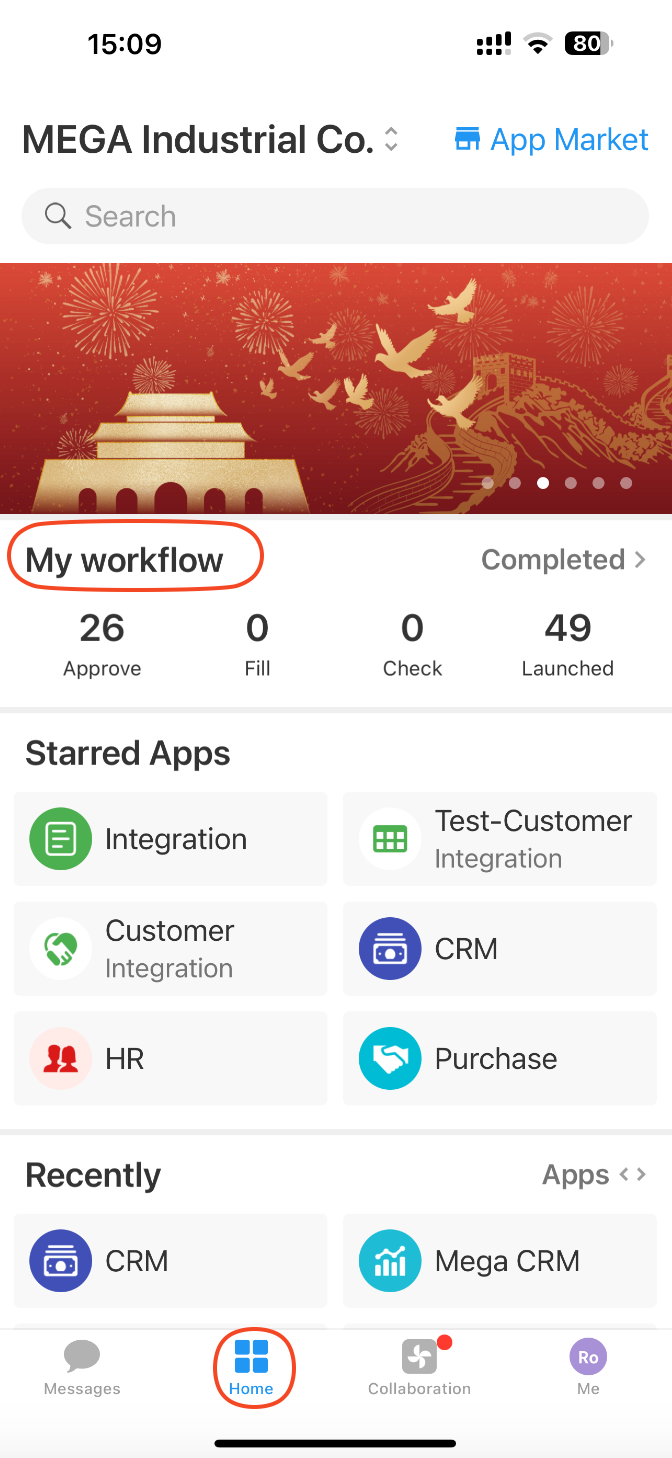
Tap the "Home" tab at the bottom, then select "My Workflow".
-
To-Do Notification Rules
- When you have pending approvals or filling in, the count badge shows the total (max: 99).
- If there are only carbon copies pending (and no approval/filling in), a red dot will appear instead.
Approve & Fill in
This section lists all workflow items that are waiting for your approval or input. Tap a card to view the associated record and take action.
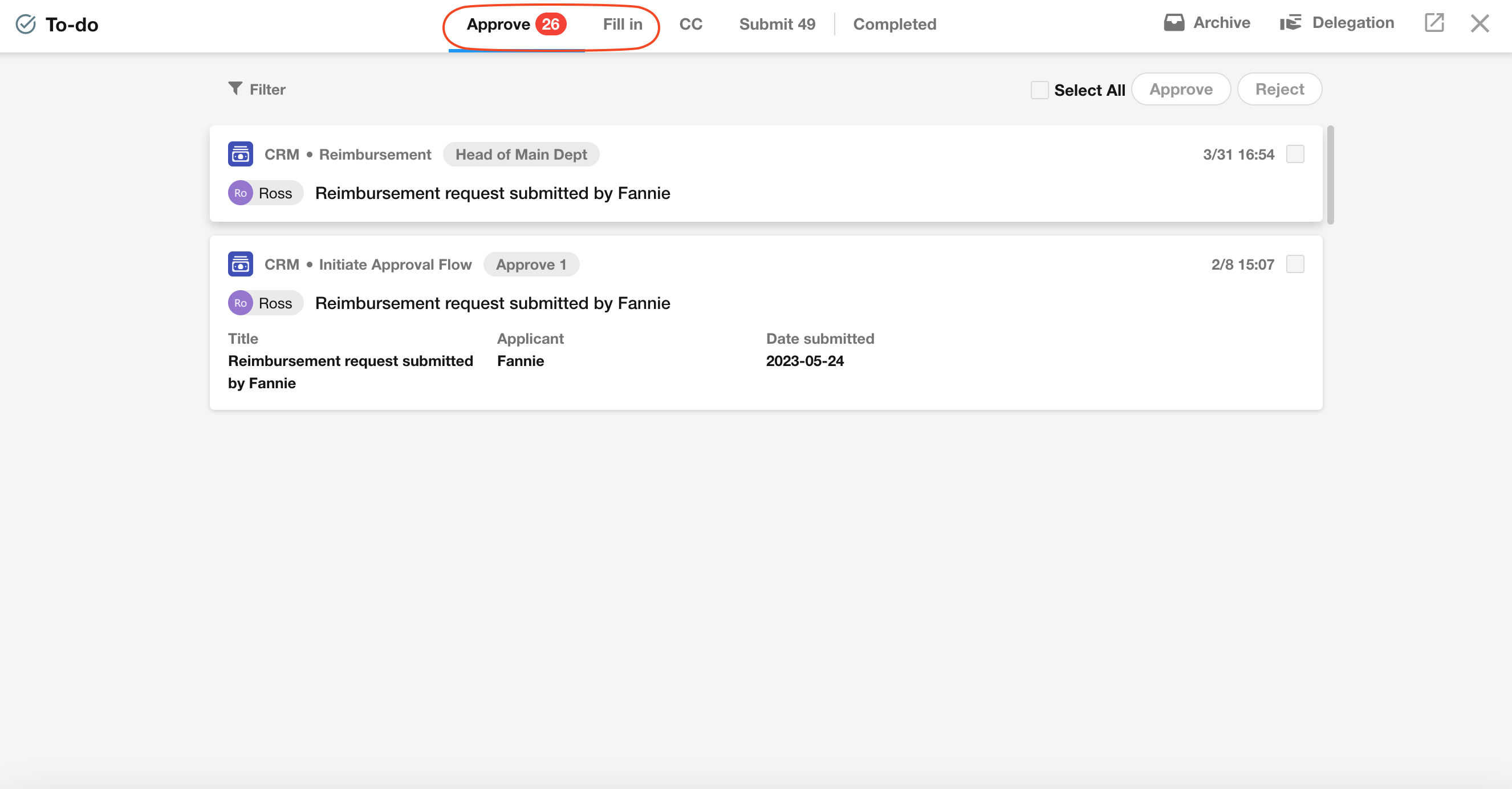
If batch approval is enabled, you can approve multiple workflows at once. Note that required fields will be ignored during batch approval.
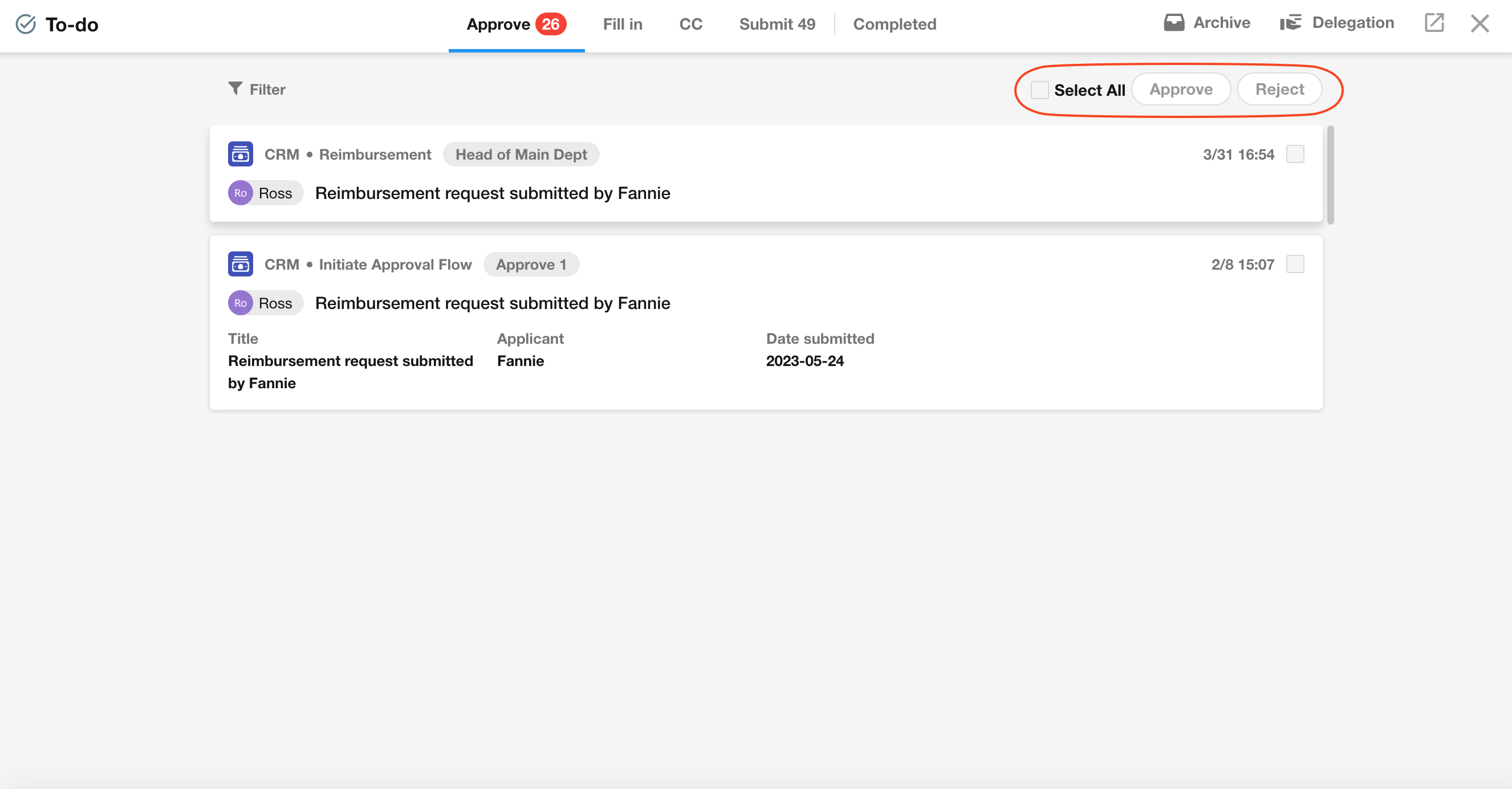
If checkboxes are disabled, batch approval is either not allowed by the app admin or not enabled when the workflow was triggered.
CC
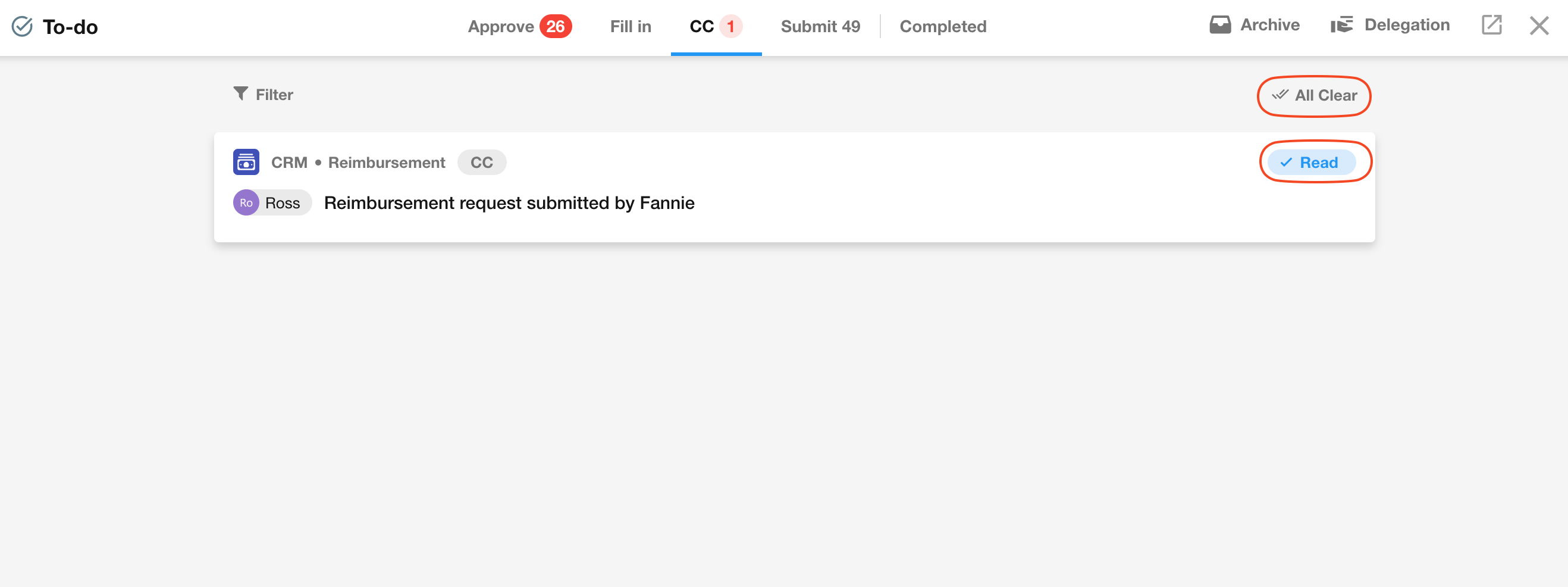
This section includes notifications sent to you via "CC" workflow nodes. You can mark them as read one-by-one or tap "Mark All as Read".
Notifications sent via the "Send Internal Notification" node do not appear in this section.
Submit
All workflows initiated by you but still pending approval or filling in appear here. You can:
- View processing progress
- Recall a submission
- Send reminders to approvers
Learn how to enable recall and reminders
Completed
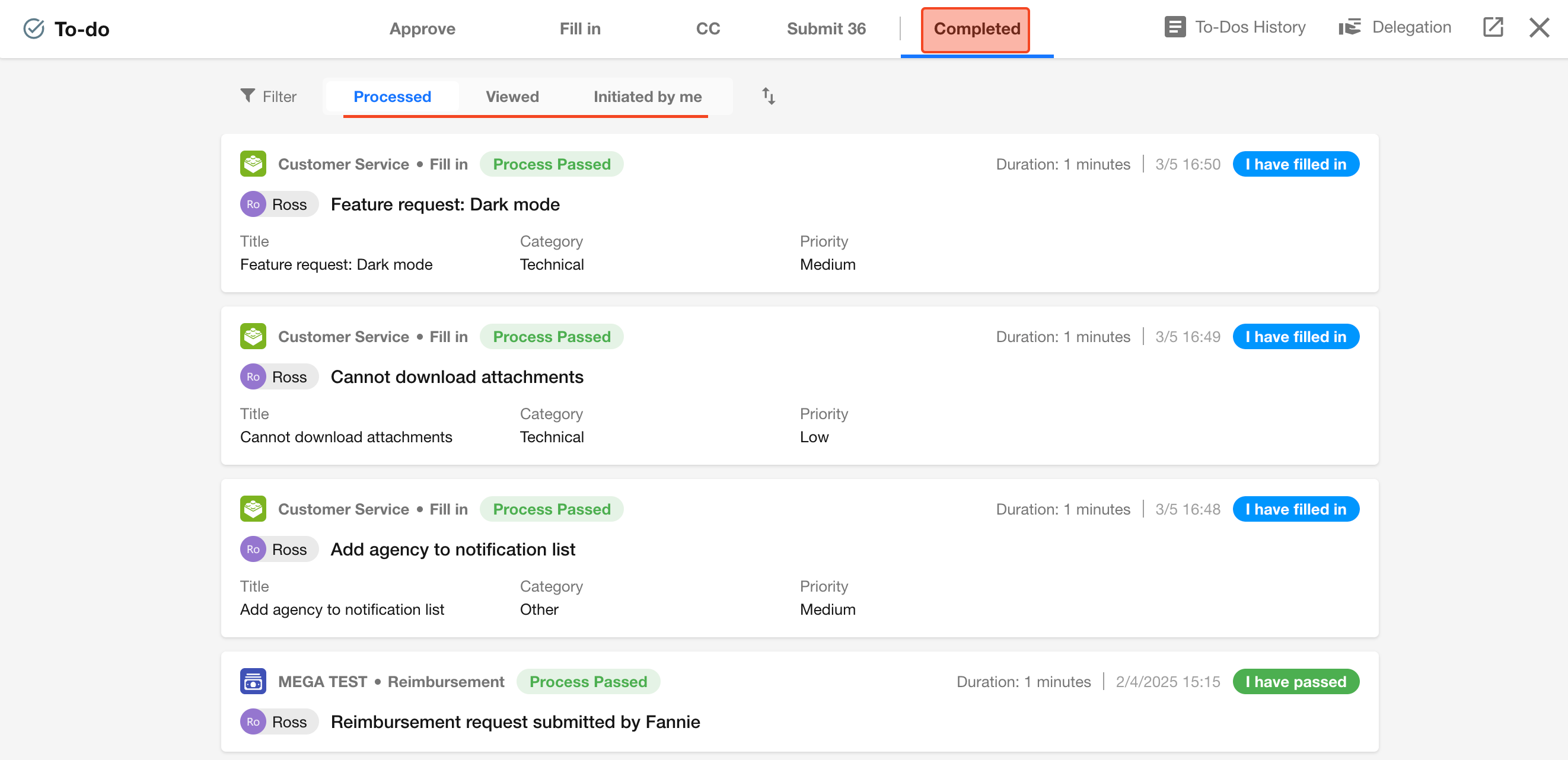
This section displays workflows that you have approved, completed, or viewed, as well as workflows you initiated that have been completed.
By default, only workflows from the current and previous year are shown. Earlier workflows can be found in To-Dos History.
Filtering and Sorting
-
Filtering
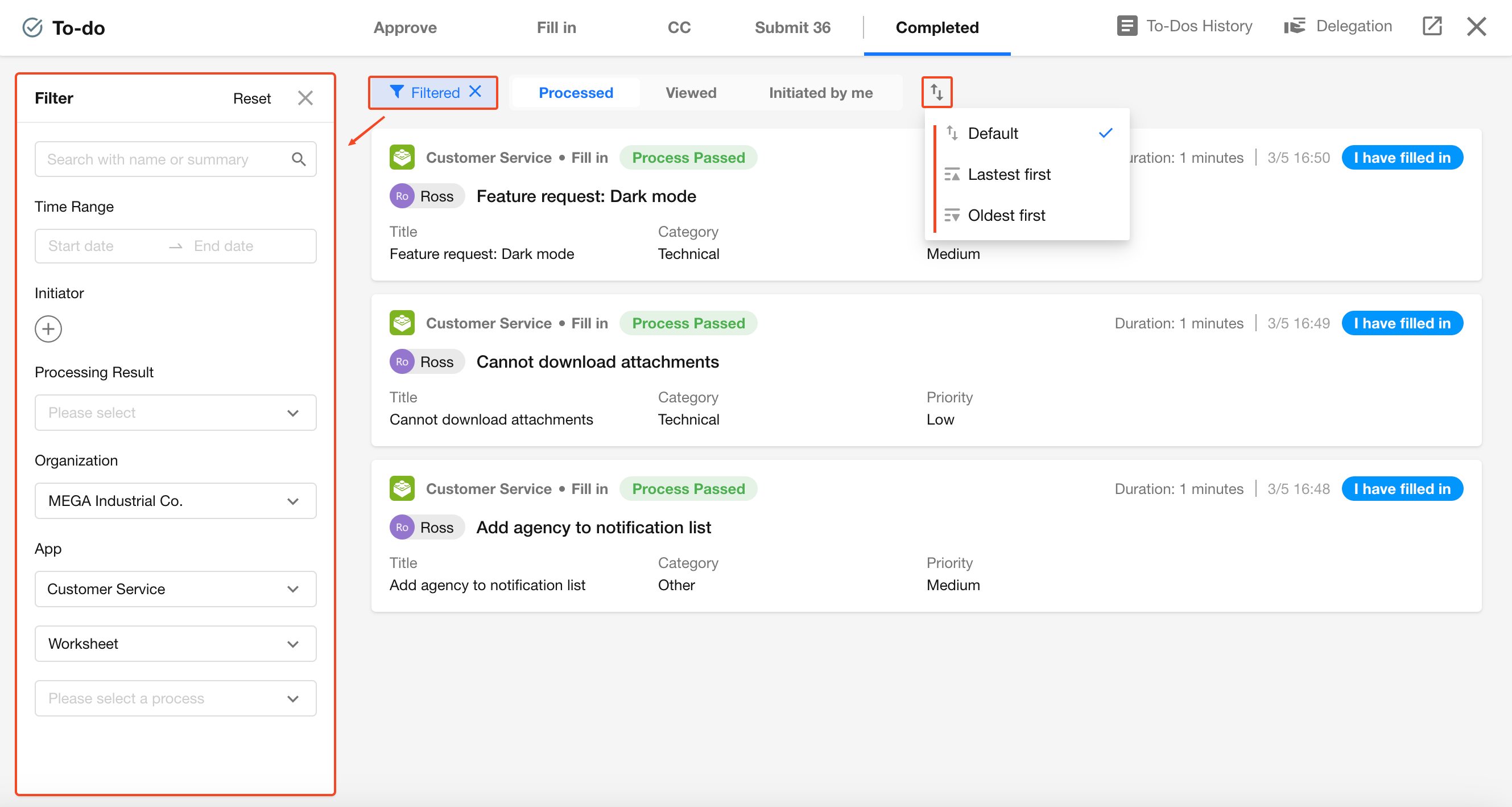
You can quickly locate workflows by filtering by initiator, organization, application, or workflow type, or by using search.
- Supports multi-keyword search, separated by spaces
- Search logic is AND (all keywords must match)
- When using multiple keywords, only the summary field is searched
-
Sorting
By default, the system prioritizes workflows that are overdue and not processed. You can also manually switch sorting to:
- Newest first
- Oldest first
Was this document helpful?