Introduction to Record ID (rowid)
What is a Record ID
A Record ID (rowid) is a 36-character string such as b920bfa7-c3ca-4400-82a4-703cb482810a. It is absolutely unique within a worksheet and never repeats.
Normally, Record IDs are not displayed to end users as they are not commonly needed. A Record ID is automatically generated upon creating and saving a record and cannot be changed. Even if a record is deleted, its Record ID will not be reused for new records, ensuring its absolute uniqueness.
1. How to Display Record ID in a Worksheet
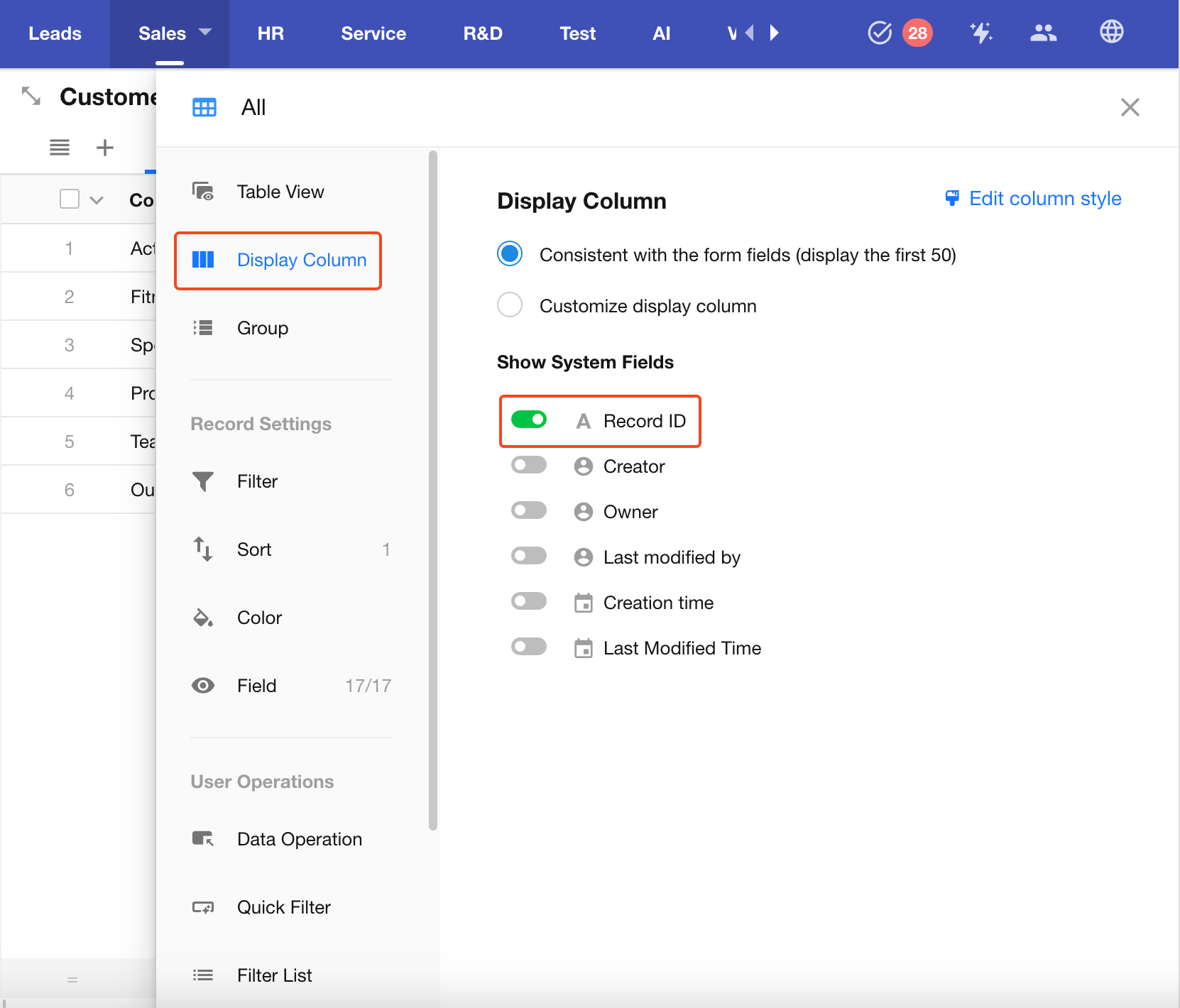
You can enable Record ID in the column display settings of the table view.
Note: Displaying Record ID is only supported in the table view, not in other view types.
2. Using Record ID in Workflow Filters
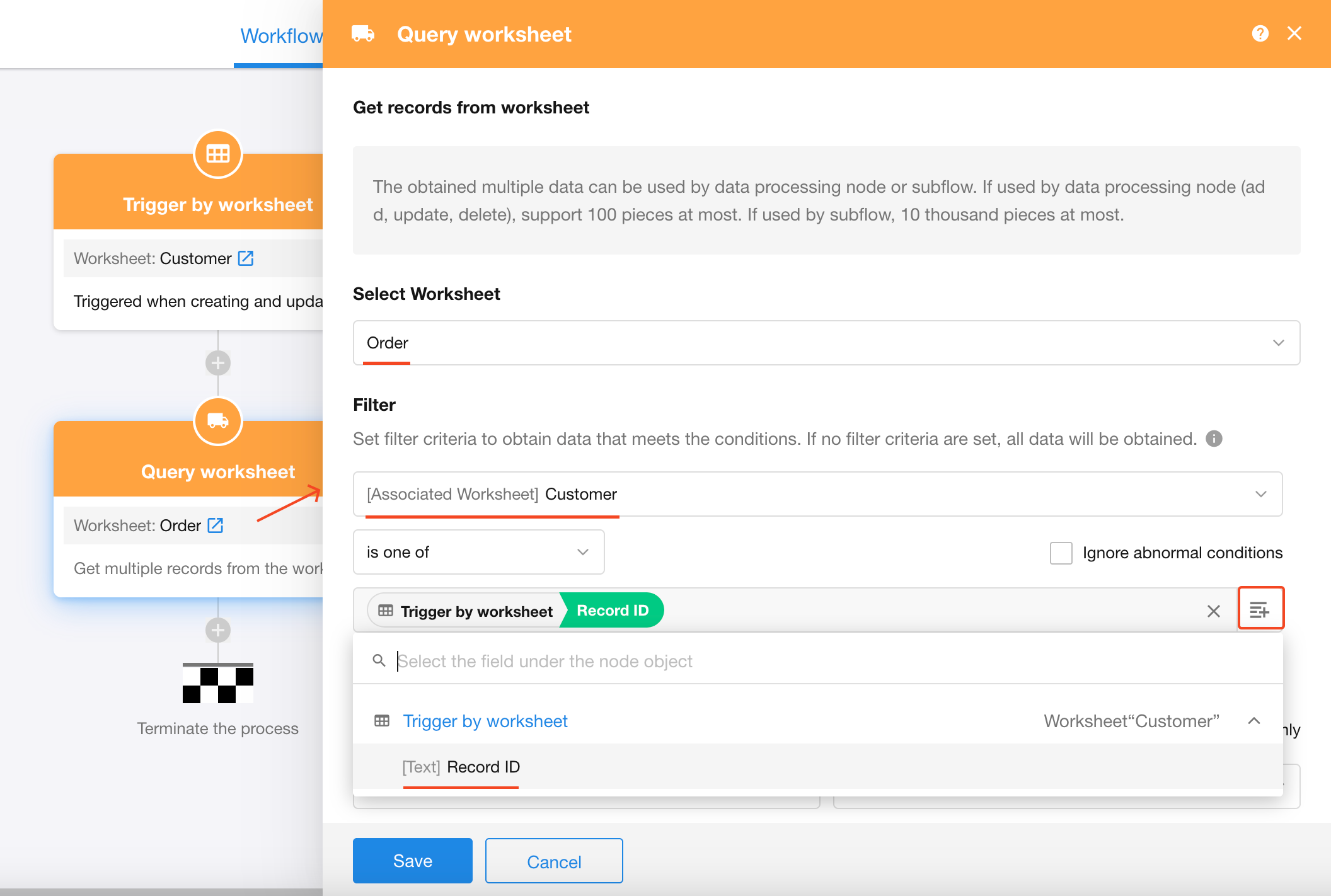
For example, if a customer record is linked to multiple order records, you can use the customer’s Record ID to retrieve all related orders from the orders worksheet.
Workflow Node: "Get Multiple Data" (Query Worksheet)
3. Record Details Page Link
Each record has a dedicated URL (landing page) that allows users to open and view the record directly. These links can be dynamically concated through workflows and sent to others—for example, in a group chat. Recipients will be prompted to log in and validate permissions before viewing, with the same effect as opening from the worksheet.
Link Template
Since visibility and permissions vary by view, make sure to first enter the target view, then open a record in a new browser tab, and copy the URL from the address bar.
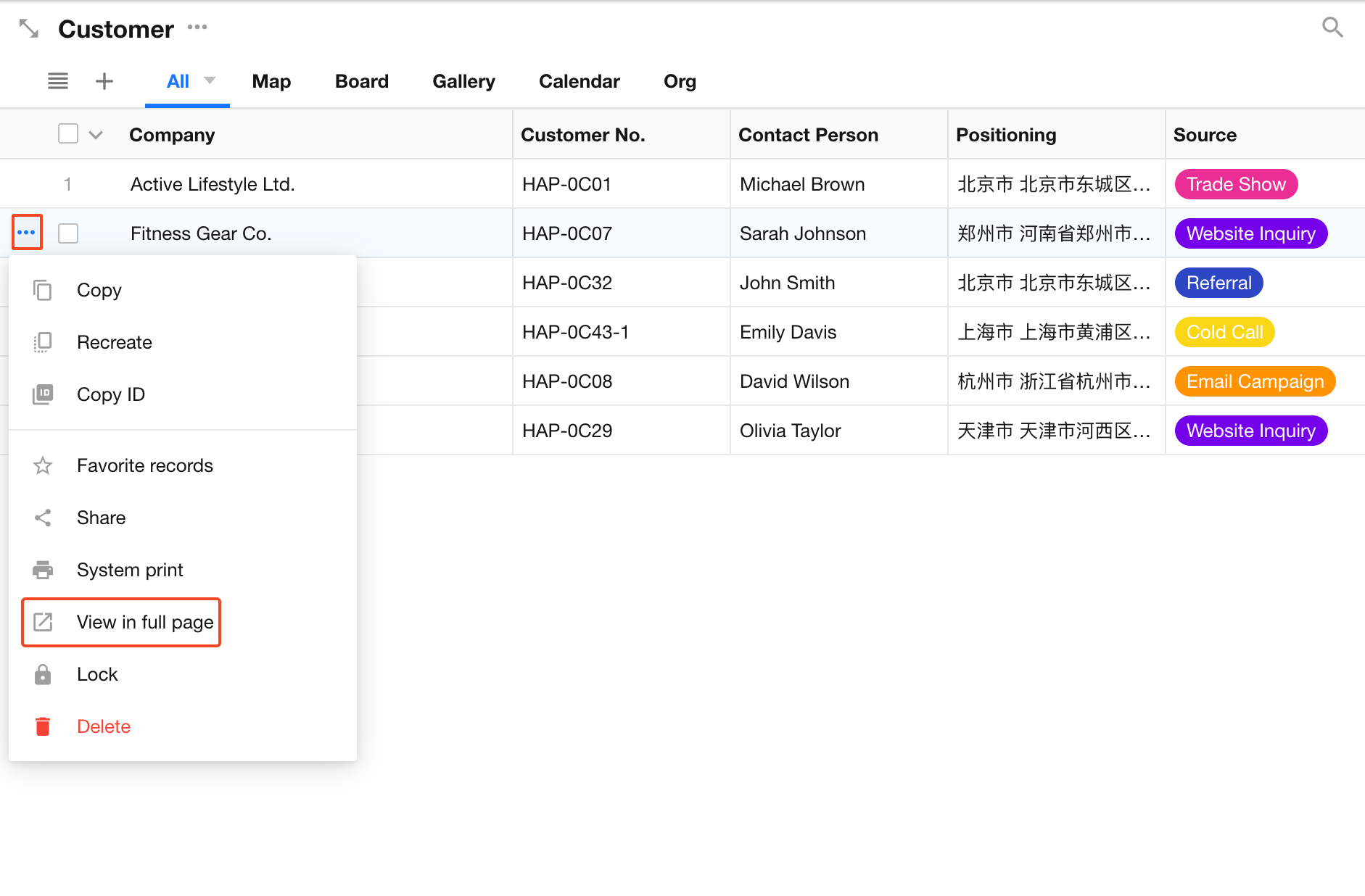
Example format:

A record’s detail page URL includes:
- App ID
- Worksheet ID
- View ID
- Record ID (after
/row/)
To construct a link for another record, simply replace the Record ID while keeping the rest of the URL unchanged.
Example:
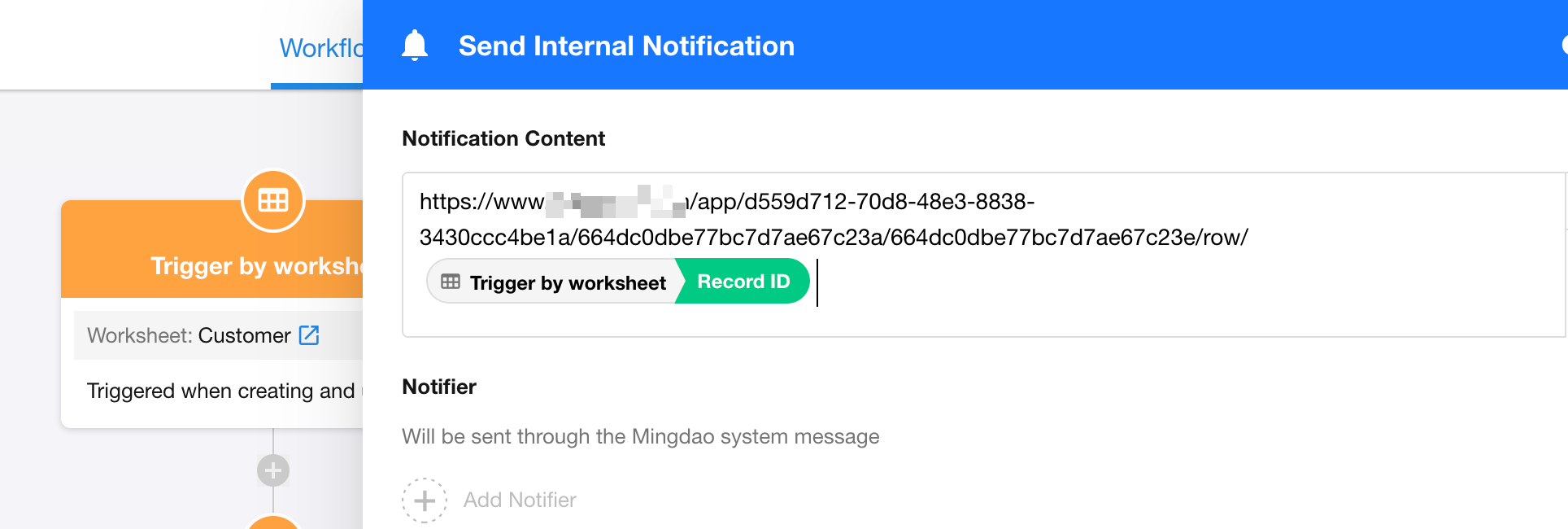
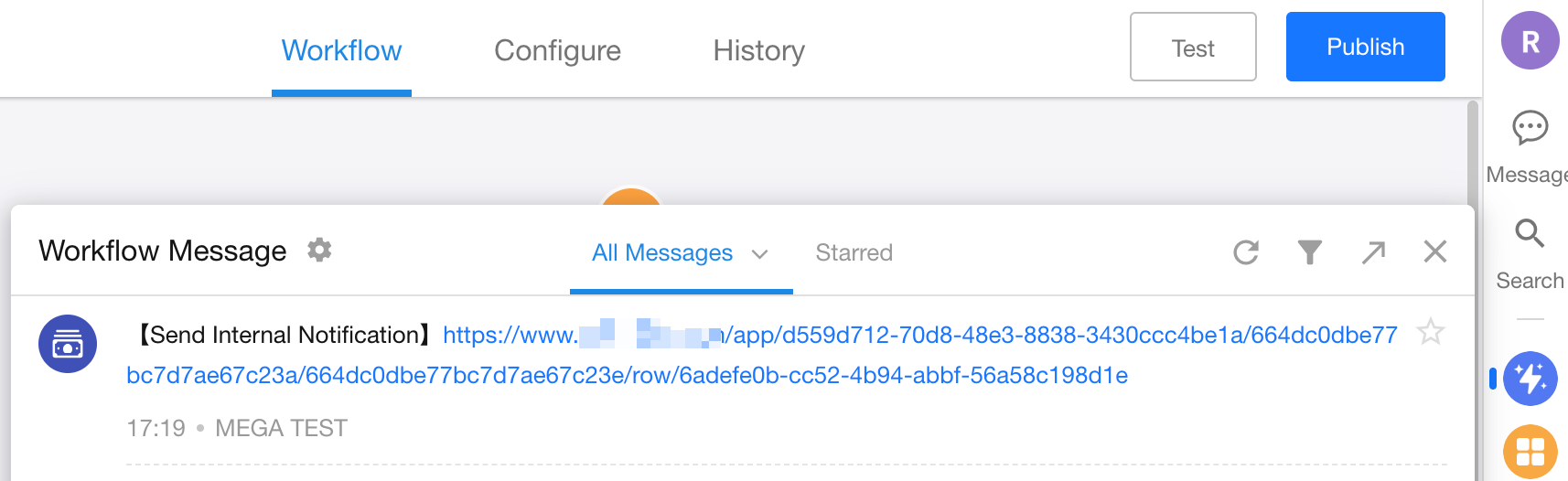
In a "Send Internal Notification" workflow node, paste the static portion of the link (up to /row/) into the text field, then insert the Record ID field to concat a complete record link.
Was this document helpful?