Dedicated Instance
What Is a Dedicated Instance
A dedicated instance is an exclusive resource purchased within the platform to run workflow independently. After purchasing a dedicated instance, critical workflows in your app can be assigned to run on it, avoiding delays caused by workflow congestion from your organization or other organizations on the platform.
A dedicated instance does not increase the execution speed of workflows themselves. Instead, it ensures stable execution without being affected by other workflows.
Do I Need a Dedicated Instance?**
All workflow instances in HAP are executed in a queue and processed concurrently by the server. Under normal conditions:
- A workflow triggered by a worksheet event typically completes within 5 seconds (excluding nodes such as approval, fill-in, or delay).
- A workflow triggered by a button typically completes within 1 second.
However, complex workflows (e.g., those modifying multiple fields across worksheets) may slow down execution, potentially causing queue congestion and delaying subsequent workflow instances.
-
Recommended to purchase a dedicated instance
If your business requires highly reliable workflow execution and delays may disrupt operations, a dedicated instance is recommended. -
Not required
For example, after creating a lead record, a workflow queries location and assigns a salesperson. A delay of a few minutes in such scenarios typically has minimal impact and does not require a dedicated instance.
Purchase a Dedicated Instance
Only Organization Super Admins and Organization Application Admins can purchase and manage dedicated instances via the Organization Admin Console.
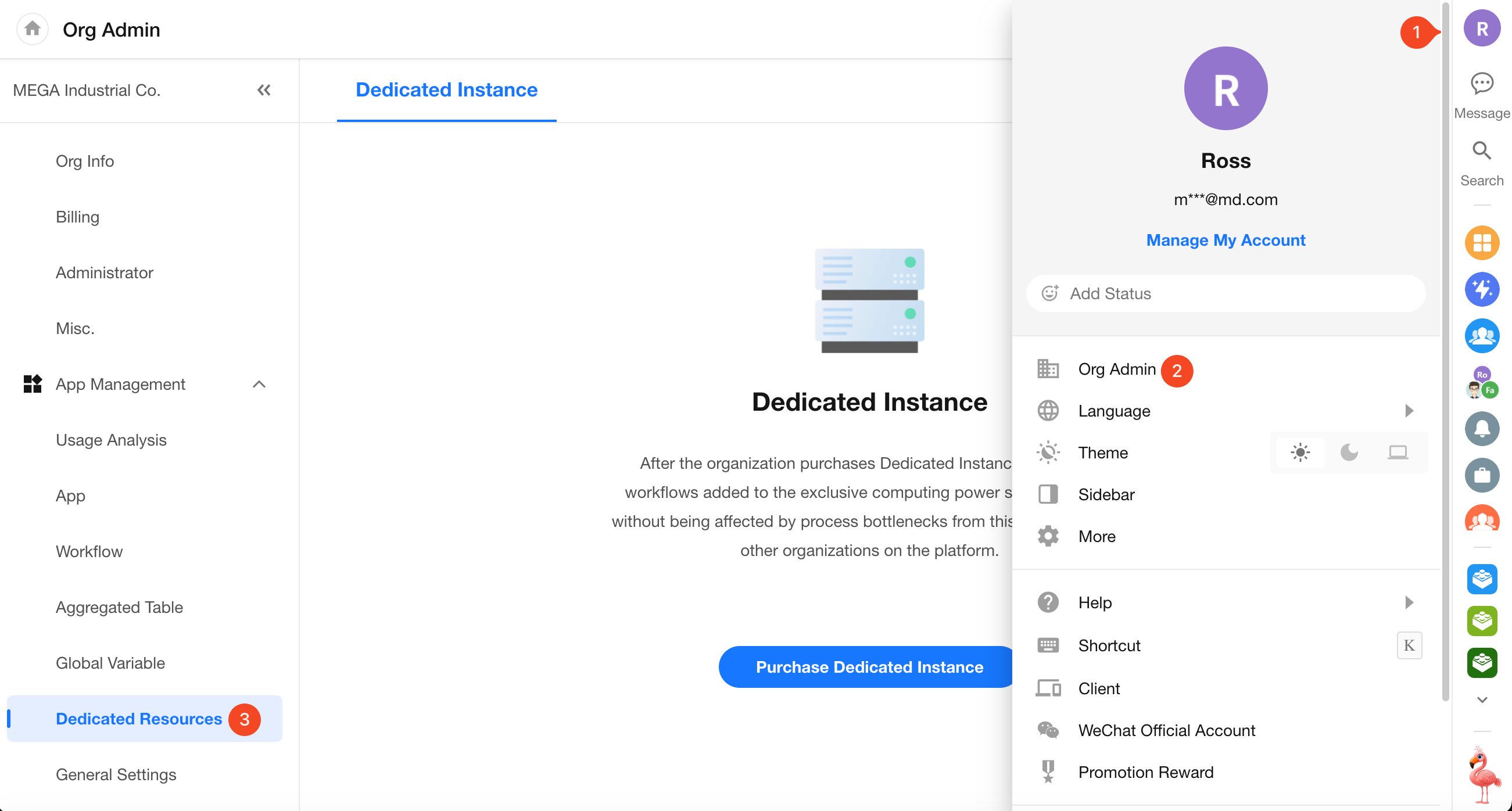
Start Purchase
Click Purchase Dedicated Instance to select configuration options.
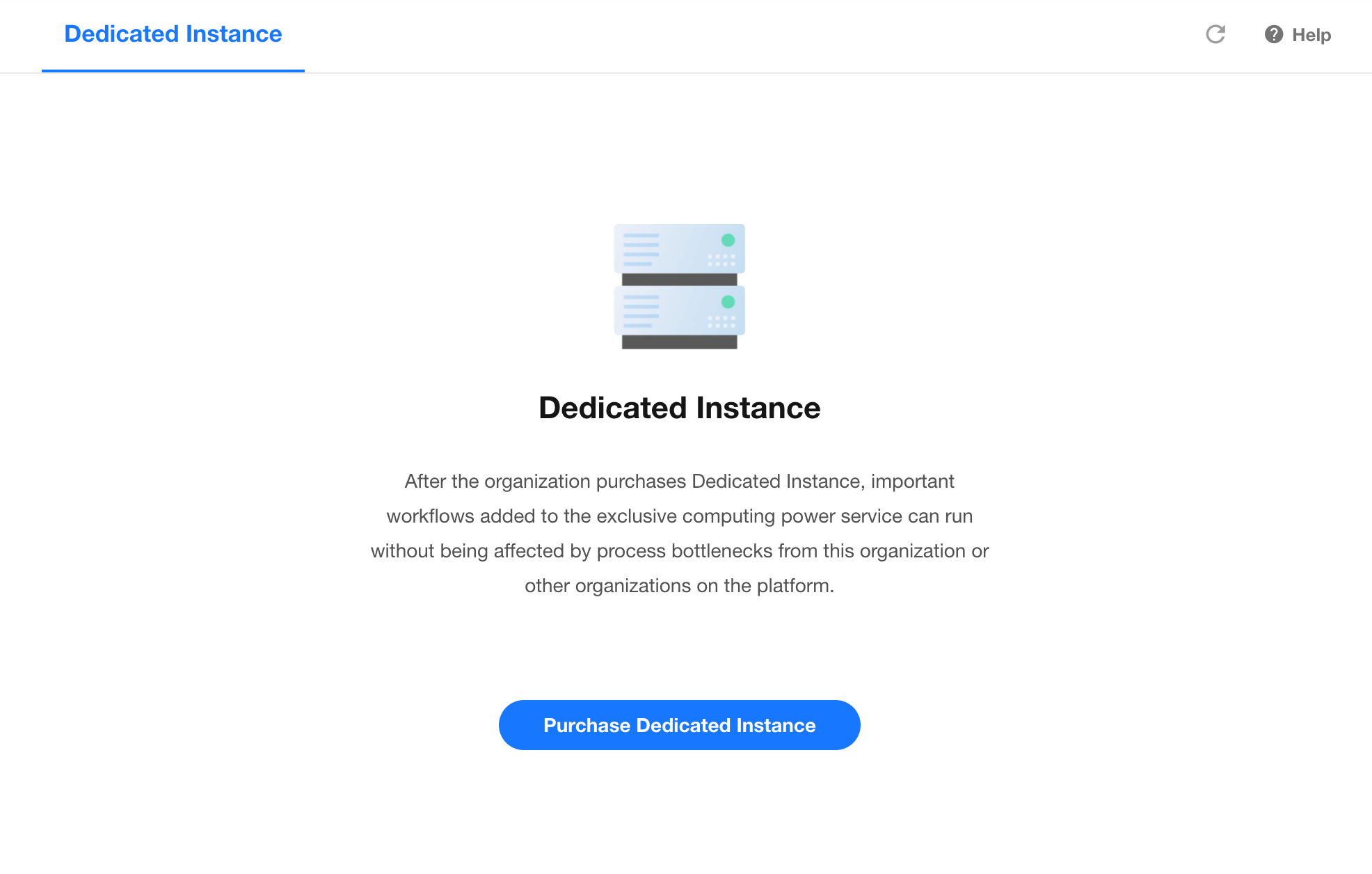
1. Select Specifications
Choose the maximum concurrency based on your needs. Three options are available:
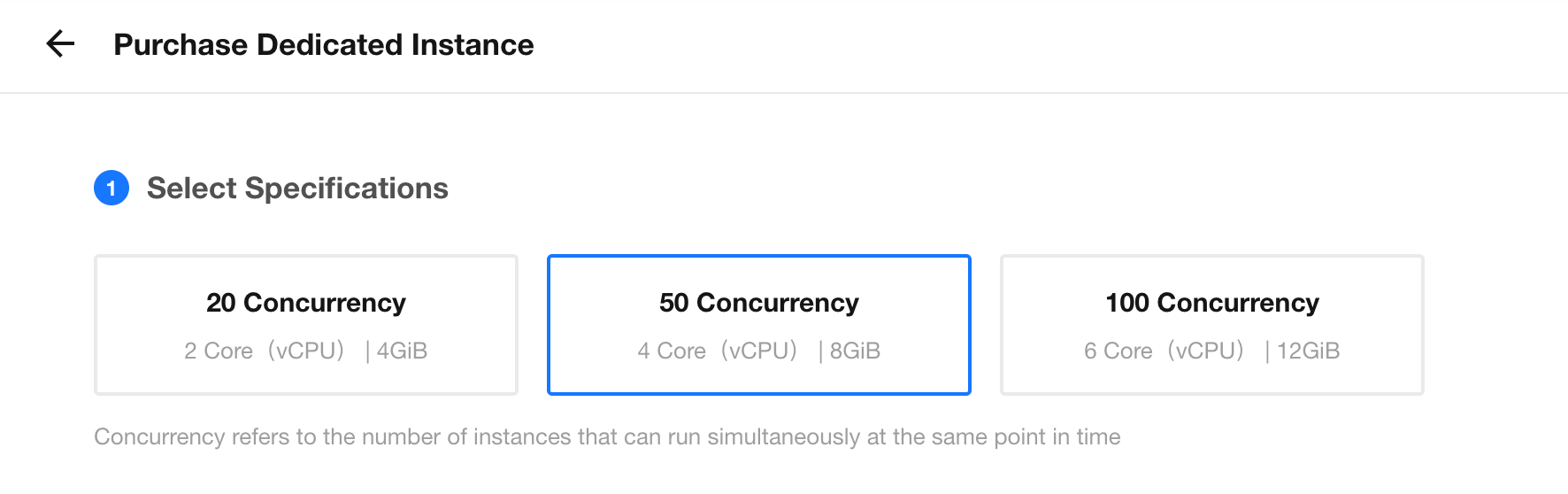
Concurrency refers to the number of workflow instances that can run simultaneously. For example, a concurrency of 20 means up to 20 workflows can run at the same time. Additional workflows will queue until resources are available.
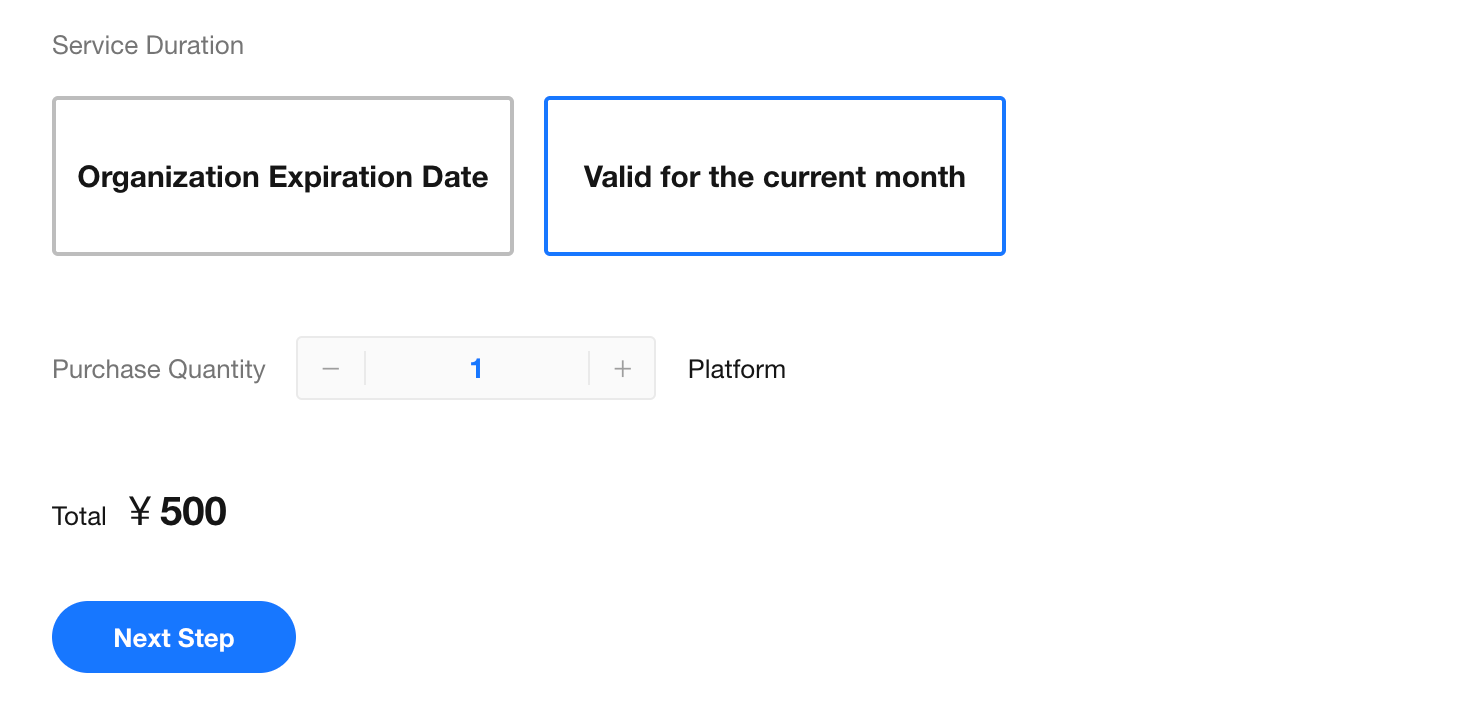
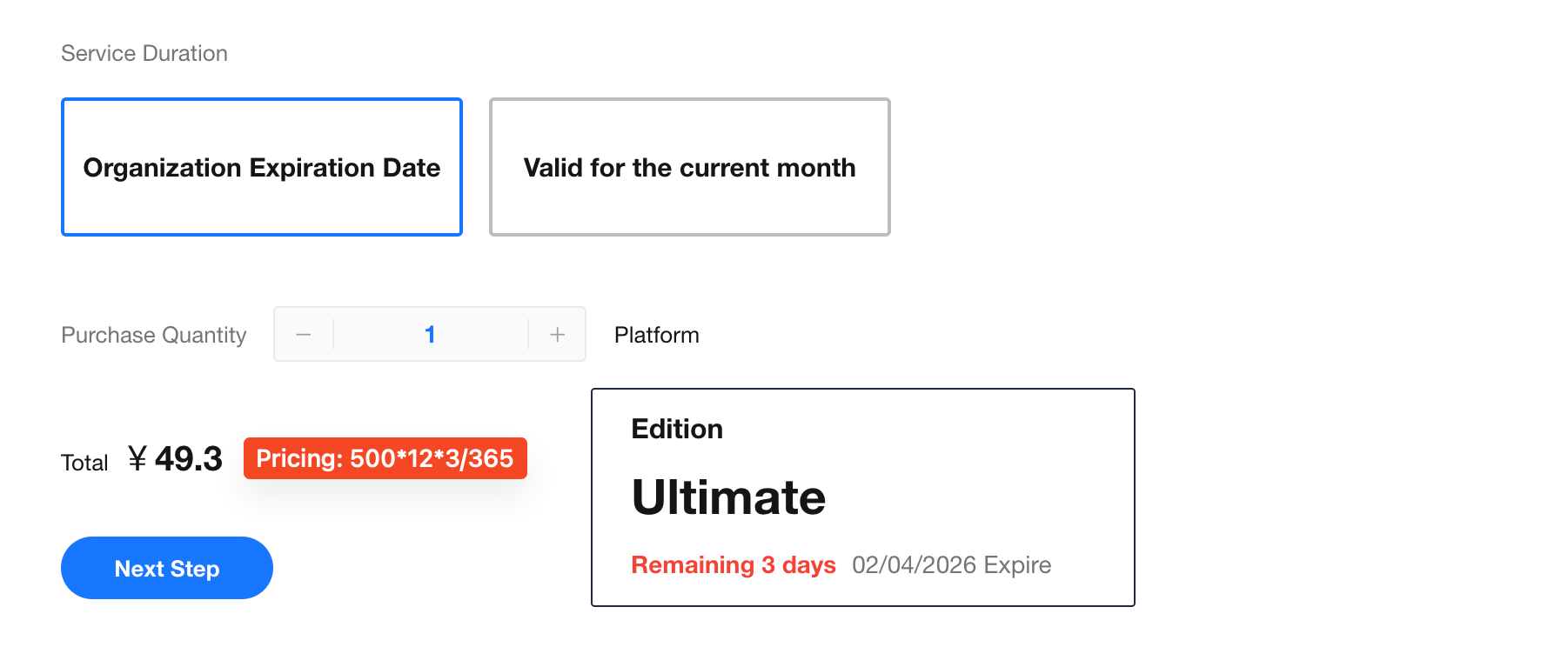
2. Select Duration
Two options are supported: Monthly Upgrade Package and Single-Month Package.
-
Monthly Upgrade Package
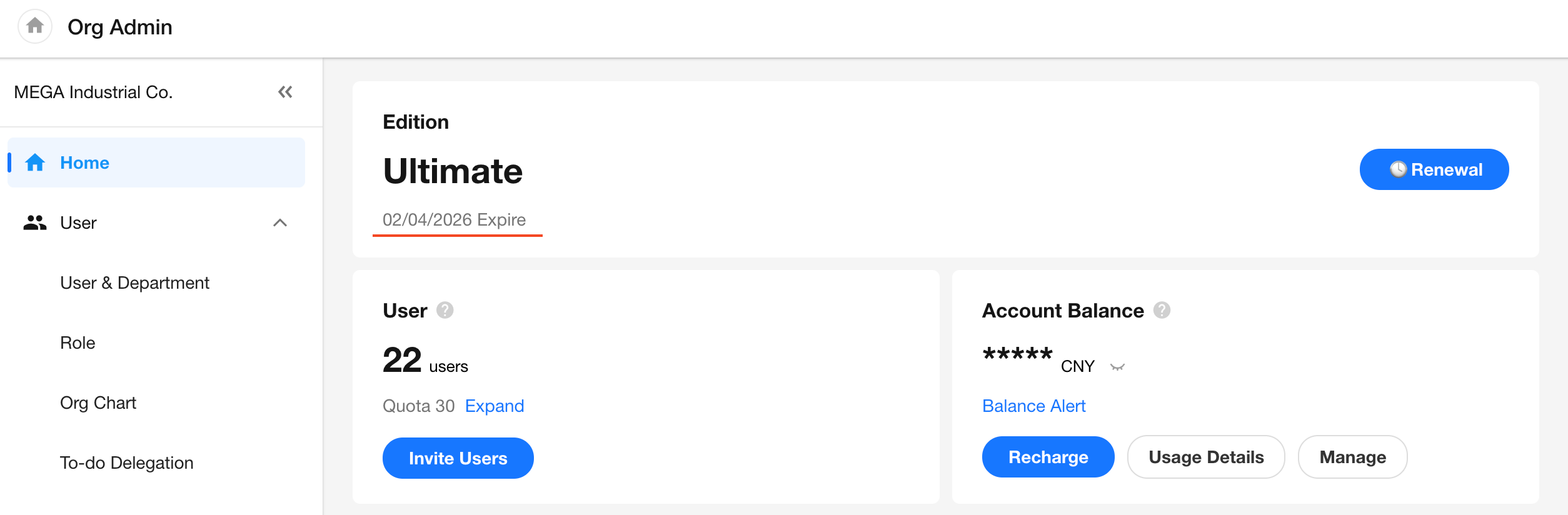
Available from the current month until the platform license expiration date.
How to check the license expiration date:
-
Single-Month Package
Available only for the purchased month.
3. Pricing
The cost is calculated automatically based on the selected specification and duration.
Monthly plan pricing formula:
Unit Price * 12 months * Billing Days / 365
- 20 concurrency: 200 RMB/month
- 50 concurrency: 500 RMB/month
- 100 concurrency: 1000 RMB/month
4. Place Order and Pay
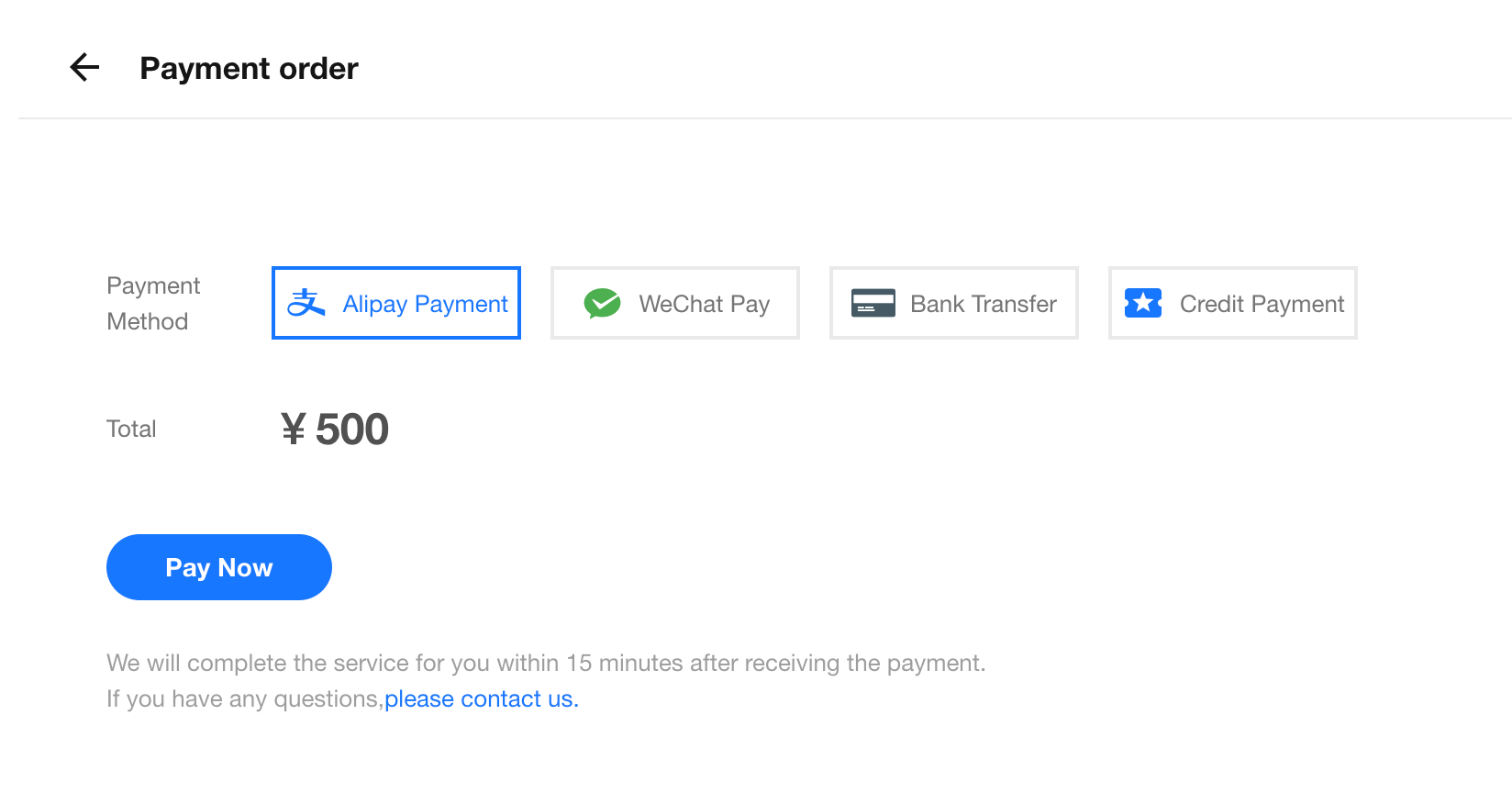
Payments via credits, WeChat Pay, or Alipay take effect immediately.
Bank transfer payments require offline verification and may be delayed.
Tips:
- Dedicated instances are not available in the Free plan.
- Each organization can purchase up to 5 instances.
- Each organization can try a 20-concurrency instance for free once (single-month plan, valid for the purchase month).
Manage Dedicated Instances
Basic Information and Actions
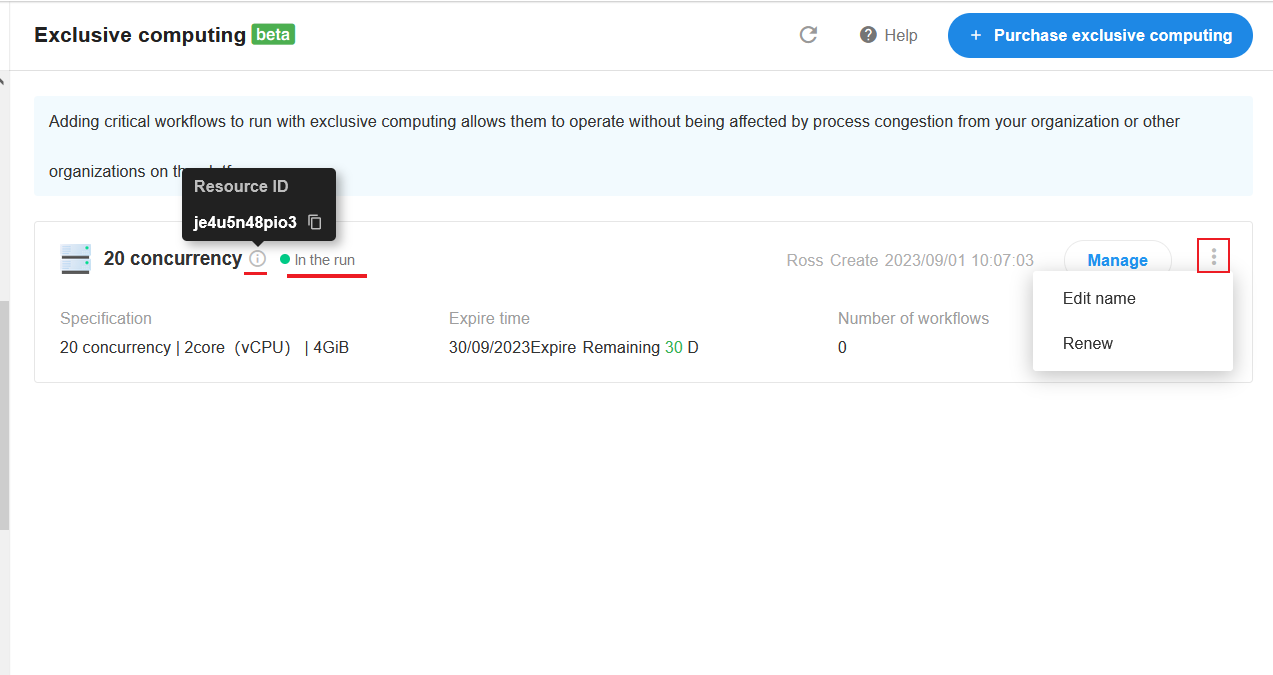
In the dedicated instance list, you can view the resource ID, rename the instance (default is the specification name), and renew it.
-
Resource ID
May be required when reporting issues. -
Rename Instance
Default name is based on the specification. You can customize it based on business needs. -
Status
- Creating (resource is being provisioned after payment)
- Active
- Terminating (expired but workflows are still being processed; will be terminated after completion)
- Terminated
Manage Dedicated Instances
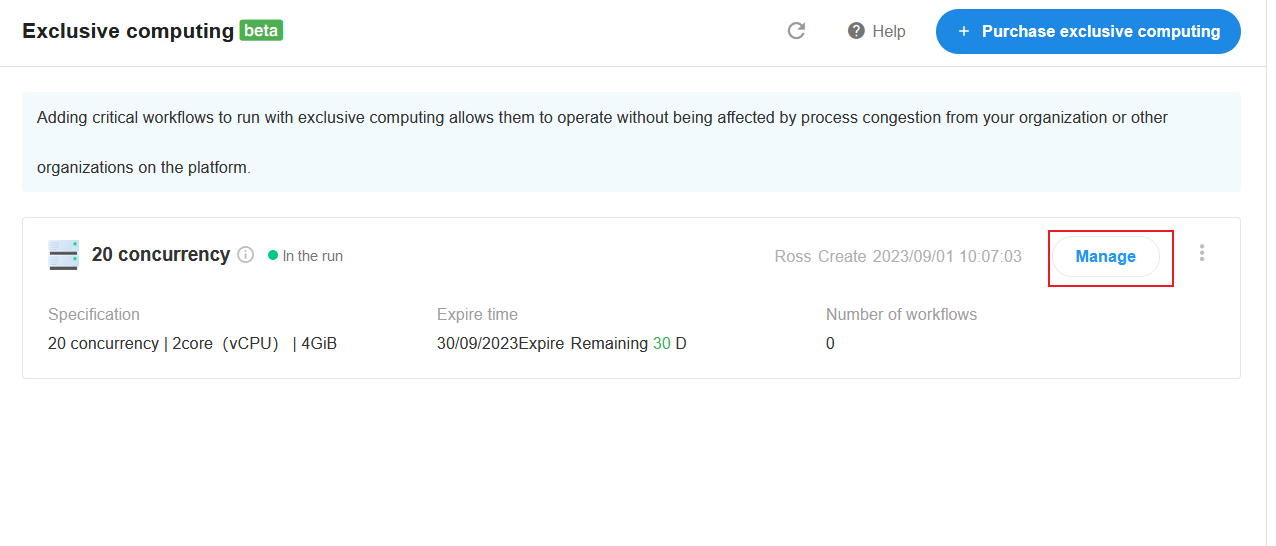
Not all workflows require a dedicated instance. Critical workflows that require reliable execution can be assigned to a dedicated instance, while other workflows can continue to run on the platform's shared compute resources.
To manage a dedicated instance, click Manage on its card.
-
Add Workflows to a Dedicated Instance
Subprocesses and packaged business processes referenced by workflows assigned to the current dedicated instance also run on the same dedicated instance.
-
Remove or Move Workflows: Workflows can be removed from the current dedicated instance or moved to another dedicated instance, either individually or in bulk.
If a dedicated instance has expired, its workflows can be moved to another dedicated instance.
On the expired dedicated instance card, click View > Add to Other Dedicated Instance.
Was this document helpful?