Application Logs and Login Logs
Logs help track and analyze user activities within the system. Three types of logs are available: Application Logs, Login Logs, and Organization Management Logs. These logs can be used for system monitoring, troubleshooting, security auditing, and user behavior analysis.
1. Application Logs
View Application Logs
-
Organization Administrators
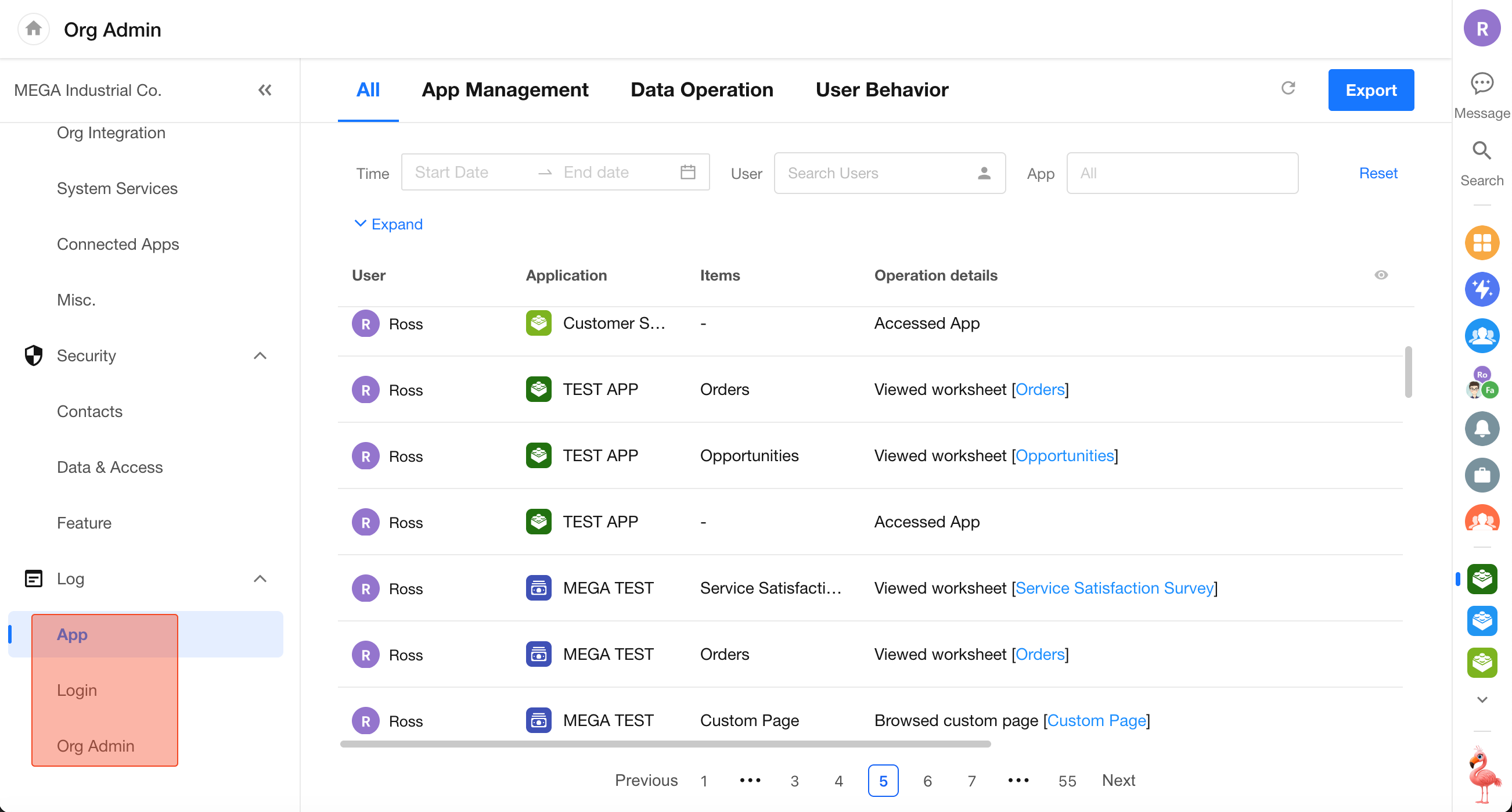
Click your profile avatar and go to Org Admin > Log > App to view application logs across the organization.
-
Application Administrators / Operators
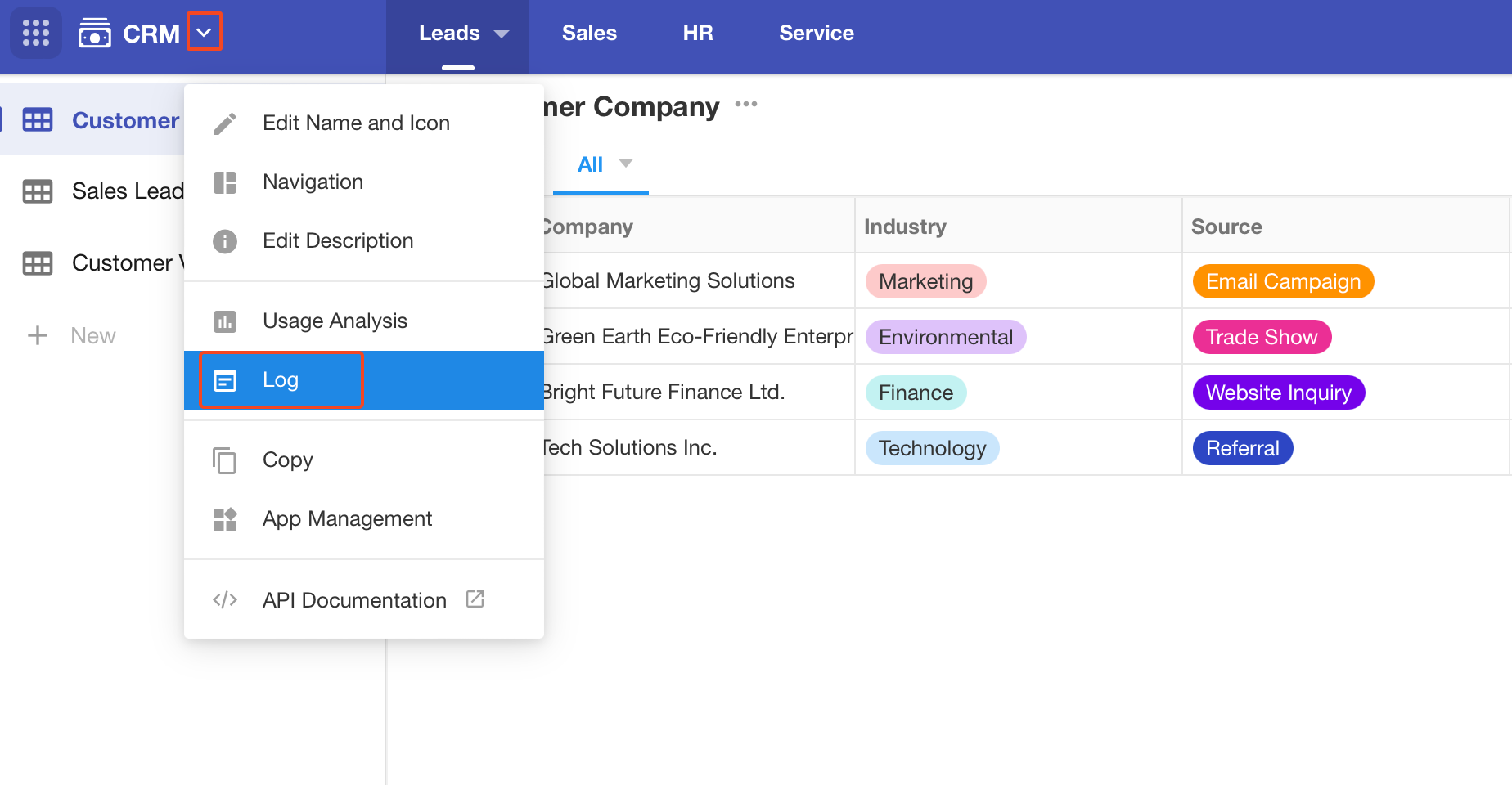
In the application management menu, select Log to view logs for the current application.
Log Categories
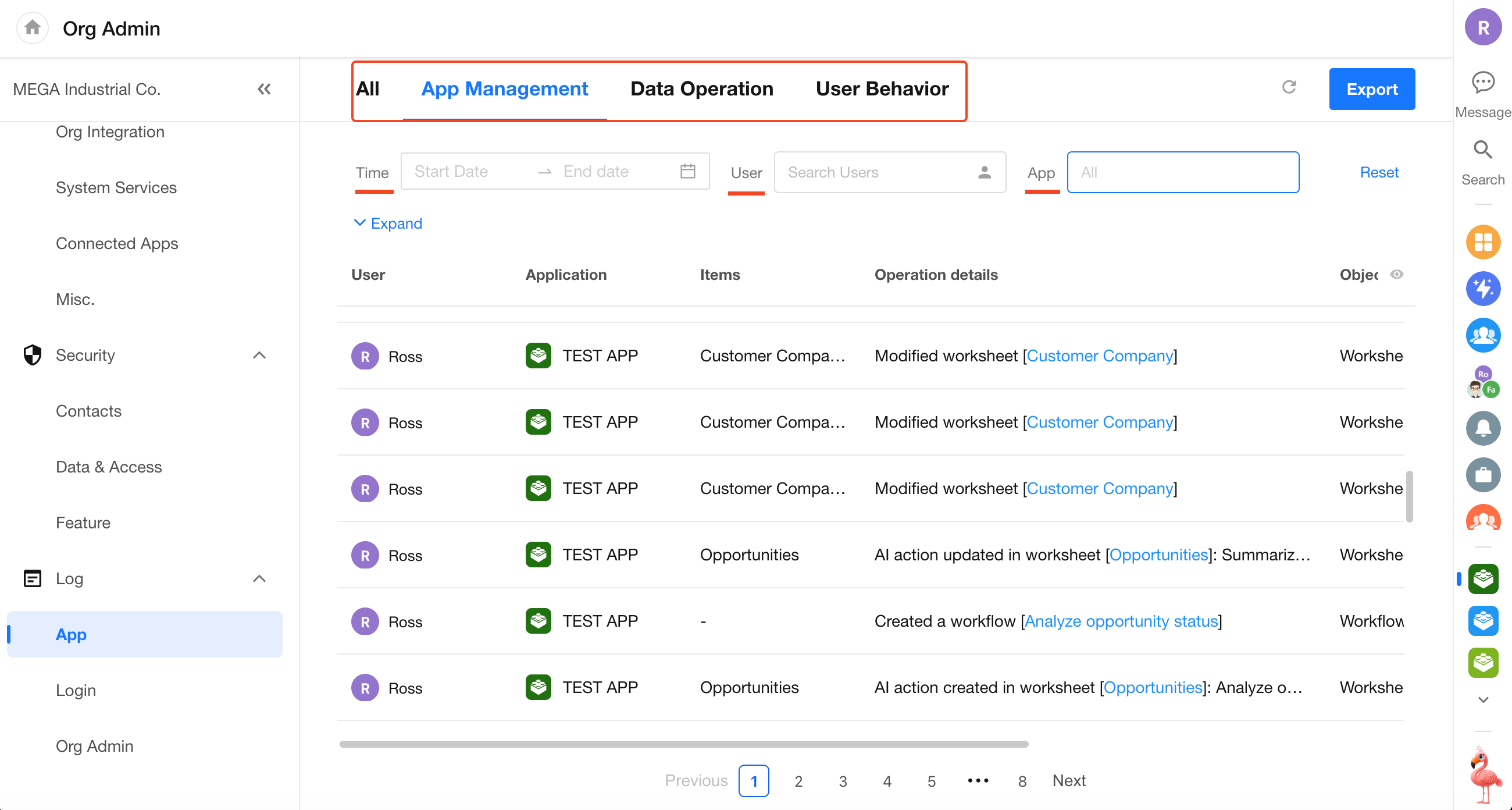
Application logs are grouped into three categories: Application Management, Data Operations, and User Behavior.
-
Application Management
Records create, update, delete, and export operations performed on applications, application items (worksheets and custom pages), print templates, workflows, users, and other objects.
Application management logs also include operations related to option sets and aggregated tables. User-related logs include role management activities for both internal users and external portal users.
-
Data Operations
Records the following worksheet activities:
- Create (excluding drafts)
- Update
- Delete
- Restore
- Export
- Batch Create
- Batch Delete
- Batch Update
- Custom Actions
- Attachment Downloads
-
User Behavior
-
Objects
- Applications
- Worksheets
- Custom Pages
- Records
- Attachments
-
Activity Types
- Browse: Enter applications, view worksheets, access custom pages, view individual records, and preview attachments
- Print: Print worksheet records
-
Availability
- Available only in the Ultimate Edition
- User behavior logs begin collecting data after upgrading to the Ultimate Edition
- Historical activities prior to the upgrade are not backfilled
-
-
All
Displays all log categories in a single view.
View and Export Logs
-
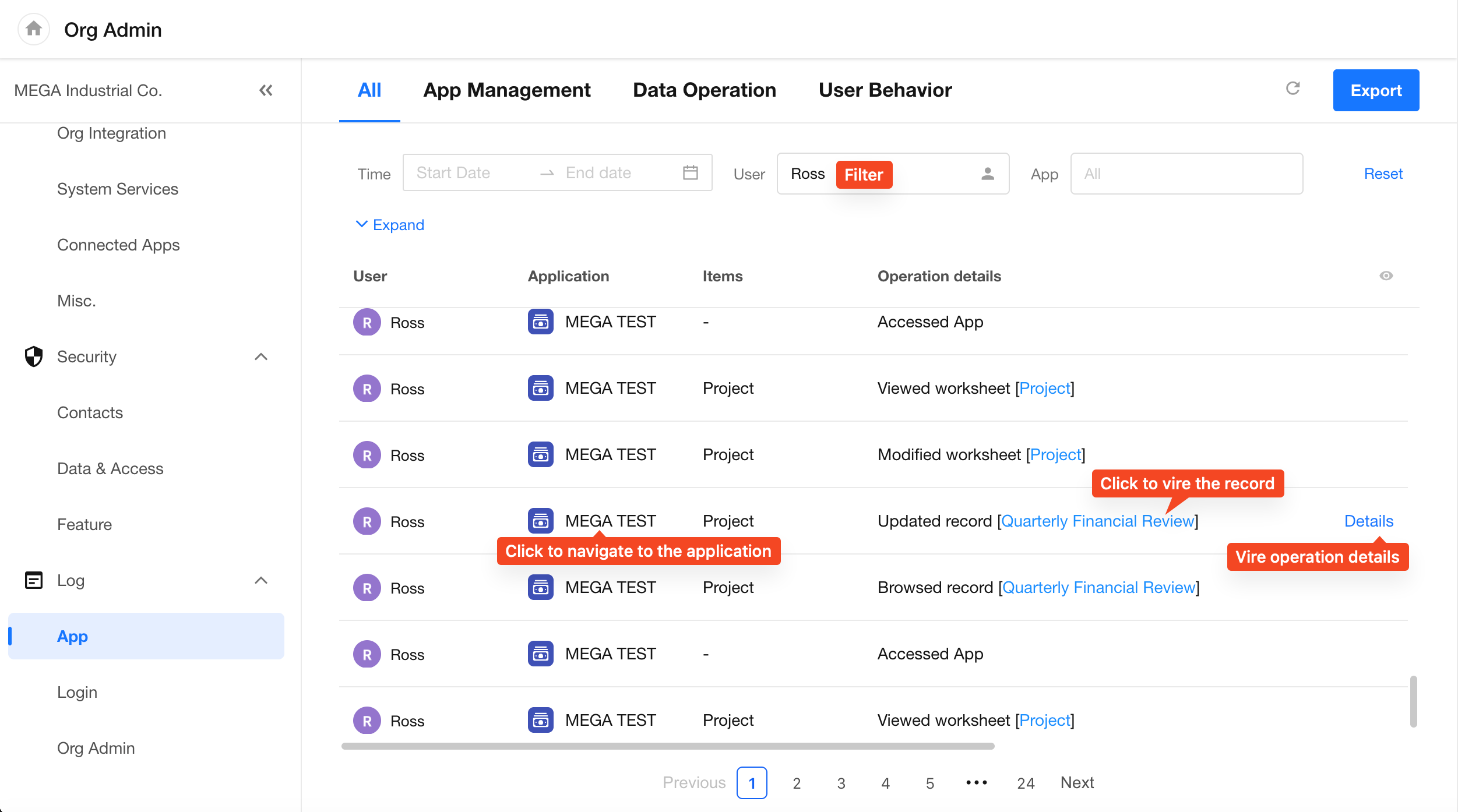
[XXX]in the operation details indicates a clickable link to the corresponding worksheet. Deleted worksheets can no longer be opened. -
The Details button is available only for record creation, update, and deletion operations.
-
Application logs can be exported for up to the most recent six months.
-
Log data can also be retrieved through the Application API. For details, see:
https://apidoc.mingdao.com/organization/en/#tag/log/operation/getGlobalLogs
Benefits of Application Logs
- Monitor System Activity – Gain visibility into how applications and users interact with platform features through detailed operation records.
- Track User Activity – Analyze user actions and business processes through filtering and activity analysis.
- Security Auditing – Integrate with log APIs to monitor user activities and automatically detect abnormal operations.
- Improve User Experience – Identify usability issues and optimization opportunities based on user behavior and feature usage patterns.
- Support Operational Decisions – Provide operational data to support business analysis and decision-making.
- Data Analysis – Gain insights into user preferences and behavior patterns.
2. Login Logs
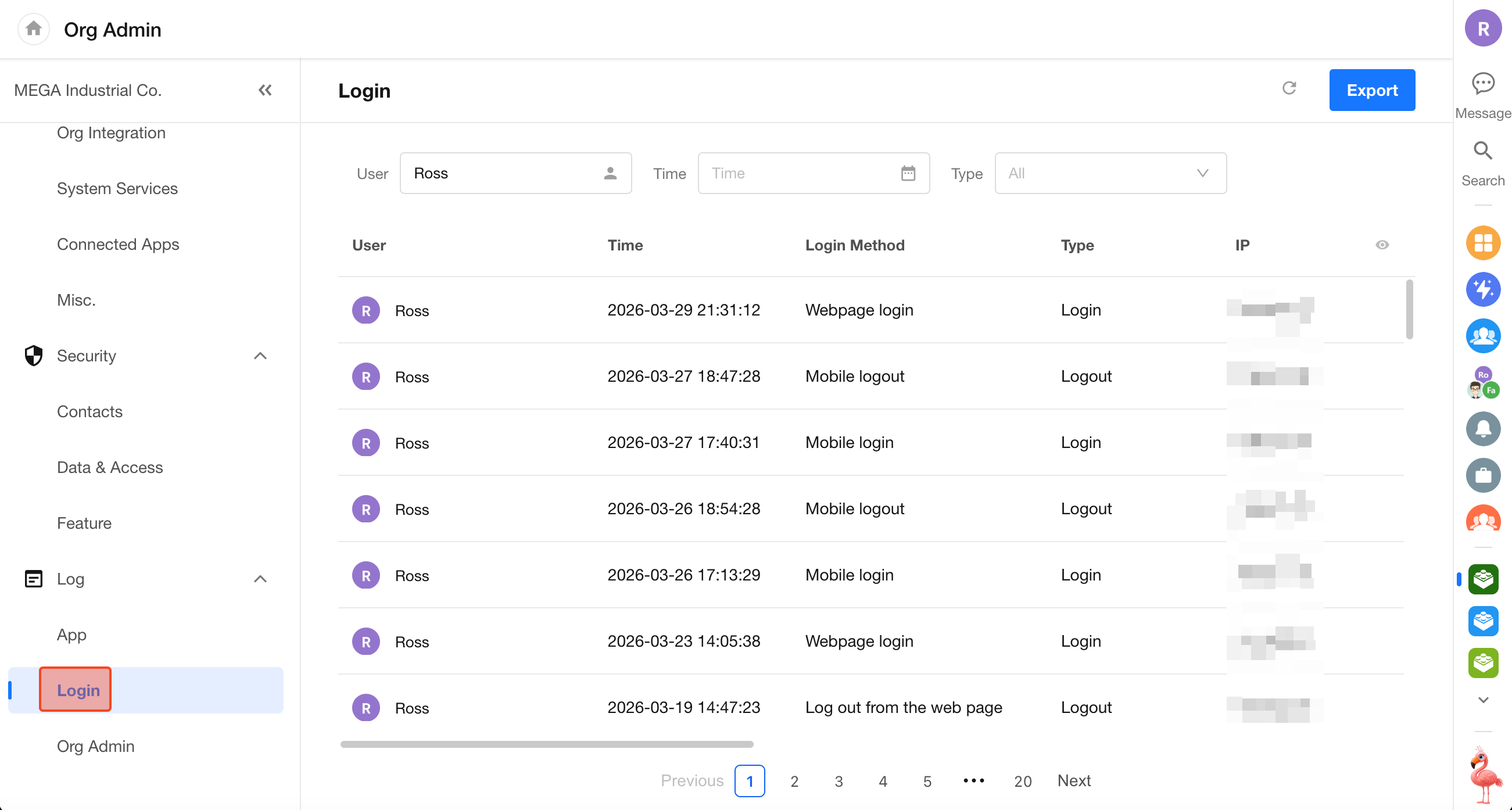
Login logs record user login information, including:
- Username
- Login time
- Login method
- Login type
- IP address and geographic location
- Browser type and version
- Operating system type and version
- Device type
- Device model
- Device ID
Go to Org Admin > Log > Login to view login logs. You can apply filters, customize displayed columns, and export data.
3. Organization Management Logs
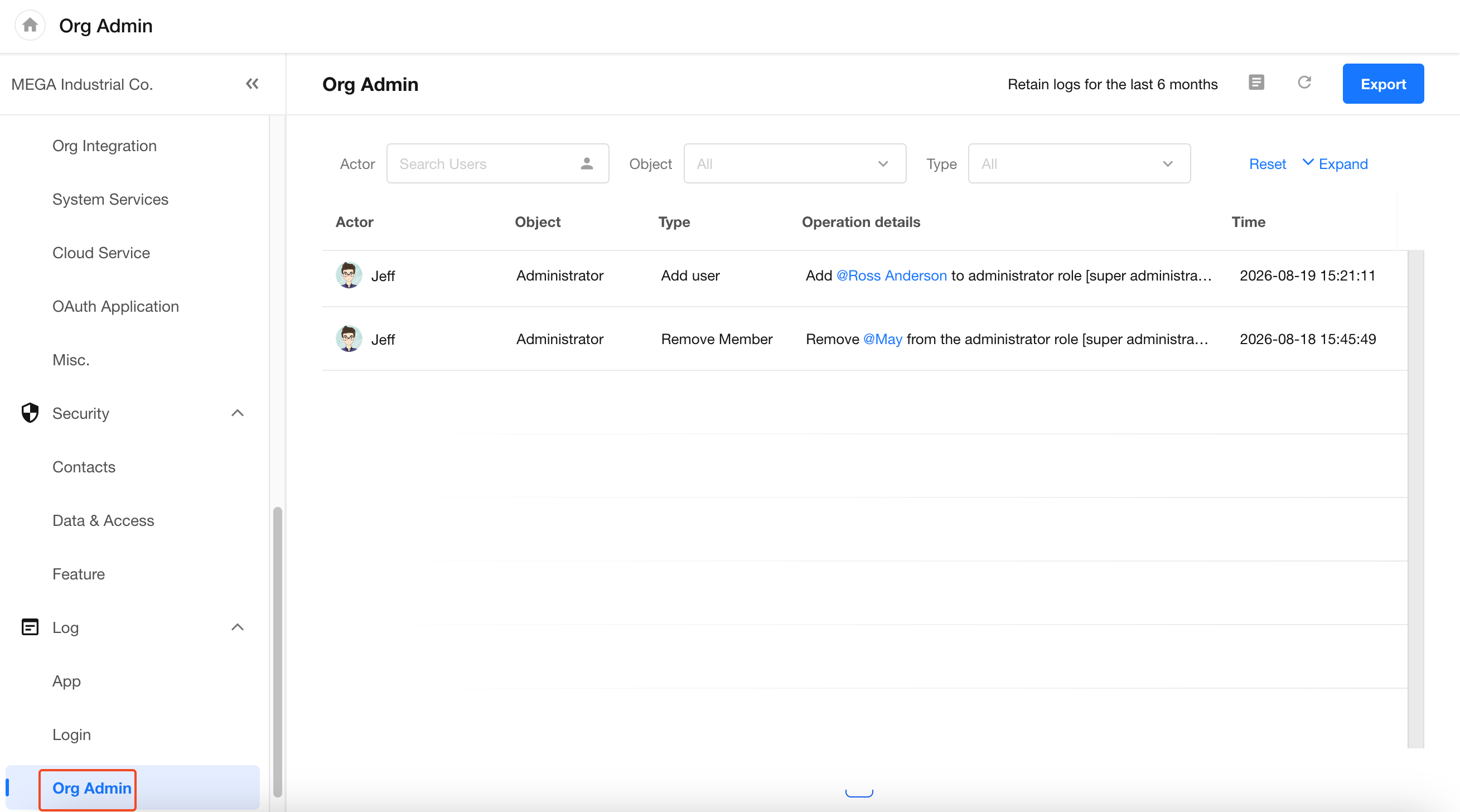
Go to Org Admin > Log > Org Admin to view administrative activity related to organization permission groups, including actions such as adding or removing administrators.
Was this document helpful?