External Users and External Collaborators
Organization administrators can manage external users and external collaborators from Org Admin.
External Users
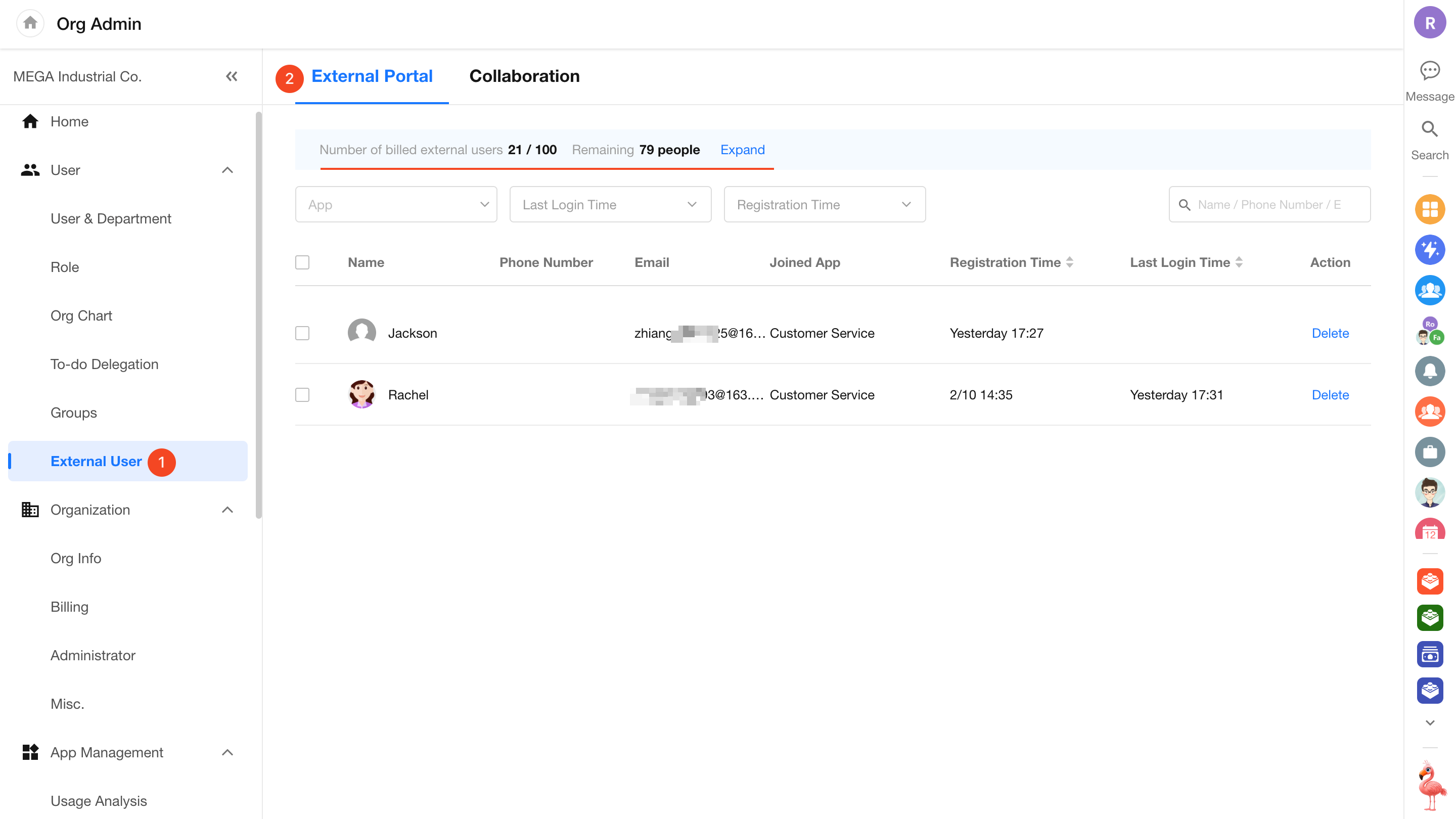
Apps in the organization can enable an External Portal, allowing people outside the organization to register and access the app.
Go to Org Admin > External User to view and manage external users across apps. You can:
- View and search external users.
- Delete external users.
- Add or renew external user capacity.
- Enable Auto-Purchase. When the remaining capacity falls below 20 users, HAP automatically uses 500 credits to purchase capacity for 100 additional users.
Deleting an External User
If the same person registers for the External Portal of multiple apps, each registration is managed separately.
Deleting the user from one app removes only their access to the External Portal for that app. It does not affect their ability to sign in to or use the External Portal of other apps.
External Collaborators
External collaborators are people outside the organization who are invited to participate in collaboration.
For example, organization members can invite external contacts to participate in tasks, projects, files, or groups. Once they join, they participate in those areas as external collaborators.
Invite External Collaborators
External collaborators can be invited in either of the following ways:
- When adding members, select external contacts from All in Contacts.
- Share a link to an app, group, task, or other collaboration resource. The recipient can open the link and request to join.
If an organization member is added to an Owner or Member field in a worksheet and later leaves the organization, they are not removed from the field automatically. Their profile card is labeled External Collaboration.
External Collaborators in Apps
External collaborators in an app do not appear in the organization-level Collaboration list.
To view or manage them, go to the user management page of the relevant app and open Collaborators.
Manage External Collaborators
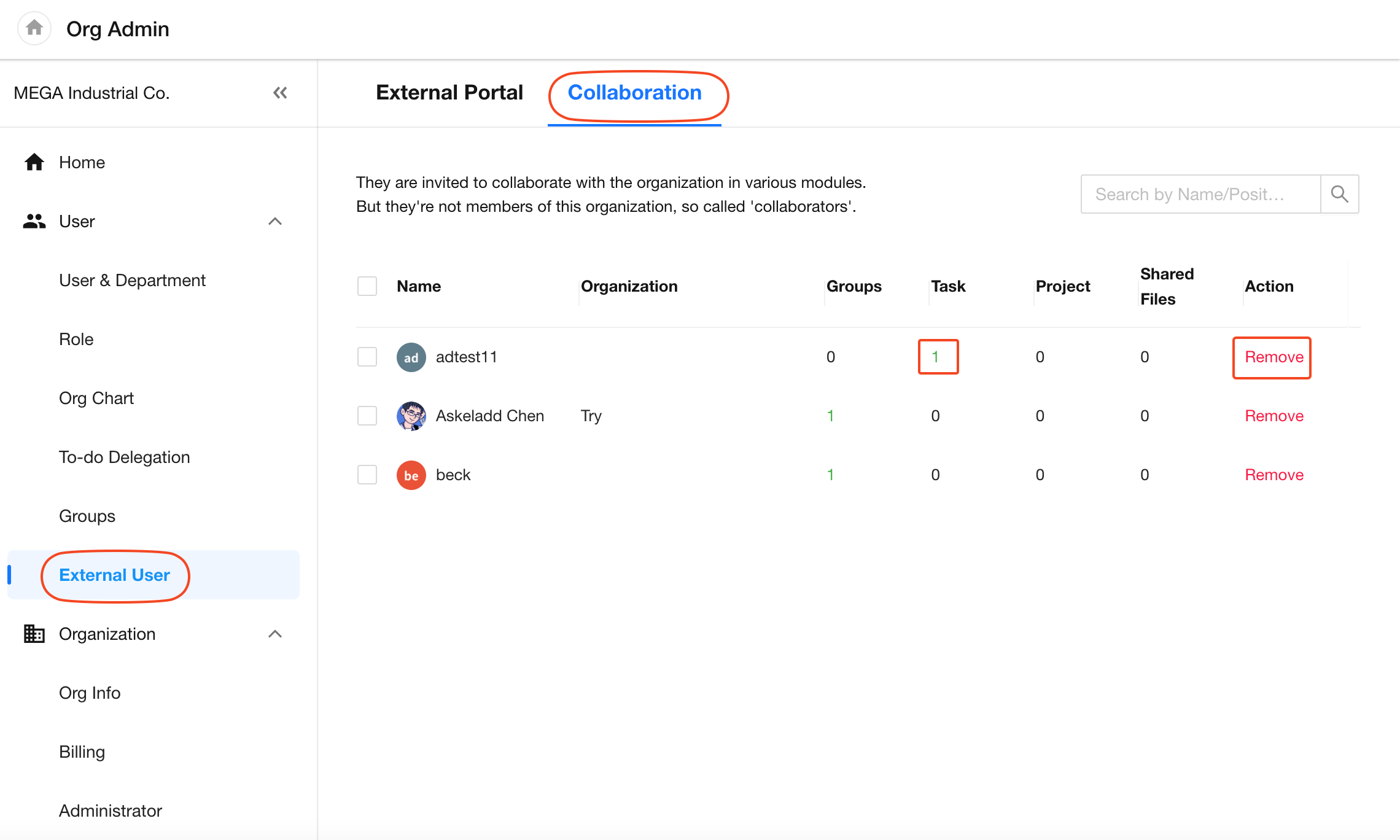
Go to Org Admin > External User > Collaboration to view and manage external collaborators across the organization.
You can:
- See which tasks, projects, files, and groups an external collaborator participates in. Click the count to view the details.
- Remove an external collaborator from all participating tasks, projects, files, and groups at once.
Was this document helpful?