Organization Settings
Under Org Admin > Organization, organization-level settings can be managed, including organization information, verification, billing, permissions, and other administrative options.
Organization Information
Use Org Info to manage basic organization details such as the logo, name, short name, country/region, and time zone. Other organization settings, including the organization Door ID, organization ID, identity verification, subdomain, job titles, and work locations, can also be managed here.
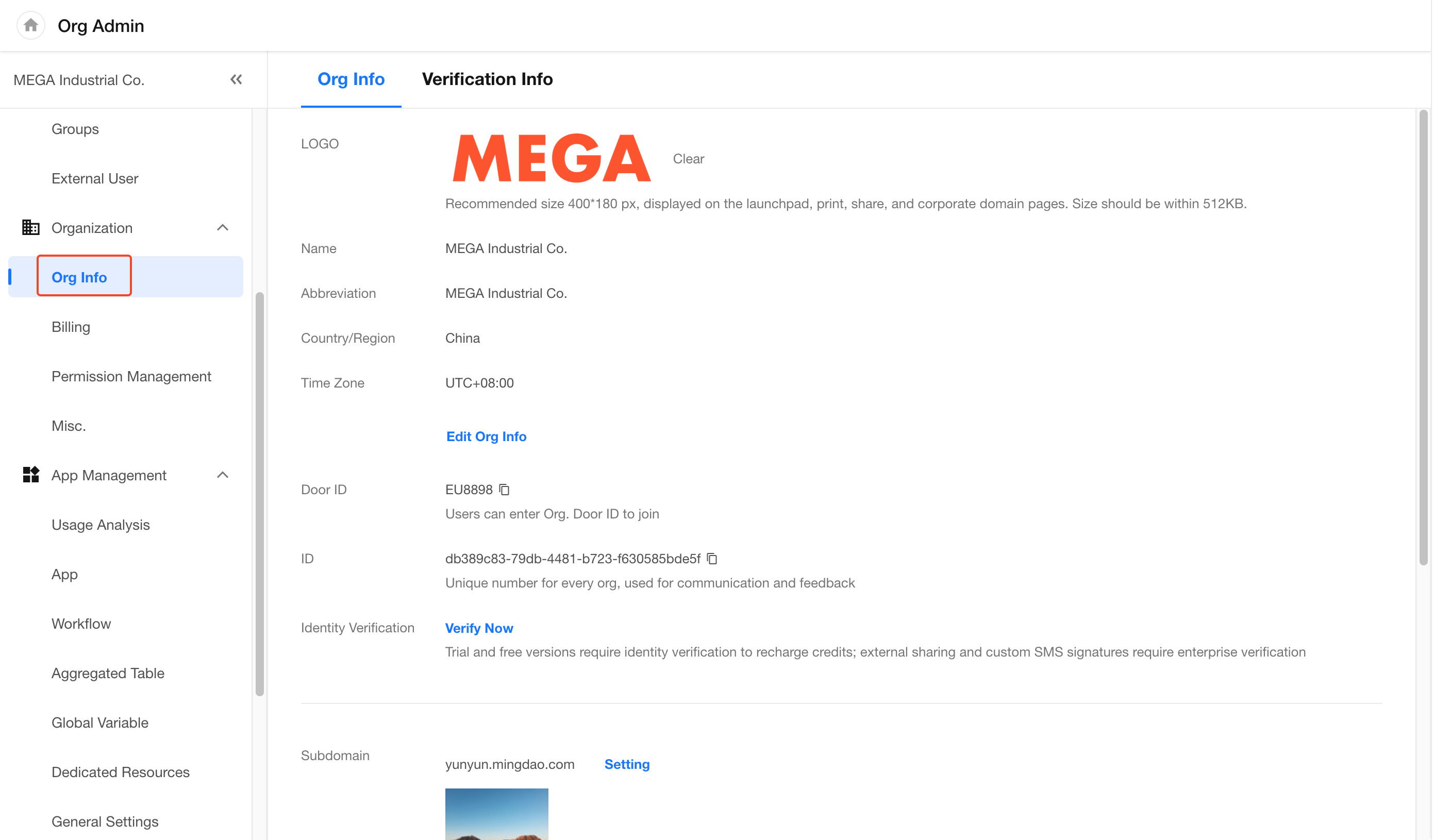
Key settings include:
-
Country/Region: Determines the default country for region/city fields, the default currency for currency fields, and the default country calling code for telephone fields in apps.
-
Time Zone: Sets the default time zone for apps in the organization.
-
Door ID: Members can use the organization Door ID to join the organization. Learn more.
-
Identity Verification: Used to verify the identity of an organization or business. Learn more.
-
Subdomain: Set a dedicated organization URL in the format
xxxx.mingdao.comand customize the login page cover. Subdomains are not supported in HAP Server. -
Job Titles and Work Locations: Maintain the job titles and work locations available within the organization.
Close an Organization
Organizations on the Free edition or within a trial period can be closed.
Go to Org Admin > Organization > Org Info and click Close at the bottom of the page.
After an organization is closed, all members lose access to the organization and its apps. After 90 days, all apps in the organization are automatically moved to the Recycle Bin. Apps that remain in the Recycle Bin for another 60 days are permanently deleted.
Restore an Organization: To restore a closed organization, an organization administrator can click their profile picture, select My Org, locate the organization in the closed organization list, and restore it.
Billing
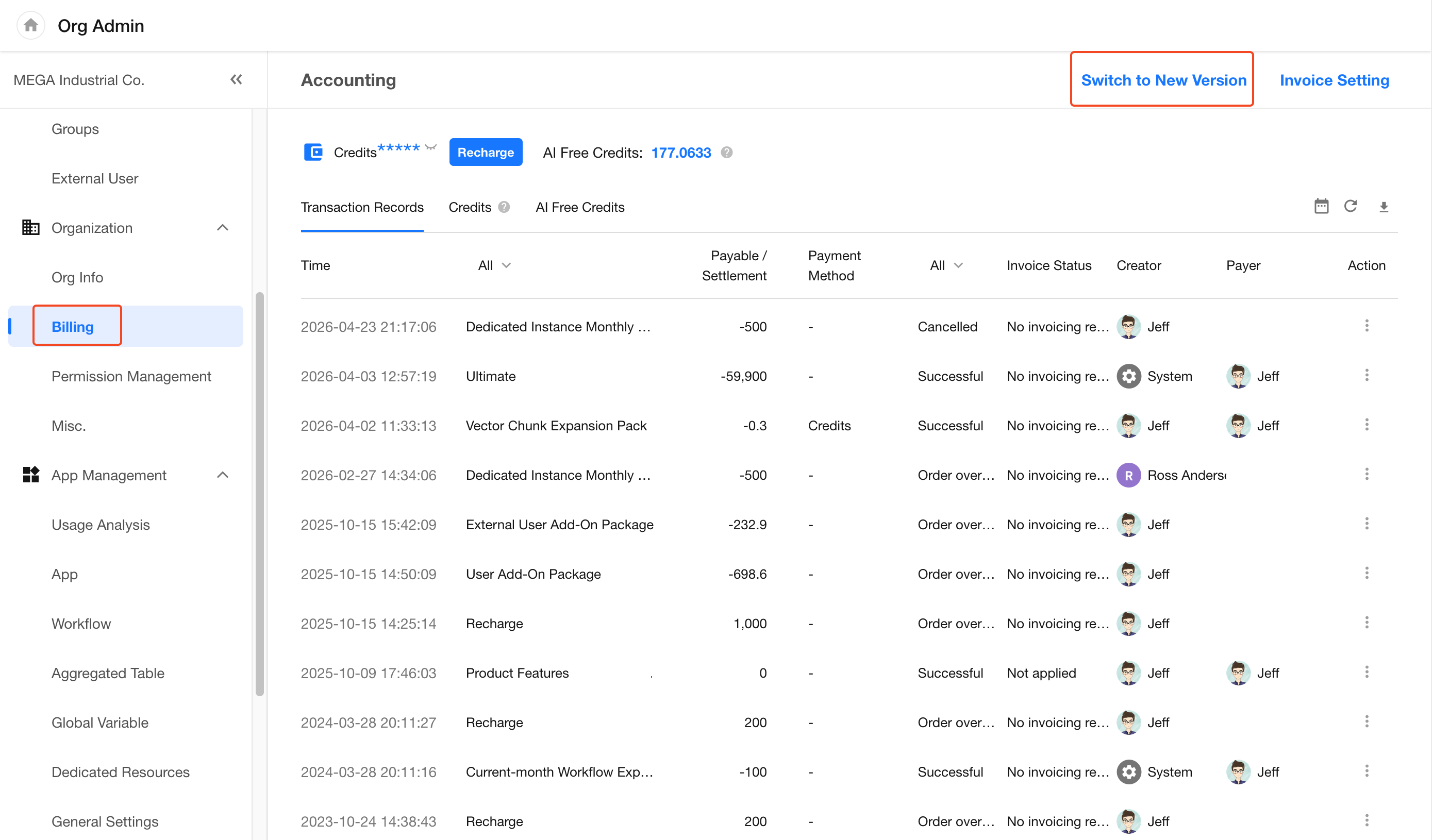
Under Org Admin > Organization > Billing, organization administrators can view the organization's credit and AI free credit balances, purchase credits, review payment and usage records, manage invoices, and more. Click Switch to New Version in the upper-right corner to access the new Billing Center.
New Billing Center
The new Billing Center provides more comprehensive credit usage statistics and detailed usage records, with breakdowns by time period, app, usage category, and other dimensions.
The new Billing Center includes two pages: Statistics and Details.
Statistics
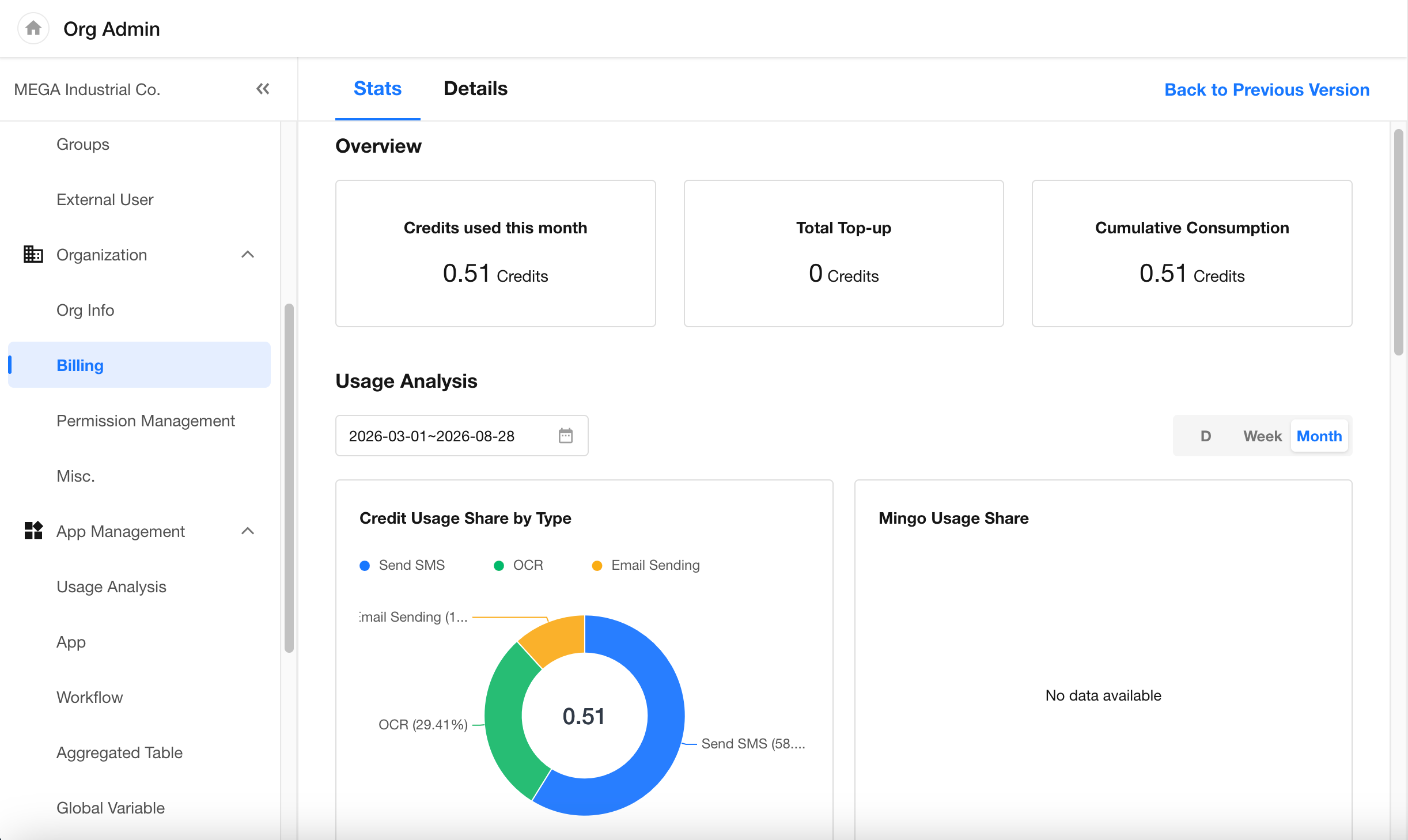
The Statistics tab provides an overview of the organization's credit usage and trends, including credits used this month, total credits purchased, total credits used, and usage breakdowns by category, app, and time period.
Details
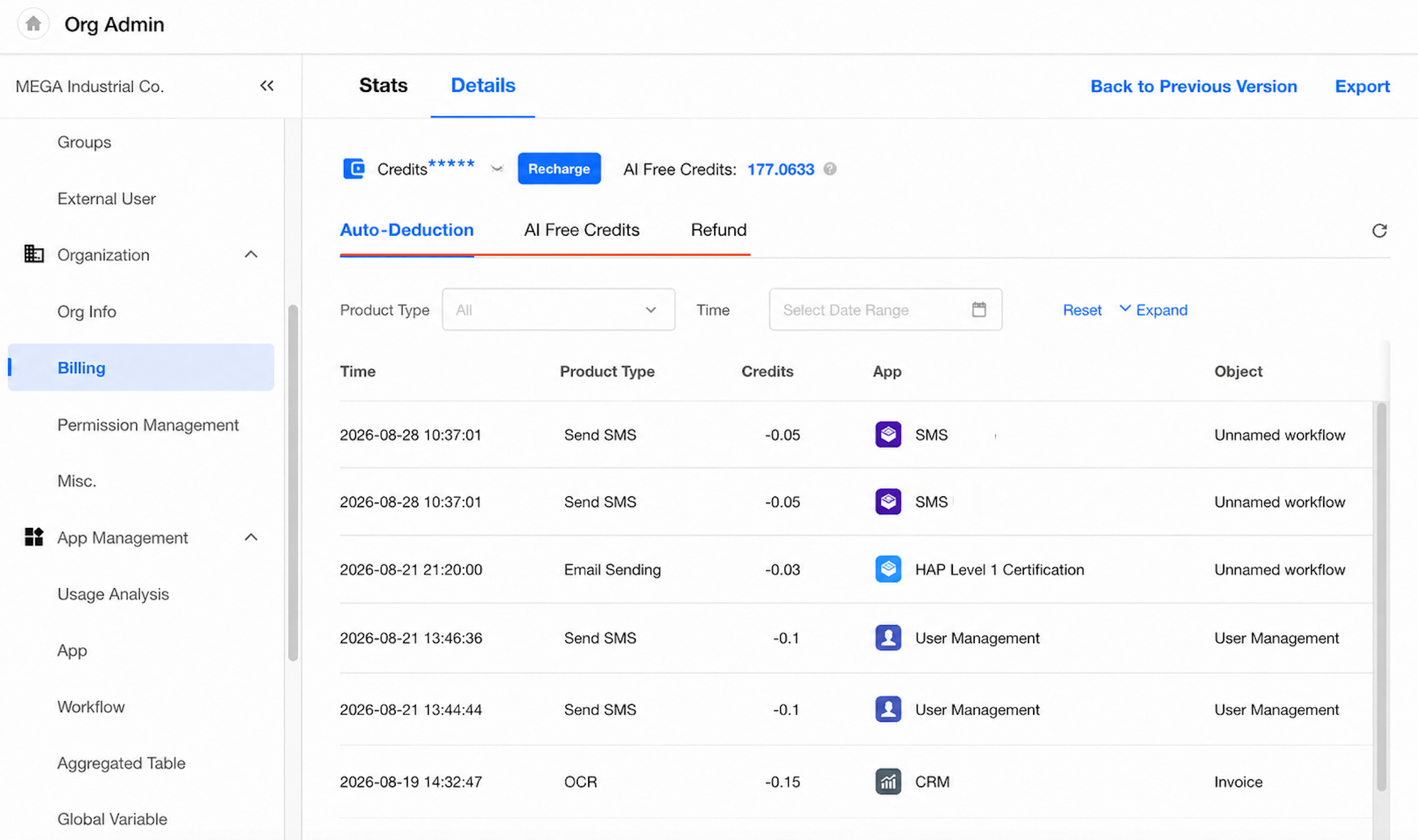
The Details tab provides detailed usage records for credits and AI free credits. Records can be filtered by product type, time period, app, and other criteria, and the results can be exported.
Permission Management
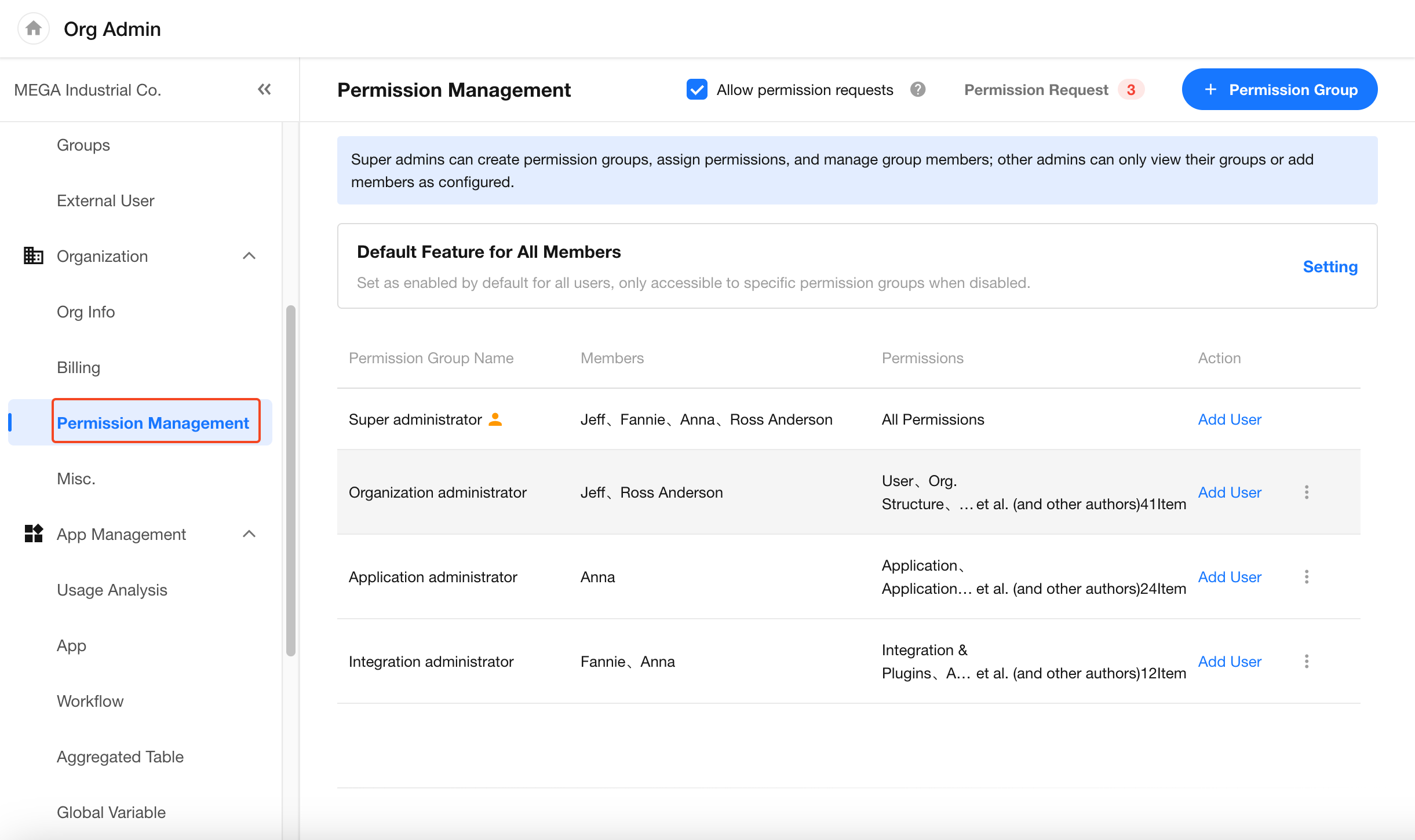
Under Permission Management, permission groups can be used to assign organization management permissions to different members. Permission requests and the features available to all members by default can also be configured here.
See Permission Management for configuration details.
Other
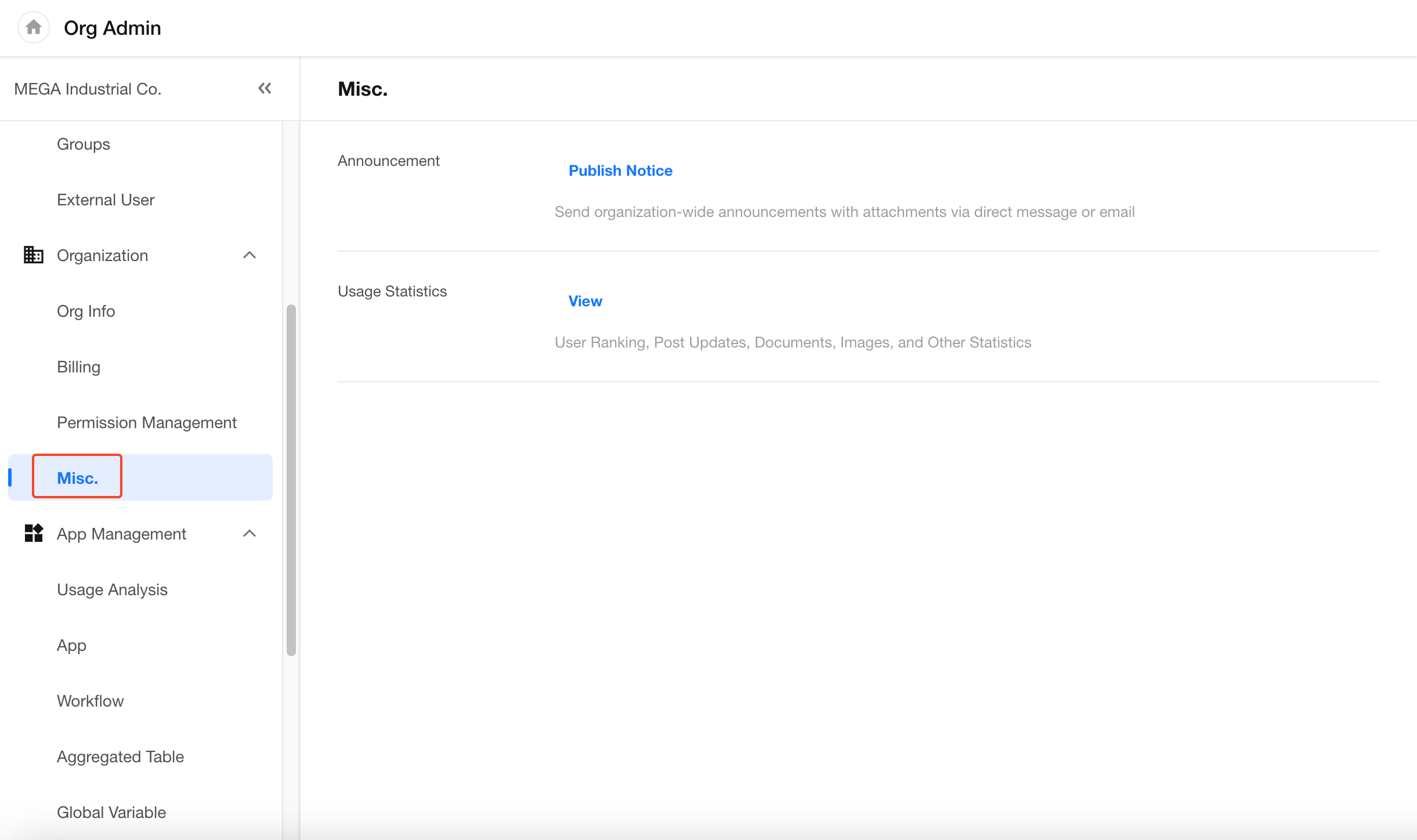
Under Organization > Misc., the following organization management tools are available:
-
Announcement: Send announcements to selected members of the organization through in-app notifications, direct messages, email, and other channels.
-
Usage Statistics: View organization-wide usage metrics, including user activity rankings, post activity, documents, images, and more.
Was this document helpful?