Platform Integration
The Integration module in the Organization Admin Console includes enterprise identity synchronization, third-party service integrations, multi-factor authentication, and organization-level API access. By integrating with major platforms, you can quickly enable organizational synchronization, enhance business capabilities, and implement unified and secure access management.
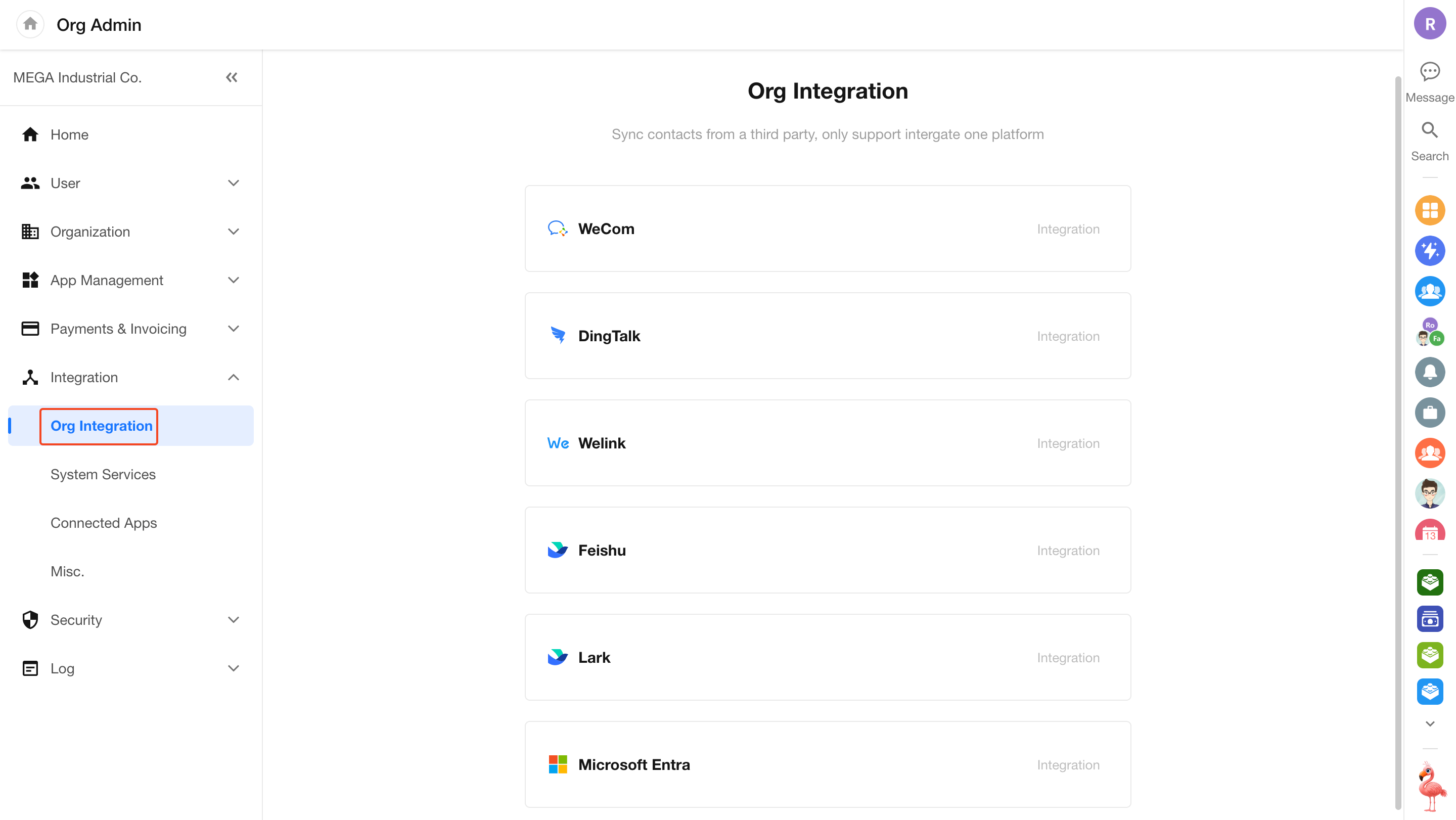
Org Integration
-
Integrate with third-party platforms:
Supports integration with mainstream enterprise platforms such as WeCom, DingTalk, Feishu/Lark, WeLink, and Microsoft Entra.Integration Guides:
-
Unified organization management:
Automatically synchronizes organizational structure and member data. To ensure data consistency, each organization can integrate with only one third-party platform.
System Service Integrations
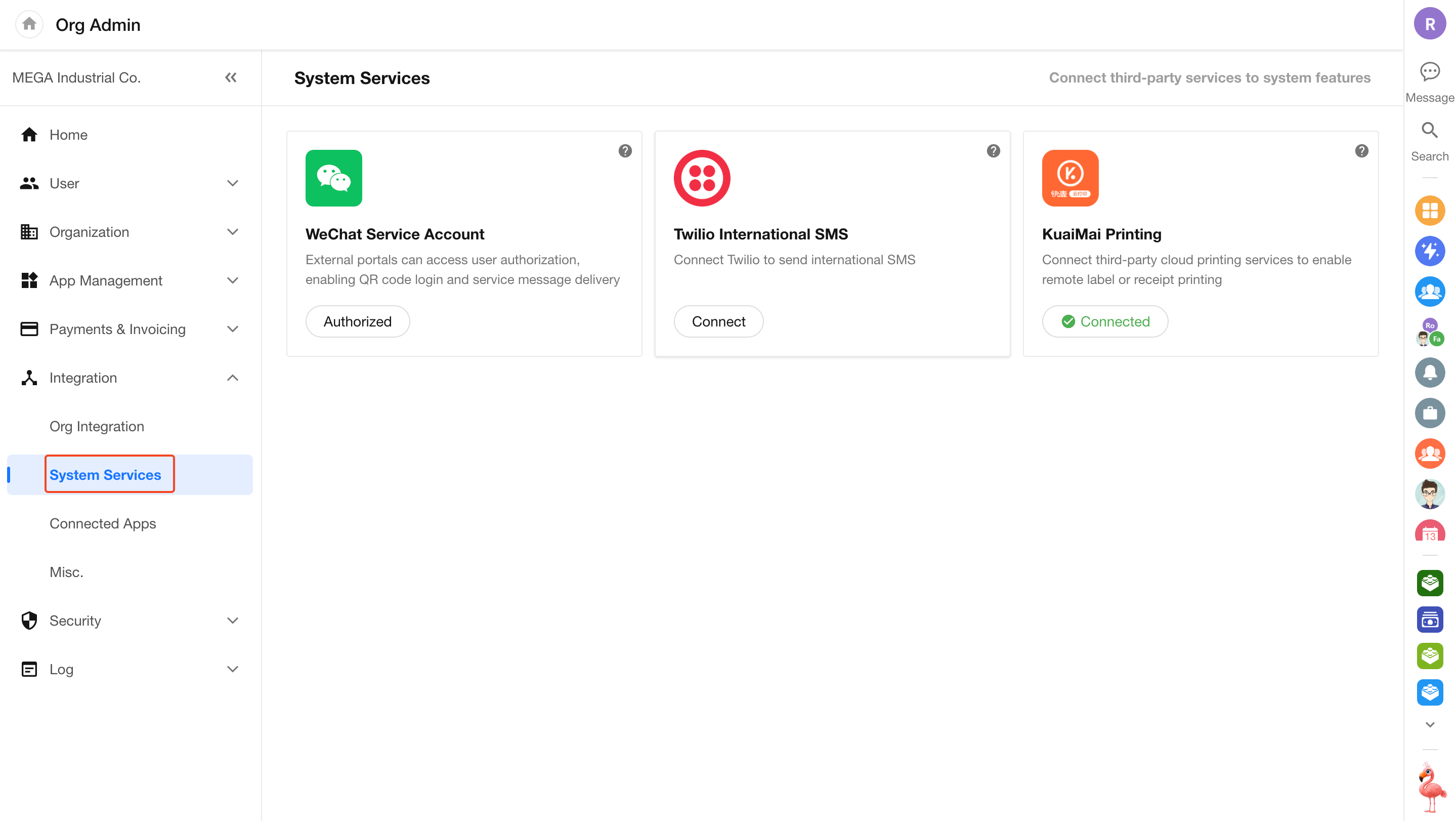
Enhance specific business scenarios by integrating third-party services.
-
WeChat Service Account:
After authorization, enables features such as QR code login for external portals, automatic collection of WeChat user information, and sending template messages.
Bind WeChat Service Account -
International SMS:
Integrate with Twilio to enable global SMS delivery. -
Cloud Printing:
Integrate with Kuaimai Cloud Print to enable remote automated printing for business documents and labels.
Login Management
Includes LDAP authentication and platform login control, helping organizations build a flexible and secure access system.
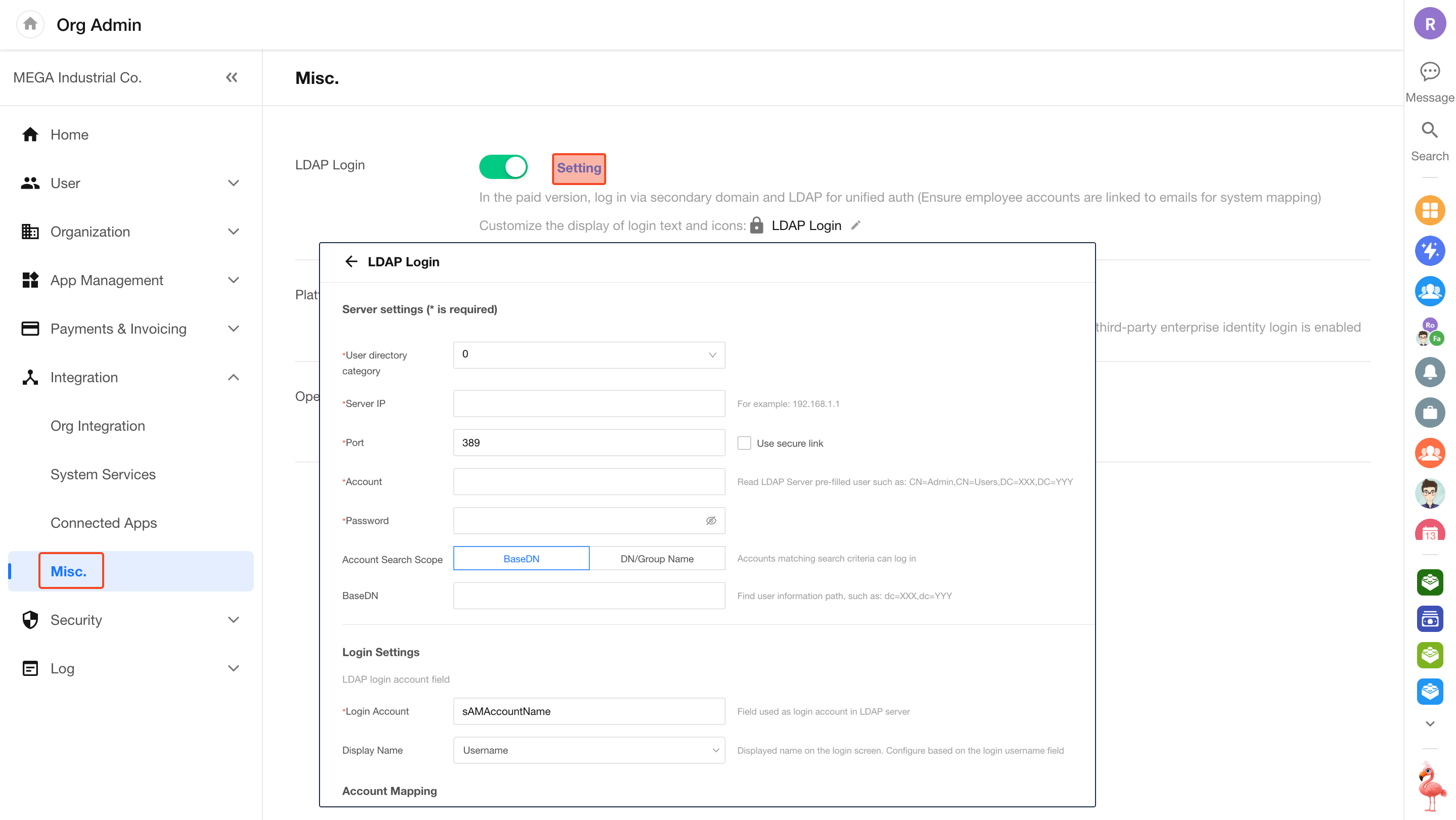
LDAP Authentication
In paid plans and domain environments, you can integrate with enterprise LDAP directories for unified login.
-
Configuration path:
Go to Org Admin > Integration > Misc., enable LDAP login, and click Setting to configure server and synchronization details. -
Automatic account matching:
During login, the system matches HAP accounts based on username and email. If no match is found, you can configure whether to create accounts automatically. -
Offboarding note:
Deleting a user in LDAP does not automatically deactivate the corresponding HAP account. Administrators must handle this manually.
Login Entry Control
Administrators can configure login methods for the custom subdomain login page based on security requirements.
-
Disable platform login:
When LDAP login or third-party identity integration is enabled, you can disable Platform Account Login under [Org Admin] > [Integration] > [Misc.].After disabling, the native login option will no longer appear on the custom subdomain login page, forcing users to authenticate through the configured identity provider.
Organization Keys and API Documentation
Provides foundational capabilities for developers to support advanced customization and system integration.
-
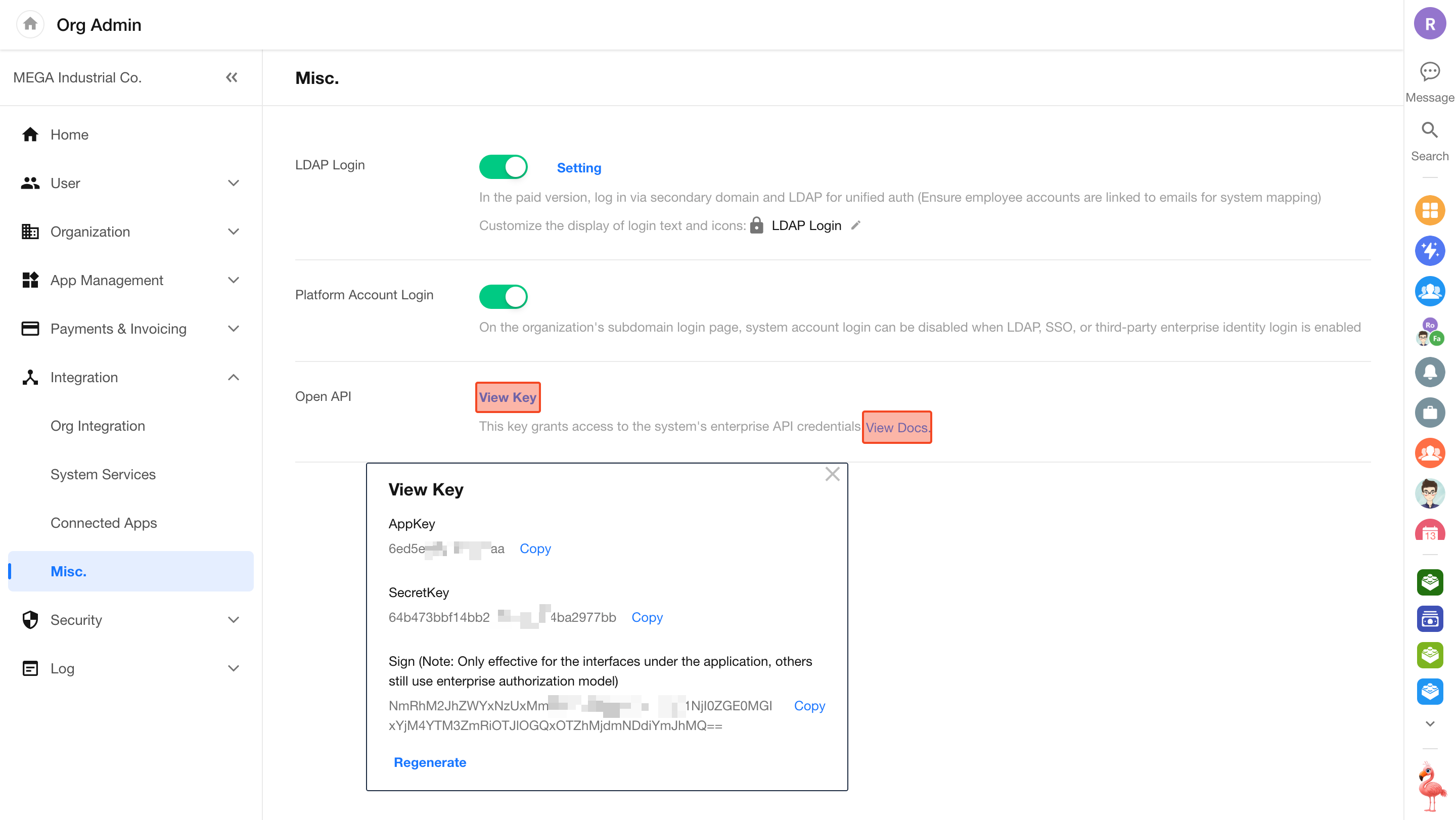
Open platform APIs:
Manage organization-level API keys (Secret) to enable data integration and interoperability across systems. -
How to obtain:
Go to Org Admin > Integration > Misc., click View Key to obtain the key pair, and click View Docs to access detailed API documentation.
Was this document helpful?