Application Management
Organization Super Admins and Application Admins can manage all applications within the organization from the Organization Admin Console, including the following operations:
- Enable, disable, or delete an application
- Change the application owner
- Access any application within the organization
- Import and export applications
- Access the application recycle bin
- Decrypt passwords for exported .mdy files
Access the Application Management Page
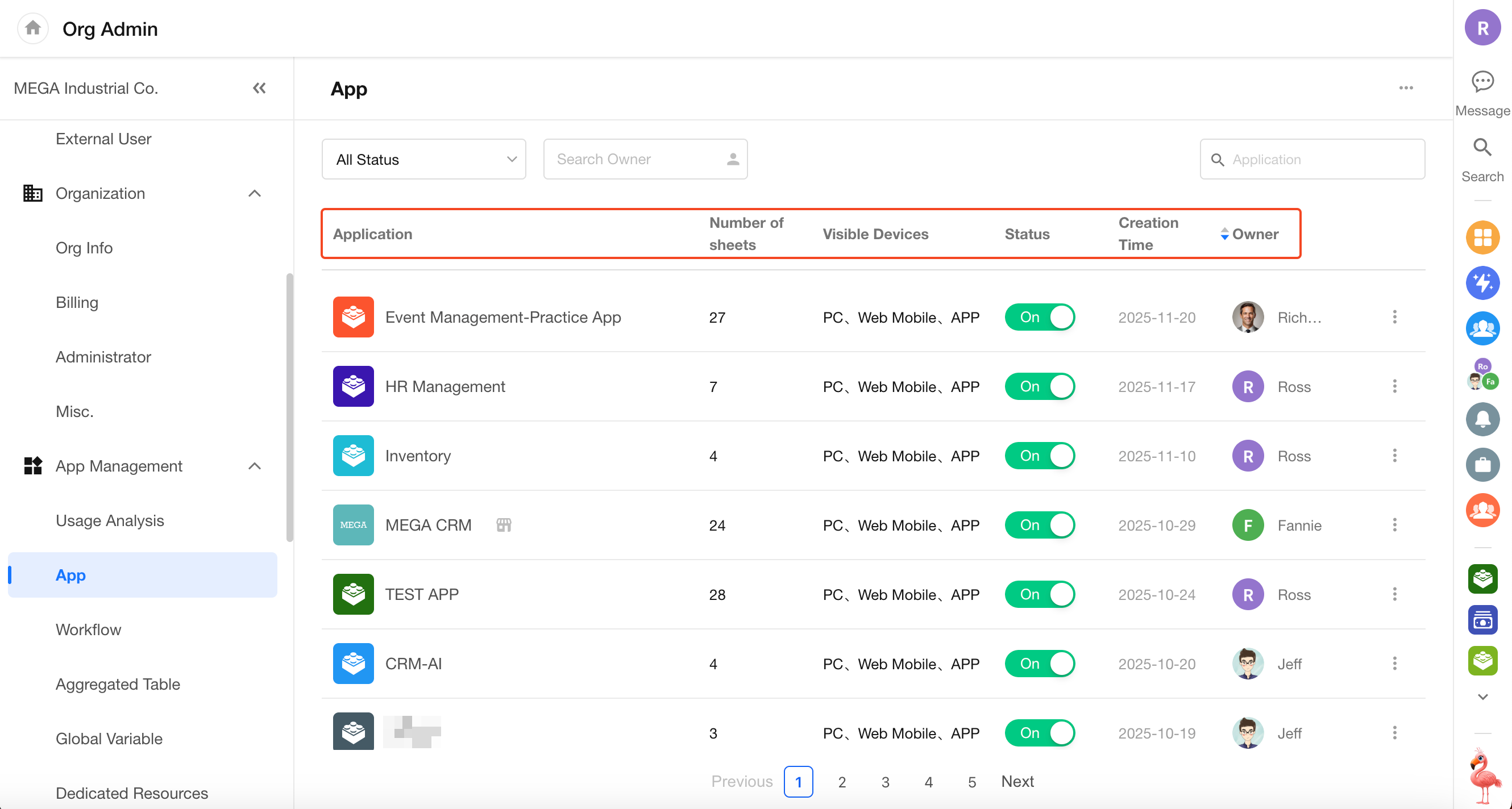
Organization admins can click their profile avatar and navigate to Org Admin > App Management > App to enter the application management console.
The application list displays all applications within the organization, including those the admin has not joined.
The list includes key information such as application name, number of worksheets, supported client platforms, status, creation time, and owner.
1. Enable, Disable, or Delete Applications
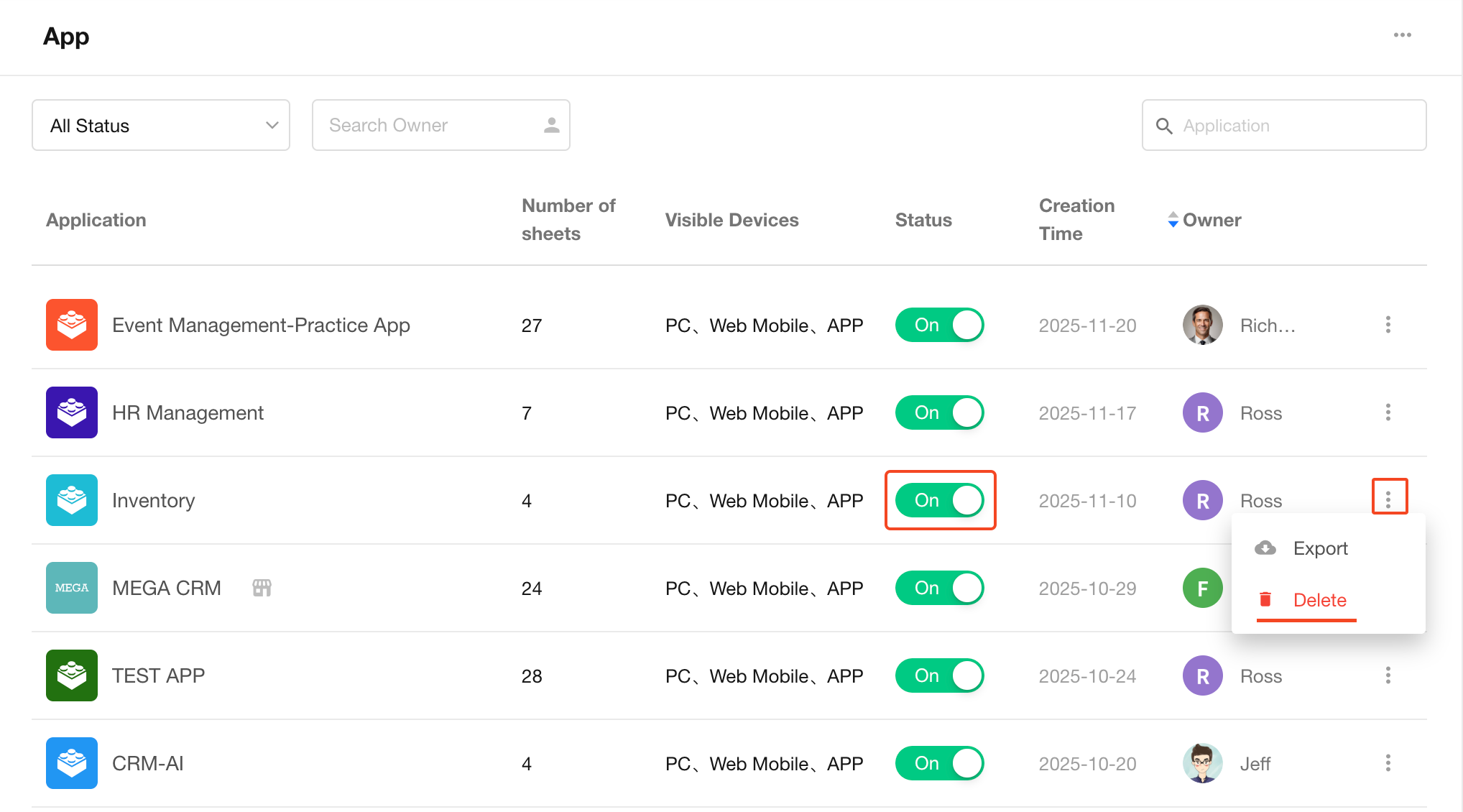
Organization admins can directly enable, disable, or delete applications from the application list in the admin console.
2. Change Application Owner
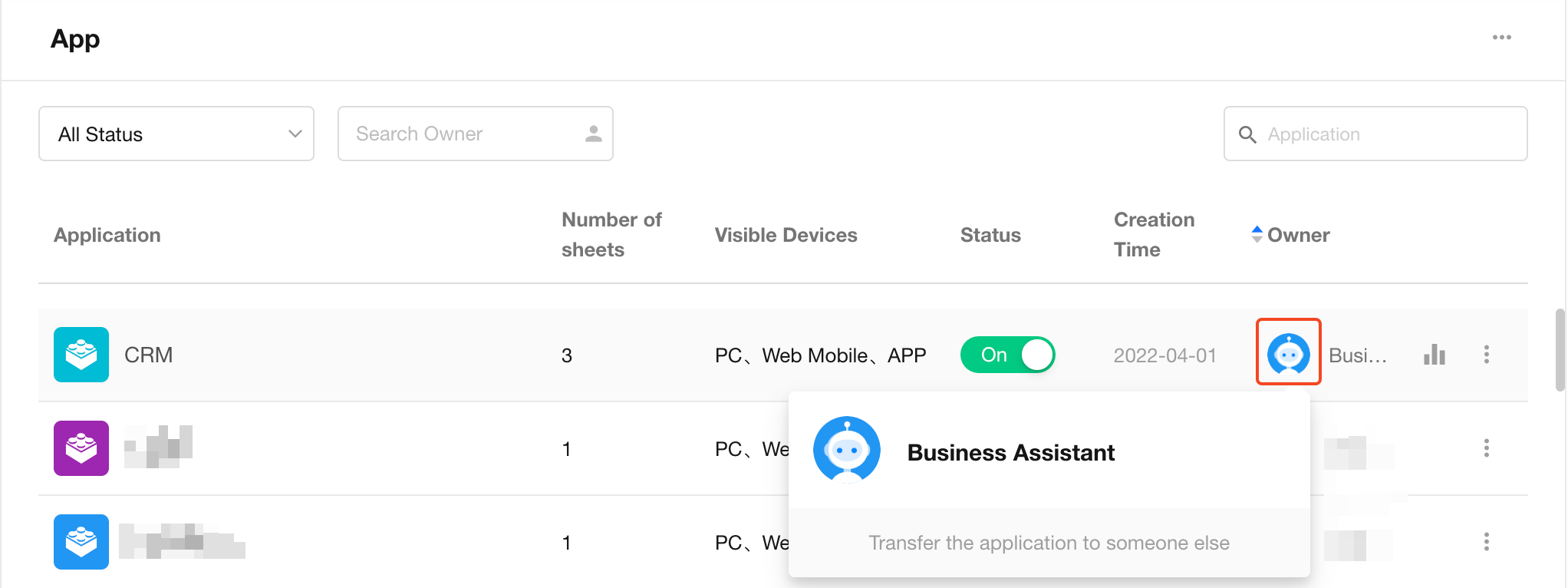
If the application owner leaves the organization, ownership will be transferred to the Business Assistant, and the application can no longer be deleted by any user.
In this case, organization admins can hover over the owner's avatar in the application list to display the option to transfer ownership.
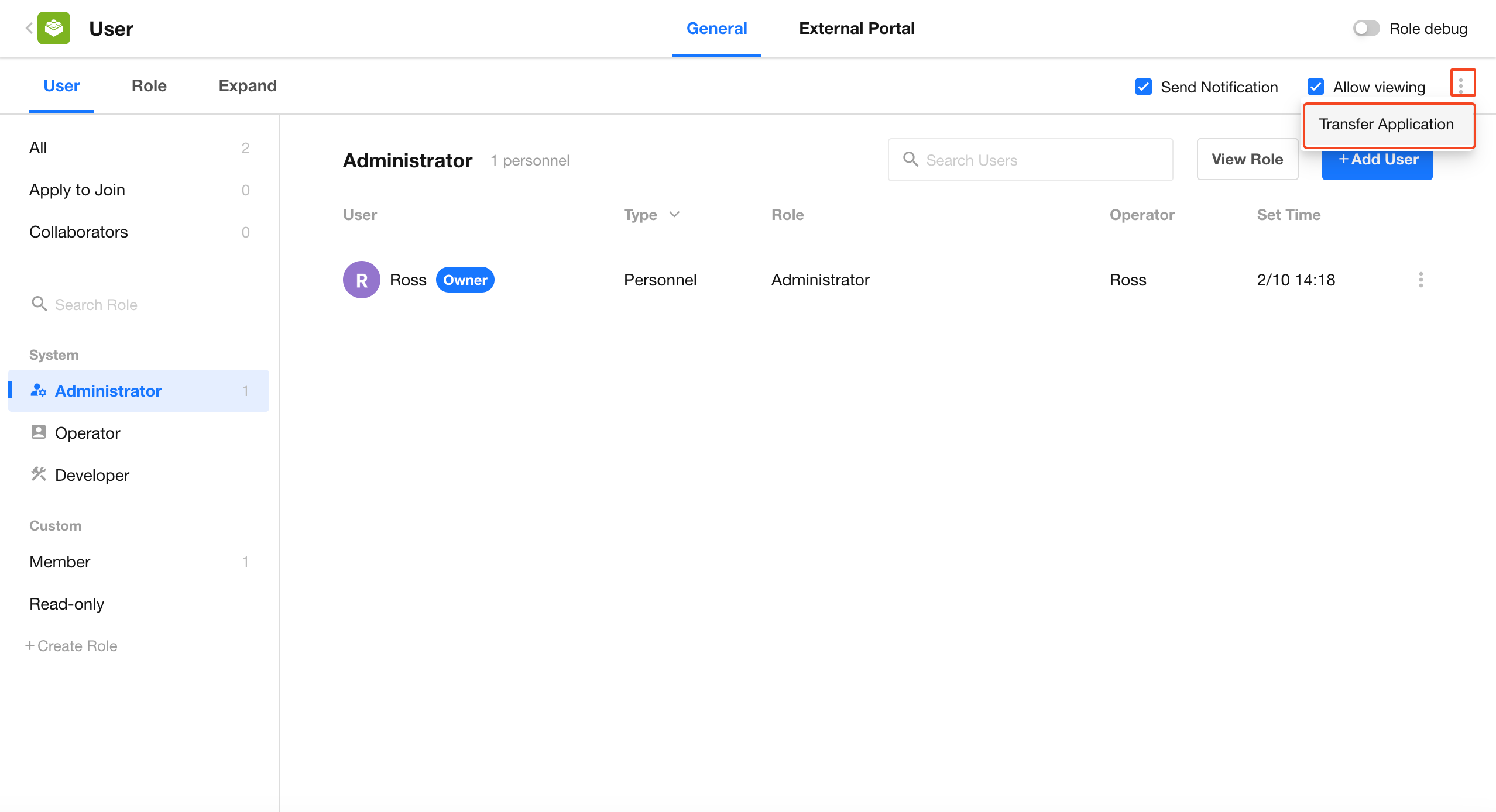
If the current owner is still active, they can transfer ownership directly from the Users module within the application.
3. Access Any Application
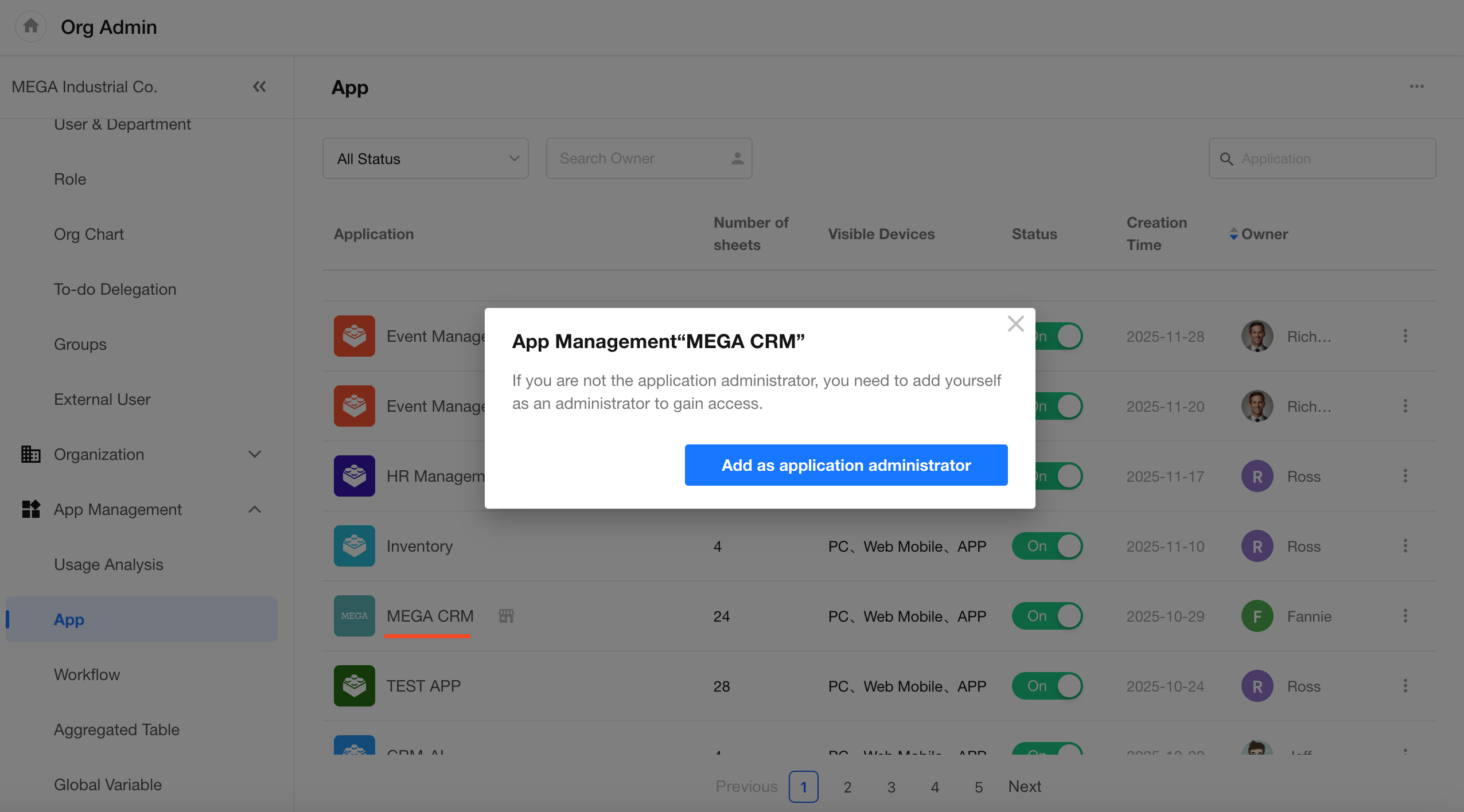
If an admin needs to access an application they have not joined, they must first obtain application admin permissions. Clicking the application name to add them as an application admin and grant access.
4. Import and Export Applications
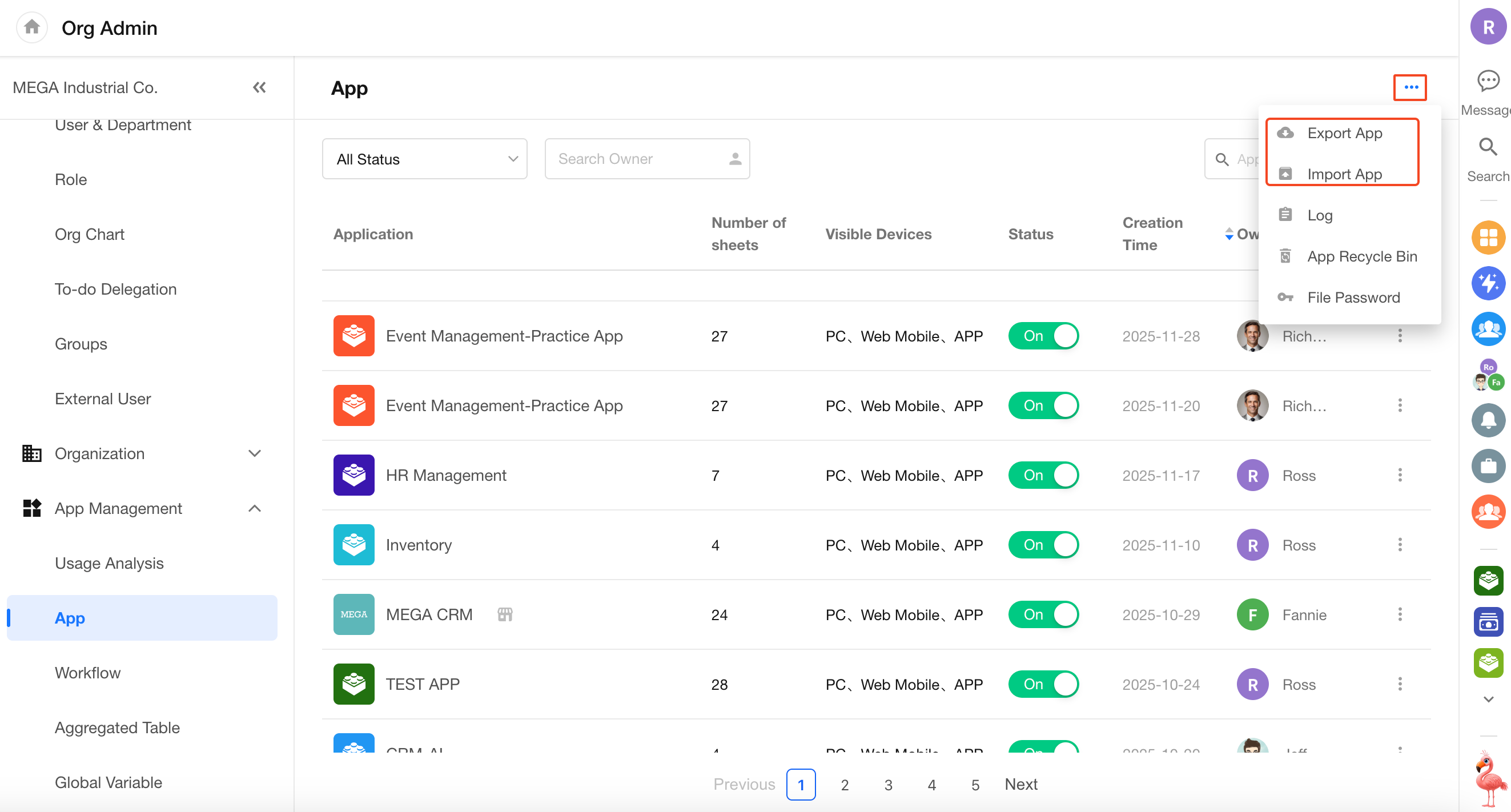
Organization admins can import or export applications from the admin console.
When exporting multiple applications, they will be packaged into a single export file. When importing, multiple applications can be imported at once.
View details on importing and exporting applications
5. Application Recycle Bin
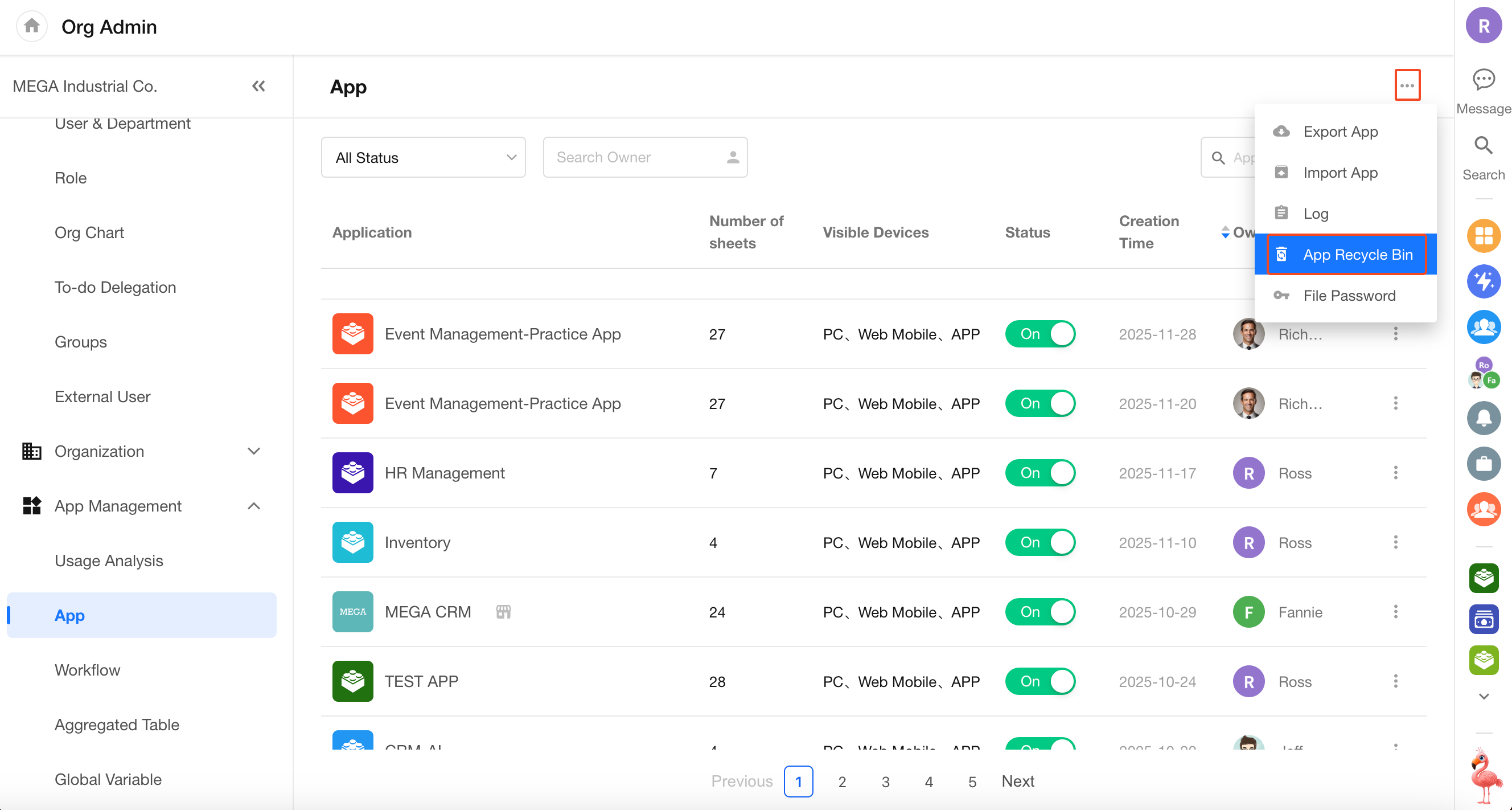
On the application list page, click the More button in the top-right corner to access the application recycle bin. Applications deleted within the last 7 days can be restored here.
6. Decrypt Exported Files
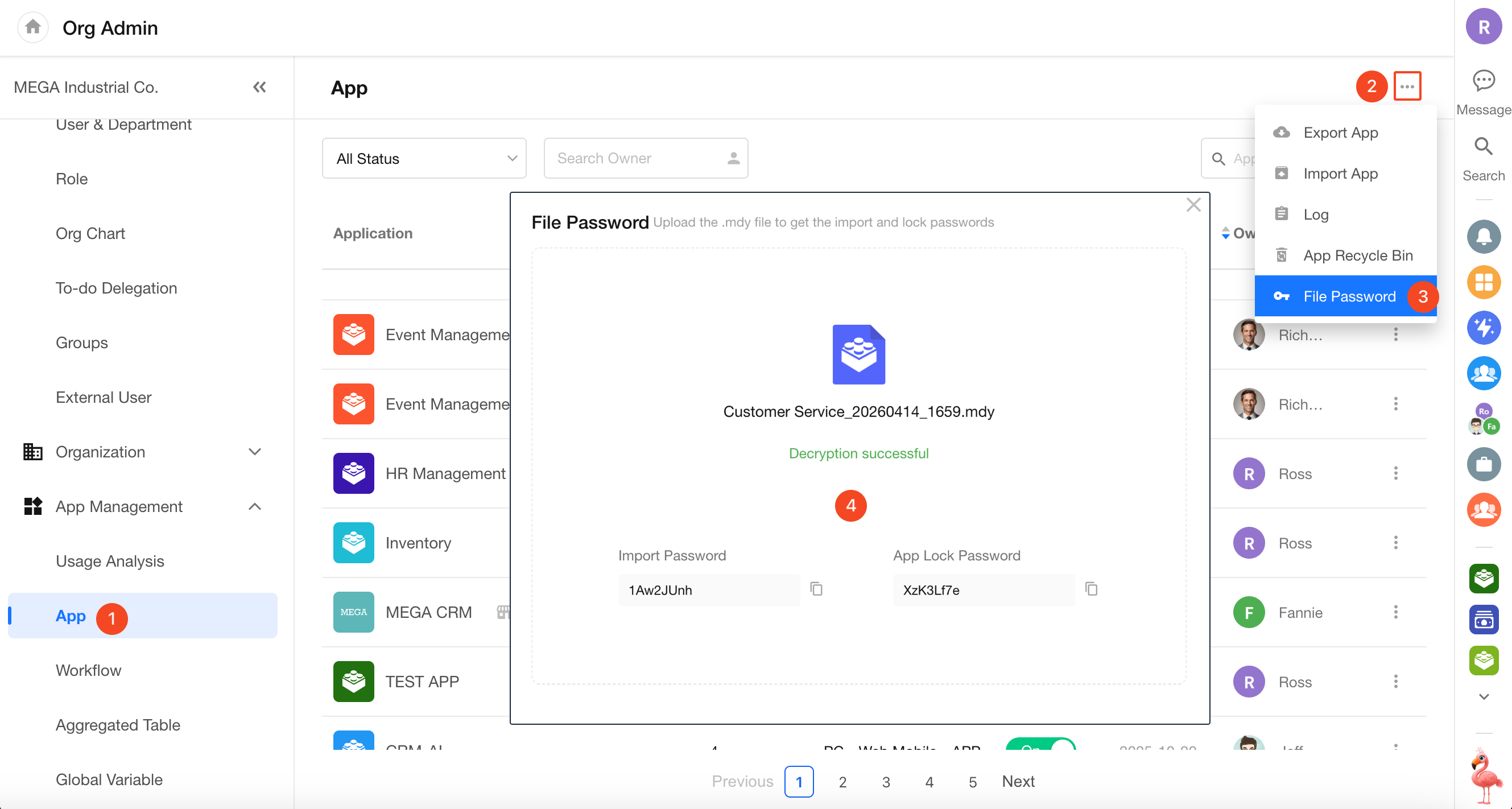
When exporting an application, you can set an import password and a lock password. If these passwords are forgotten, admins can decrypt the file to retrieve them.
In the Organization Admin Console, go to App Management > App > More > File Password, then upload the exported .mdy file. After decryption, the import password and unlock password will be displayed.
Only applications exported from the current organization can be decrypted.
Was this document helpful?