App Lock
Locking an application prevents all users from modifying its configuration, including editing worksheets, editing workflows, exporting, copying, deleting, and other configuration-related operations. This helps protect application intellectual property and enables centralized maintenance and management.
- Only the app owner can lock an application.
- Imported applications, distributed applications, and applications installed from the marketplace cannot be locked.
- When an application is locked, app admins and developers can enter the lock password to unlock the application, make changes, and lock it again afterward.
- When exporting an application, app admins can choose whether to lock the application.
Lock an Application
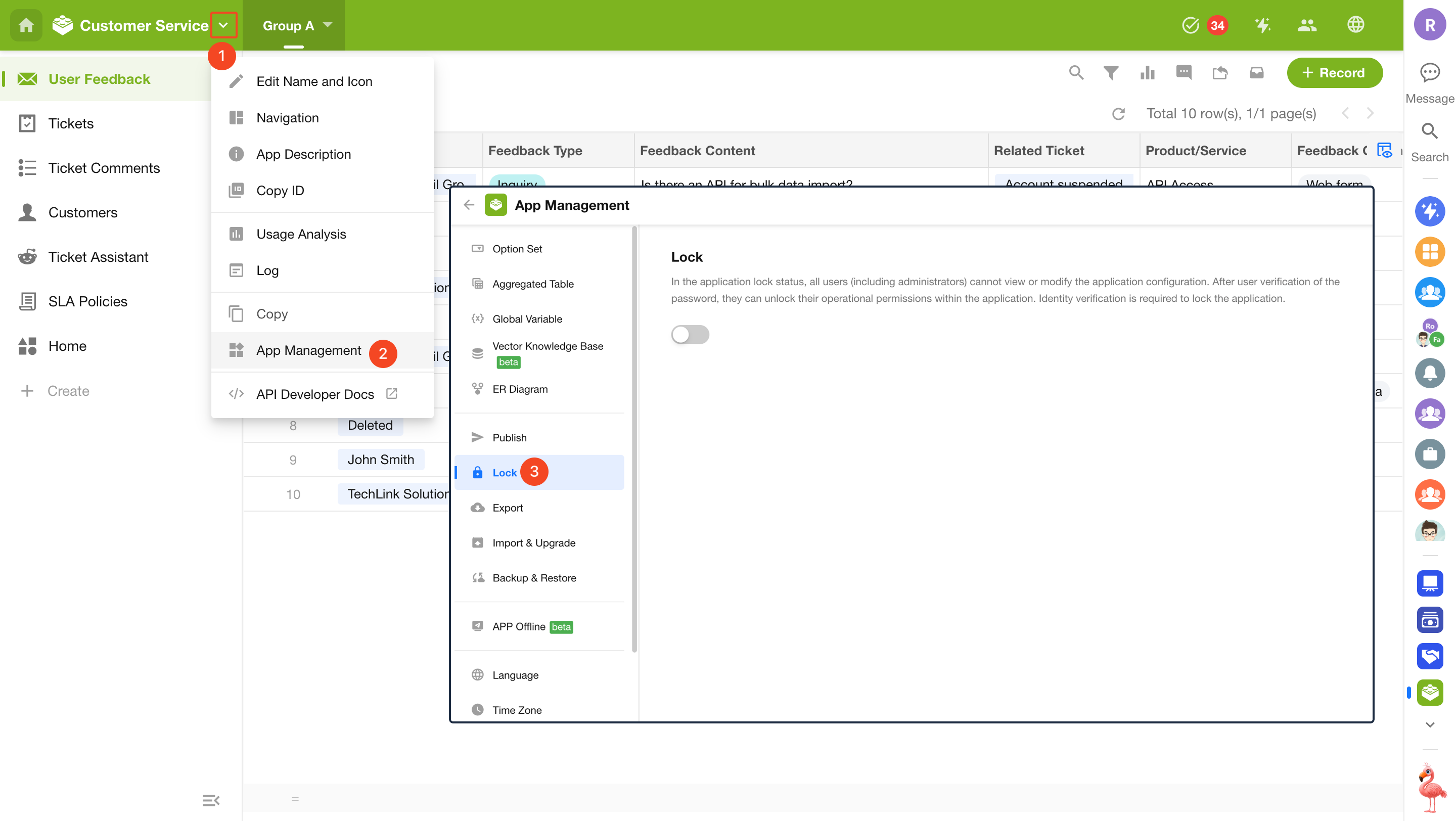
Go to App Management > Lock.
Enable locking → Set a lock password → Click Confirm.
Note: Only the app owner can perform this operation.
Restrictions After Locking an Application
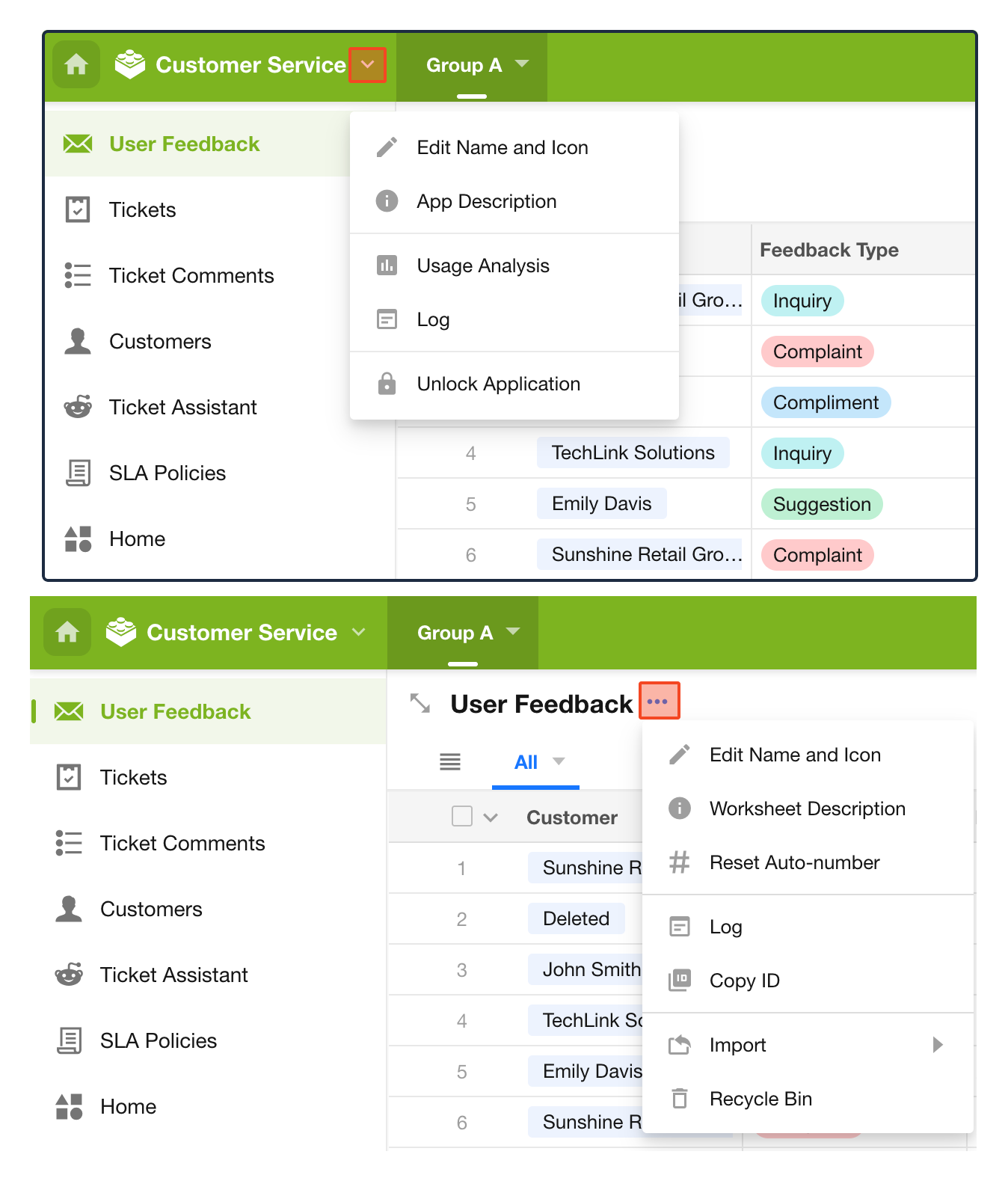
After an application is locked, users can only perform the following operations in each module:
- App Management: Only app renaming, description editing, log viewing, usage analysis, and unlocking are available.
- Worksheet Management: Only worksheet naming, description editing, number reset, Excel import, log viewing, and recycle bin access are available.
- View Management: Only sharing and exporting are available.
- Workflow: The workflow entry is hidden.
- Navigation: Hidden worksheets and custom pages are not displayed.
Unlock and Disable Locking
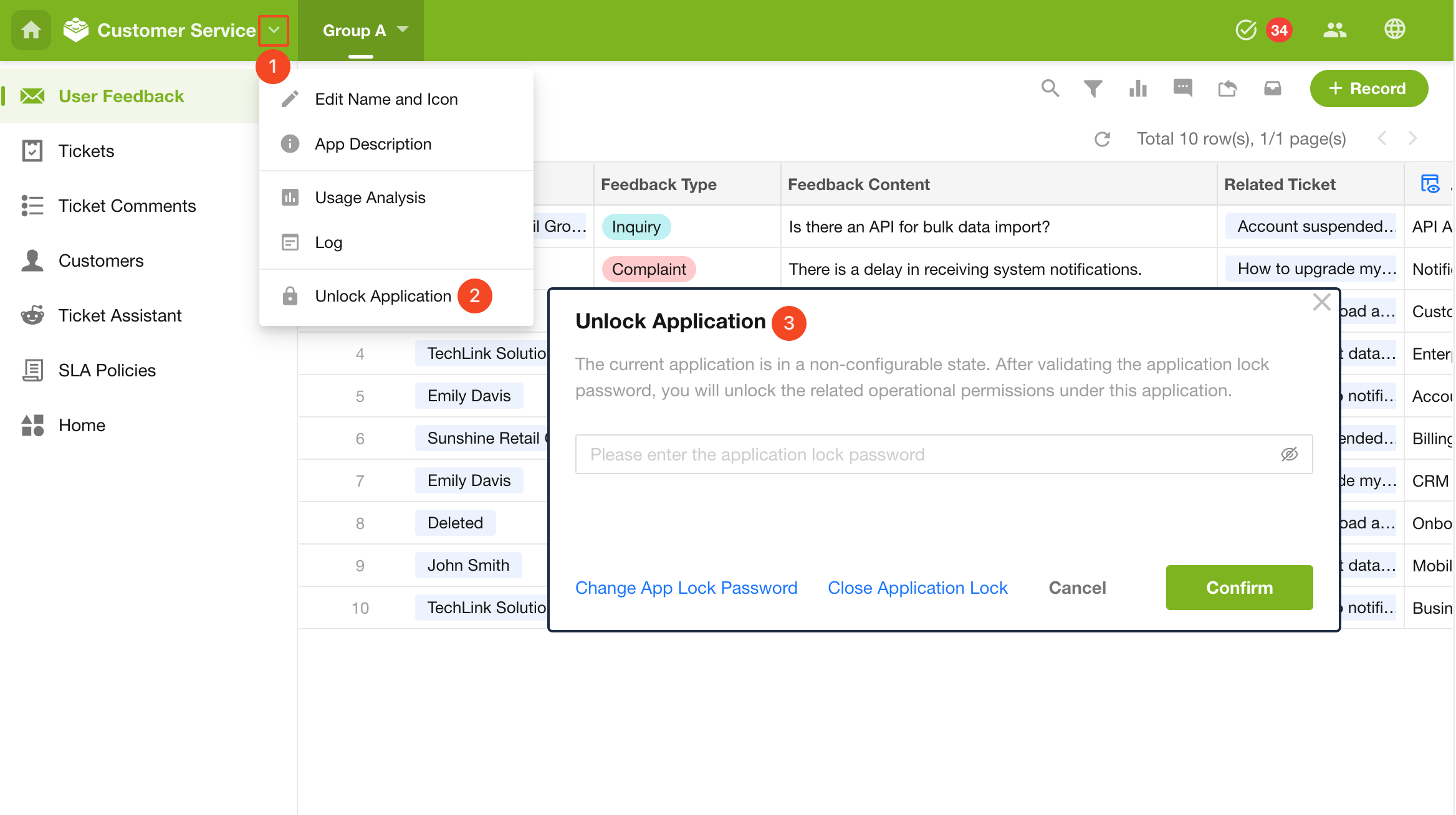
- Only app admins and developers can unlock an application.
- Unlocking only applies to the current user. Other members must unlock the application separately before they can modify the application.
- The options to change the app lock password and disable locking are only available to the app owner.
Lock an Application During Export
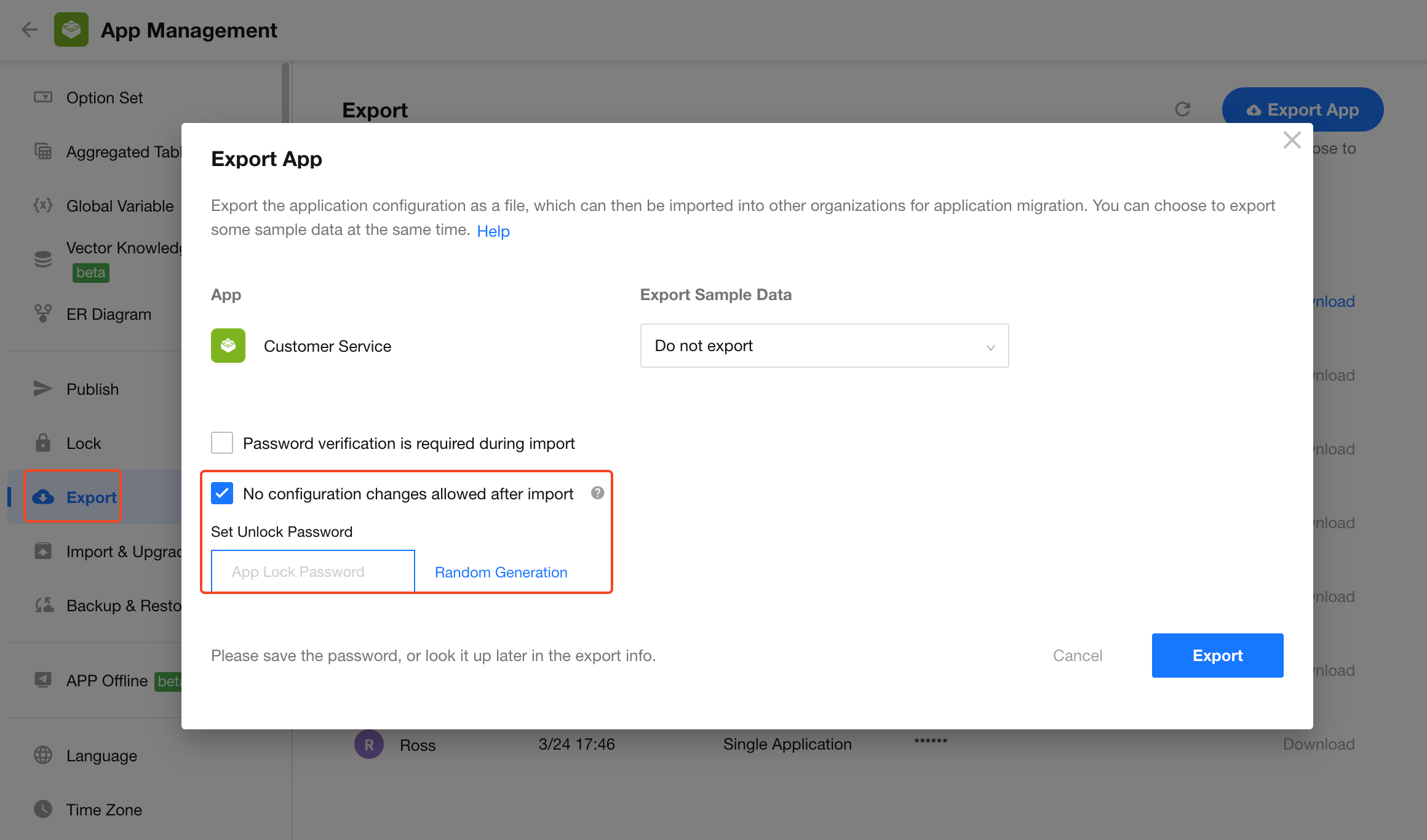
When exporting an application, you can choose to lock it. After import, the new application will be in a locked state, and no users can view or modify its configuration.
- After importing a locked application, users can only unlock the application. No user can disable locking.
Was this document helpful?