Common Application Operations
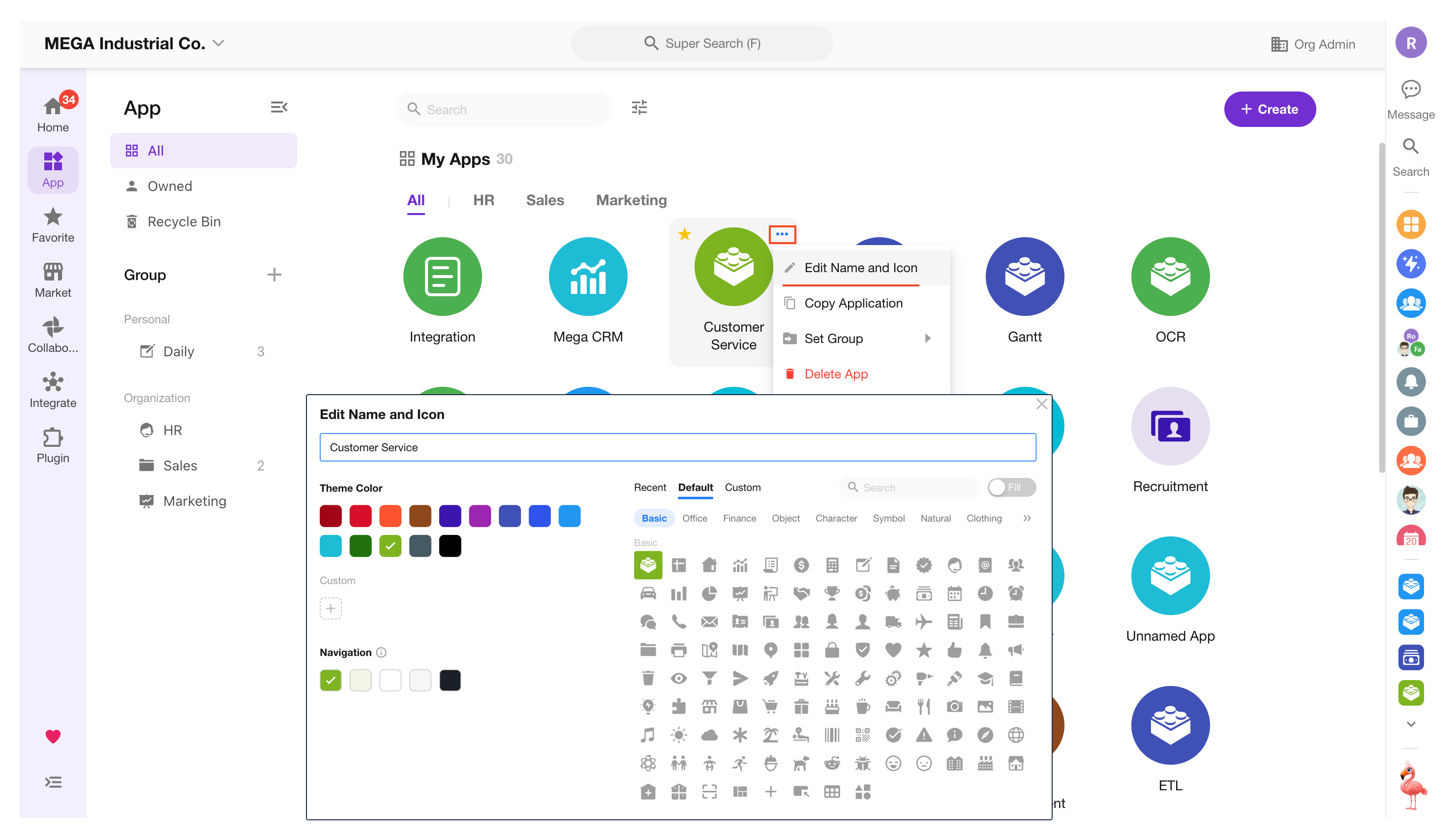
1. Edit Application Name, Theme Color, Navigation Color, and Icon
Only application admins can modify the application name, theme color, and icon.
You can also make changes from within the application:
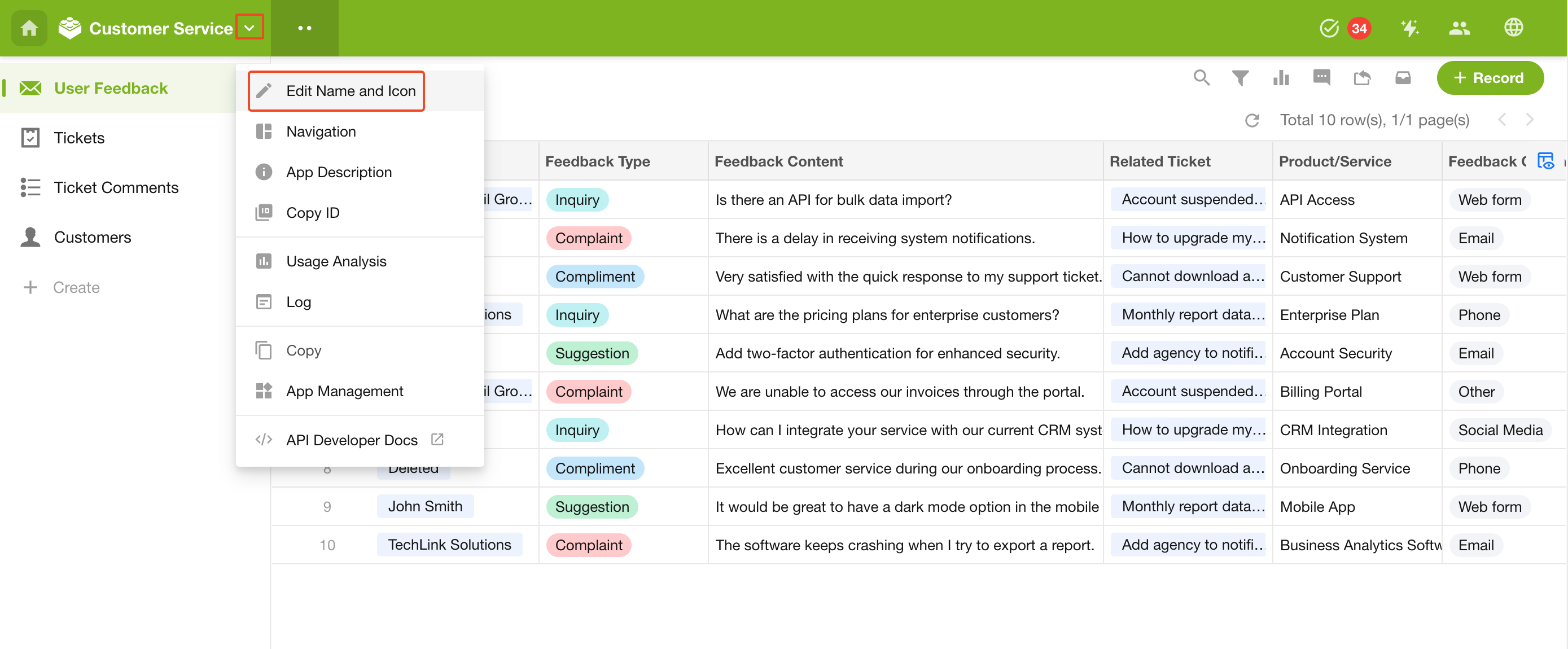
Theme colors can be customized in the Organization Admin Console, with up to 18 options displayed.
Learn more
1.1 Icon
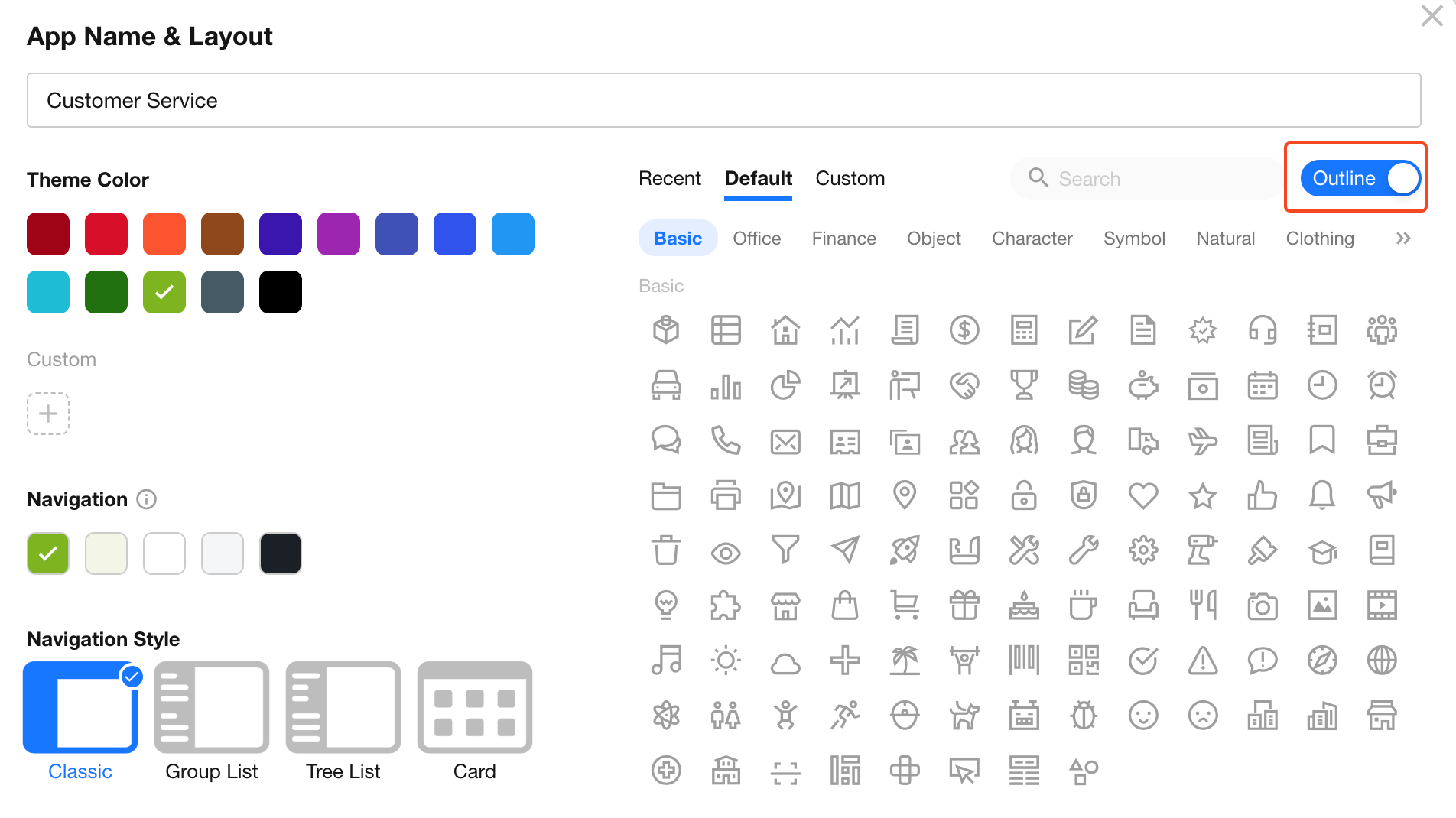
You can choose from built-in icons or upload a custom icon.
-
Built-in icons
Two styles are available: fill and outline, with support for switching between them.
2. Edit Application Description
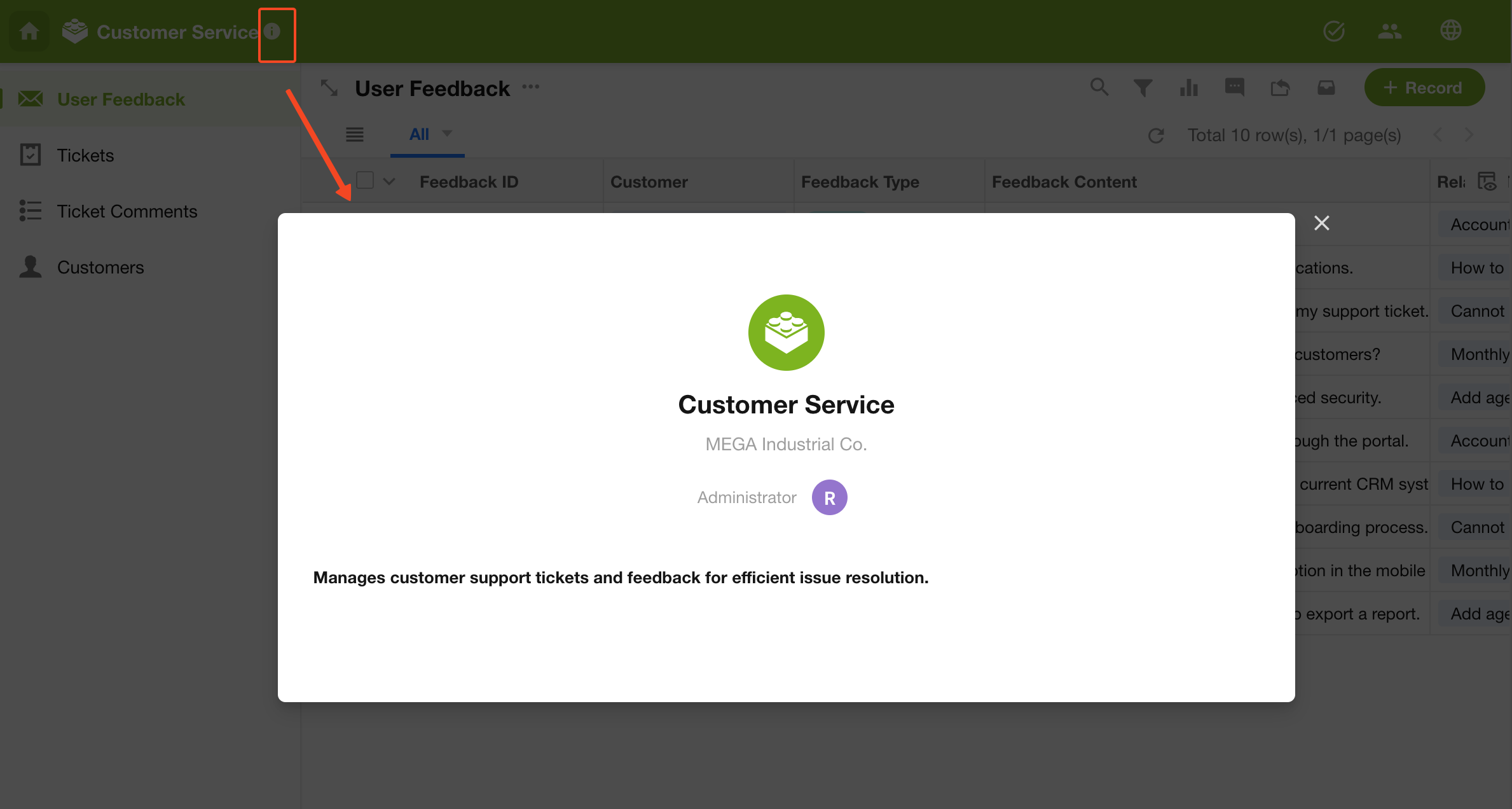
Add or update an application description to help new members quickly understand and use the application.
Initial edit:
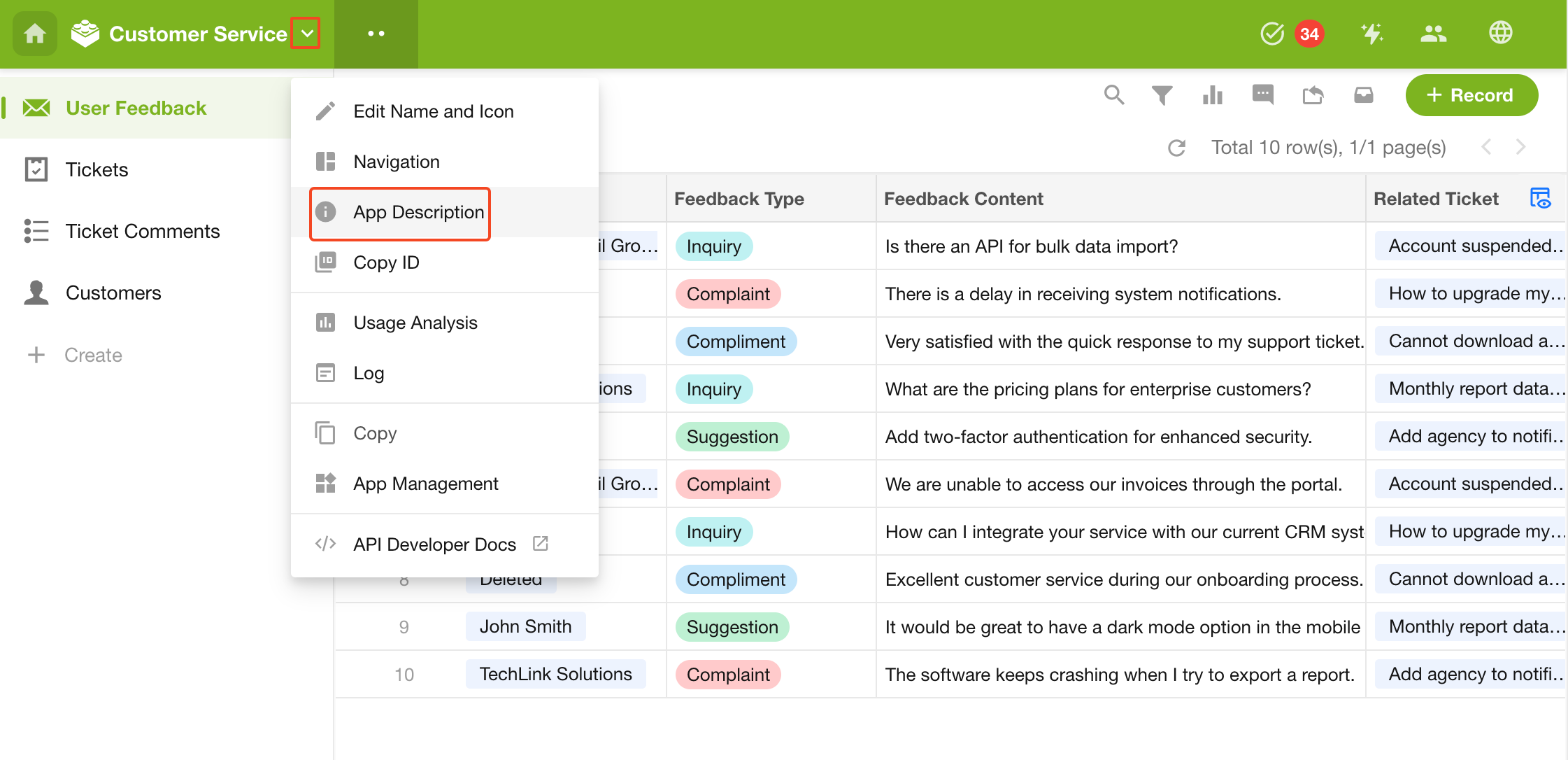
View and edit again:
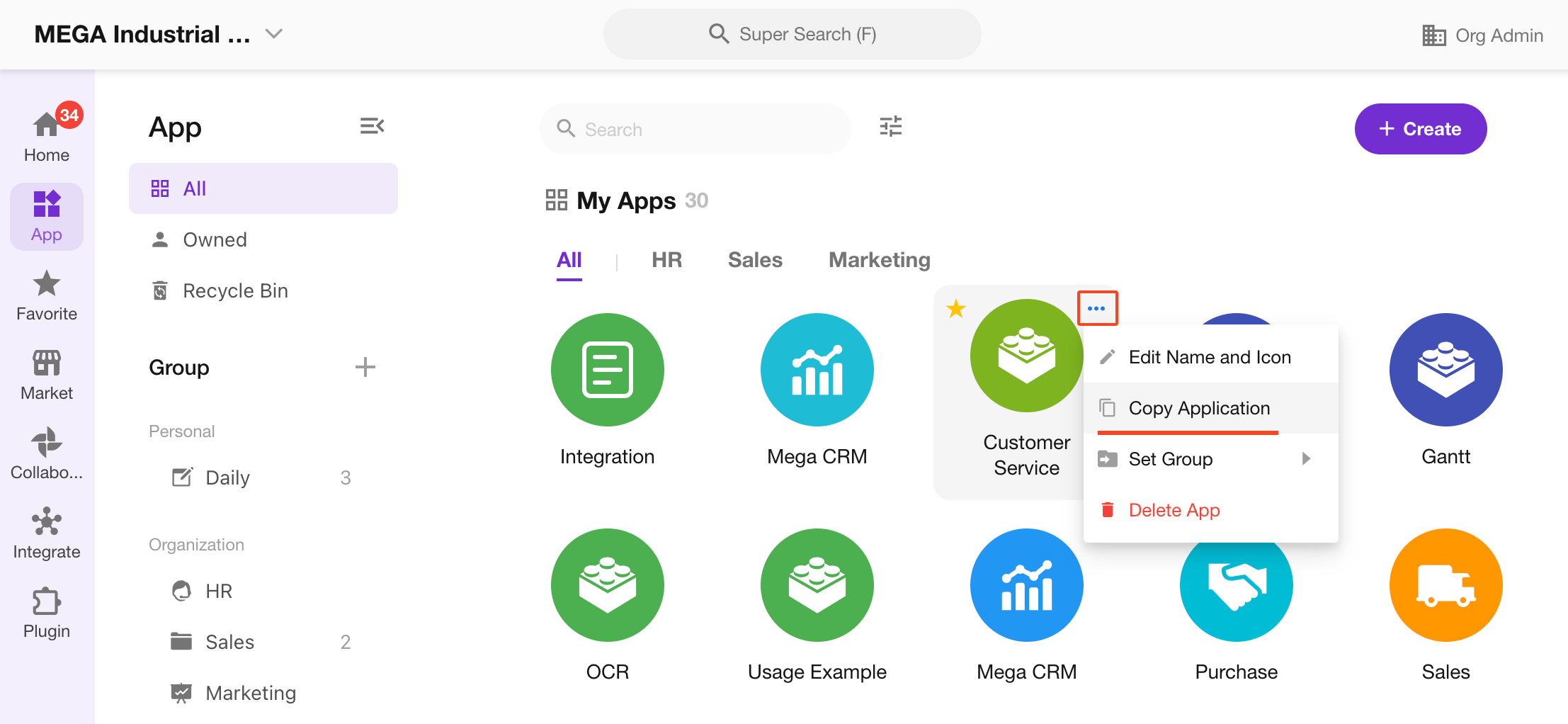
3. Duplicate Application
Duplicating an application copies only its configuration—not the worksheet data.
If worksheets in the application are linked to worksheets in other applications, those relationships will not be copied.
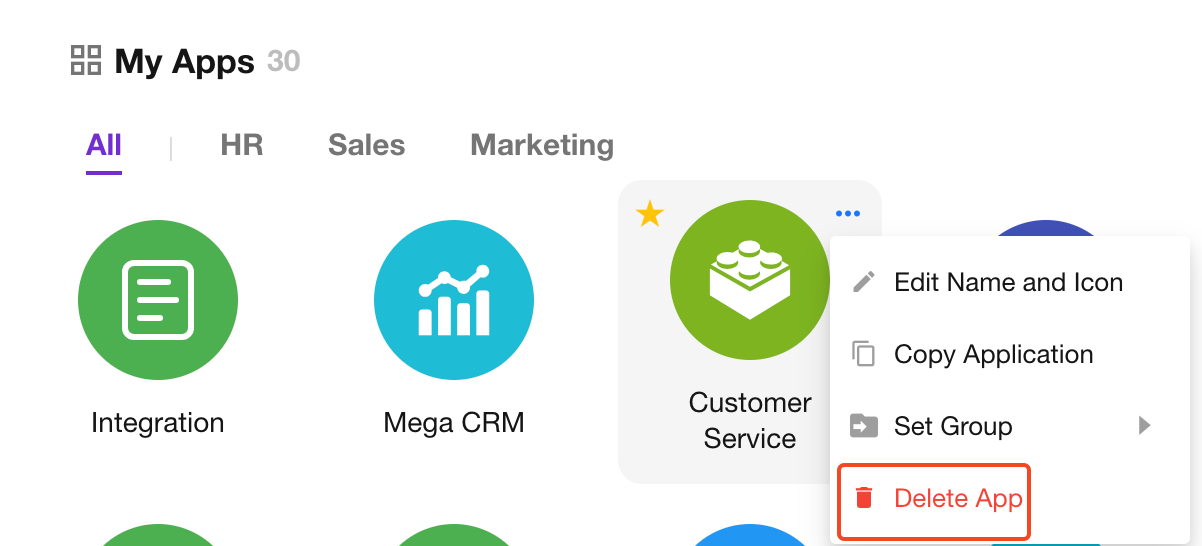
4. Delete or Leave an Application
Only the application owner can delete an application. Other admins or members can only leave the application.
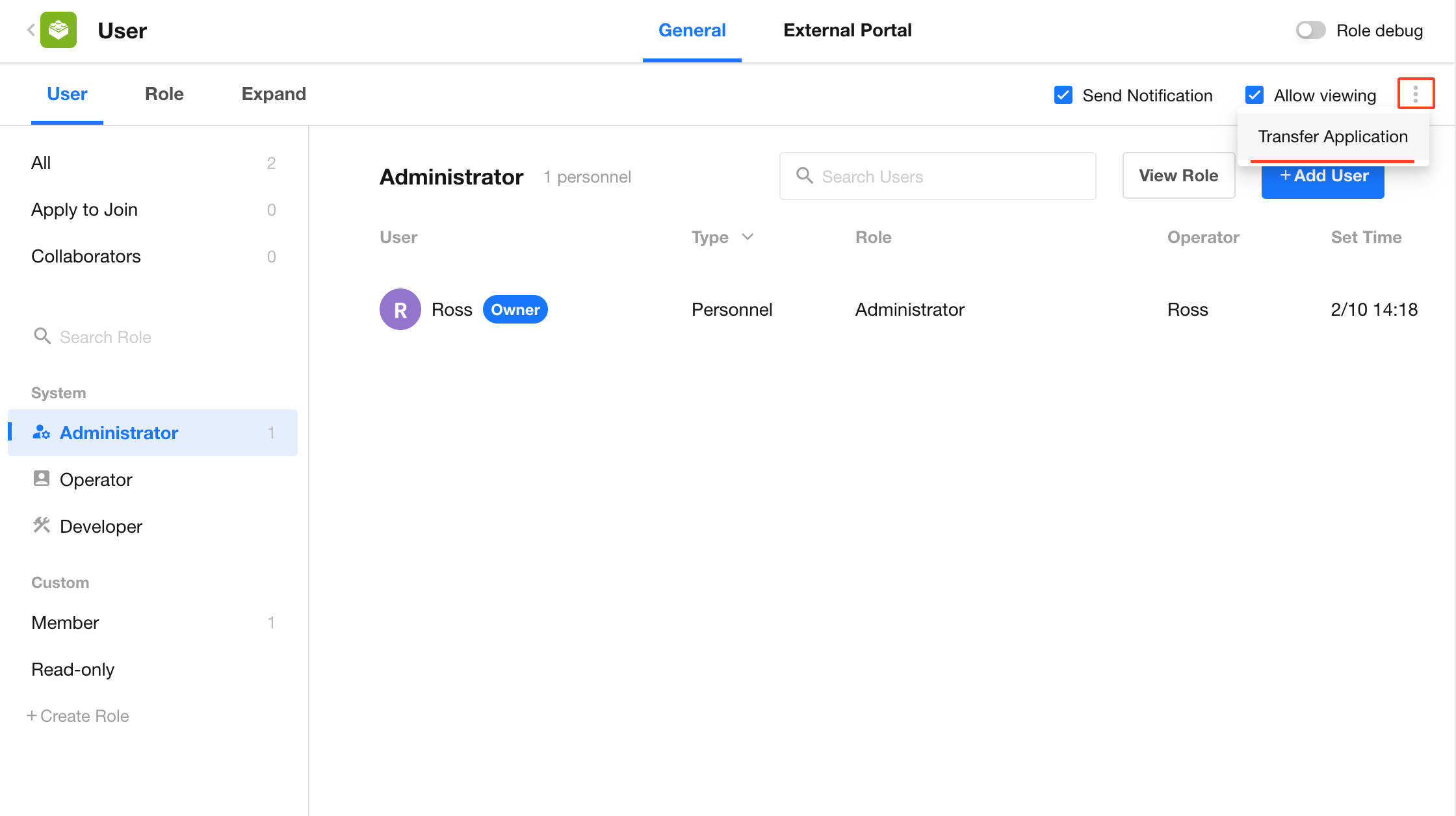
If the owner wants to leave the application, they must first transfer ownership.
5. Reorder Applications
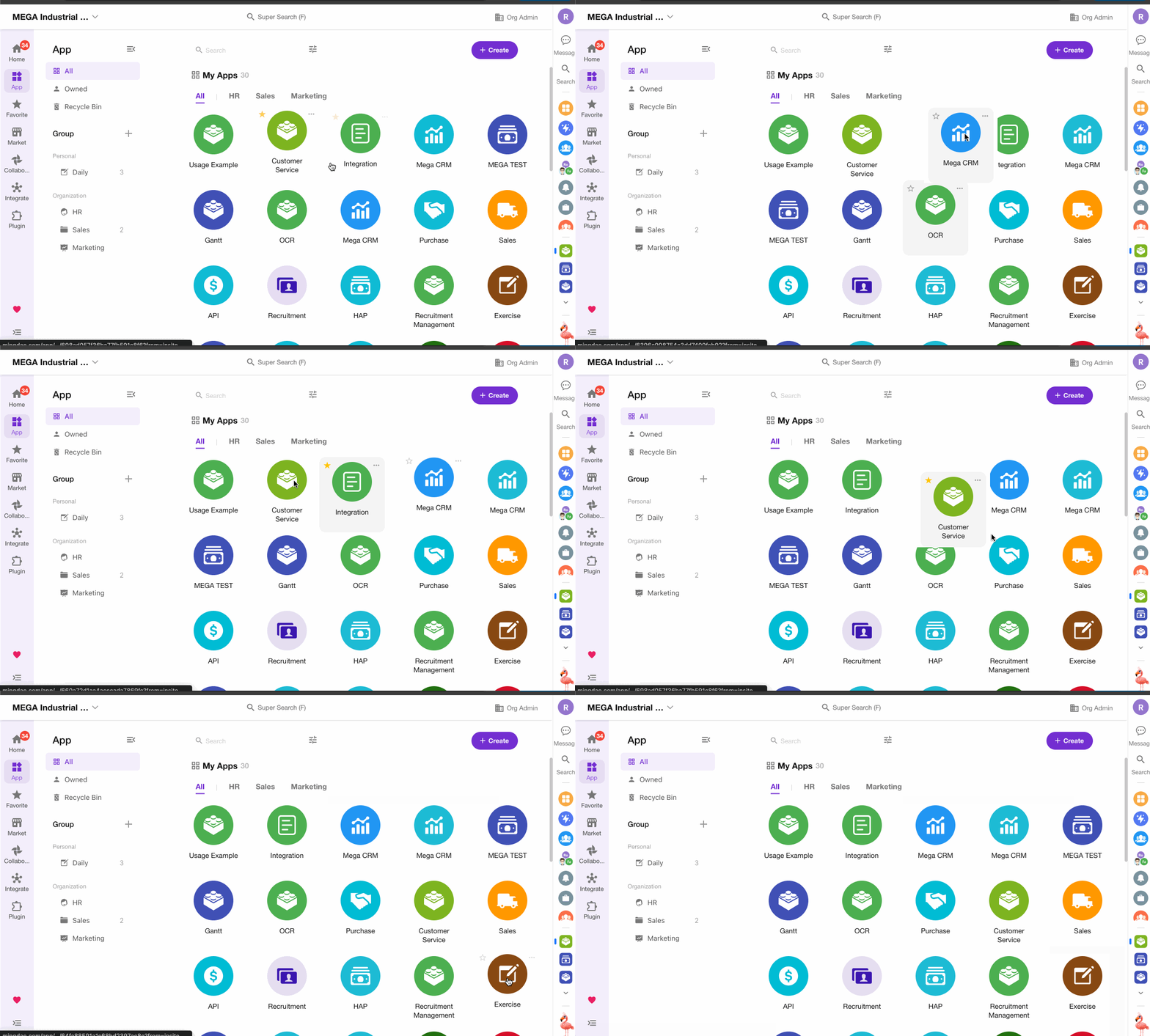
Within an application group, you can drag and drop applications to reorder them.
This order only affects your personal view.
6. Adjust Application Groups
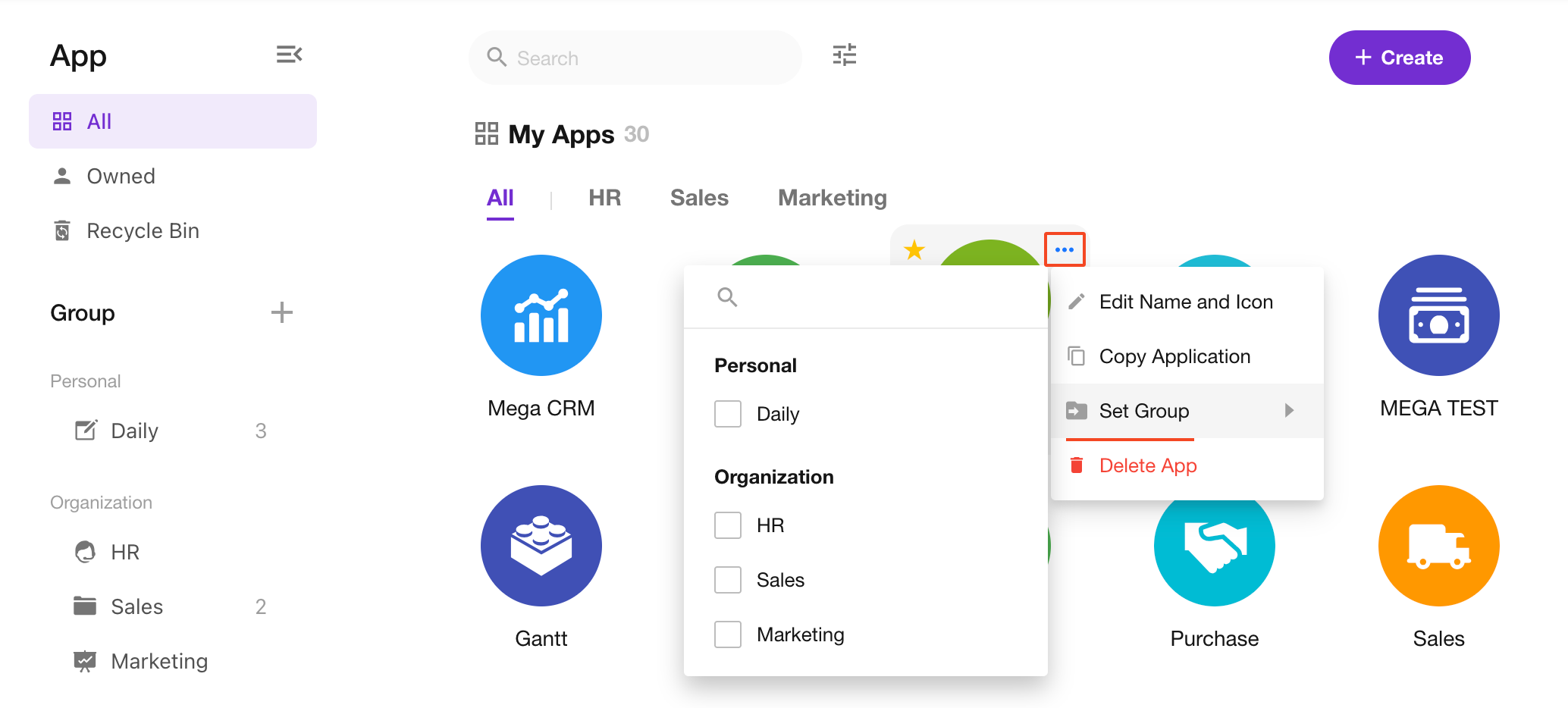
If you assign an application to a personal group, it only affects your view.
If assigned to an organization group, it applies to all members in the organization (who have joined the application).
7. Publish Application
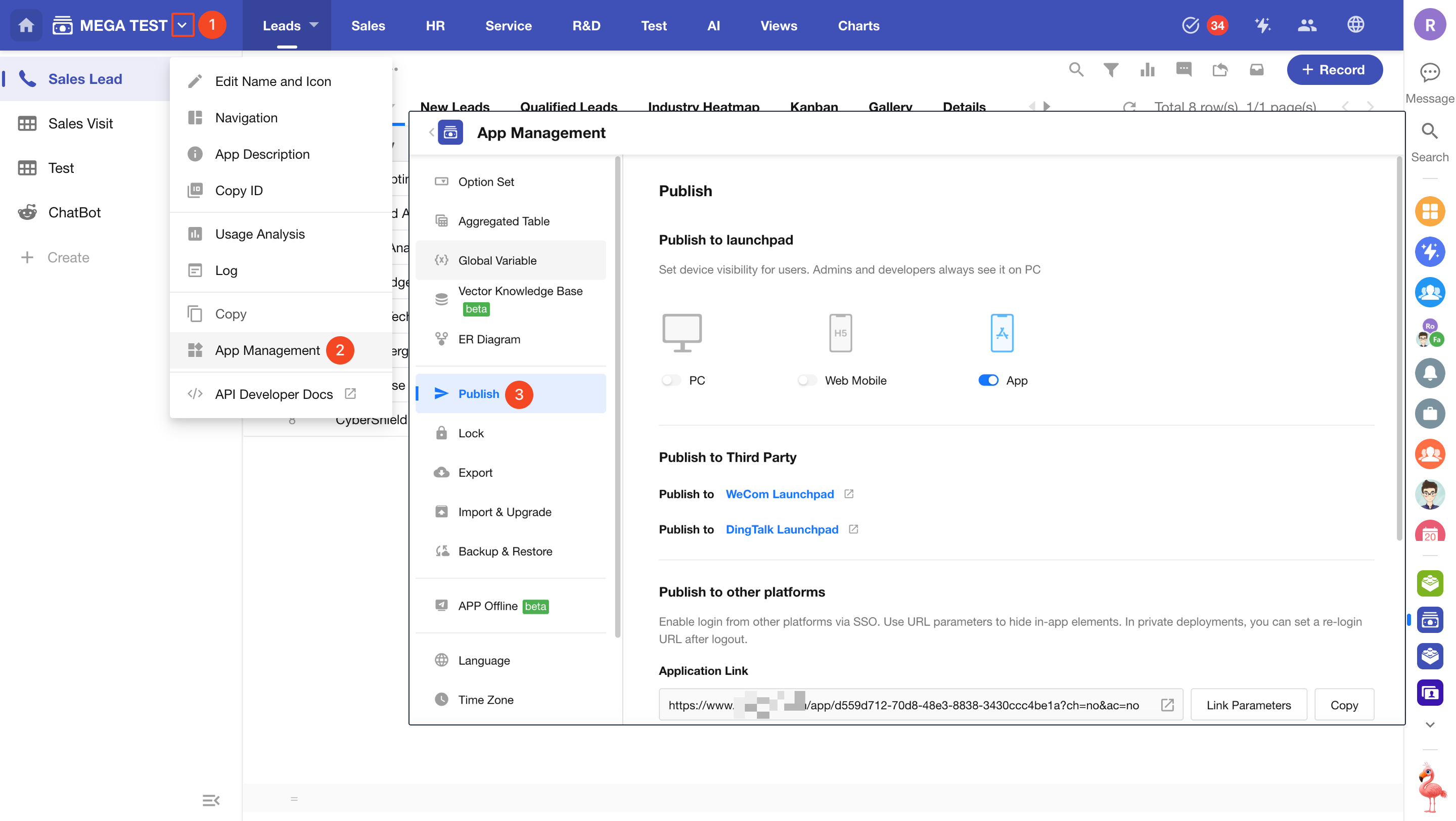
In the publishing settings, you can choose which platforms the application is available on and publish it to third-party platforms (e.g., WeCom, DingTalk).
Learn more about application publishing
8. Application Maintenance
When making changes to an application, you can temporarily suspend access to prevent data inconsistencies during updates or testing.
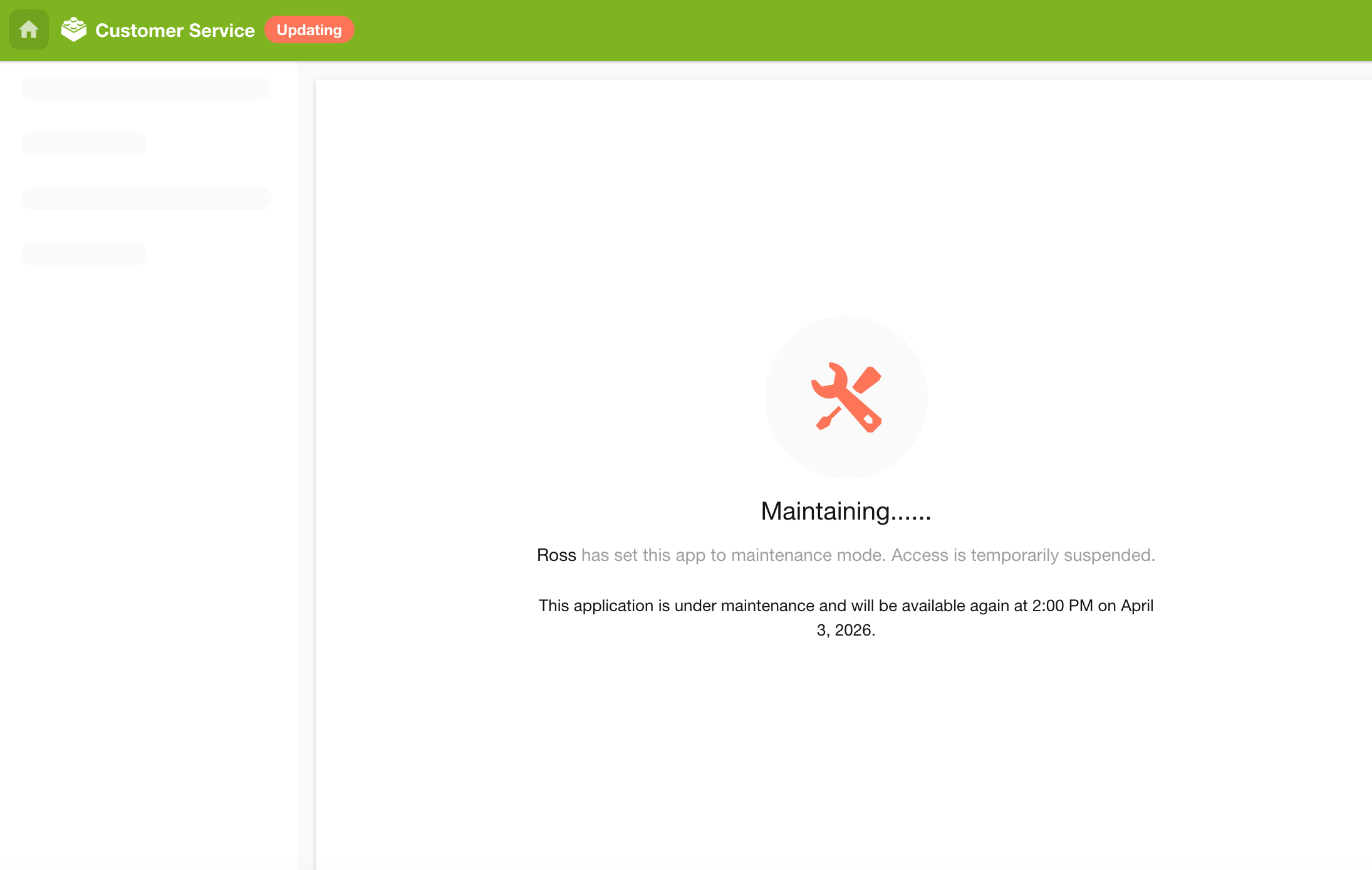
Set the application to maintenance mode, and other users will not be able to access it.
Maintenance view for users:
How to maintain an application
9. Backup and Restore
You can back up the current structure and configuration of an application and restore it using backup files.
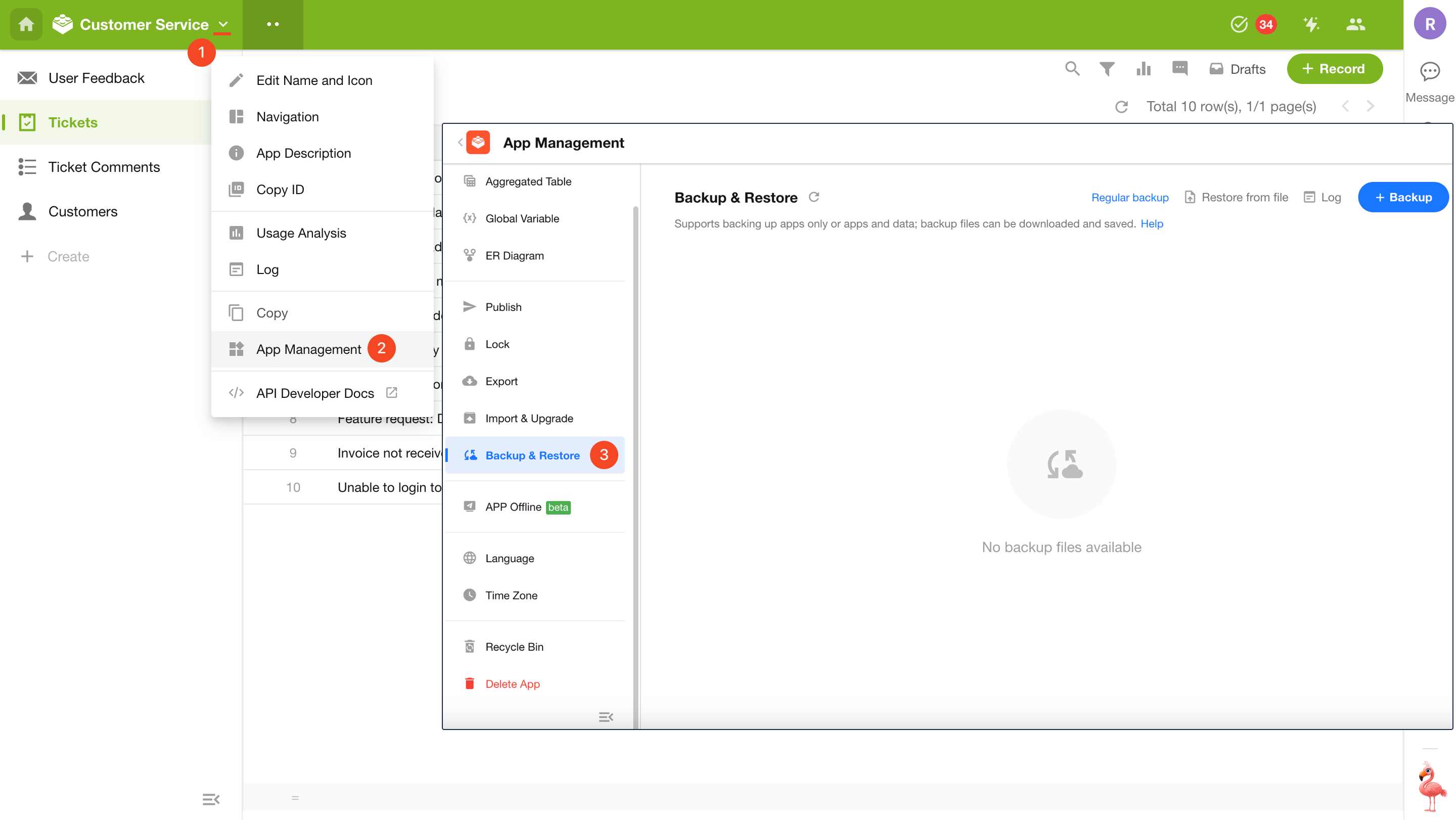
How to back up and restore applications
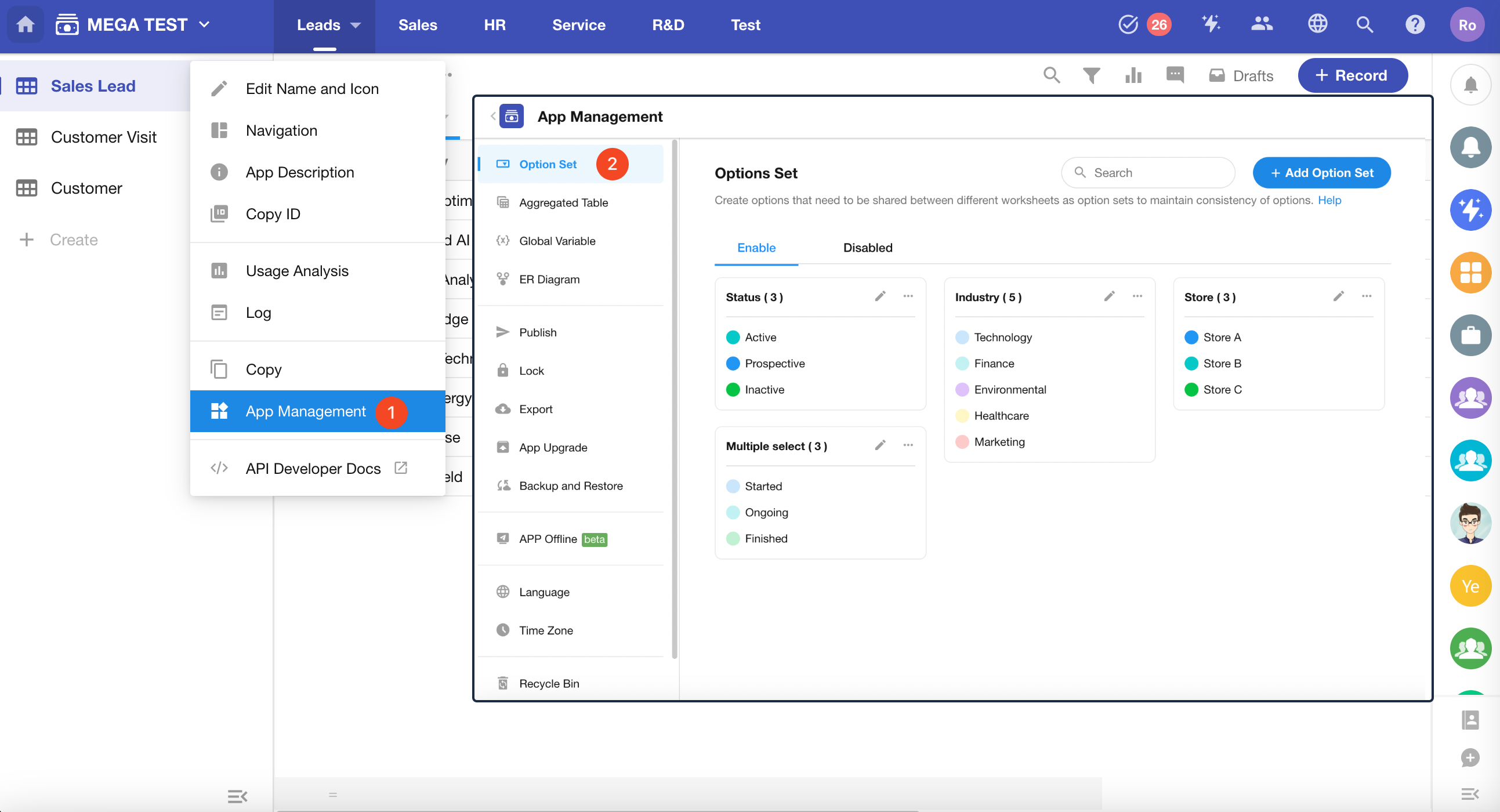
10. Option Sets
Single-select and multi-select fields require predefined options. When multiple worksheets need the same options, using an option template can reduce repetitive configuration. Option sets are managed at the application level.
Was this document helpful?