Offline Data Entry in the Mobile App
Overview
Offline data entry allows users to enter and save data in the HAP mobile app when internet access is unavailable or unreliable. It is designed for scenarios such as field surveys, equipment inspections, and warehouse operations where network connectivity may be limited.
Data entered offline is stored locally on the device and can be manually submitted to the server once connectivity is restored, helping ensure data integrity and reliability.
Common Use Cases:
- Geological Surveys: Record rock sample data in remote mountainous areas without network access.
- Power Line Inspections: Capture photos of potential hazards and record their locations while inspecting transmission towers.
- Logistics and Warehousing: Scan barcodes to create inbound and outbound inventory records in underground warehouses.
Configure Offline Data Entry
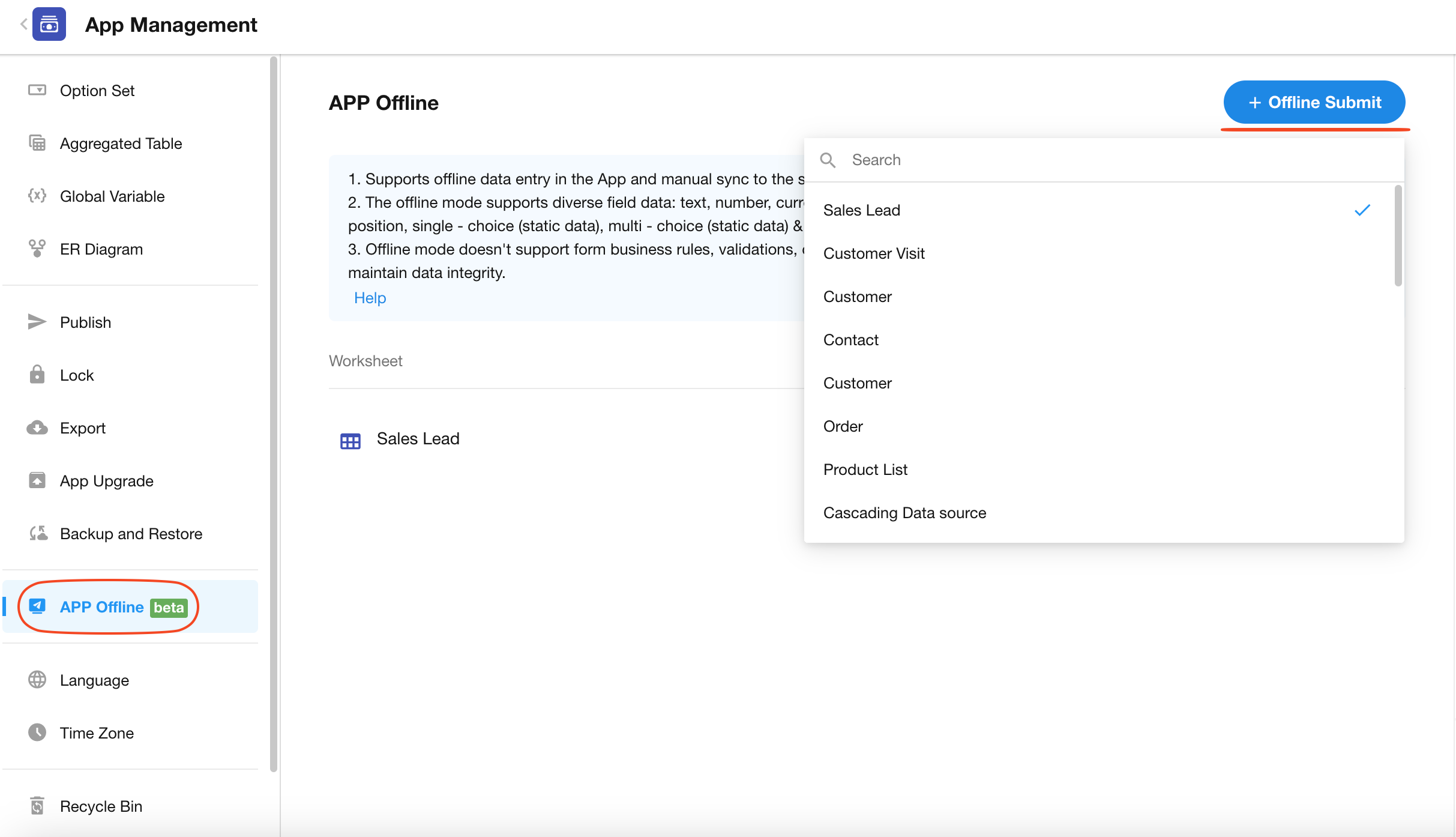
App administrators can go to App Management > App Offline to add worksheets that support offline data entry.
Enter Data Offline in the Mobile App
-
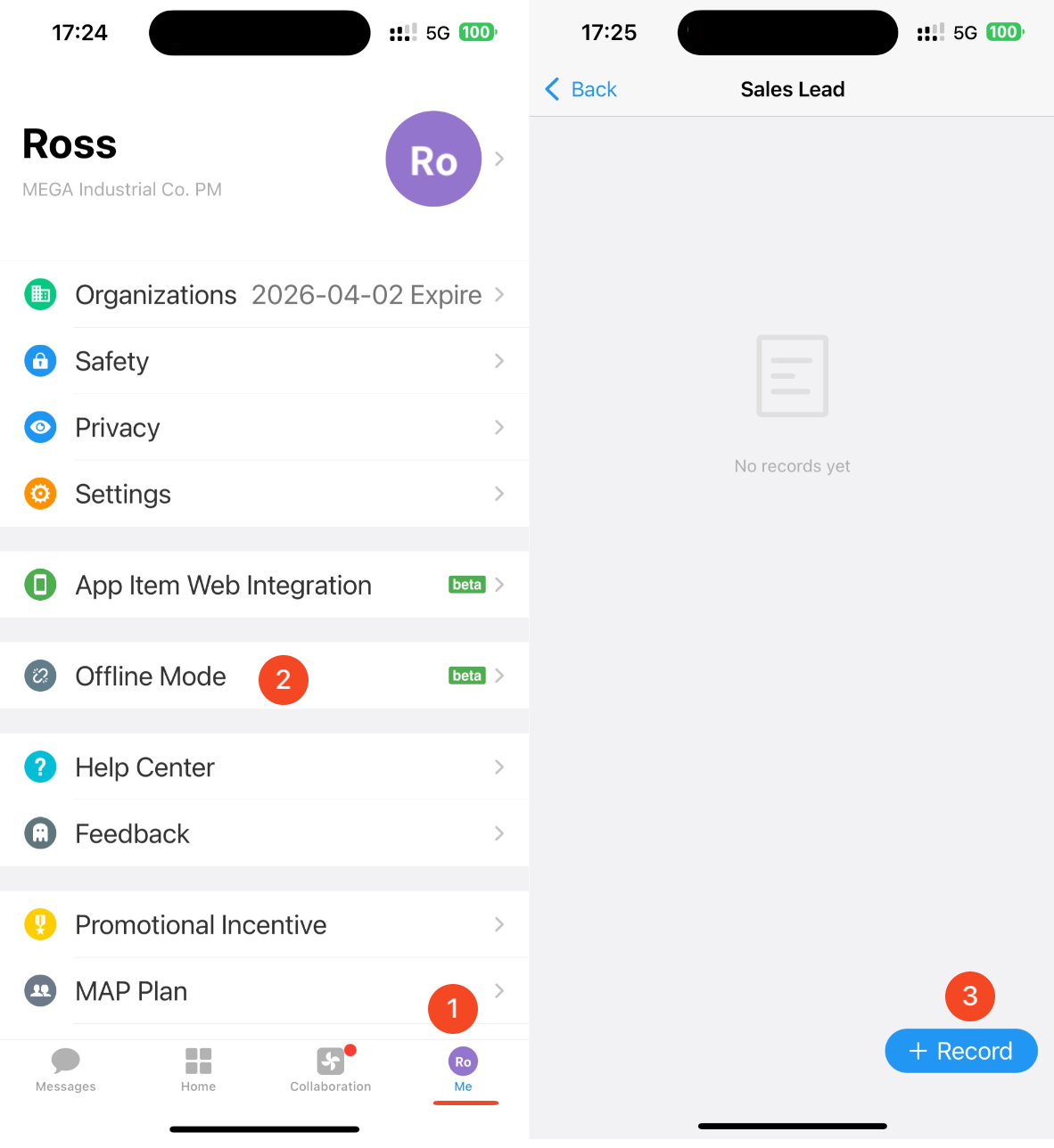
In the HAP mobile app, go to Me > Offline Mode, select a worksheet, and enter the record details.
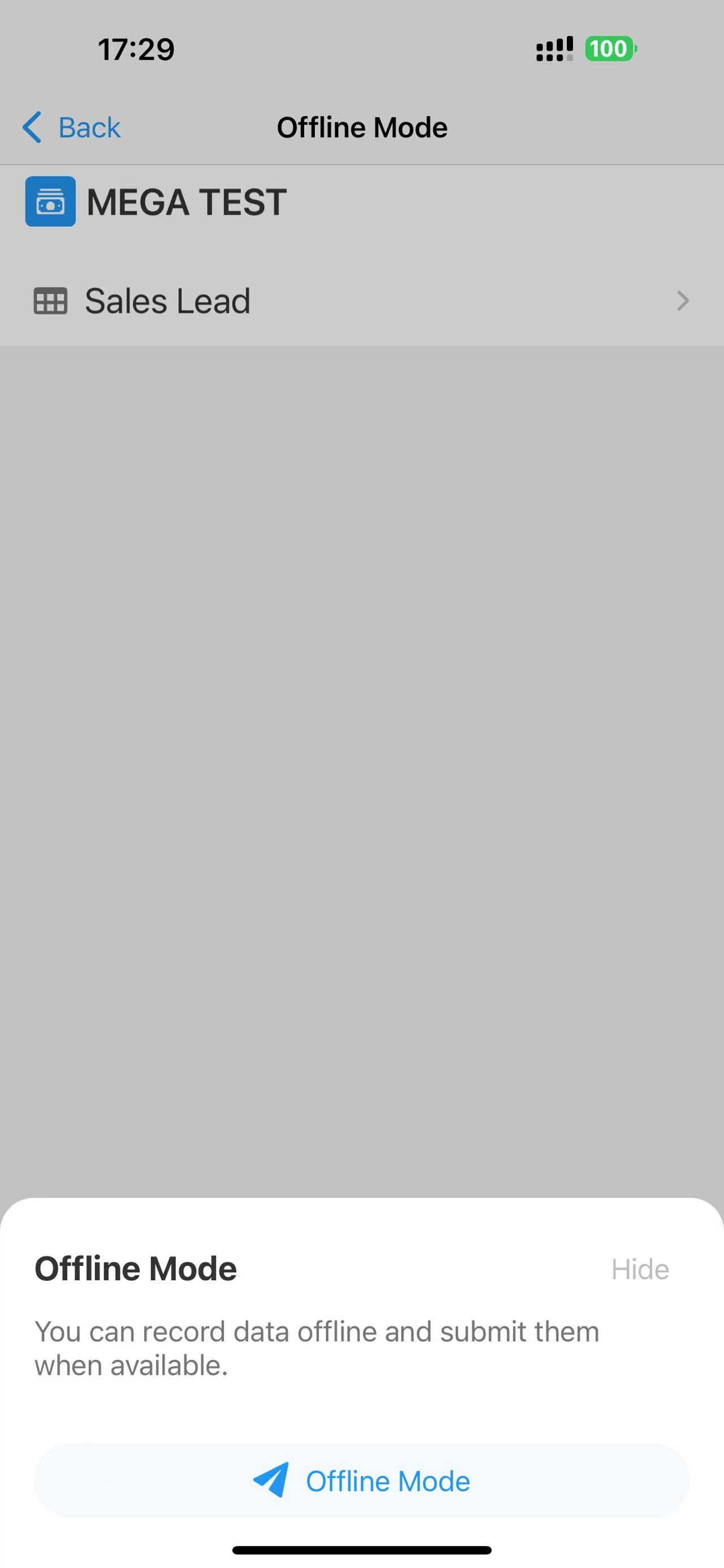
When the app detects that the device is offline, a shortcut for offline data entry appears.
-
Once network connectivity is restored, manually submit the saved records to the server. The mobile app does not automatically submit offline records when the network becomes available.
Batch submission is not supported, as each record must be validated against data permissions and business rules before submission.

Offline Data Entry Rules
-
Supported Fields: Text, Number, Amount, Email, Date, Time, Telephone, File, Check item, Rich Text, ID number, Positioning, Single Select, Multi Select (Custom Options), and Signature.
-
Validation and Permissions: Business rules, field validation, and permission controls are not enforced while entering data offline. When records are manually submitted after network connectivity is restored, data permissions and business rules are validated.
Was this document helpful?