Application Publishing
With application publishing settings, you can control which platforms the application is available on, publish it to third-party platforms, and hide specific UI elements.
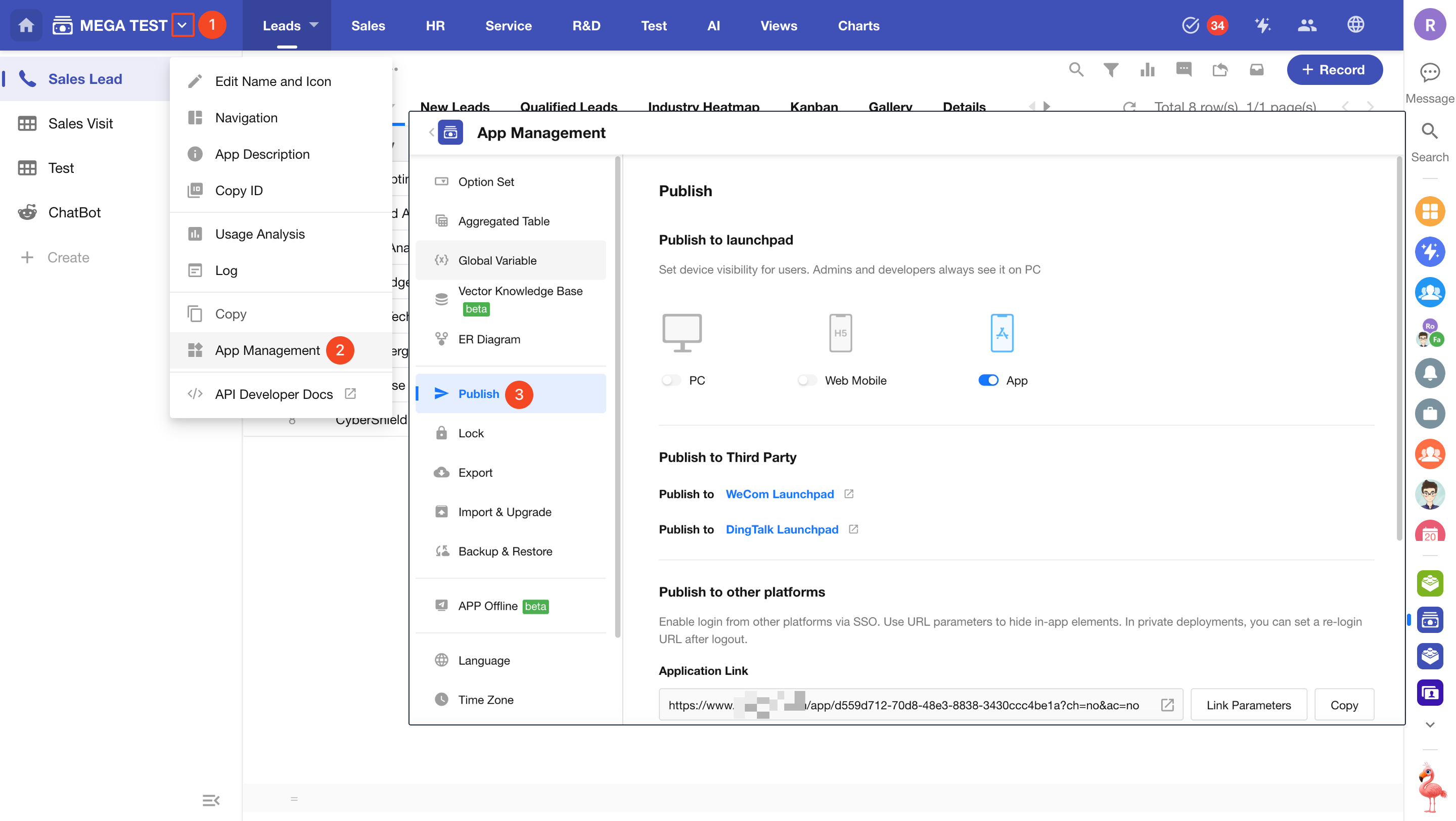
Publish to HAP Workspace
On the App Management > Publish page, you can configure where the application is accessible, including:
- PC (desktop)
- Mobile App
- Mobile Web
Disable any platform where the application should not be visible.
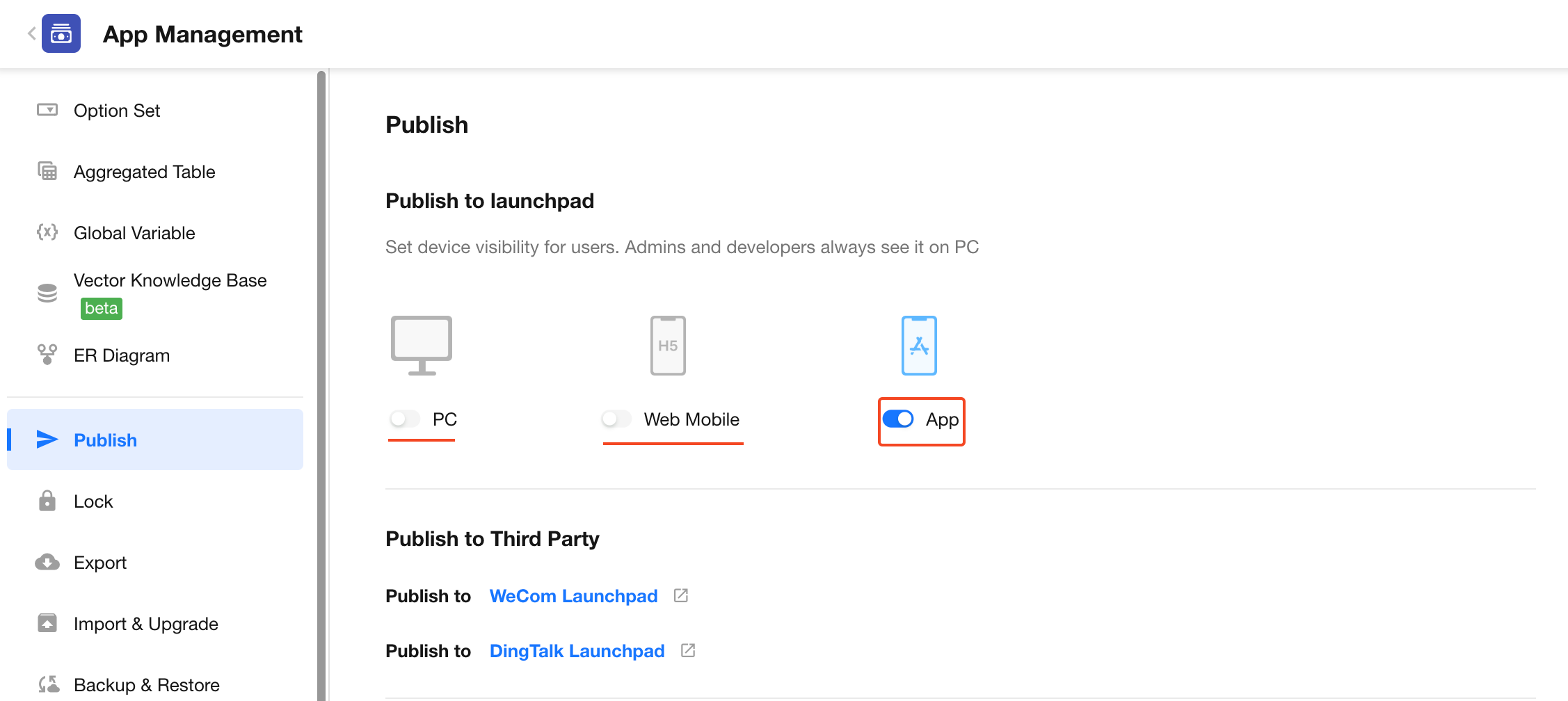
Mobile Web includes access via:
- Mobile browsers
- WeChat Mini Programs
- Platforms such as WeCom, DingTalk, and Feishu
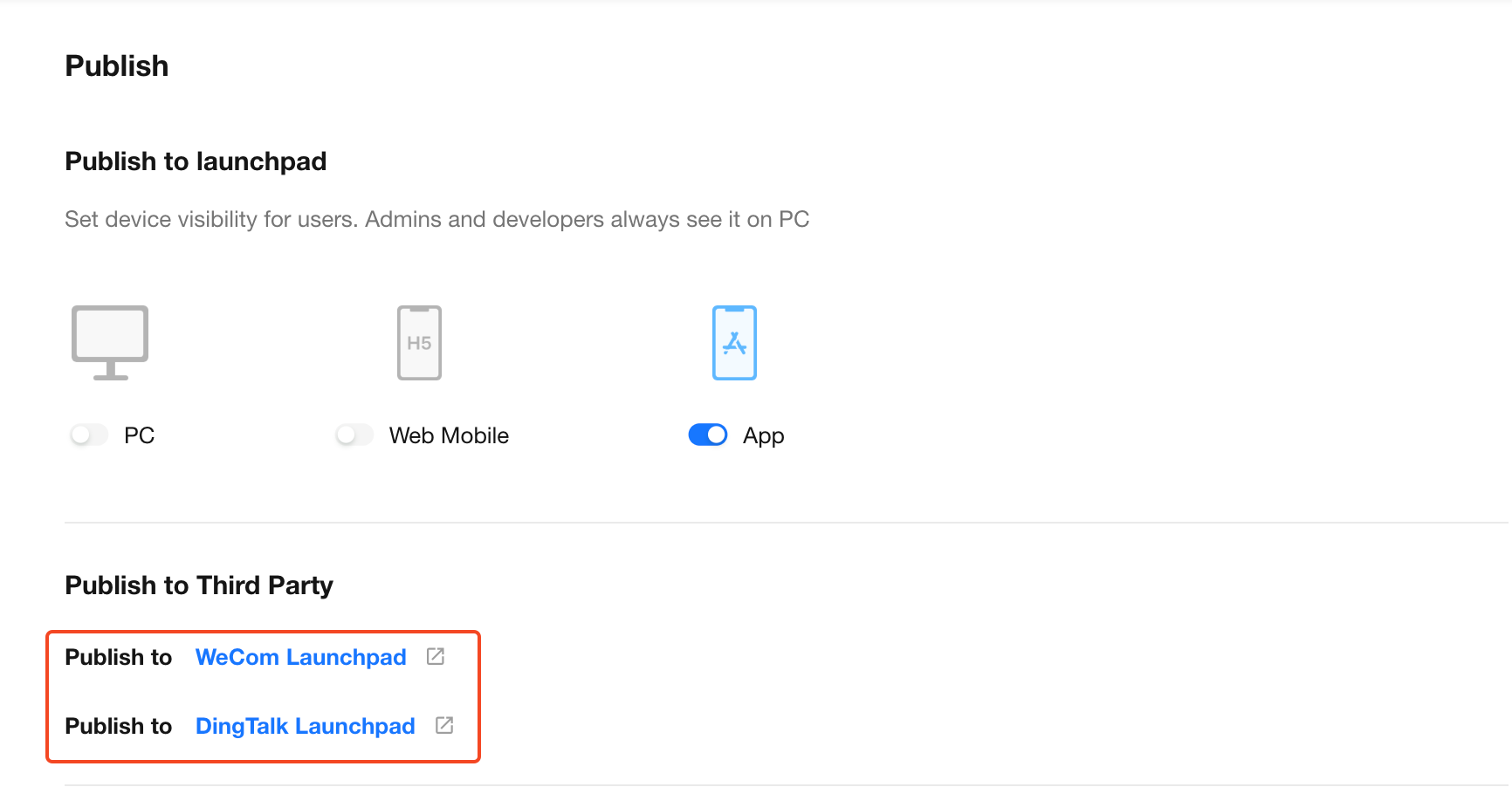
Publish to Third-Party Platforms
In addition to integrating HAP with third-party platforms, you can also directly publish individual applications to third-party workspaces.
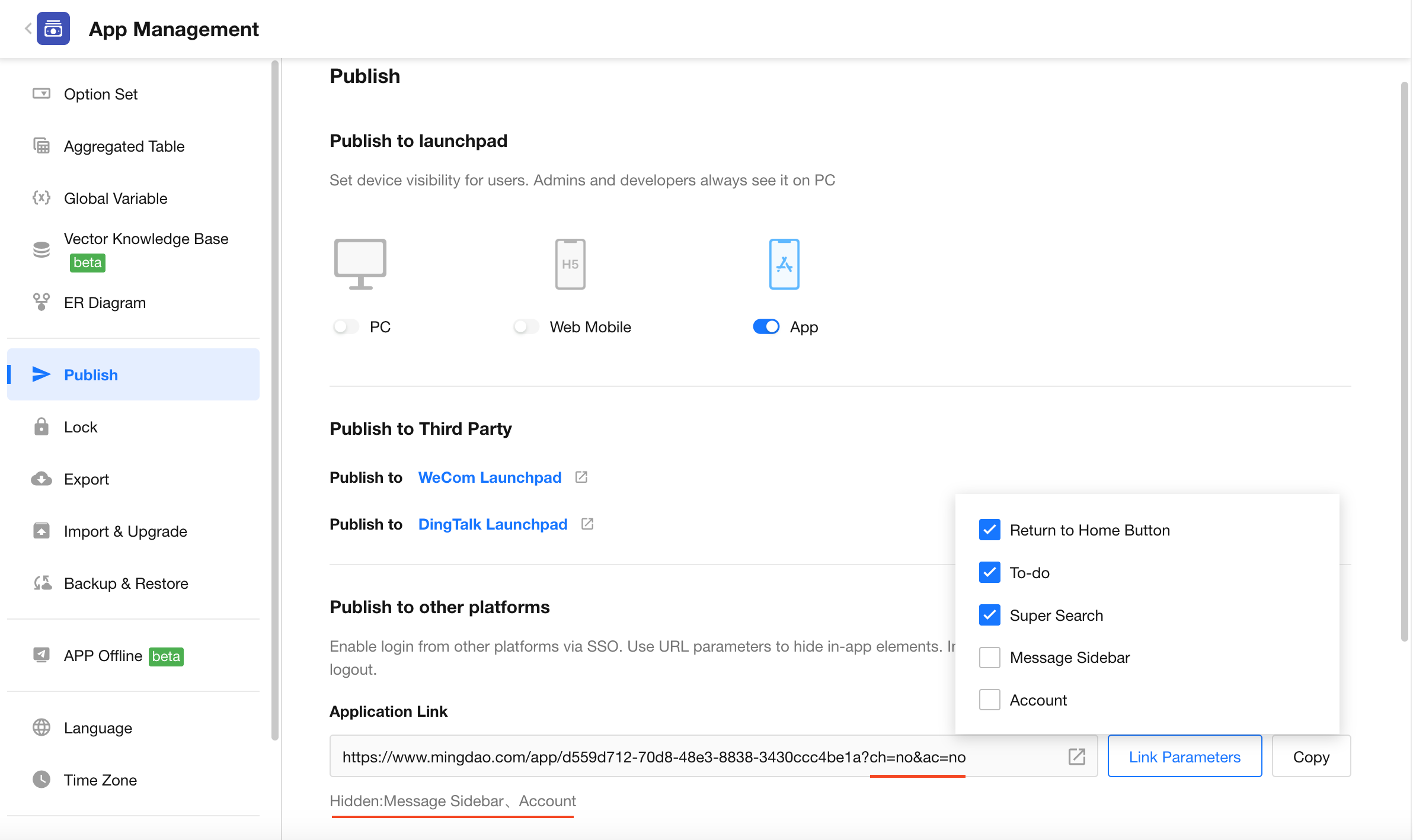
Publish to Other Platforms
You can share the application link on other platforms. By using URL parameters, you can hide specific UI elements within the application.
Learn more about hiding UI elements
Application Maintenance
You can set an application to maintenance mode, making it unavailable on all platforms.
Was this document helpful?