Identity Verification and SMS Signatures
Identity Verification
HAP supports two types of identity verification: Personal Verification and Enterprise Verification. Verification requirements vary by feature.
| Restricted Feature | Verification Requirement | Affected Users |
|---|---|---|
| Invite users | Personal Verification | Free users only |
| Invite users to groups | Personal groups → Personal Verification; Organization groups → Enterprise Verification | Organizations on the Trial or Free edition |
| Invite organization members | Personal Verification or Enterprise Verification | Users in organizations on the Free or Trial edition |
| Purchase organization credits | Personal Verification or Enterprise Verification | Organizations on the Trial or Free edition |
| Change SMS signatures | Enterprise Verification | All users |
| Publish items to the Marketplace | Personal Verification or Enterprise Verification | All users |
| Share externally | Enterprise Verification | Users in organizations on the Free or Trial edition. Restrictions apply to external sharing of records, views, custom pages, charts, public forms, public queries, external portal, Get Link node, and ChatBot conversation sharing. |
Personal Verification
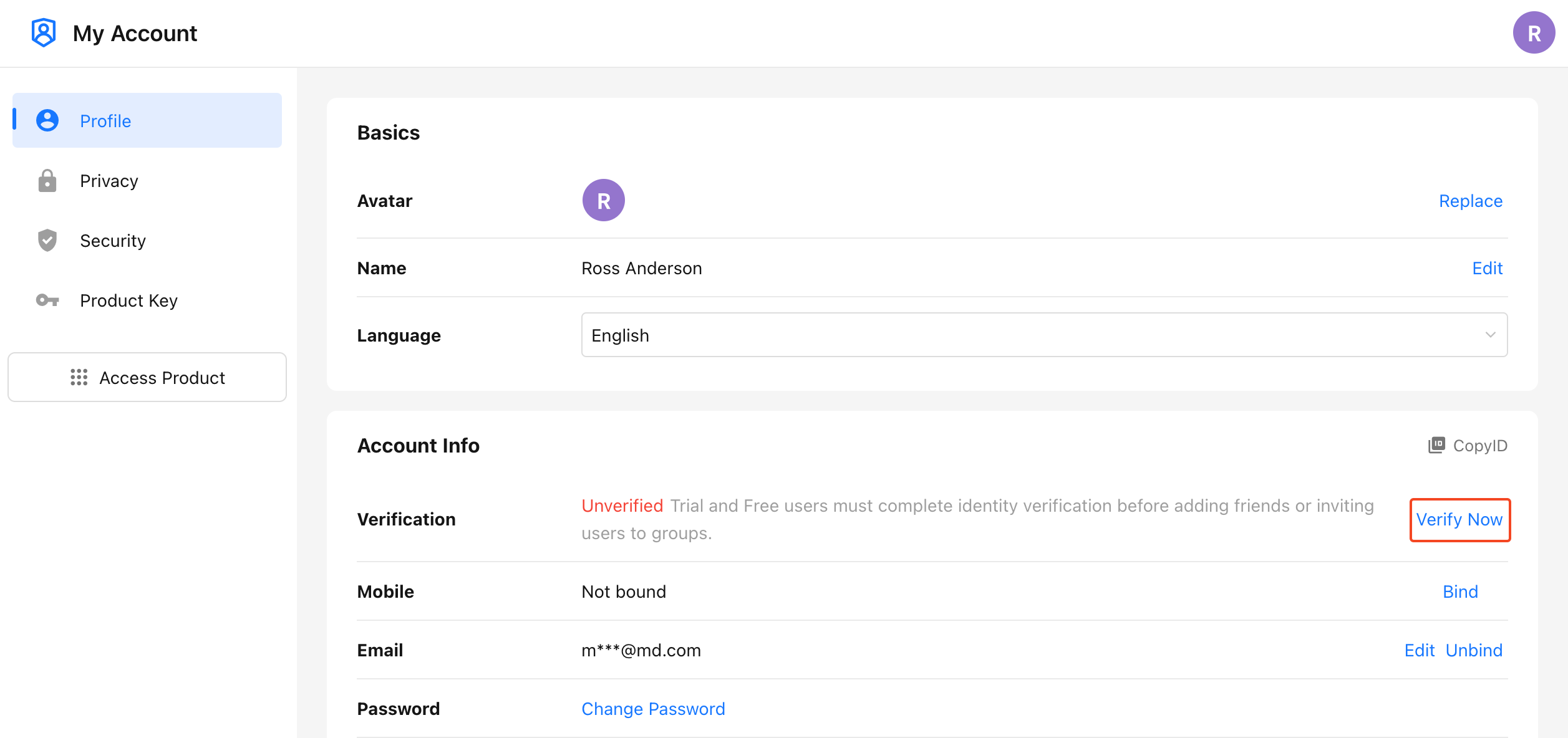
Click the profile picture, then go to Manage My Account > Profile > Account Info and click Verify Now. Scan the QR code with WeChat and complete facial verification.
Organization Verification
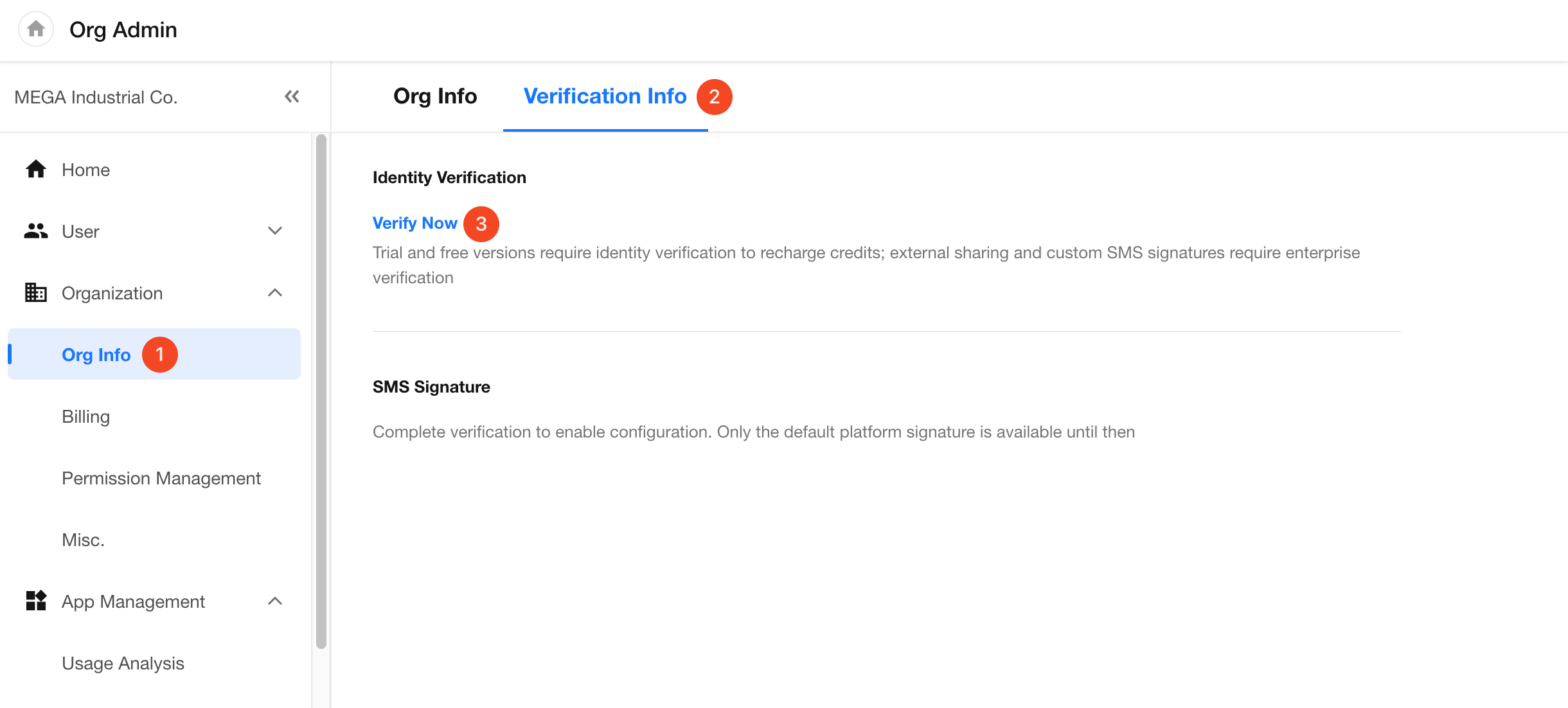
Organization administrators can go to Org Admin > Organization > Org Info > Verification Info, click Verify Now, and select a verification type.
-
Enterprise Verification: Enables SMS signature configuration, external sharing, credit purchases, and organization member invitations.
-
Personal Verification: Enables credit purchases and organization member invitations only.
-
Organizations that have completed Personal Verification can upgrade to Enterprise Verification.
Multiple Business Entities: An organization can verify and link multiple business entities. SMS signatures and tax IDs for electronic invoicing can be configured separately for each entity.
SMS Signatures
SMS signatures used in external portal, public forms, and the Send SMS workflow node must be verified before use. Messages sent with an unverified signature are likely to be blocked by mobile carriers.
Go to Org Admin > Organization > Org Info > Verification Info > SMS Signature.
Create and Manage SMS Signatures
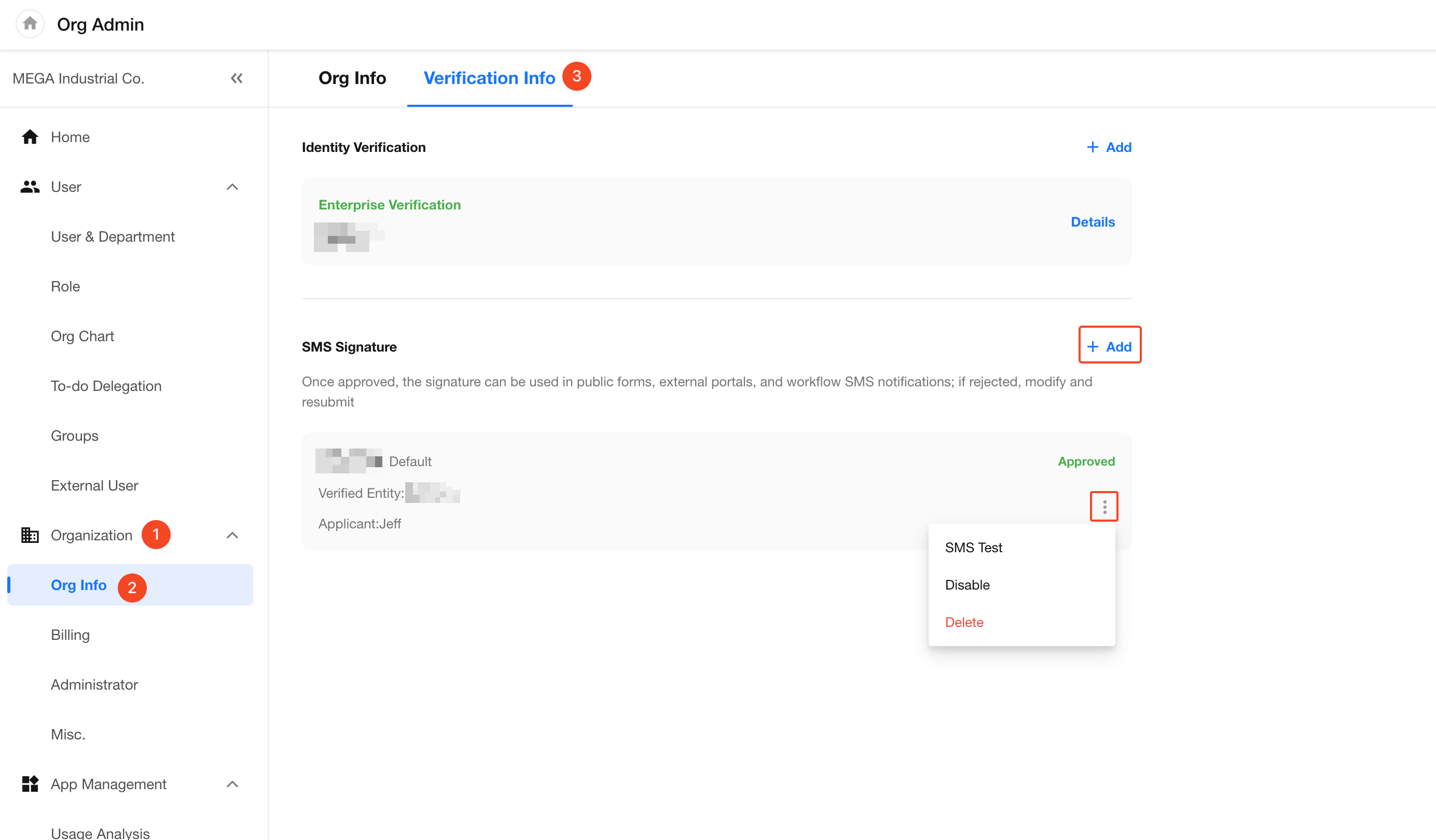
SMS signatures can be added and managed centrally under Verification Info.
-
A signature can be based on the company name or trademark of a verified business entity. Once submitted, HAP sends the signature to mobile carriers for review.
-
Only approved signatures can be selected for use.
-
After a signature is disabled, existing SMS templates that already use the signature can continue sending messages with it. The signature cannot be selected for new SMS templates.
SMS Signature Naming Requirements
| Signature Type | Requirements |
|---|---|
| Registered company or organization name | Must exactly match the name on the registration certificate. If a company name exceeds 12 characters, using the company abbreviation is recommended. Organizations must use their full registered name. |
| Company abbreviation | Must be part of the full company name and uniquely identify the business entity. It must not refer to multiple businesses. Characters cannot be reordered or added, and key identifying information cannot be omitted. |
| Trademark name | The trademark must be registered with the China Trademark Office. |
SMS Signature Review Time
-
Approval by mobile carriers takes an average of 5 business days. Signatures based on trademark names take an average of 10 business days.
-
For HAP Server, platform administrators can review SMS signatures under Platform Admin > HAP > SMS Signature.
After an SMS signature is approved, it is recommended to run several small-scale test sends using phone numbers from each of the three major mobile carriers in China. Confirm that the delivery success rate meets requirements before sending messages in bulk.
Use the Default SMS Signature
If a custom SMS signature is unavailable, the default HAP signature 明道云 can be used.
Depending on carrier requirements and the SMS use case, the signature displayed in the delivered message may be 明道, 明道云, or 上海万企明道.
Verification Code Messages
The default signature can be used for verification codes for registration and login, in external portal, password recovery as well as phone number verification in public forms.
Custom SMS Content
Custom SMS content is supported for scenarios such as the Send SMS workflow node, external portal invitation notifications, and approval result notifications.
When using the 明道云 signature, an identifier can be added at the beginning of the message body to indicate the organization or business source.
Example: 【明道云】Meihua: Your daily report has not been submitted yet
When the 明道云 Signature Must Be Used
Due to carrier filtering rules, the domain in an SMS message and the SMS signature must belong to the same business entity. If an SMS message contains a link using a HAP domain (mingdao.com, mingdao.net, or theportal.cn), it must be sent using the 明道云 signature.
Was this document helpful?