Find Your Organization Door ID and Organization ID
The Organization Door ID and Organization ID are both unique identifiers for an organization in HAP, but they are used for different purposes.
The Organization Door ID is used to find and join an organization, while the Organization ID is mainly used for technical support and troubleshooting.
Find the Organization Door ID
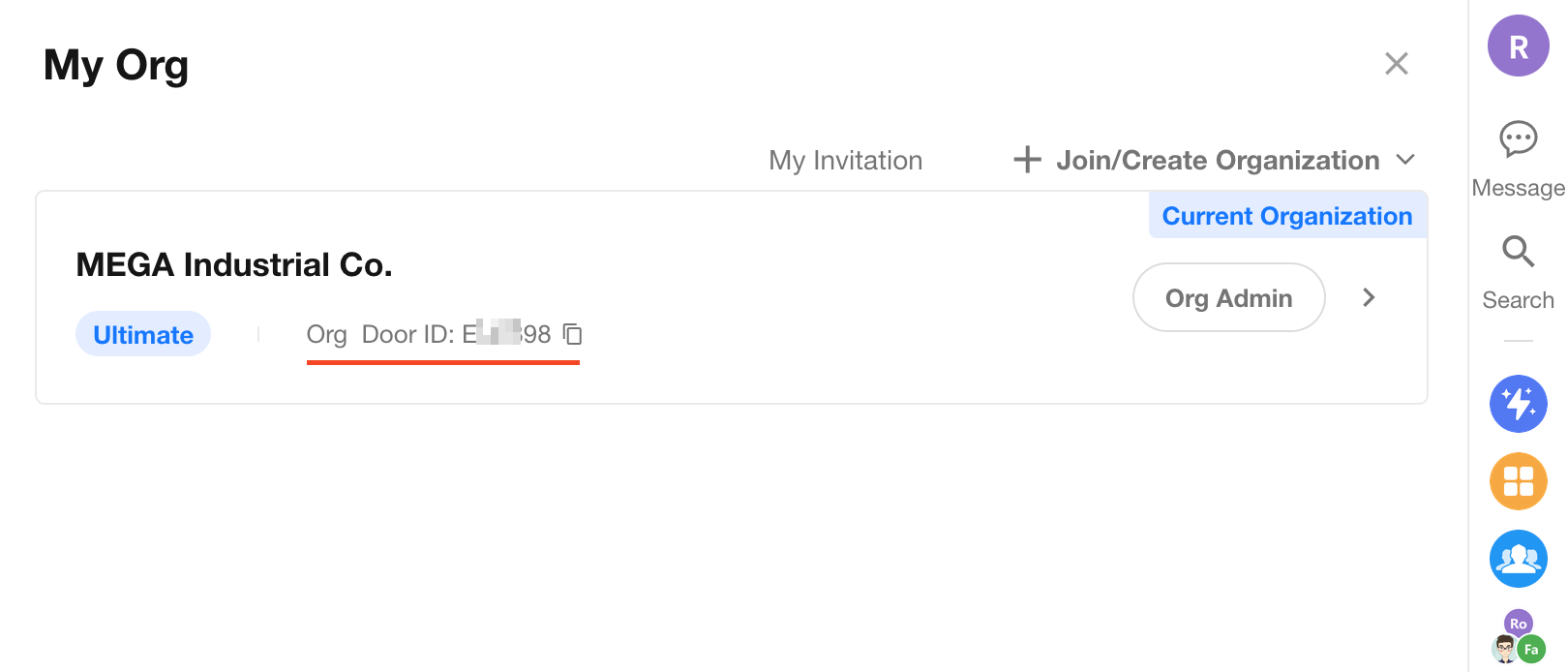
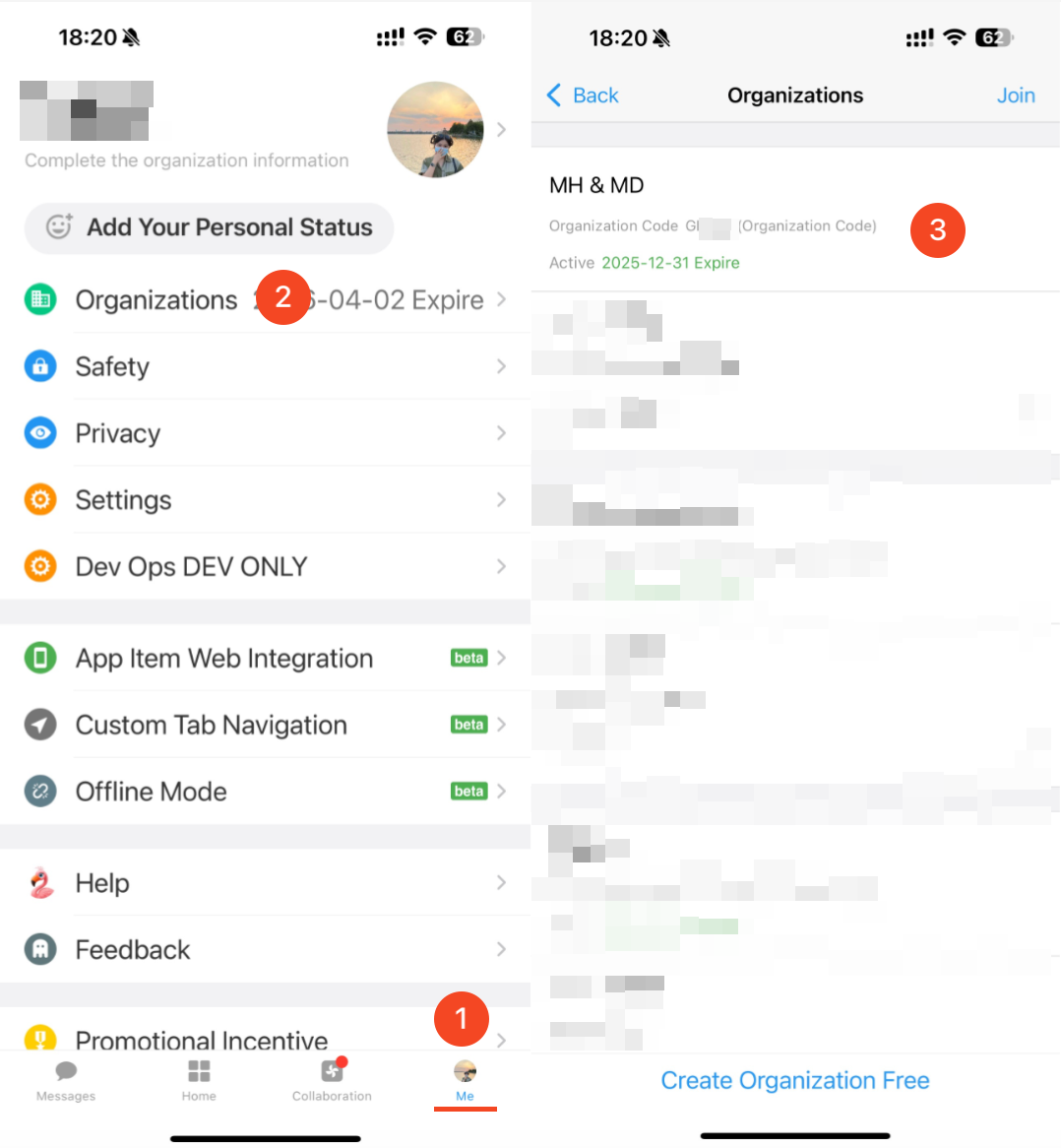
The Organization Door ID is a unique 6-digit identifier used to find and join an organization in HAP. It is typically required when joining an organization manually.
Both organization administrators and organization members can find the Organization Door ID.
-
Web: Profile Picture > My Org > Organization Door ID
-
Mobile App: Me > Organizations > Organization Door ID
Find the Organization ID
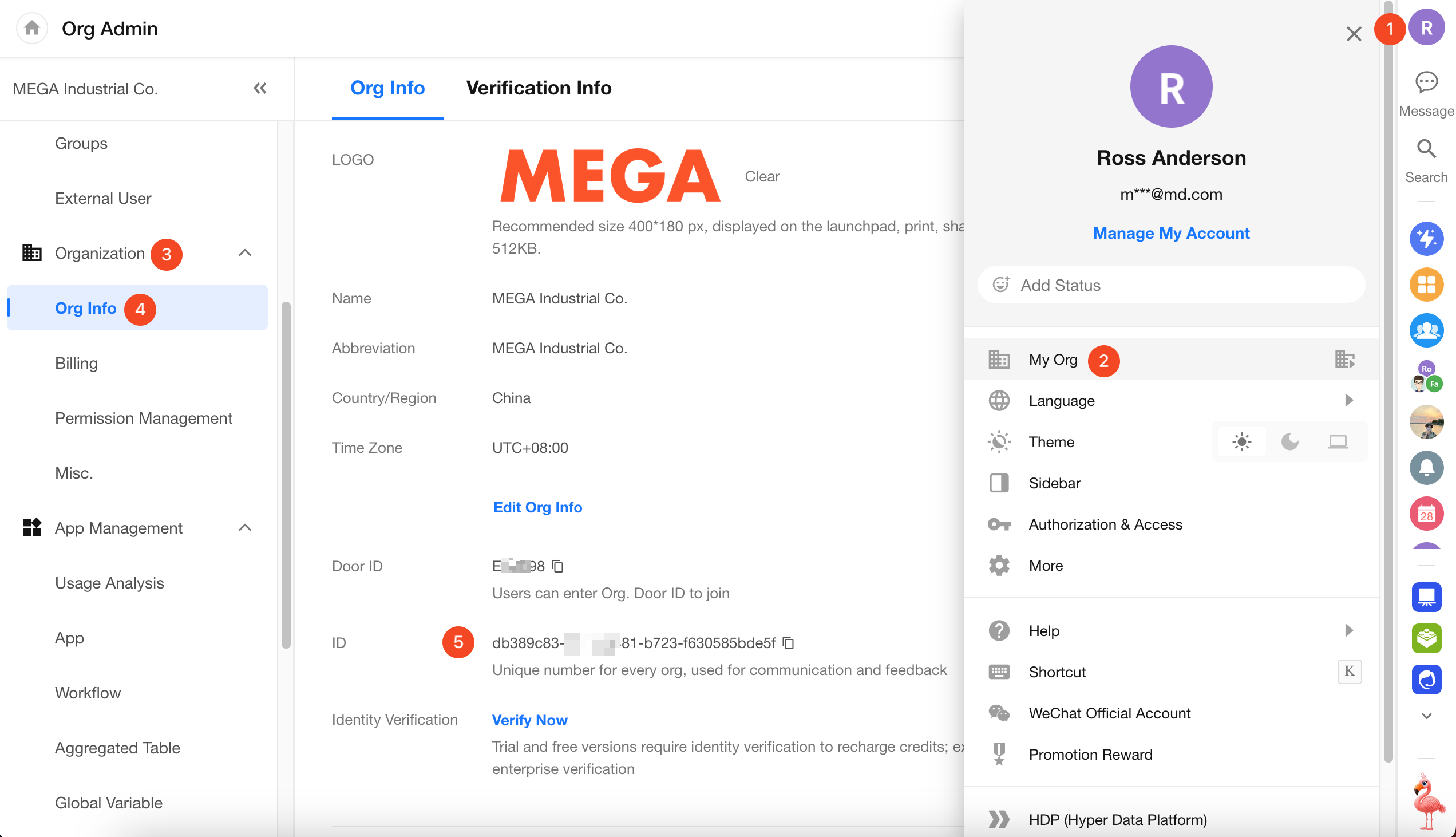
When contacting technical support about an organization-related issue, you may be asked to provide the Organization ID.
For Organization Administrators
Go to Org Admin > Org Info > Organization ID.
The Organization ID is not available in the mobile app.
For Other Organization Members
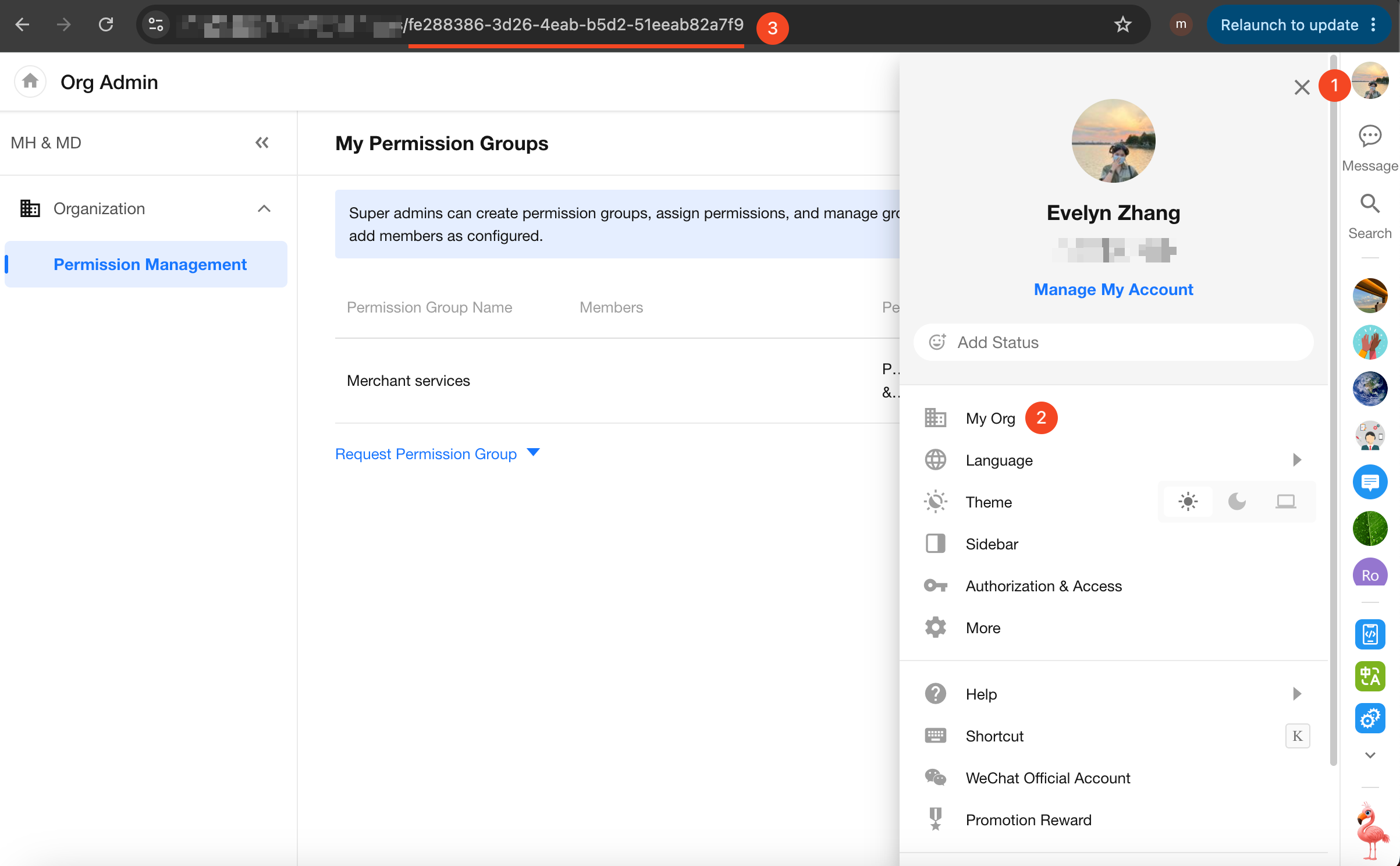
Go to Profile Picture > My Org > Org Admin, then copy the URL from the browser address bar.
The Organization ID is the string after the final slash (/) in the URL. Alternatively, you can provide the full URL to the technical support team.
Was this document helpful?