Org Chart
The Org Chart defines the manager-subordinate reporting relationships between organization members and displays them in a hierarchical structure. Each member can have only one manager but can have multiple subordinates.
The Org Chart is commonly used in the following scenarios:
-
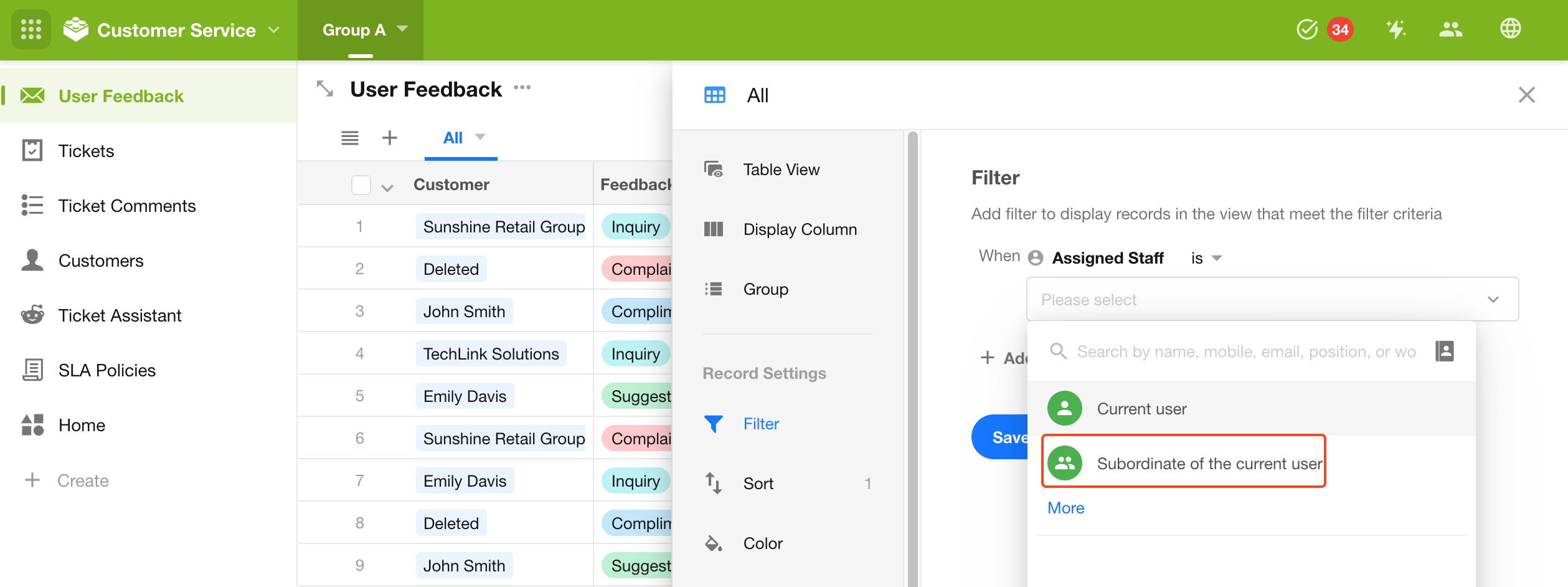
View Filters: When filtering records by members, records related to the current user's subordinates can be included.
-
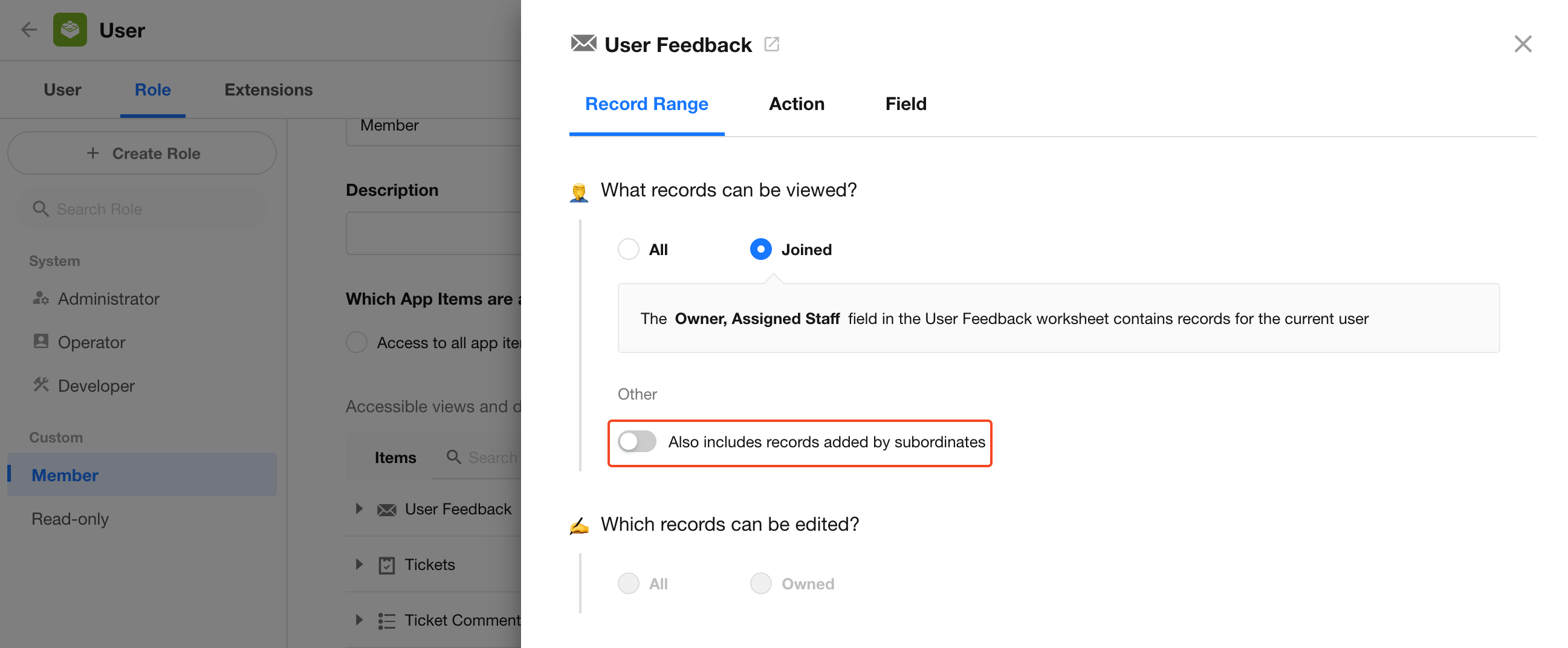
App Roles and Permissions: When configuring data permissions for an app role, access can be granted to records related to a member's subordinates.
-
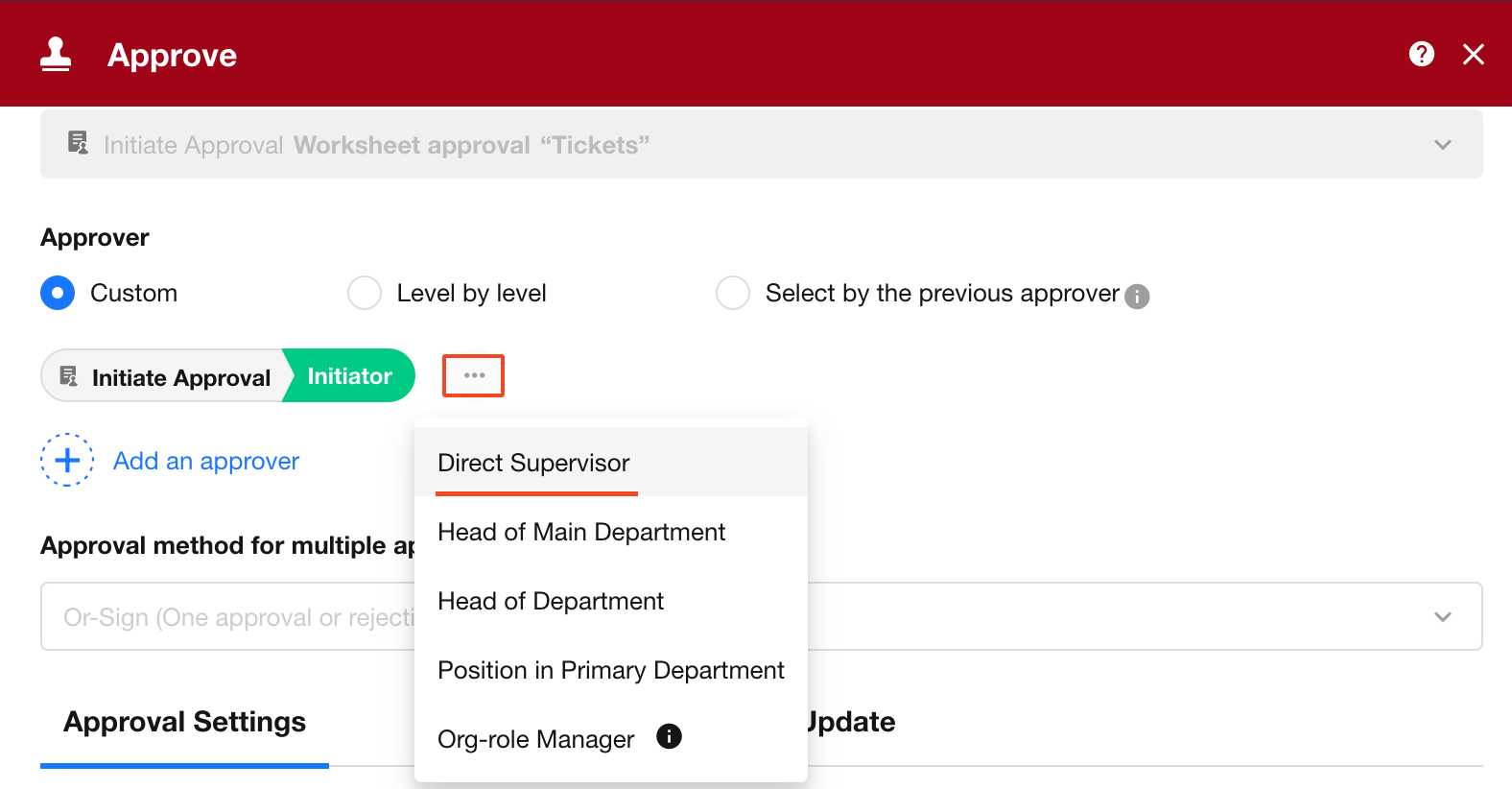
Workflows: In approval, notification, fill in, and other workflow nodes, the manager of the relevant member can be selected.
Org Chart vs. Department Hierarchy
The Org Chart is separate from the department hierarchy and department managers in an organization:
-
Department Hierarchy: Defines the hierarchical relationships between departments in the organization structure.
-
Department Managers: Defines the members responsible for a department. A department can have multiple managers.
-
Org Chart: Defines one-to-one manager relationships between members. Each member can have only one manager but can have multiple subordinates.
For example, a member's department manager may not be the same person as their manager in the Org Chart. In workflows and other scenarios, Manager or Department Manager can be selected based on the business requirement.
Manage the Org Chart
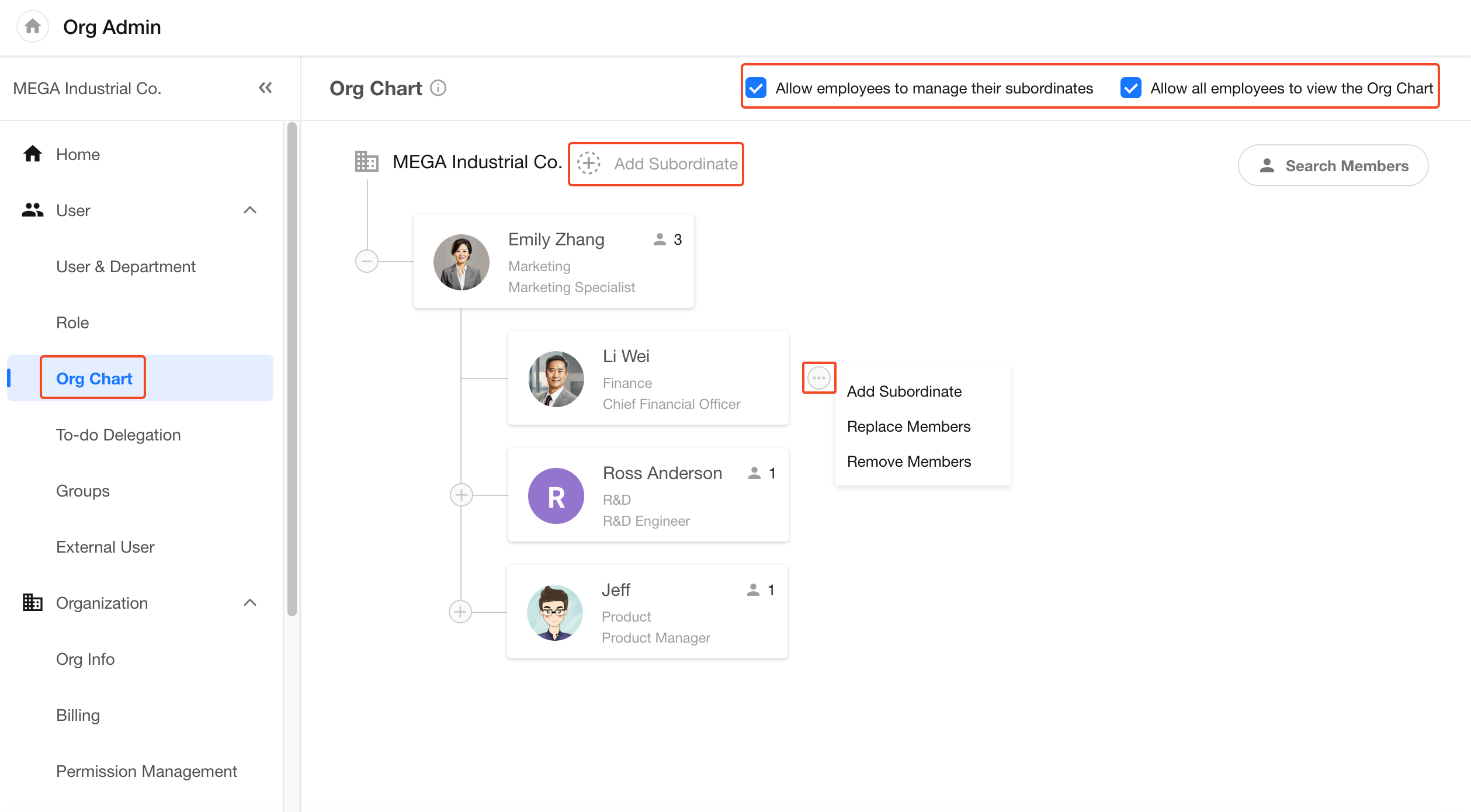
Go to Org Admin > User > Org Chart.
-
Add Top-Level Members
When setting up the Org Chart for the first time, add the top-level members first, then add their subordinates level by level.
Click + Add Subordinate next to the organization name to add a top-level member.
Multiple top-level members can be added. For example, if several partners do not report to one another, each can be added as a top-level member.
-
Manage a Member's Reporting Relationships
Select a member in the Org Chart, then click More to:
- Add a subordinate
- Replace the current member
- Remove the member from the Org Chart
Removing a member from the Org Chart only removes the reporting relationship between that member and their manager. It does not remove the member's relationships with their subordinates. After removal, the member and their subordinates no longer appear in the Org Chart. If the member is added back later, their existing subordinate relationships are displayed again.
Configure Org Chart Permissions
Organization administrators can control whether employees can view or manage the Org Chart:
-
Allow Employees to Manage THeir Subordinates: When enabled, employees can add and manage their own subordinates. When disabled, the Org Chart can only be managed by organization administrators.
-
Allow All Employees to View the Org Chart: When enabled, employees can view the entire Org Chart. When disabled, they can only view their own manager and subordinates.
View and Manage the Org Chart as an Employee
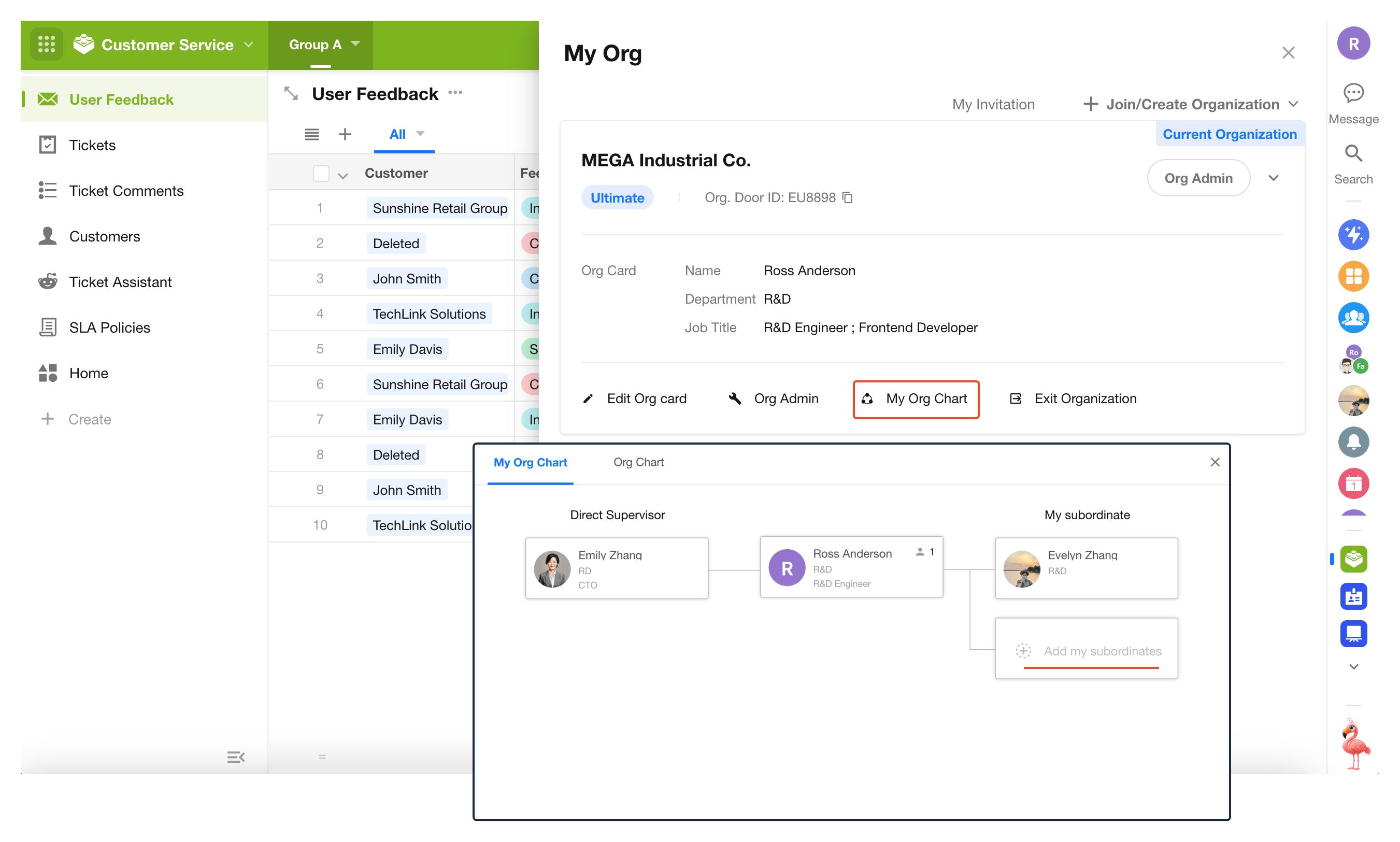
Employees can click their profile picture and go to My Org > My Org Chart to view the portion of the Org Chart available to them.
If Allow Employees to Manage Their Subordinates is enabled, employees can also add and manage their own subordinates. They cannot set their own manager.
Was this document helpful?