Batch Printing
Batch Print Records
In table view, select multiple records or select all records on the current page to display the Batch Print button.
Only records on the current page can be selected. Template-based batch printing is not supported when selecting all records across pages. Records that do not meet the template conditions will not be printed.
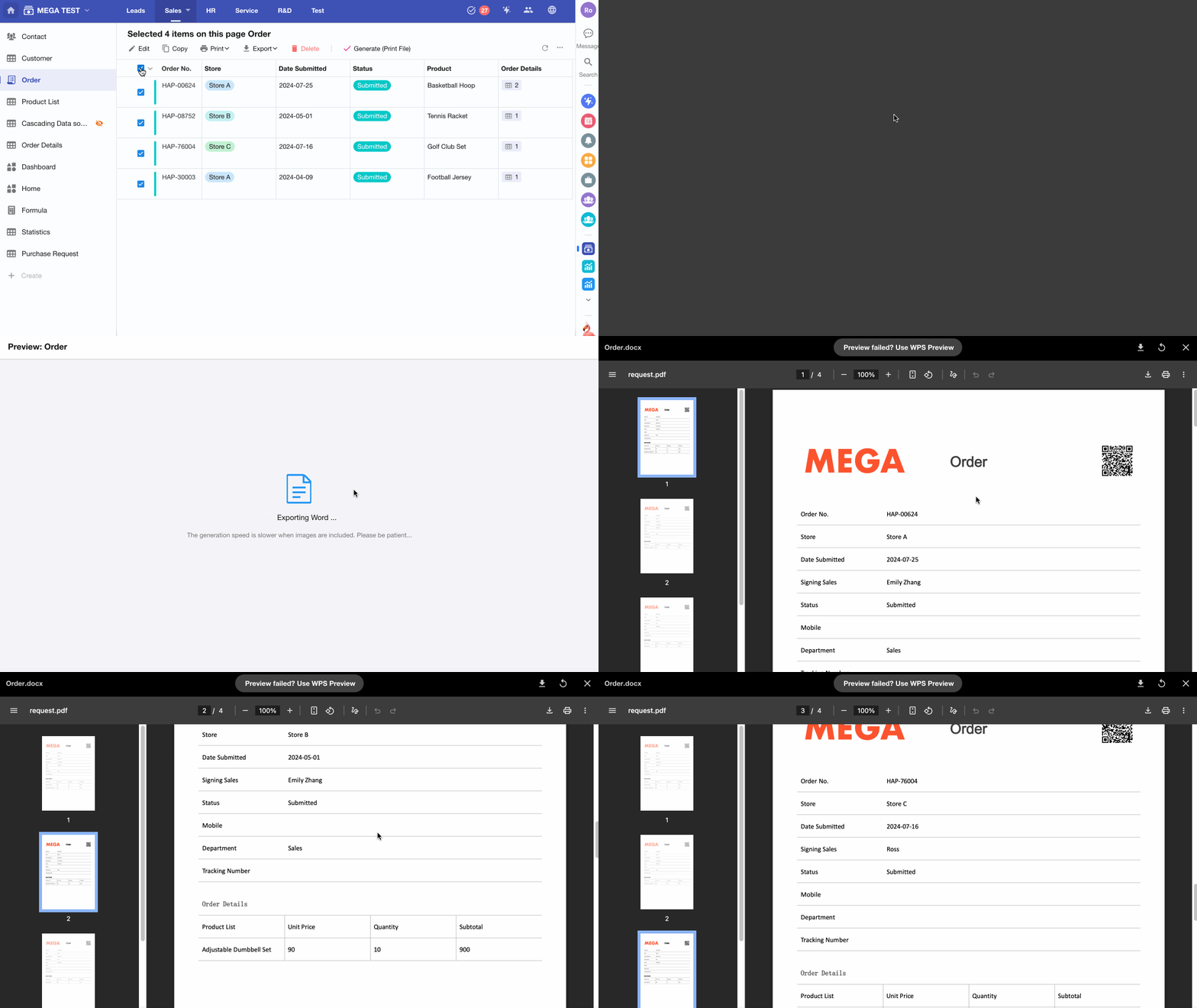
1. How Many Records Can Be Printed in Batch?
The number of records that can be printed depends on how many records are displayed on the current page in the current view.
2. How to Control Page Breaks When Printing
-
System Template
Each record starts on a new page. All records can be exported into a single Word file.
-
Excel Template
When using an Excel template for batch printing, each record is placed into a separate sheet.
-
Word Template
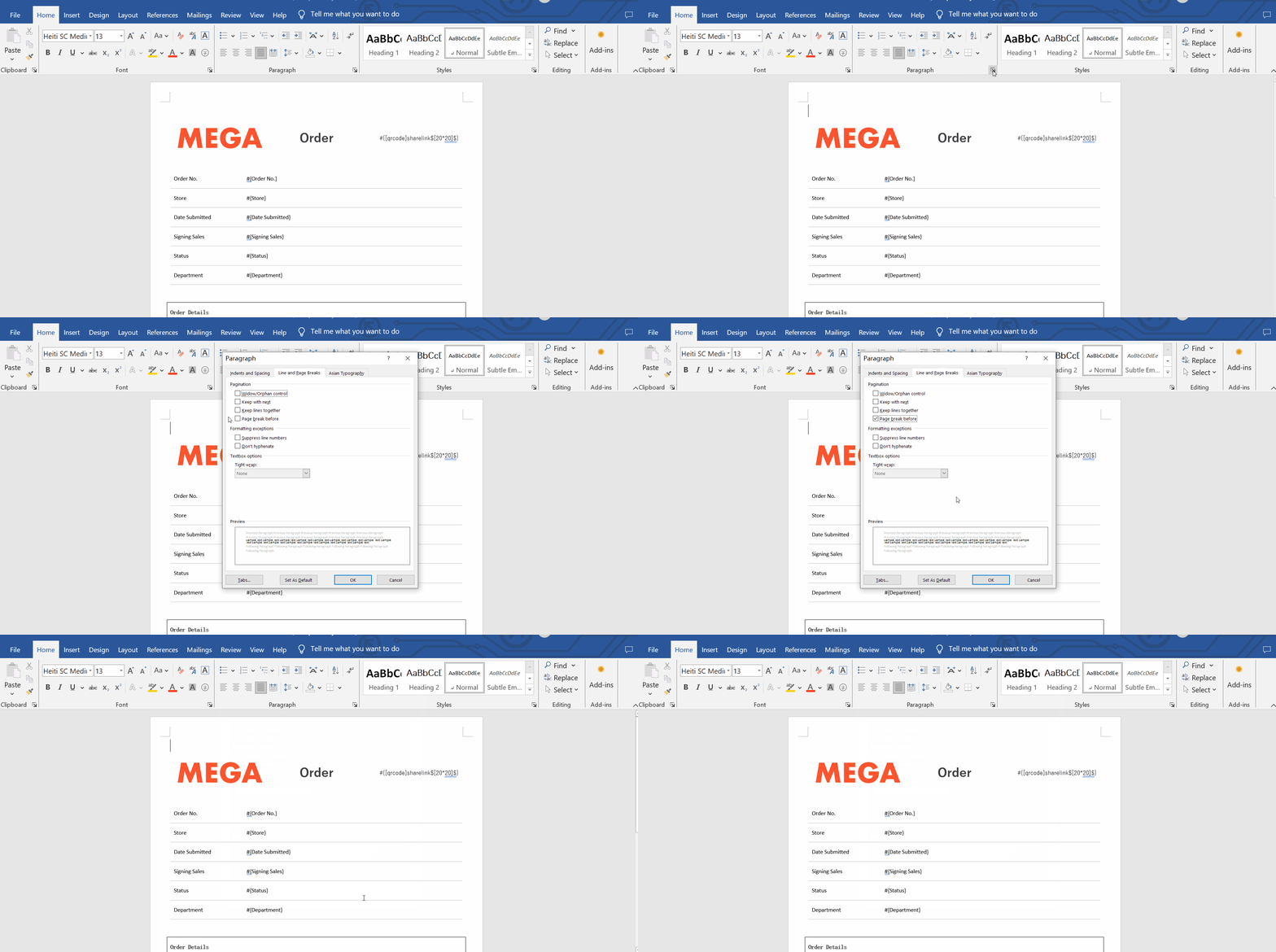
If records are not starting on a new page during batch printing and instead continue on the same page, it means that Page Break Before is not enabled in the Word template.
The following demonstrates how to configure Page Break Before:
Was this document helpful?