Why Isn't My Custom Action Displayed When Opening a Record?
Your configured custom action does not appear as expected? Here are 4 possible scenarios:
- The custom action is not displayed on the record details page.
- The custom action is displayed when multiple records are selected, but not when a single record is selected.
- The custom action is displayed when a single record is selected, but not when multiple records are selected.
- The custom action is not displayed when selecting records in the list, but is available after opening an individual record.
The Custom Action Is Not Displayed on the Record Details Page
The action is unavailable in the current view
The current view is not configured to use the custom action. You can add the action directly to the view.
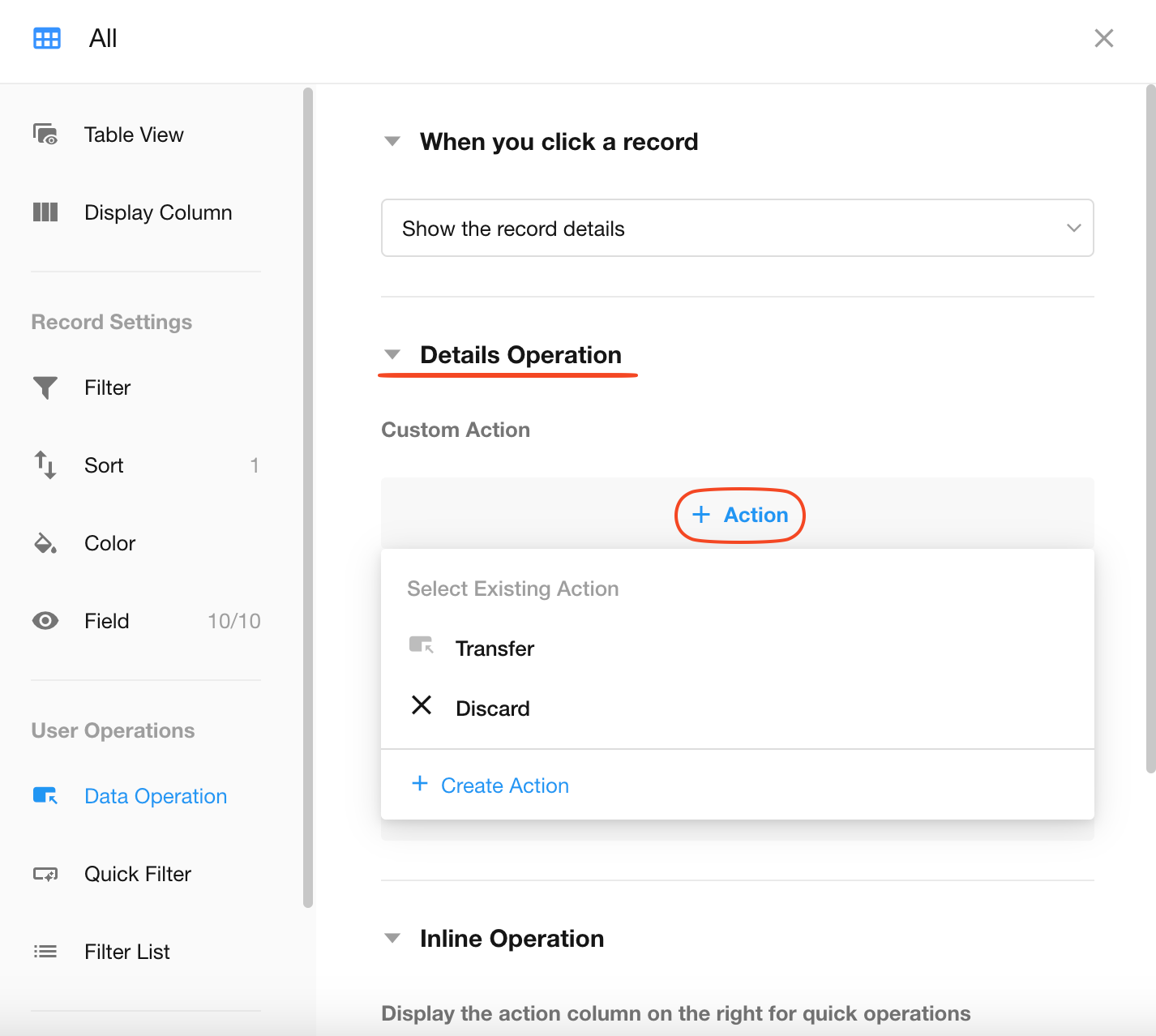
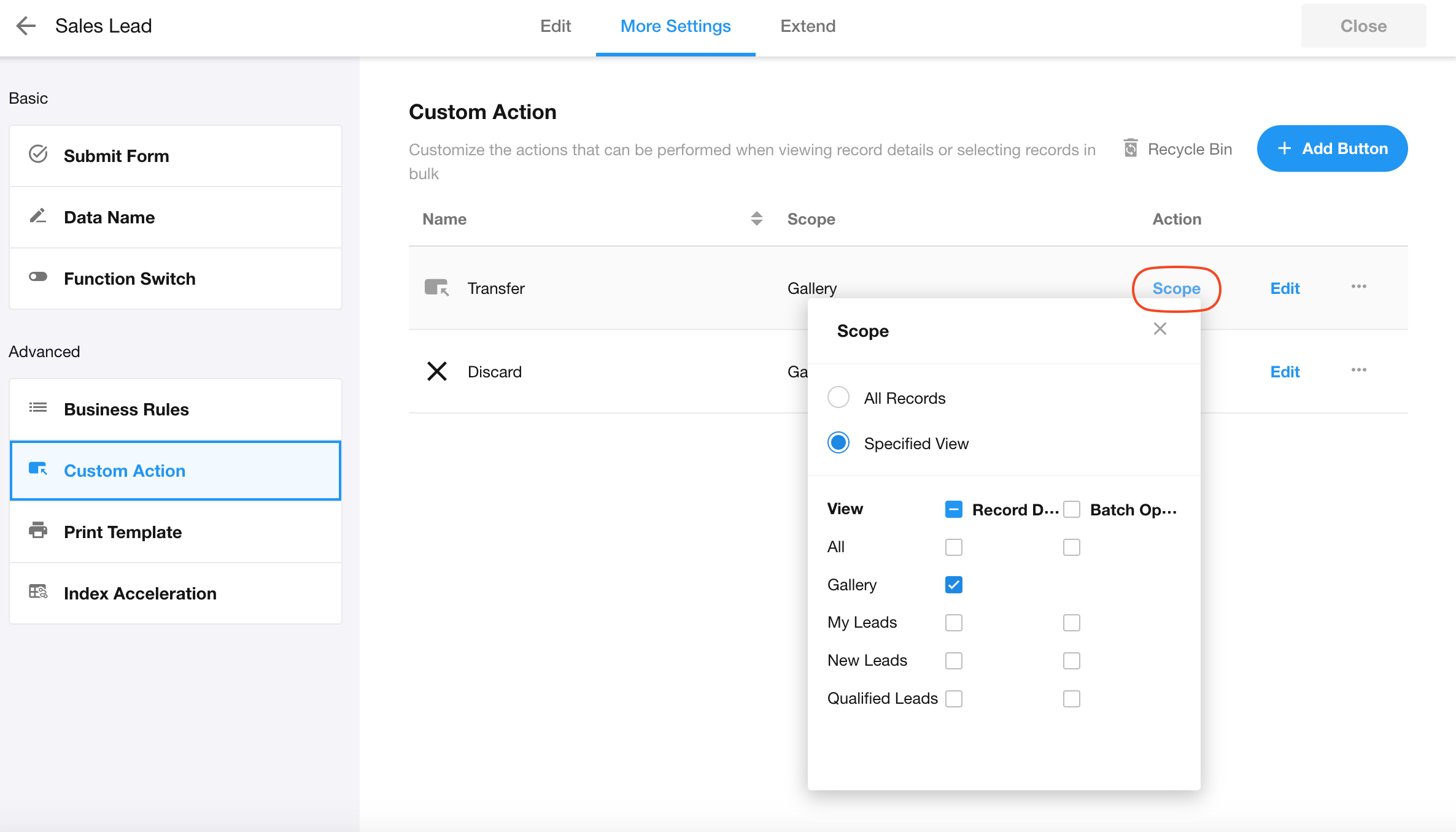
Alternatively, configure the views where the action is available from the Custom Action management page.
The action is not displayed when opening a record from a related record
For example, a Complete action is added to the Incomplete Tasks view of the Tasks worksheet. The task record is related to a project record. When the task is opened from the related project record, the Complete action is not displayed.
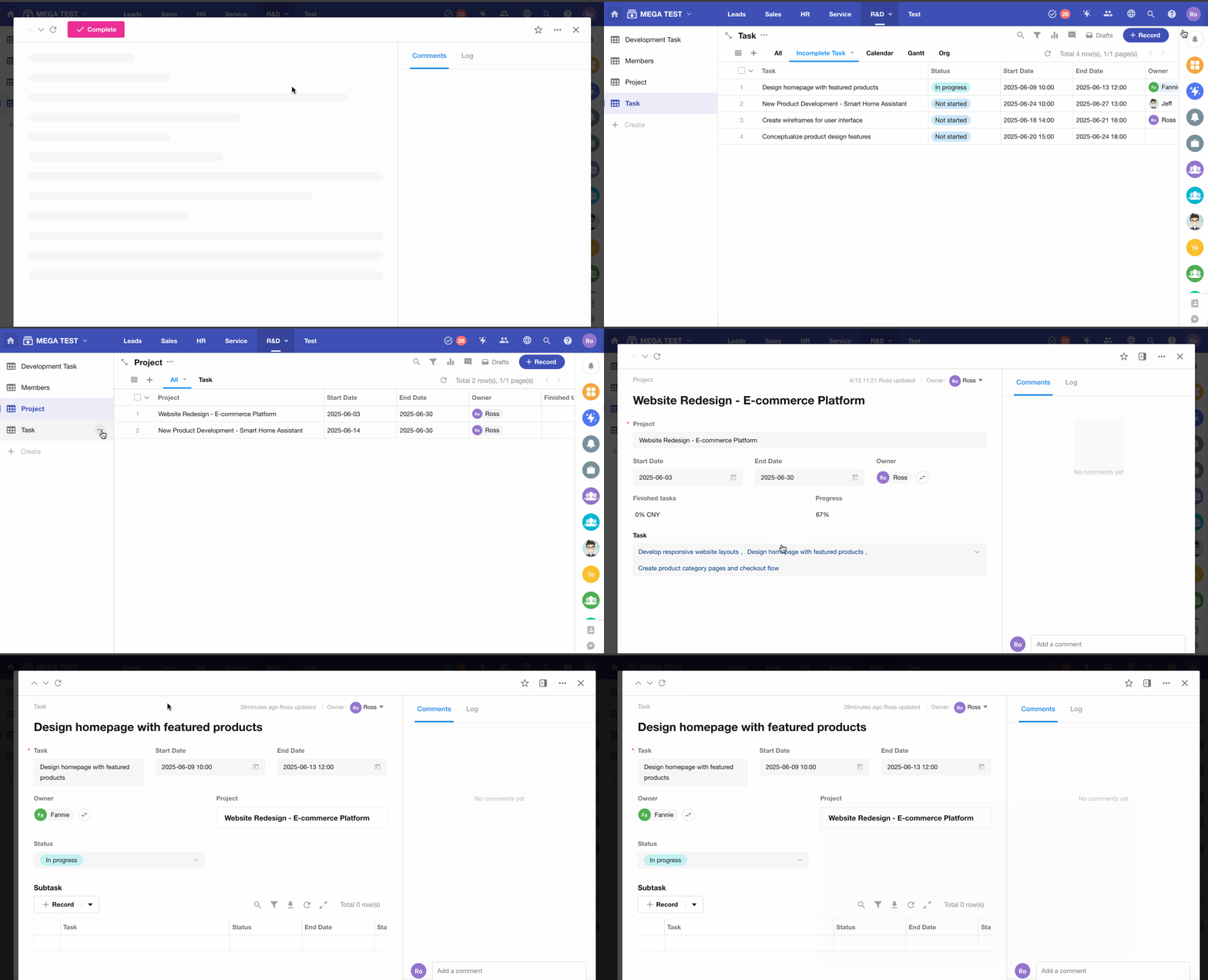
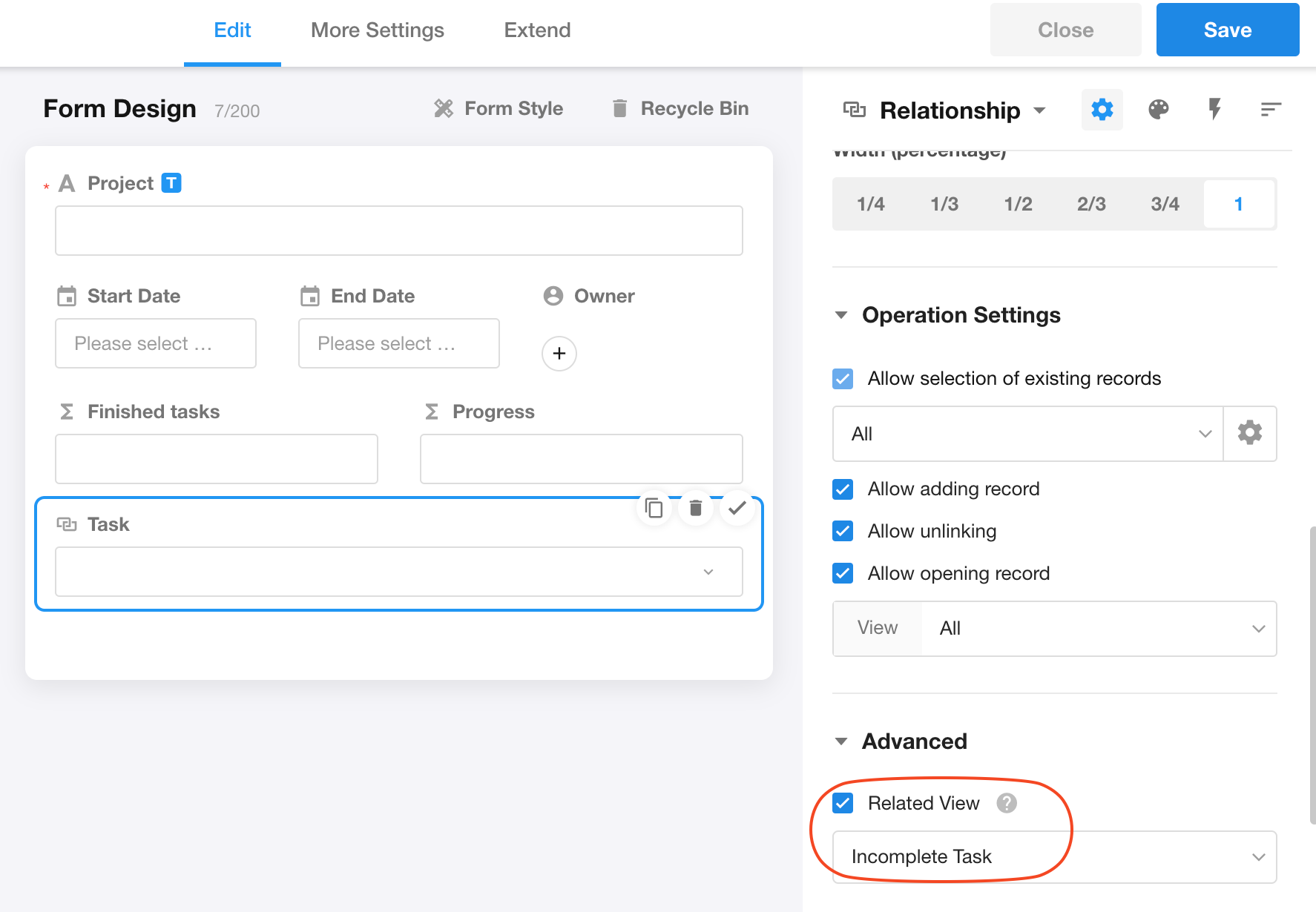
Solution: Configure the relationship field in the Projects worksheet to use the appropriate related view for the Tasks worksheet.
The action is hidden because its display conditions are not met
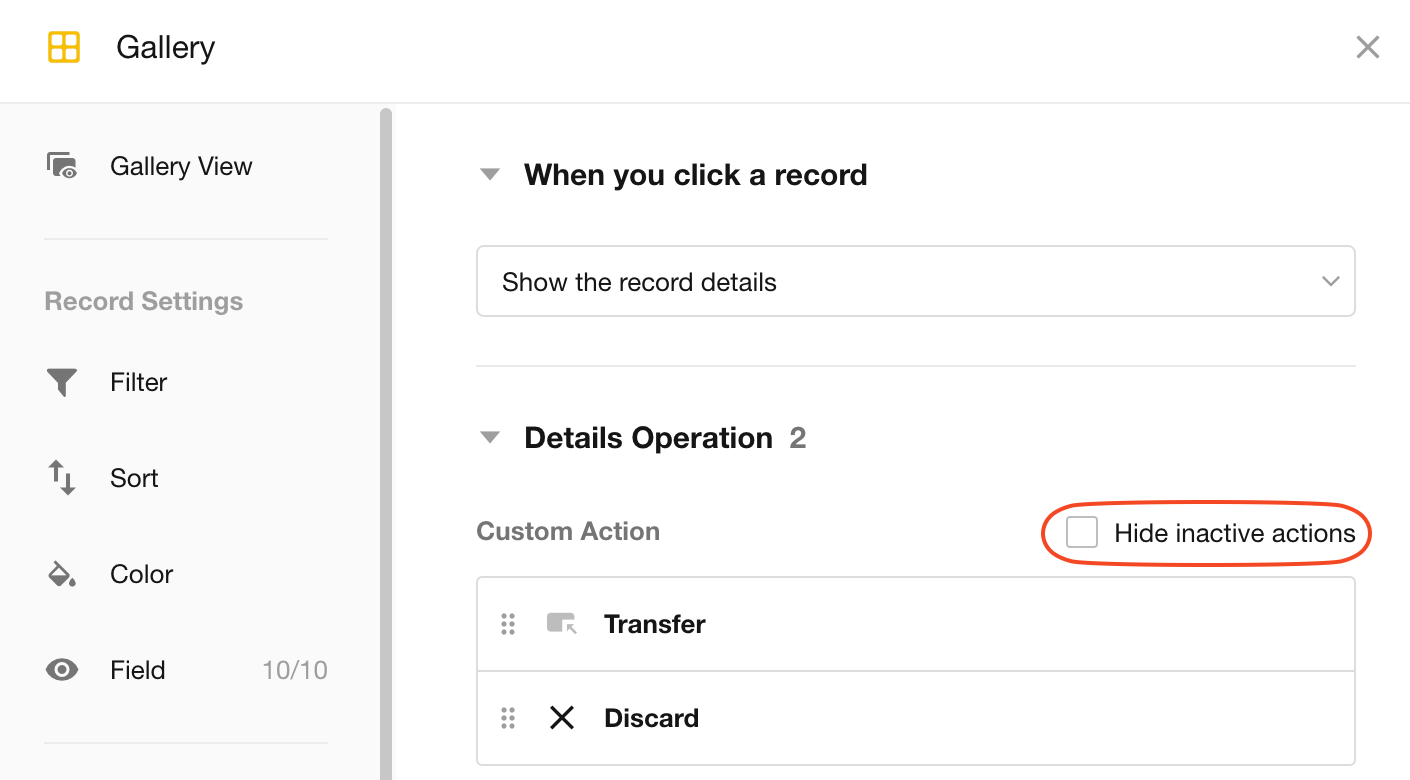
If a custom action is configured to be unavailable when certain conditions are not met, you can choose to hide the action instead of displaying it as disabled. Check whether Hide unavailable action is enabled.
The Action Is Not Displayed When a Single Record Is Selected, but Appears When Multiple Records Are Selected
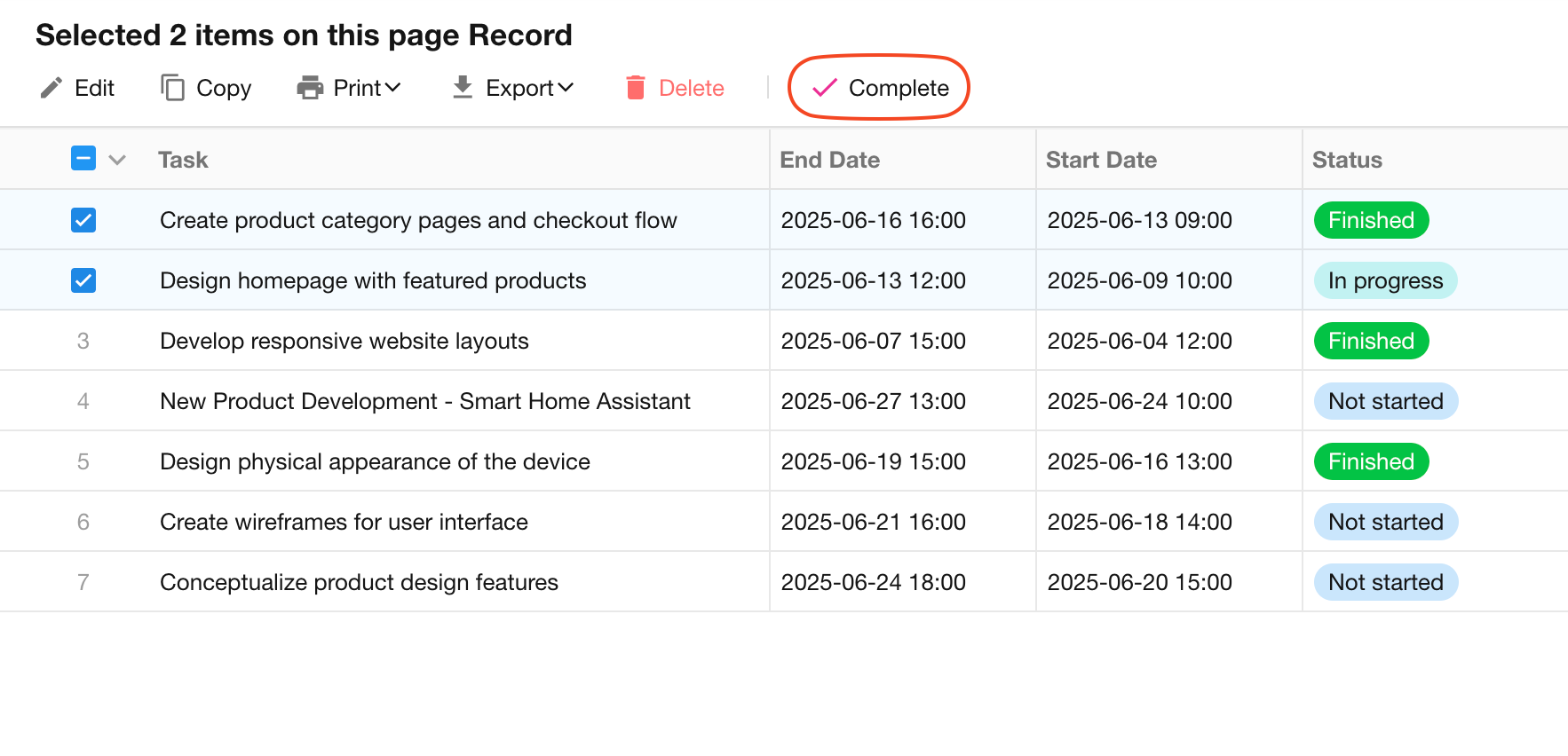
In the example above, the Complete action is displayed when multiple records are selected, but not when only the first record is selected.
The custom action has filter conditions
This occurs because the action is configured with filter conditions.
When a single record is selected, the system evaluates whether the record meets the configured conditions. If it does not, the action is hidden.
When multiple records are selected, the system does not evaluate the filter conditions for each individual record, so the action is always displayed.
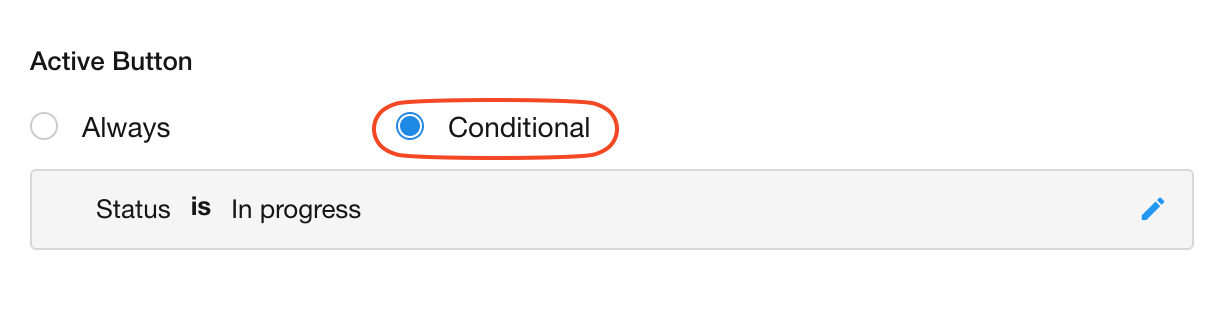
Even though the action is displayed for multiple selected records, records that do not meet the filter conditions will not actually execute the action.
The custom action is available only under Batch Operation
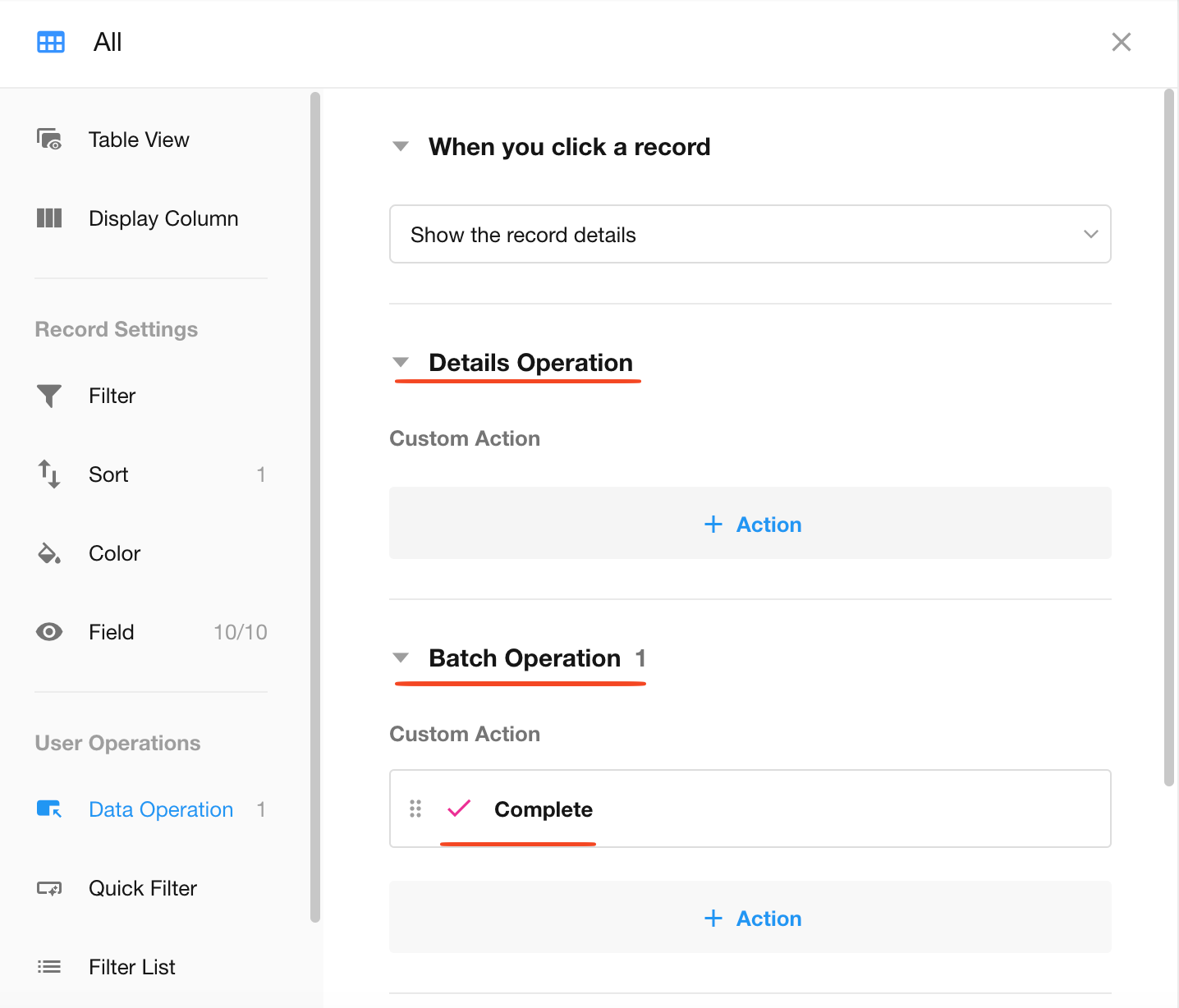
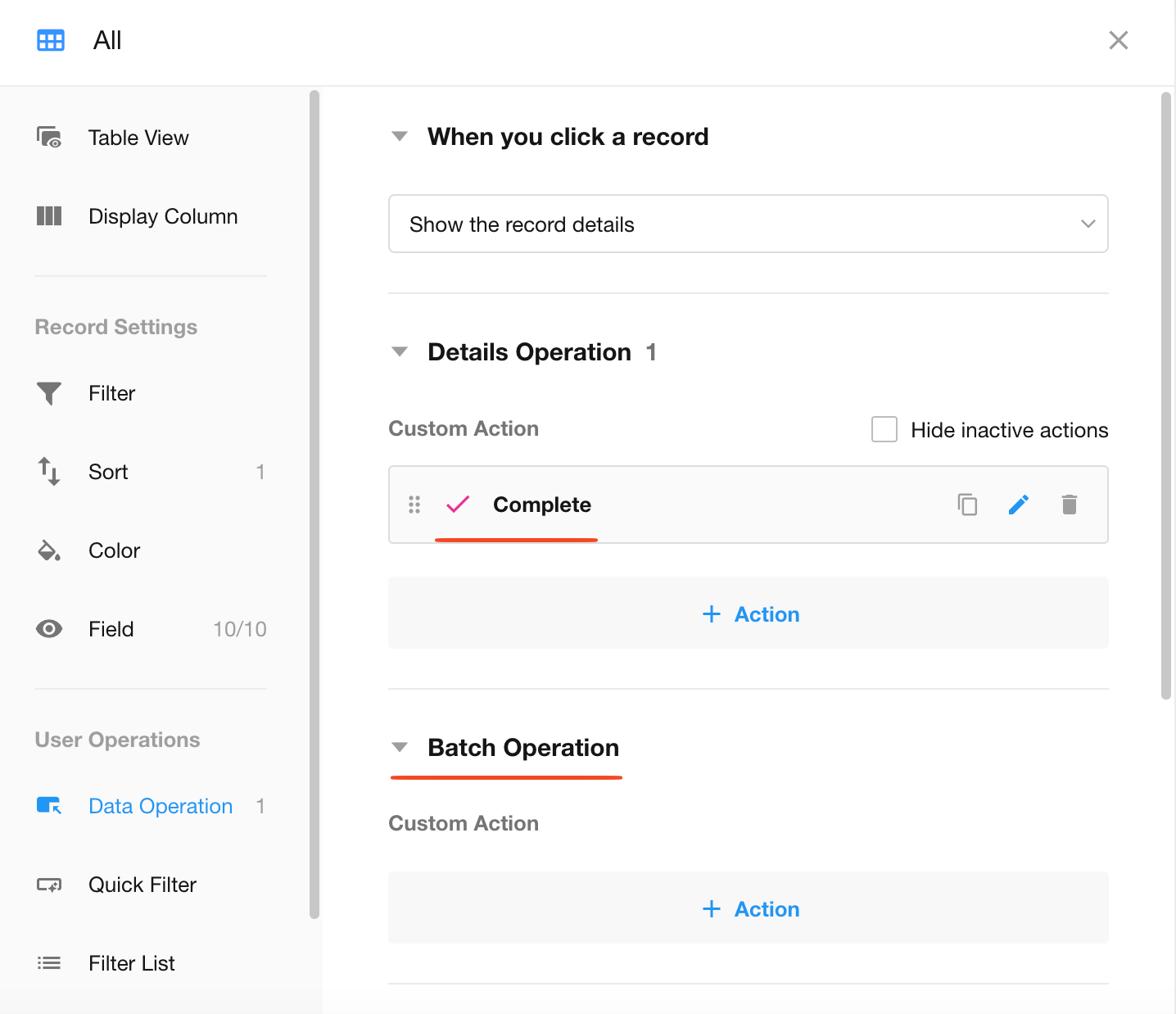
As shown below, if the custom action is configured only for Batch Operation and has not been added to the Record Details page, it will not appear when only a single record is selected.
The Action Is Not Displayed When Selecting Records in the List, but Appears on the Record Details Page
The action has not been added to Batch Operation
As shown below, the custom action is configured only for the Record Details page and has not been added to Batch Operation, so it is unavailable when multiple records are selected.
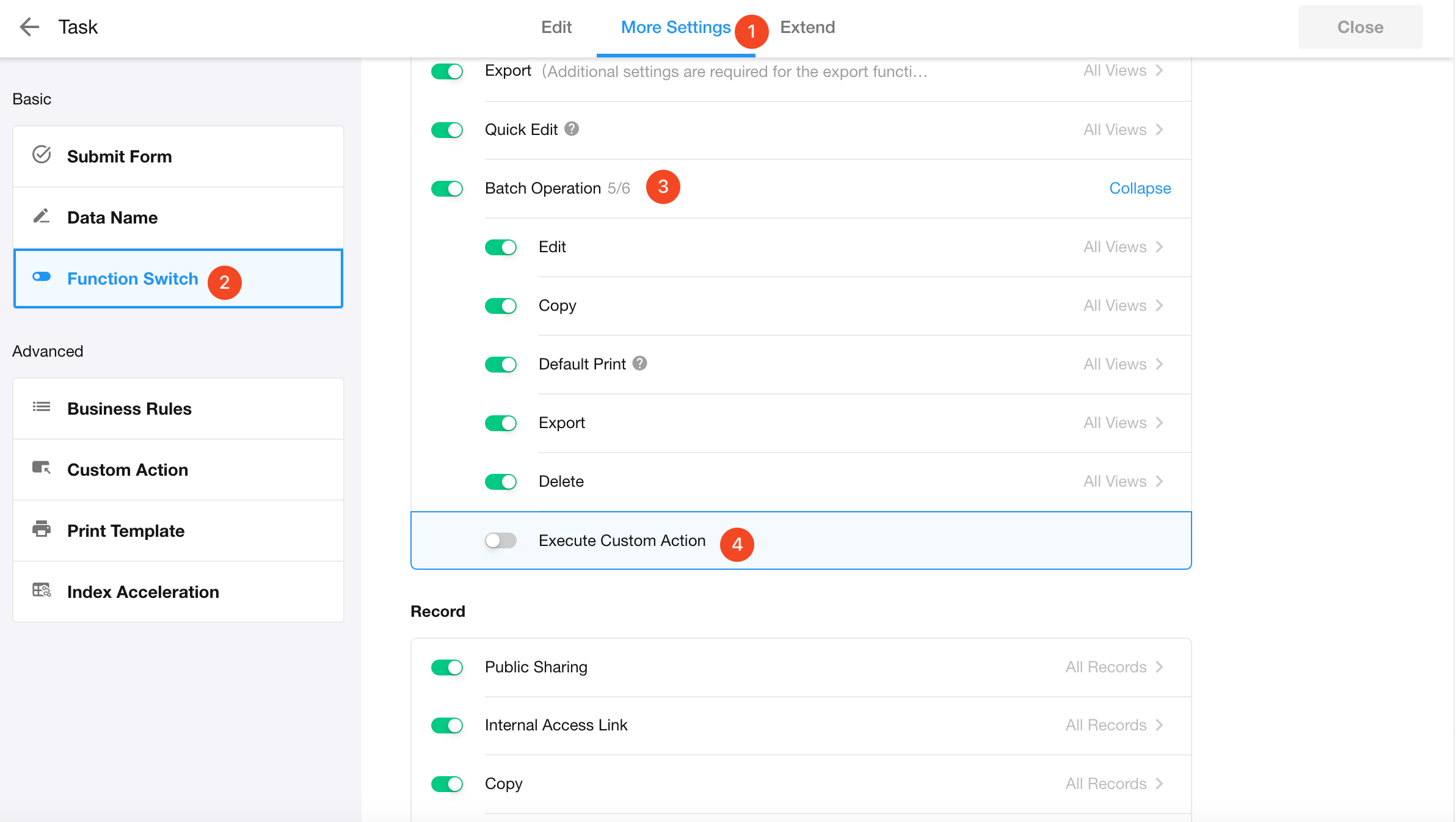
Custom actions are disabled for Batch Operation in the worksheet Function Switch
The action is configured to fill fields in a related record
The fields that need to be completed after clicking the action belong to a related record, rather than the current worksheet.
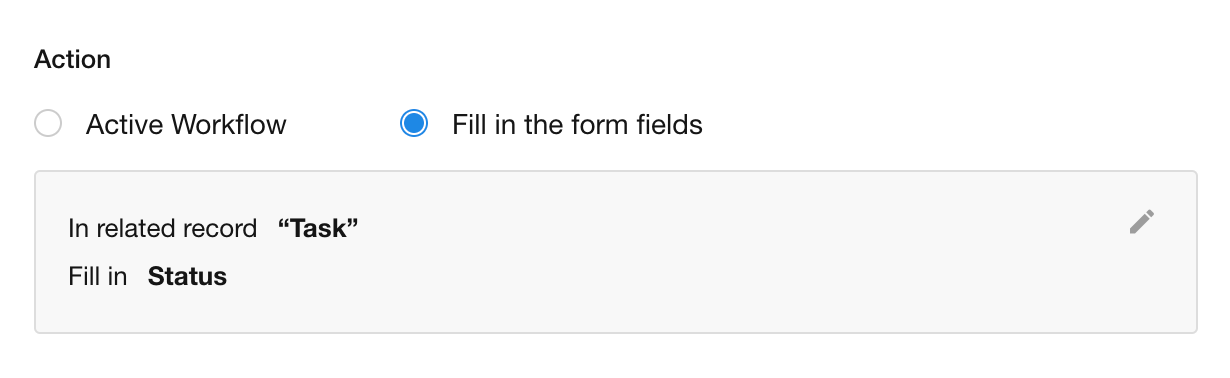
Because multiple selected records may be related to different records, they cannot all be edited in a single dialog. For this reason, this type of custom action is not supported in Batch Operation and is available only from the Record Details page.
Was this document helpful?