Control - Org-roles
An organization role is a more flexible grouping label than departments.
The Org-roles control allows you to select roles configured within the organization. It can also automatically fill in the current user’s role. Both single-select and multi-select modes are supported.
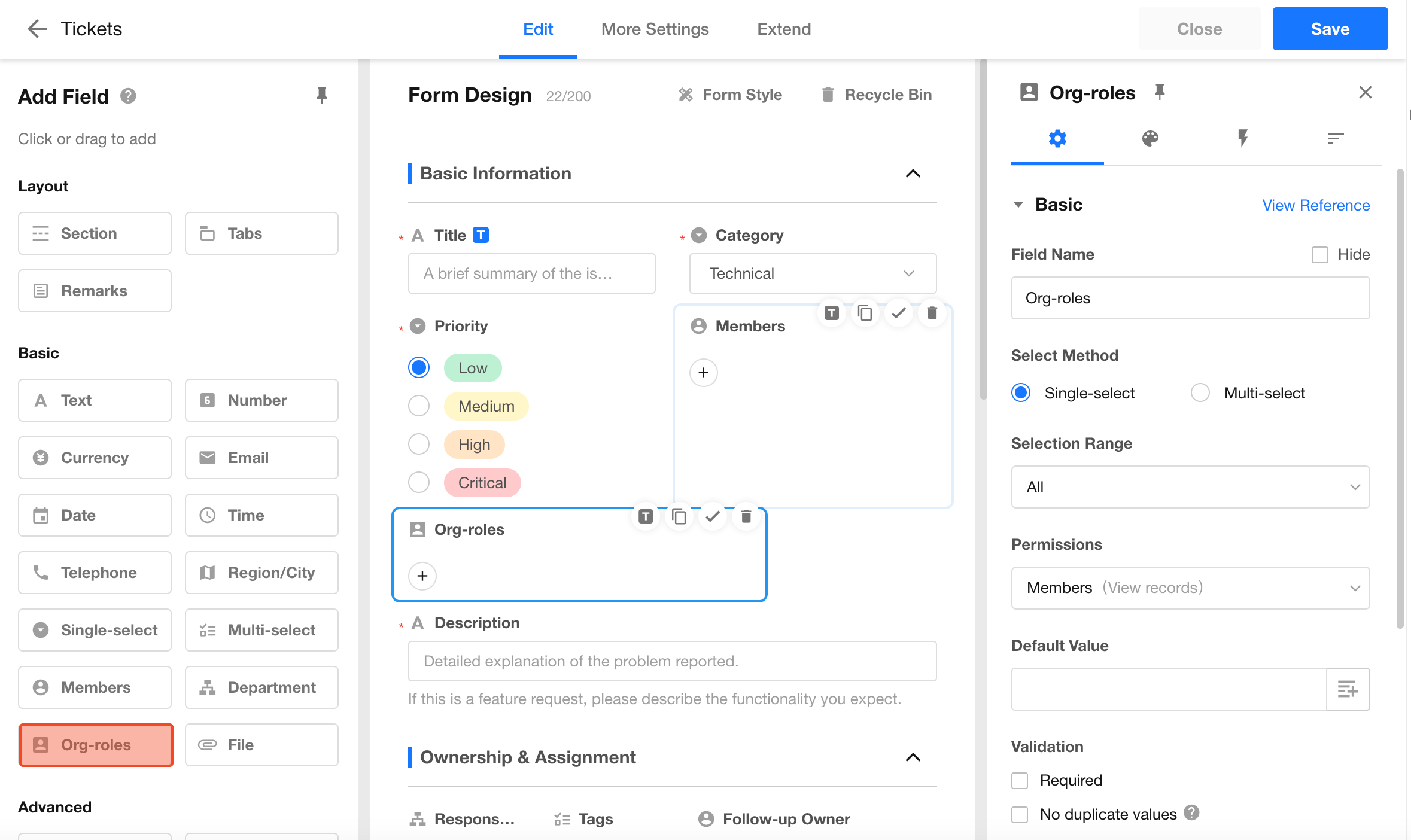
1. Selection Mode: Single / Multiple
- Single select: Only one organization role can be selected
- Multi-select: Multiple organization roles can be selected
You can switch the selection mode after saving the field configuration.
When using multi-select, you can drag selected roles to adjust their display order.
2. Selection Scope
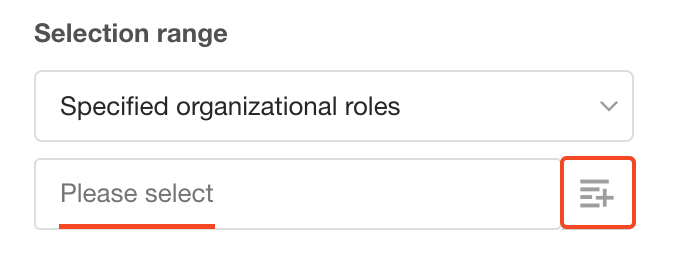
You can define a scope so that users can only select roles within the specified range.
-
All: All roles in the organization are selectable
-
Specified Roles:
- Select fixed organization roles
- Use the current user’s roles
- Reference other organization role fields
3. Permission Settings
You can assign permissions to members under the selected organization roles:
- As Member: Members under the selected roles are assigned as record members (joiners)
- As Record Owner: Members under the selected roles are assigned the same permissions as the record owner
- Data only: The field acts like a text field and only stores role data
Being assigned as a member or owner does not guarantee access to the record. Permissions still depend on role configuration.
Learn more
4. Default Value
You can configure default values for the organization role field:
- Set a fixed organization role (applies to all users)
- Reference another organization role field in the current worksheet
- Reference an organization role field from another worksheet
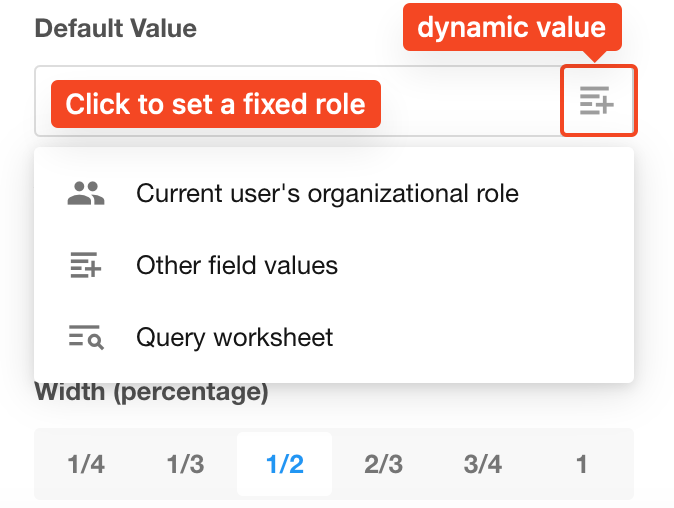
If the field is single-select and multiple roles are returned, only the first role will be used as the default value.
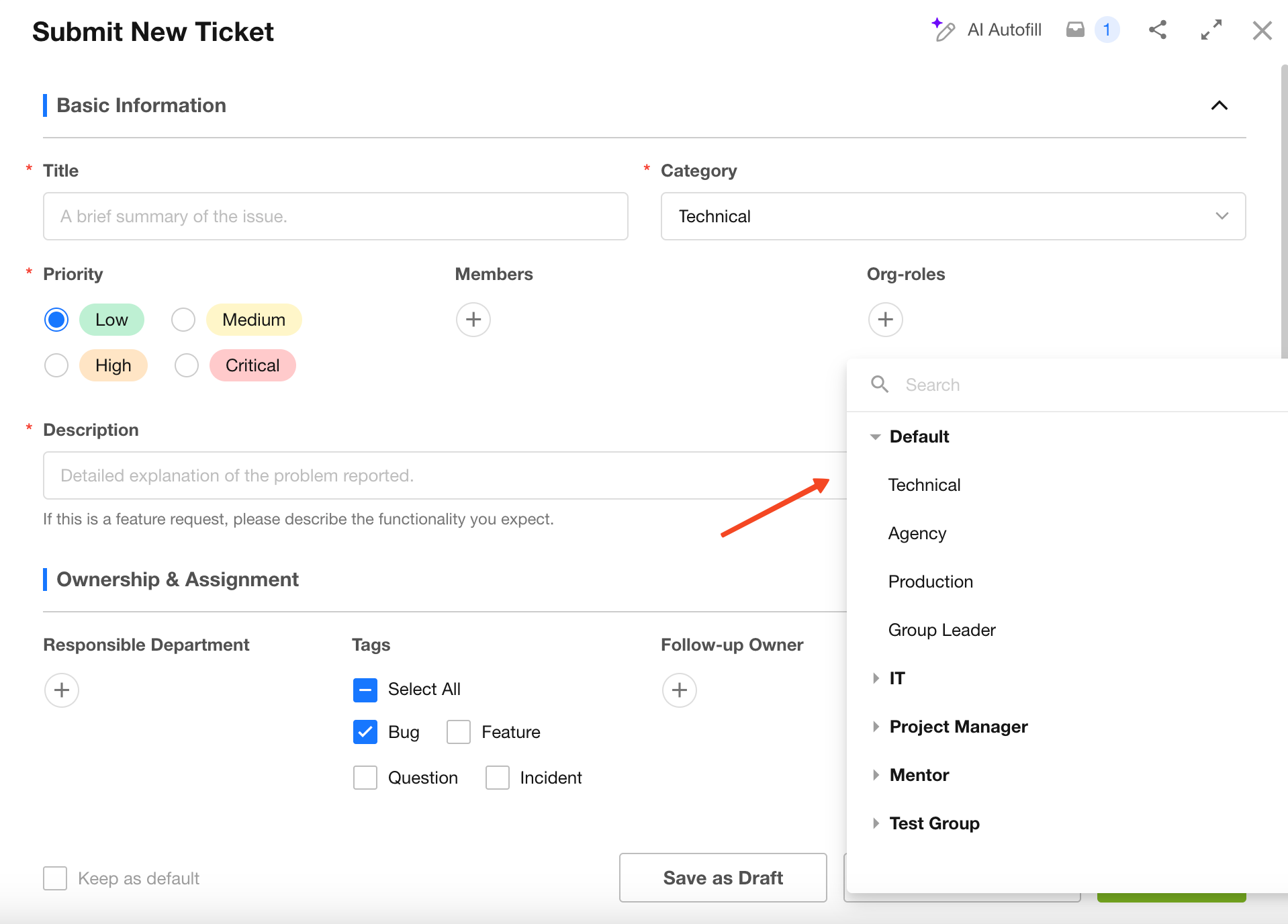
5. Display of Organization Role Field
Was this document helpful?