Link Records Within the Same Worksheet
In many scenarios, records within the same business object need to reference each other.
This is typically used to model hierarchical relationships, such as:
- Manager–subordinate relationships (employees)
- Parent–child relationships (tasks)
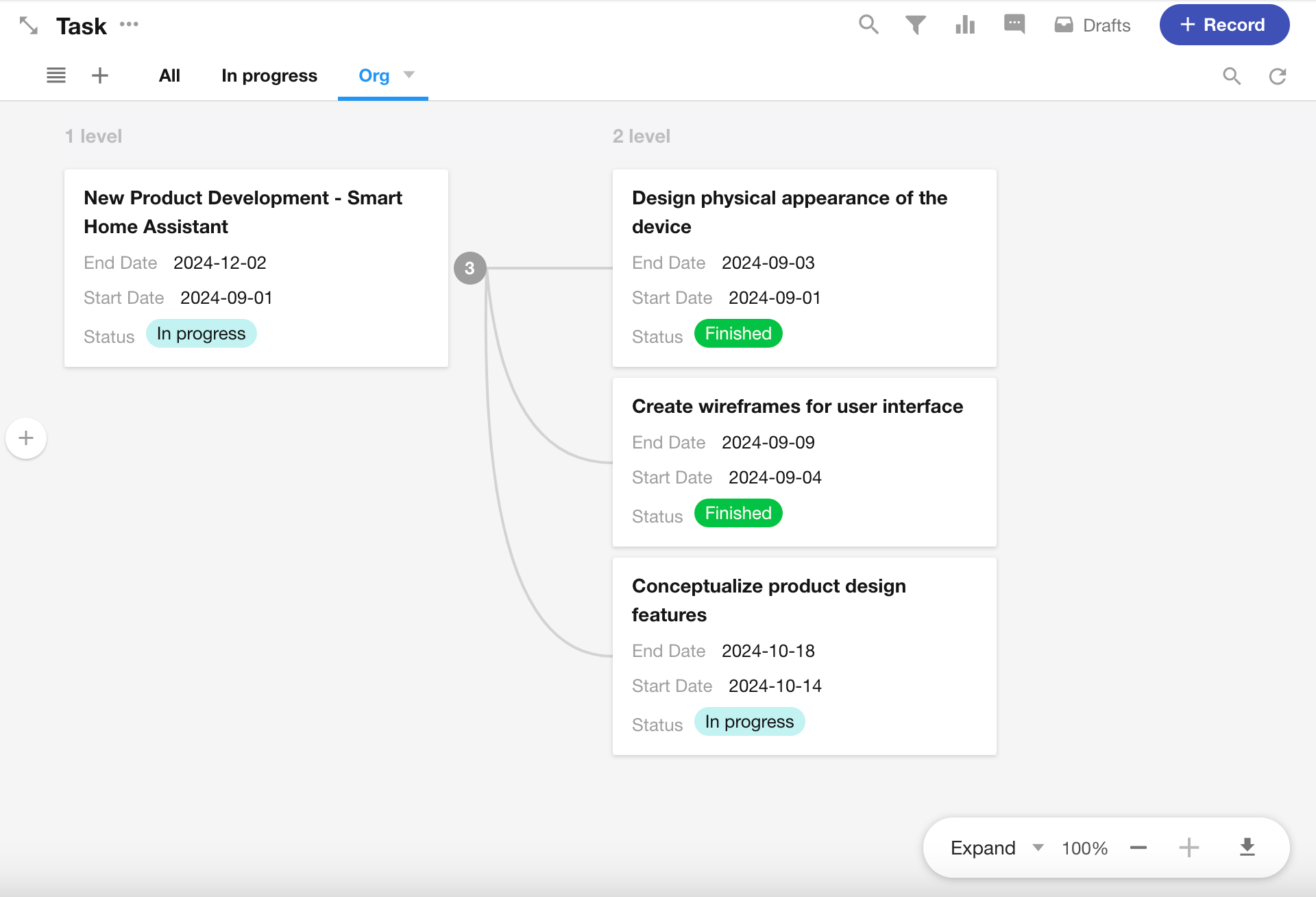
Example 1: Task Hierarchy
Use a relationship field to represent parent and sub-task relationships in a Task worksheet.
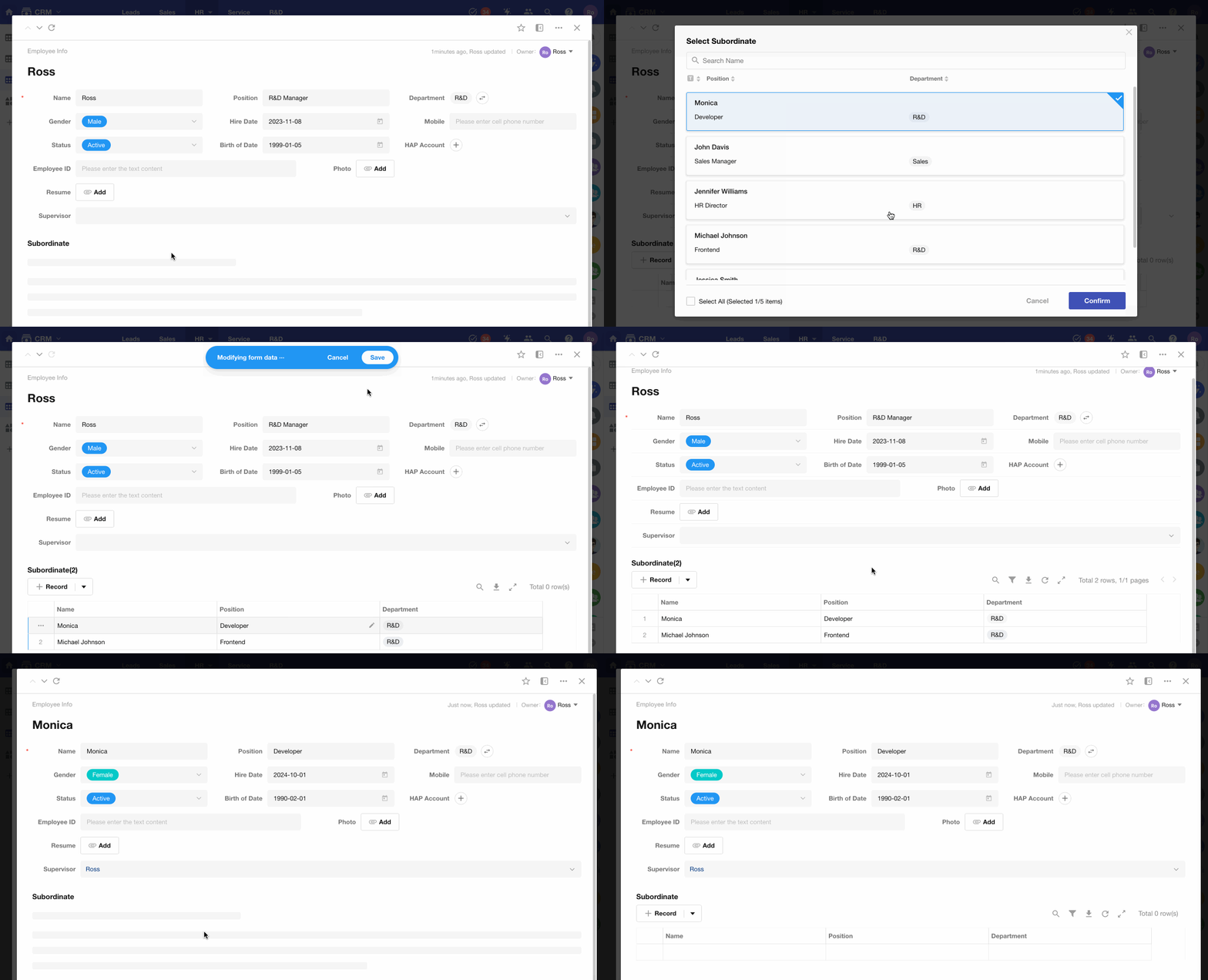
Example 2: Employee Reporting Structure
In an Employee worksheet:
- Each employee can have one direct manager
- Each employee can have multiple subordinates
Set up a self-referencing relationship
The following example demonstrates how to configure parent–child relationships in a Task worksheet.
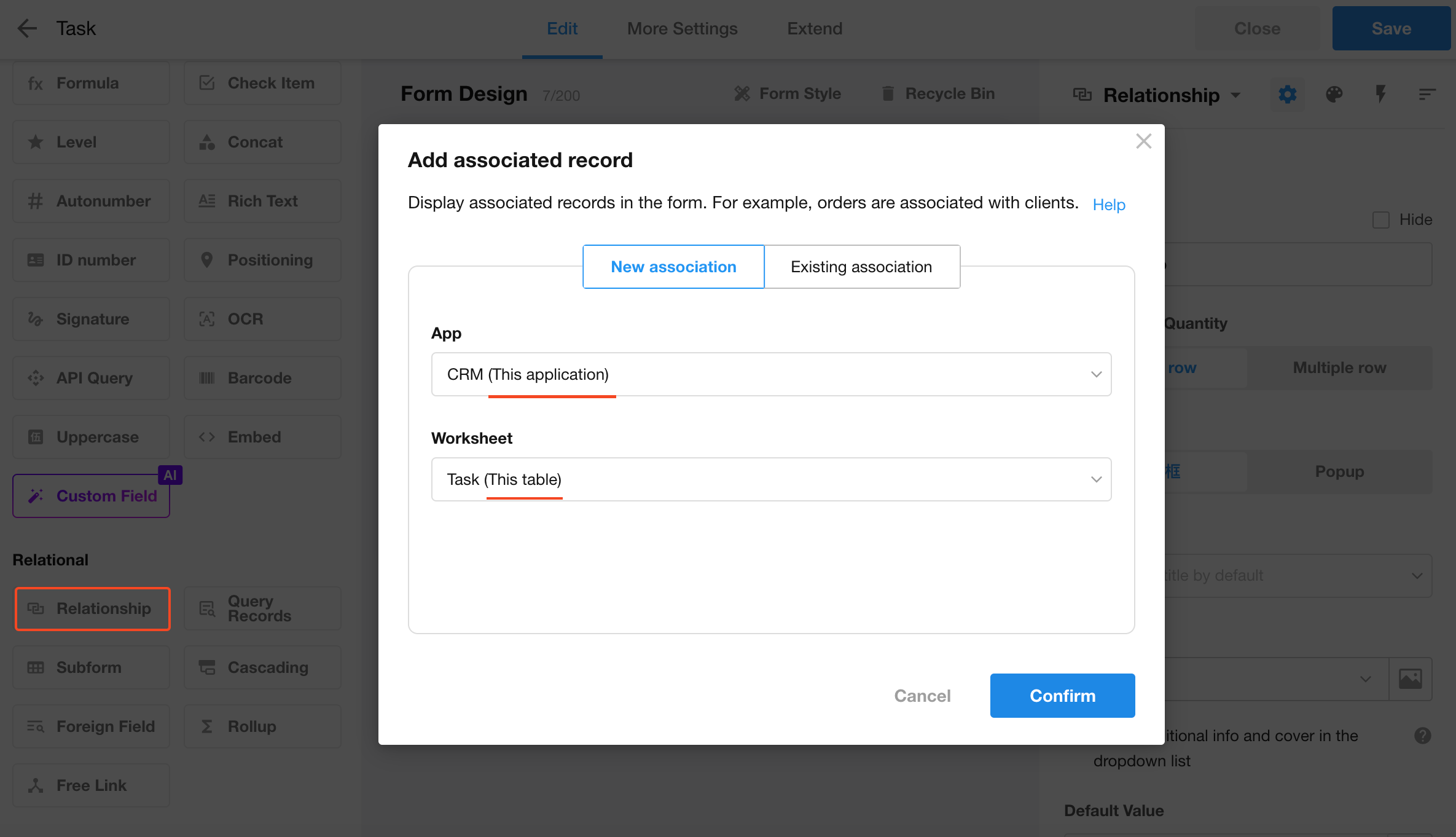
1. Add a relationship field
- Add a relationship field
- Select New association
- Choose This application → This table
2. Auto-generated relationship fields
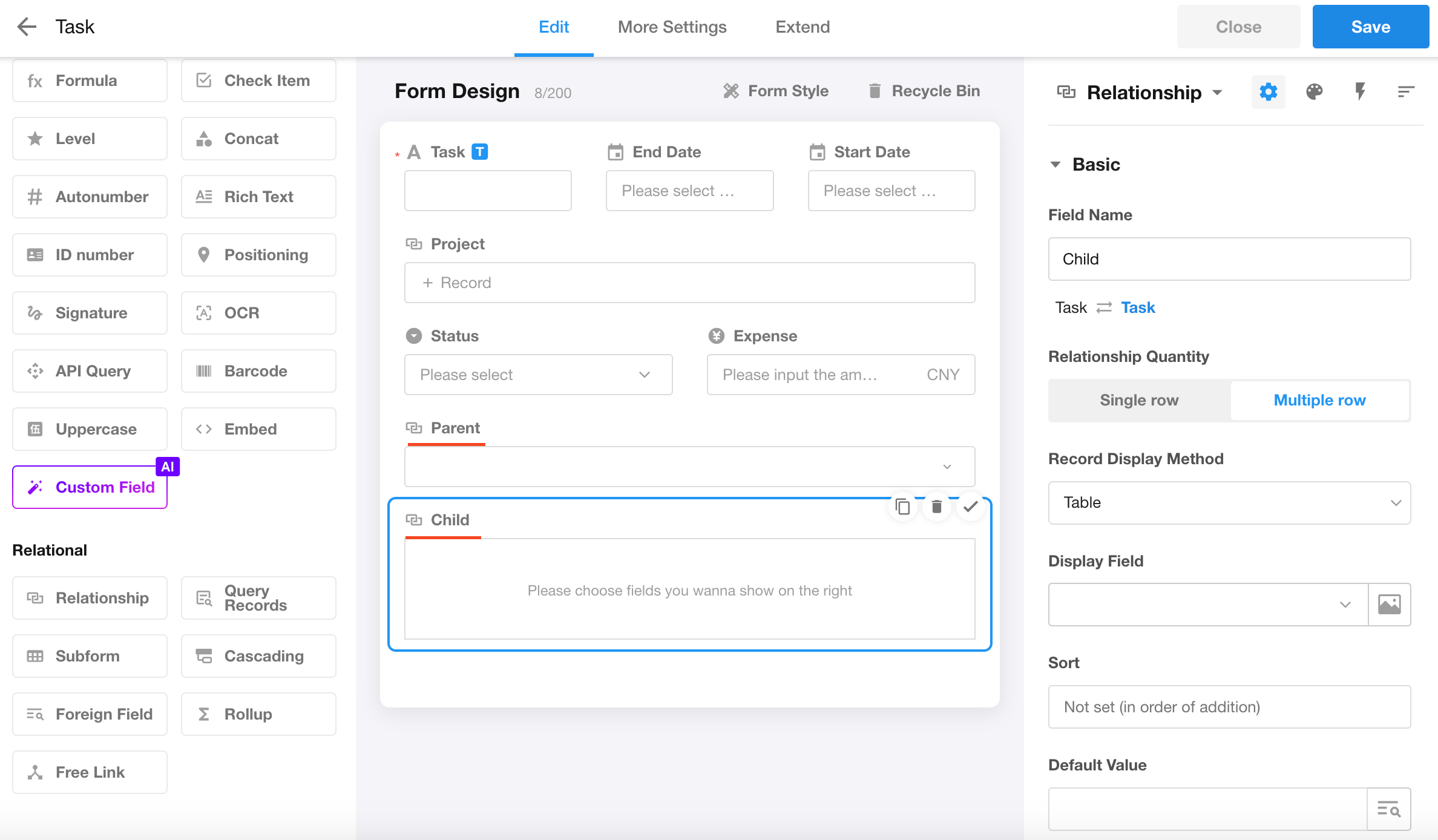
After configuration, two fields are created automatically:
- Parent
- Child
-
Parent
Each record can reference one parent record (single relsted record) -
Child
Each record can reference multiple child records (multiple related records)
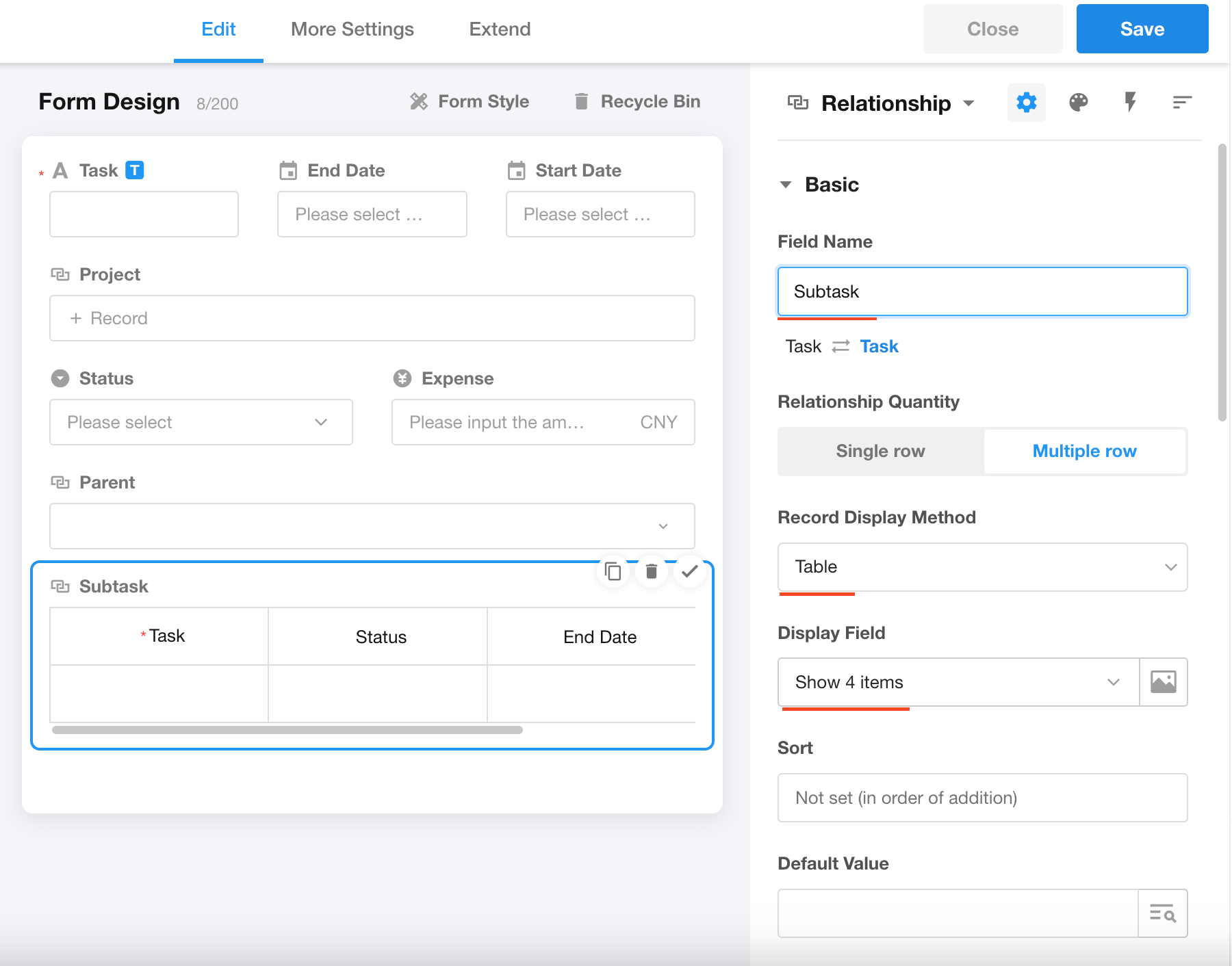
3. Configure field properties
Configure each field as needed:
- Field name
- Display type
- Display fields
4. Save the form
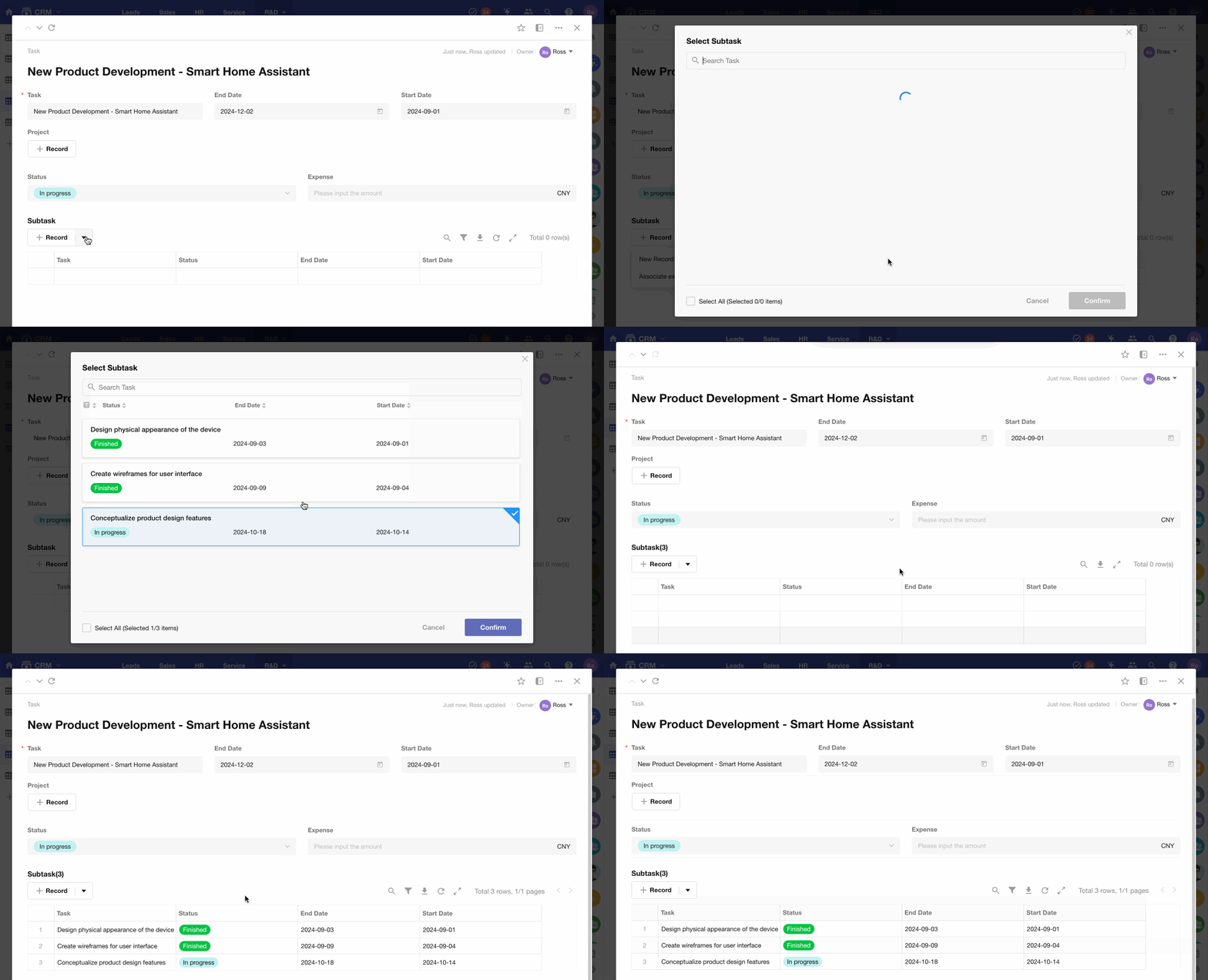
5. Test with sample records
Create sample records to verify the relationship setup.
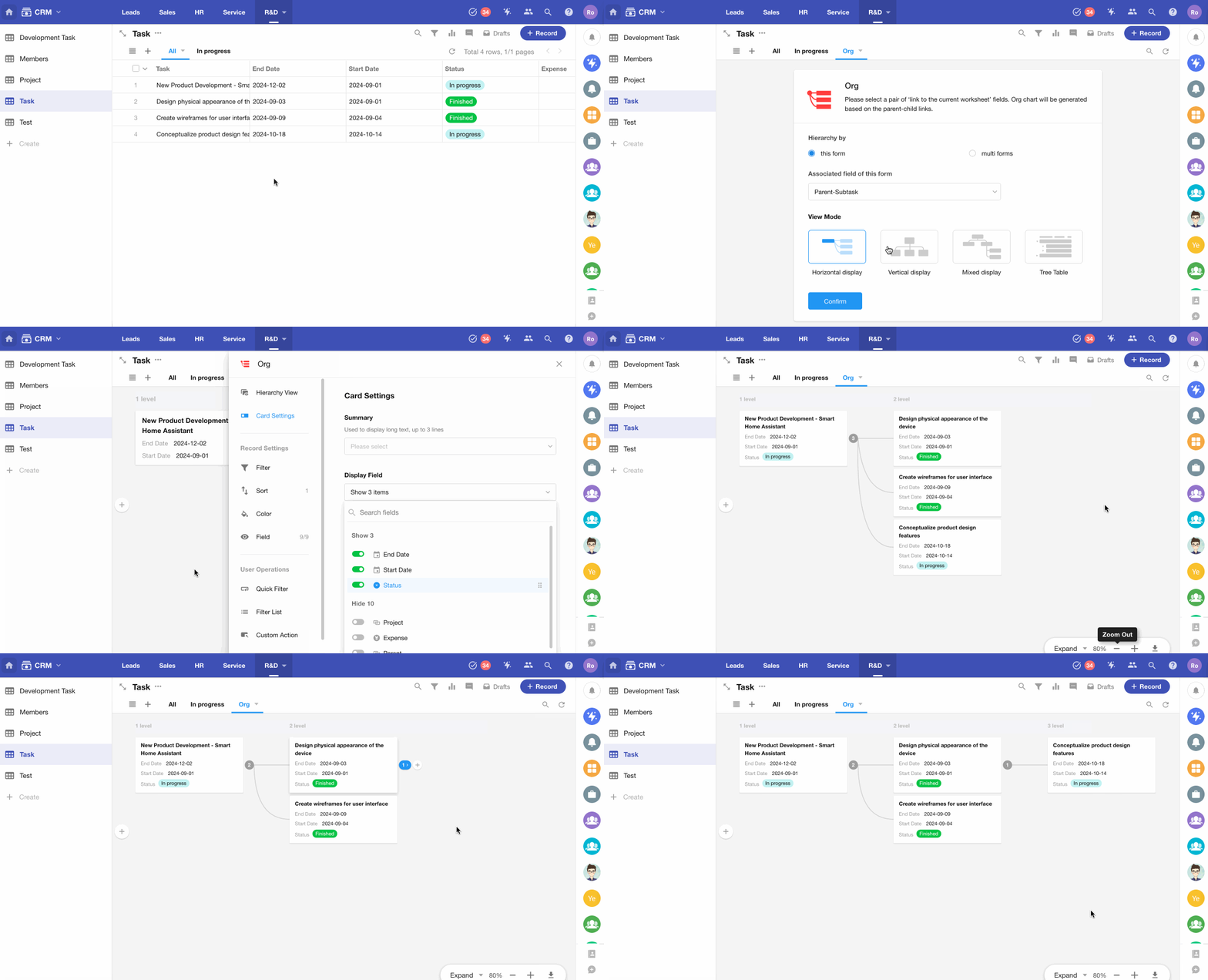
6. Visualize hierarchy with an org view
Use an org view to display hierarchical relationships between records.
Was this document helpful?