Change Field Type
When redesigning or optimizing a form, changing field types is a useful feature. It allows you to switch a field to a functionally similar type while preserving existing data.
(Note: Some conversions are irreversible.)
How to Change a Field Type
In the form editor, select a field, click the Switch button in the top-right corner, and choose the target field type.
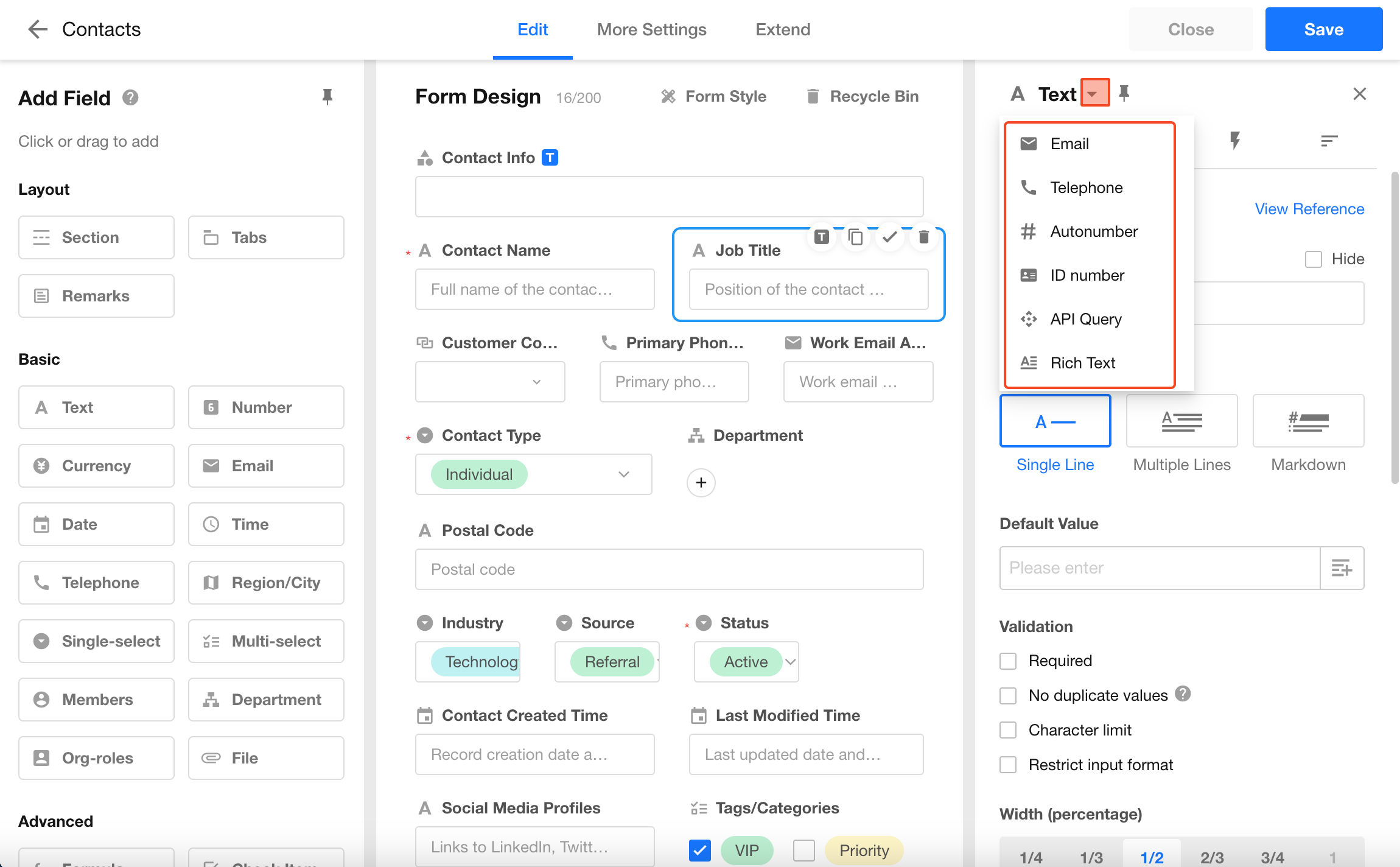
After conversion, if the existing data does not match the new field format, it will still be displayed as-is. However, when editing, the value must conform to the new field format in order to be saved.
Supported Field Type Conversions
Reversible Conversions
The following field types can be converted to each other and converted back:
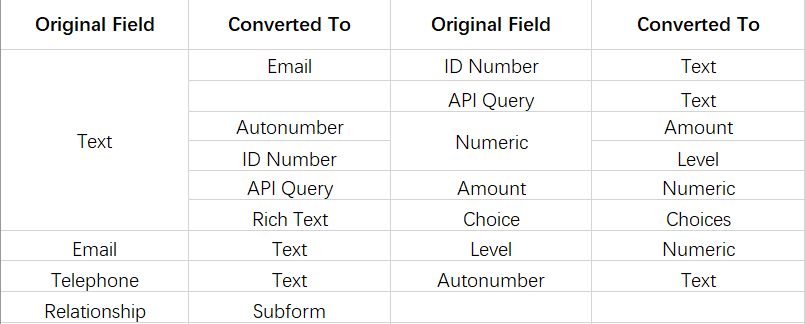
Fields such as Email, Telephone, and ID number cannot be converted directly between each other.
You can first convert them to a text field, then convert to another type.
This is because these fields contain structured business formats and do not support direct conversion.
Irreversible Conversions
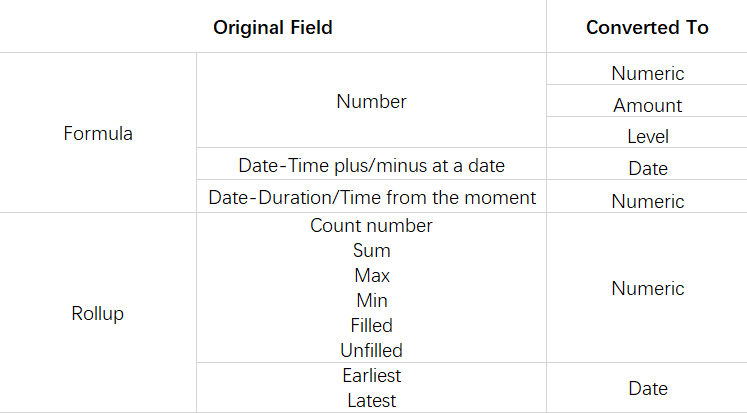
Some conversions cannot be reversed.
For example, a concat field can be converted to a text field, but a text field cannot be converted back to a concat field.
Was this document helpful?