Regular Expressions
What is a Regular Expression?
Regular expressions provide a powerful, flexible, and efficient way to validate text input and ensure it matches predefined formats (such as email addresses, usernames, etc.).
How to Use
Example:
In a customer worksheet, you need to store a user's WeChat ID. Since WeChat IDs cannot contain Chinese characters and must consist only of letters and numbers, you can enforce this rule using a custom regular expression.
1. Configure Regular Expressions
Regular expressions can only be applied to text fields and file fields (for validating file names).
Enable Restrict Input Format to start configuration.
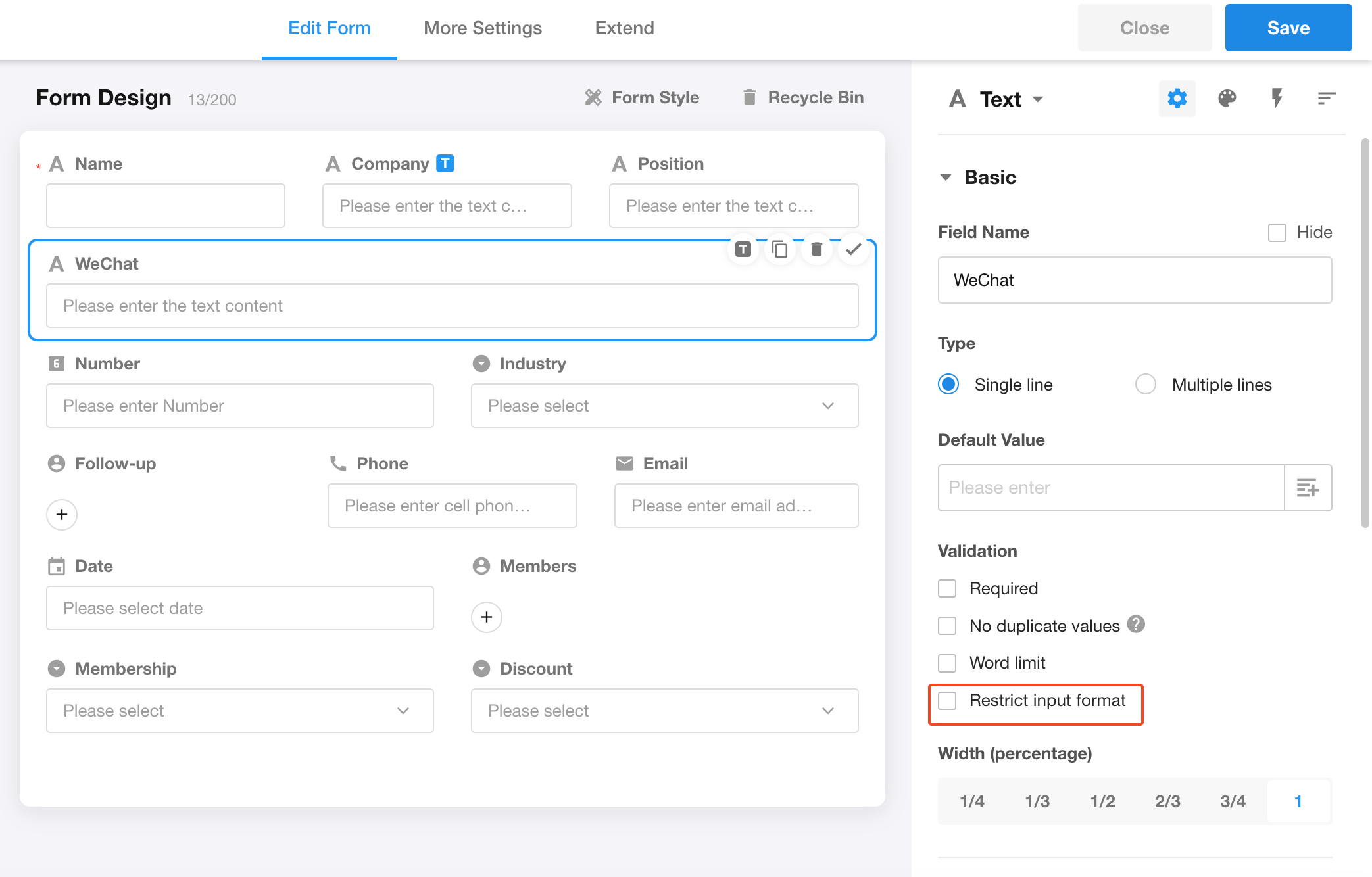
A set of commonly used expressions is provided on the left. You can select one directly or modify it to create a custom expression.
(Custom expressions cannot be saved to the predefined list.)
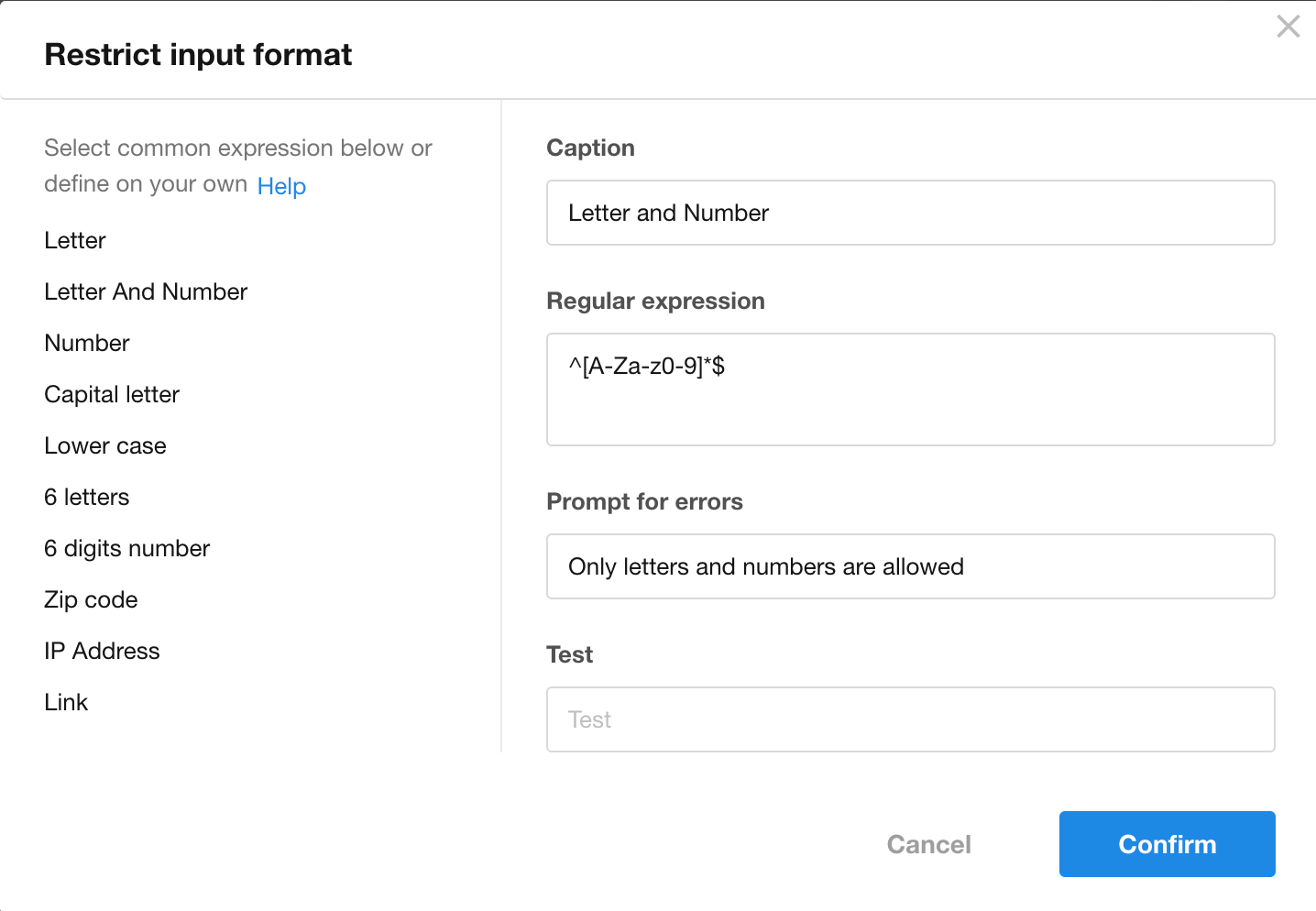
In this example, selecting Alphanumeric meets the requirement.
After configuration, click Confirm and save the form.
-
Title
A field can have multiple expressions. Use titles to distinguish them. -
Regular Expression
Enter your expression here. Avoid leading spaces when typing or pasting. -
Error Message
Displayed when the input does not match the expression. -
Test
Enter sample input to verify the expression and error message.
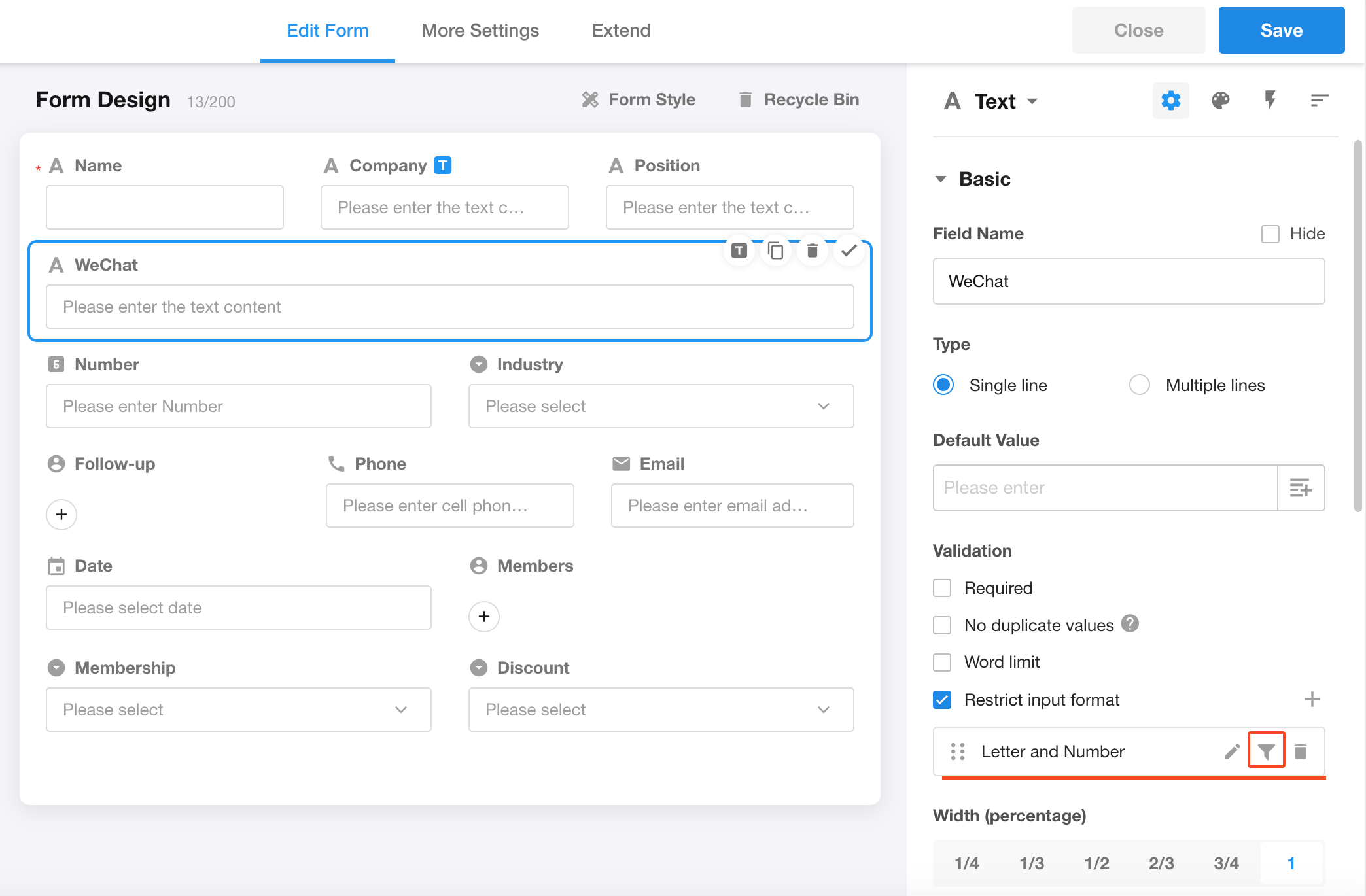
2. Filter Conditions
Each expression can be associated with filter conditions.
The expression only applies when the conditions are met.
If no filter condition is set, the expression is always applied.
3. Multiple Expressions
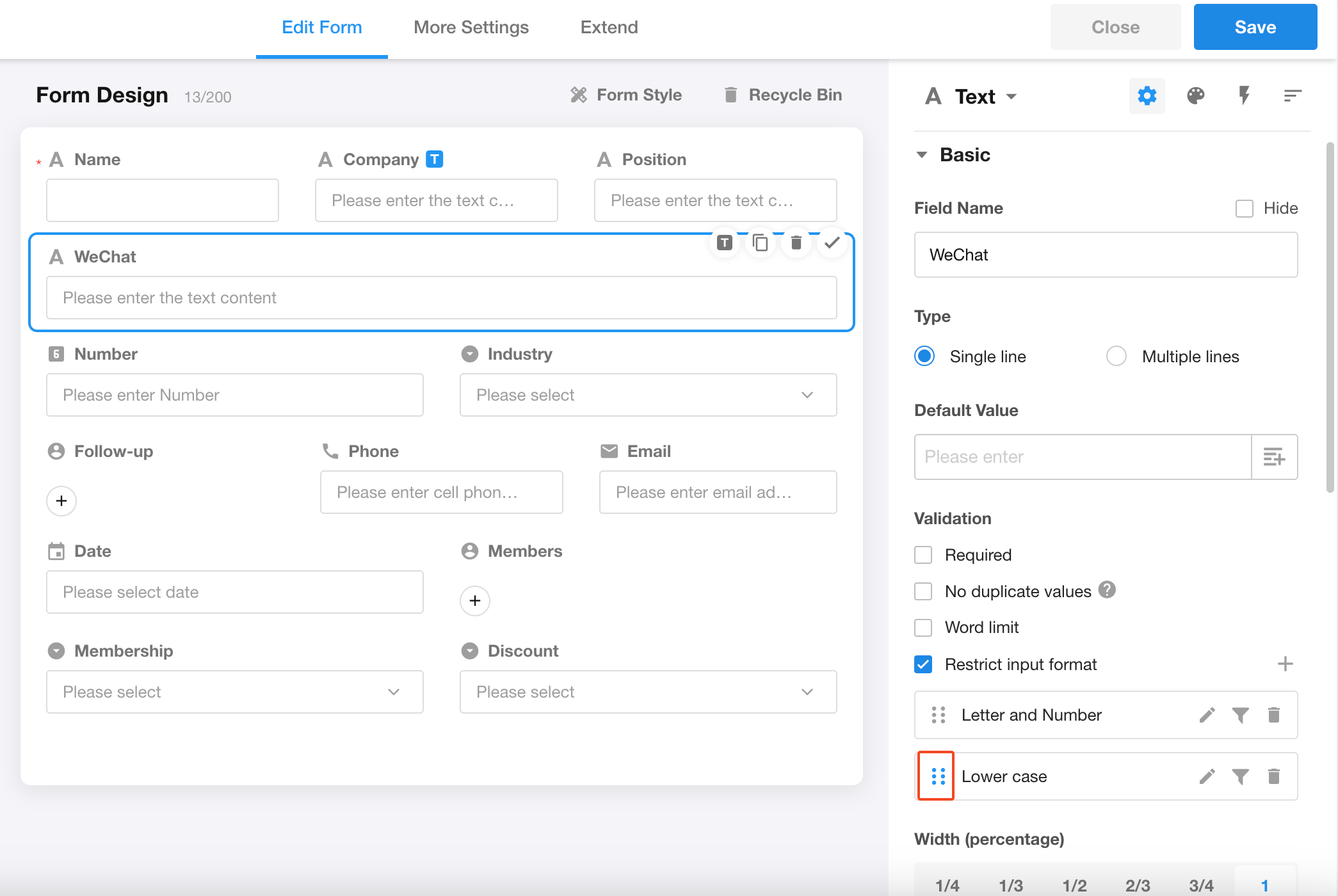
A field can have up to 5 expressions, and they can be reordered.
When multiple expressions are configured, the system validates the input sequentially based on the active expressions.
Validation stops at the first failed expression, and its error message is displayed. Subsequent expressions are not evaluated.
Expression Activation Rules
- Expressions without filter conditions are always active
- Expressions with filter conditions are active only when the conditions are met
Learning Resources
Recommended tutorial:
https://www.runoob.com/regexp/regexp-tutorial.html
Was this document helpful?