Node – E-Invoicing
The E-Invoicing node allows users to automatically initiate invoice issuance within a workflow. Once the specified conditions are met, invoices can be issued automatically—without manual review by administrators or finance teams. This is ideal for high-frequency, standardized, and rule-based invoicing scenarios.
Before using the E-Invoicing node, make sure that the invoicing tax ID has been enabled. See Enable Invoice Tax ID.
Workflow Configuration
-
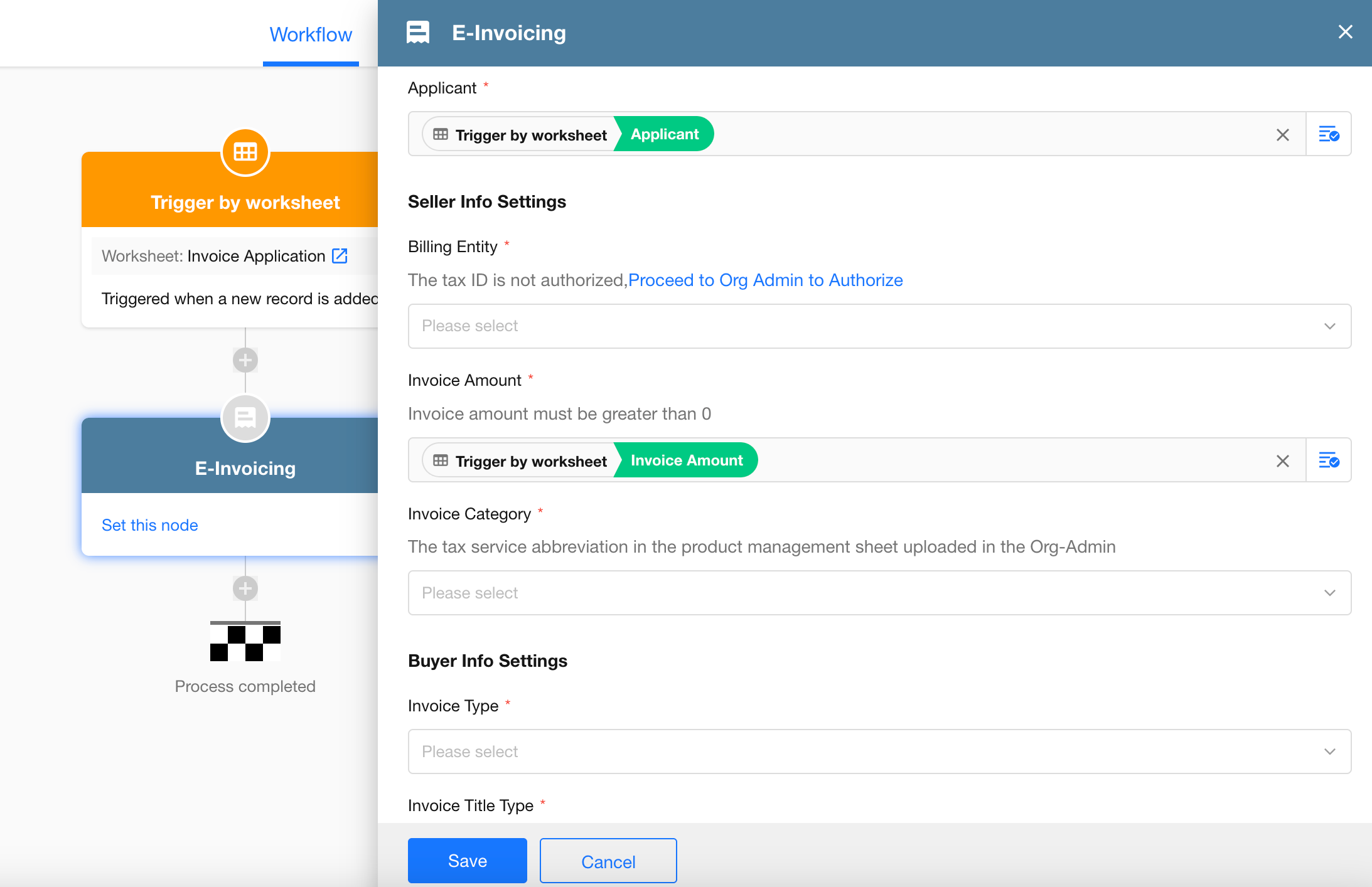
Add and configure the E-Invoicing node in a workflow
-
Use invoice data in subsequent nodes
After the invoice is issued, the following data is returned:
- Date type: Application date, invoice date
- Text type: Invoice type, invoice title, invoice title type, invoice title tax ID, invoicing content, invoice number, invoice reference number
- Option type: Invoicing status
- Number type: Total invoice amount, tax rate
- Attachment: Electronic invoice URL
Note: The electronic invoice file is returned as a URL. When selecting this URL in an attachment field of a worksheet, the system automatically downloads the file and stores it as an attachment.
FAQs
-
How does the E-Invoicing node run?
When the workflow reaches the E-Invoicing node, an invoice request is automatically submitted. The workflow pauses at this node while the system processes the invoice. Once the issuance result is returned, the workflow automatically continues to subsequent nodes. -
Why does the E-Invoicing node remain in “In Progress” status?
Check whether the digital tax account is logged in and whether facial verification has been completed.
Was this document helpful?