Node - Send WeChat Official Account Template Message
Node Function: Use this node to send WeChat notifications to external users when data changes occur in an app.
Example Scenario: When a support ticket is resolved, send a notification through a WeChat Official Service Account to the external user who submitted the ticket.
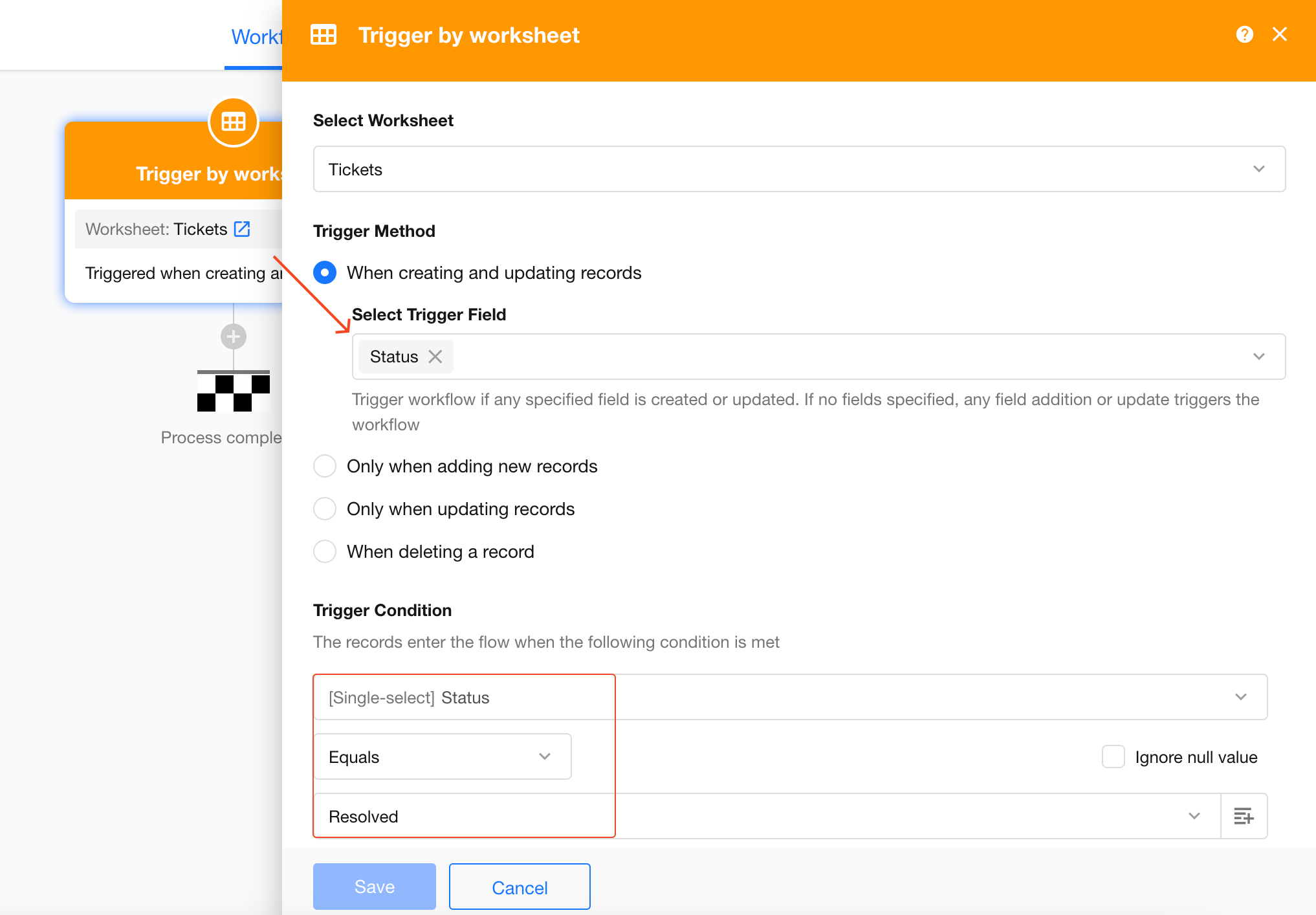
1. Create a Workflow Triggered by a Worksheet Event
You can also use a workflow triggered by a custom button, depending on your needs.
Trigger Condition: Run the workflow when a ticket record's status changes to Resolved.
2. Add and Configure the Send WeChat Official Account Template Message Node
-
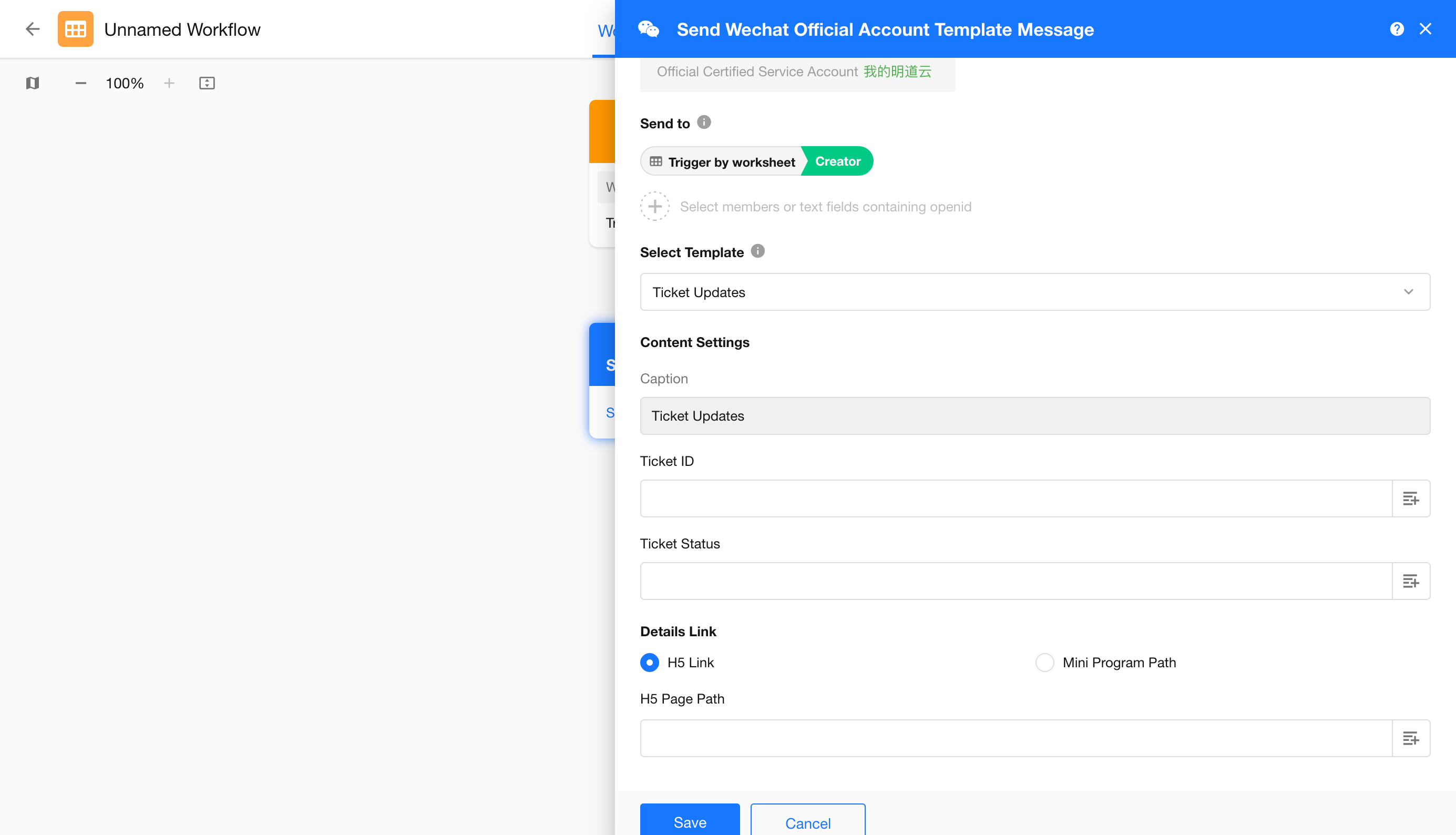
Send to: Select the record creator.
-
Select Template: Select a template configured in the WeChat Official Accounts Platform.
-
Details Link: You can embed an H5 page link in the message card.
In this example, select the link to the ticket record's detail page in the External Portal. See How to Get a Record Page URL.
Once configured, publish or update the workflow, then select a record to test the trigger.
Recipients must follow your connected WeChat Official Service Account to receive message notifications.
Was this document helpful?