Node — JSON Parsing
Node function: This node parses JSON objects returned from a code block node or a Send API Request node. Using JSON Path expressions, it extracts specific values and outputs them as dynamic parameters (variables or arrays) for use in subsequent nodes.
Supported Data
- Input: JSON objects returned from Code Block or Send API Request nodes
- Output: Variables or arrays
Example: Use an order query API to retrieve order data, then use it in subsequent nodes such as Add Record (batch create) and Update Record.
Node Configuration
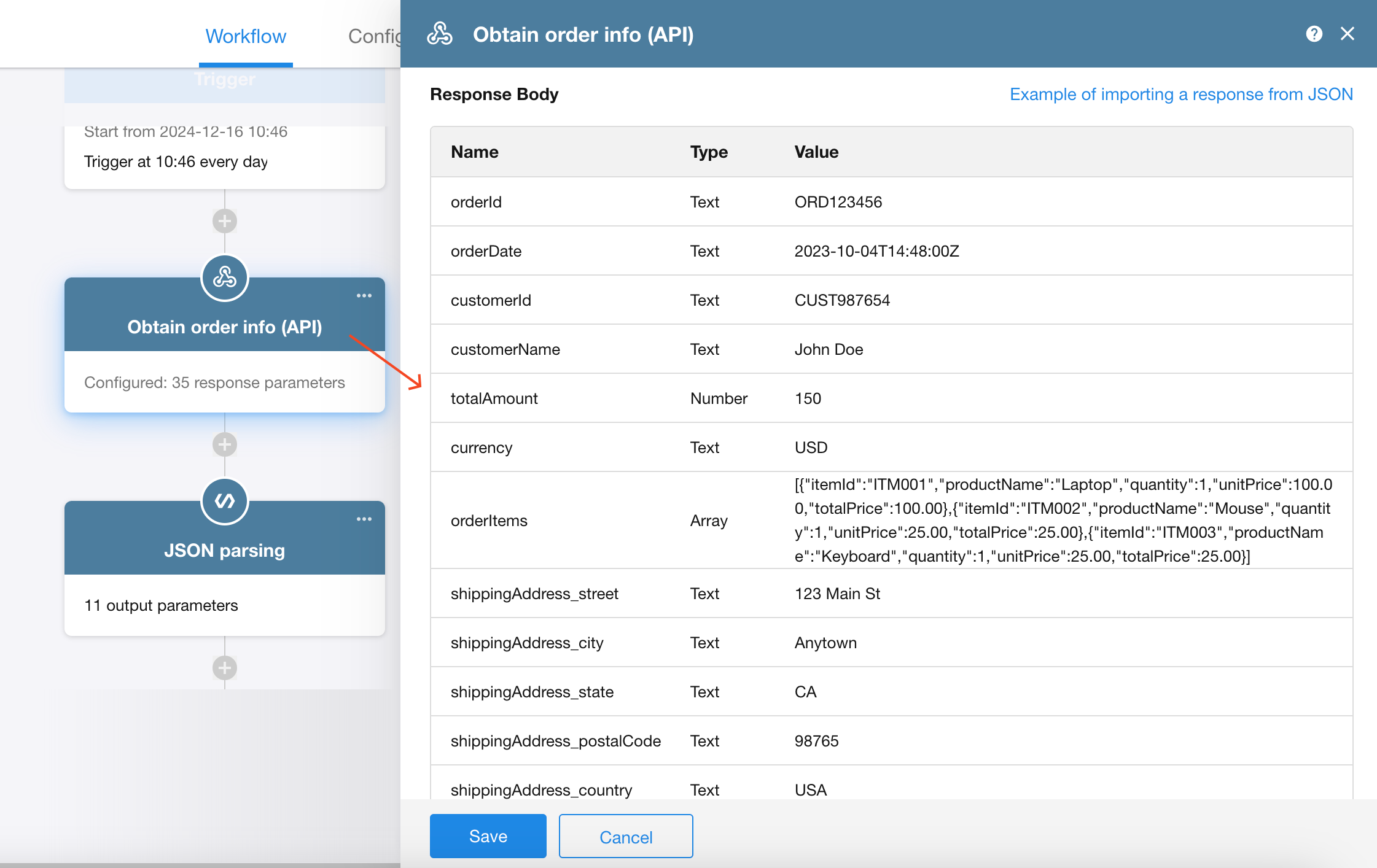
1. Add a Send API Request node to retrieve order data
As shown below, the returned order data is in JSON format.
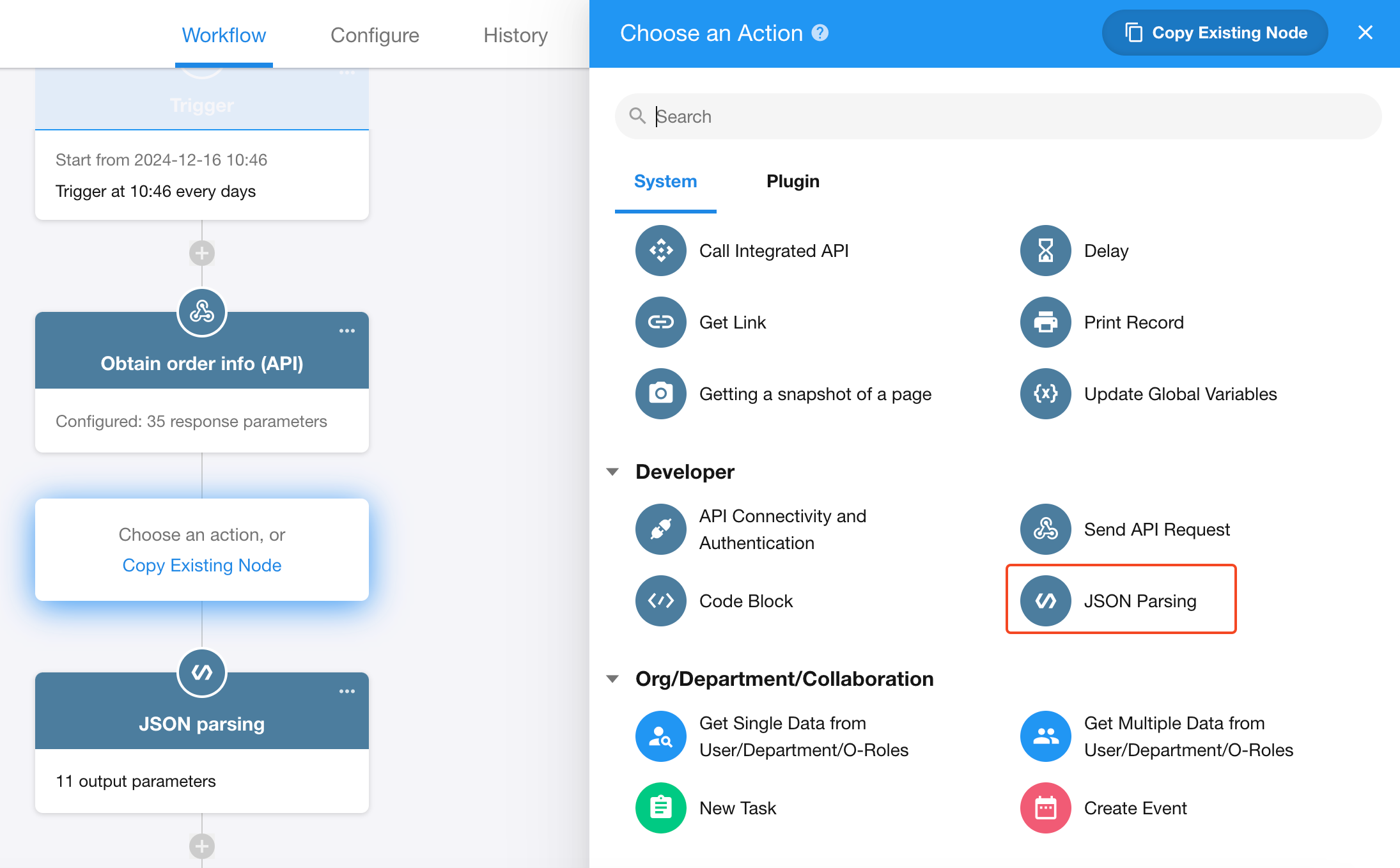
2. Add a JSON Parsing node
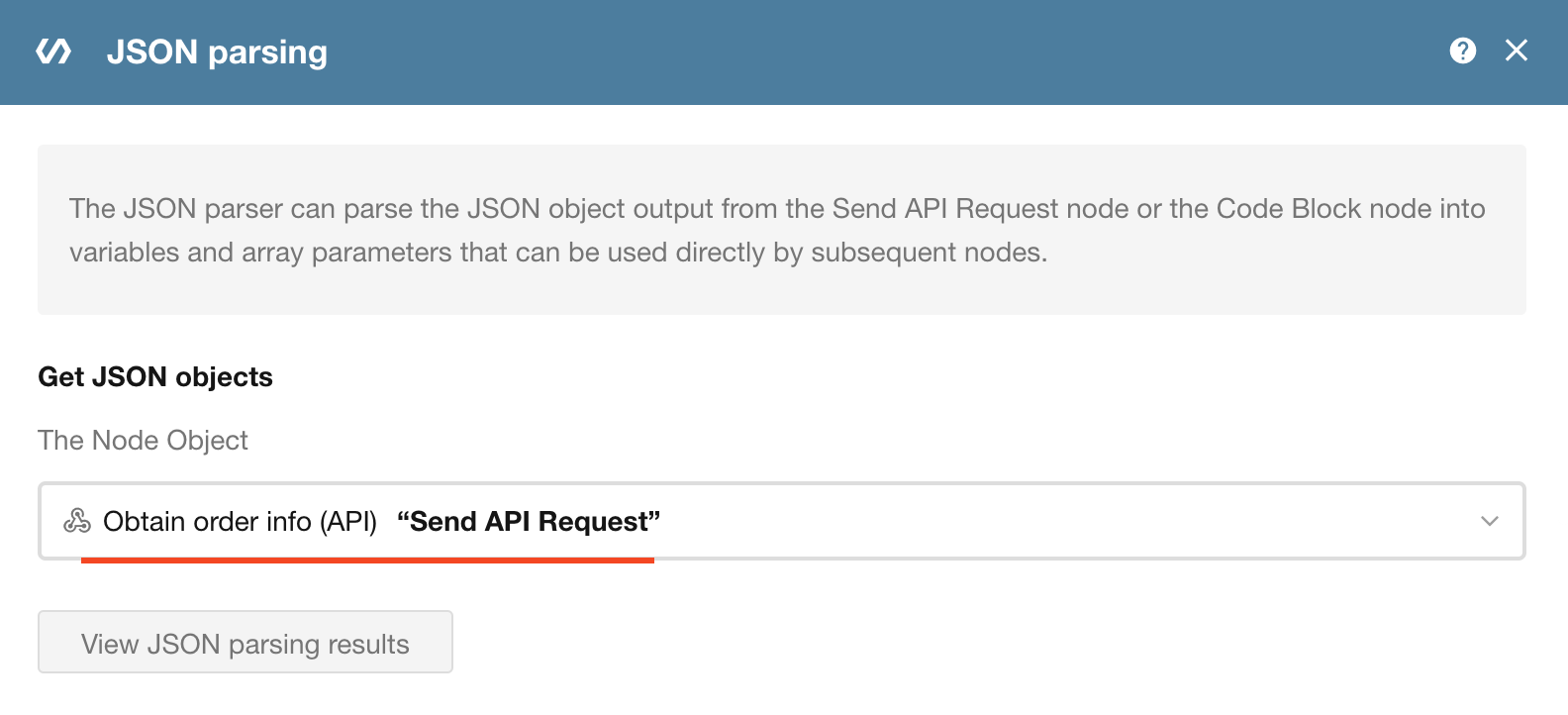
3. Select the JSON source
Choose which node’s output JSON to parse.
In this example, select the node that retrieves order data (Send API Request).
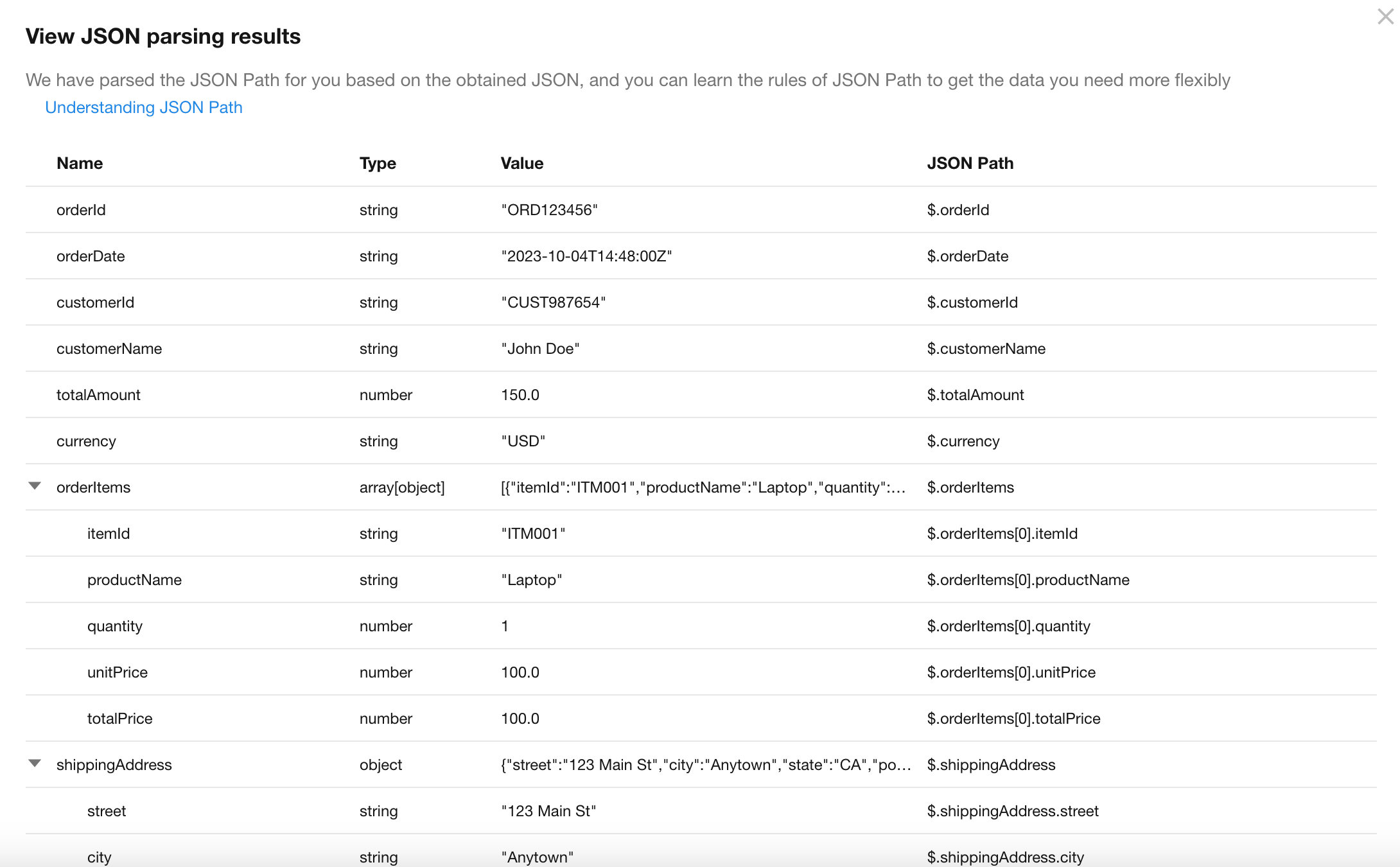
4. View parsing results
-
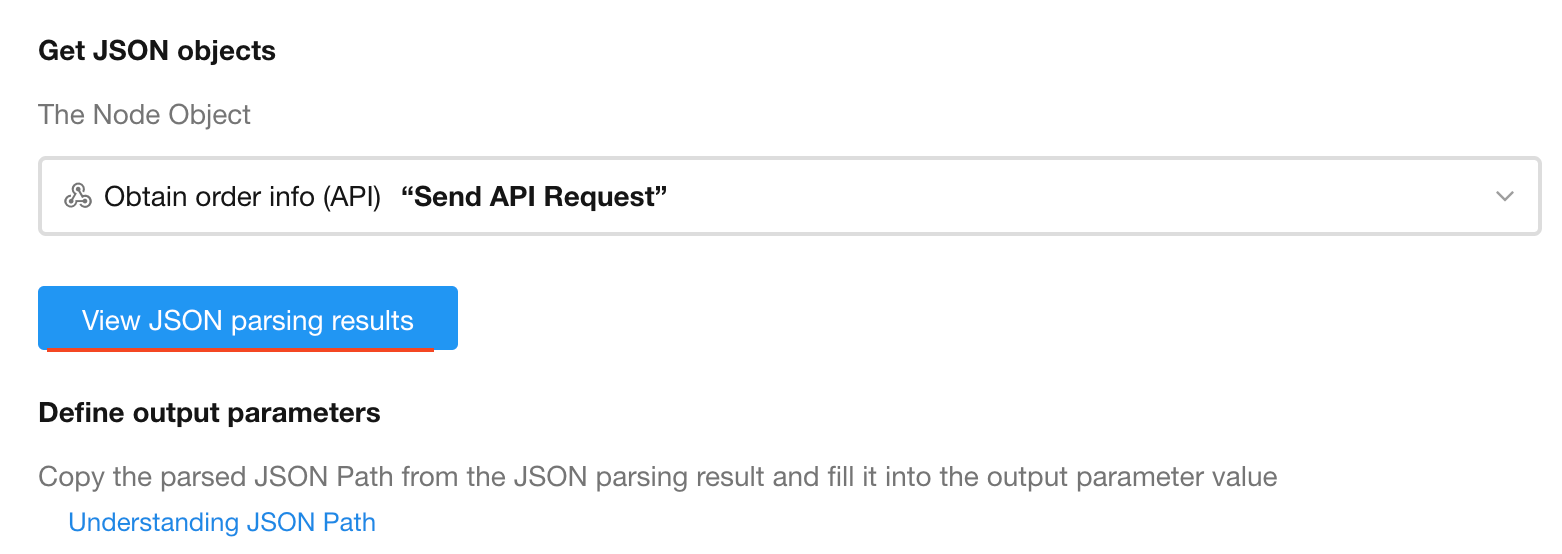
**1) Click View Parsing Result
-
2) Result description
The parsing result displays the full JSON structure returned by the API, including sample values and corresponding JSON Path expressions.
5. Define output parameters
-
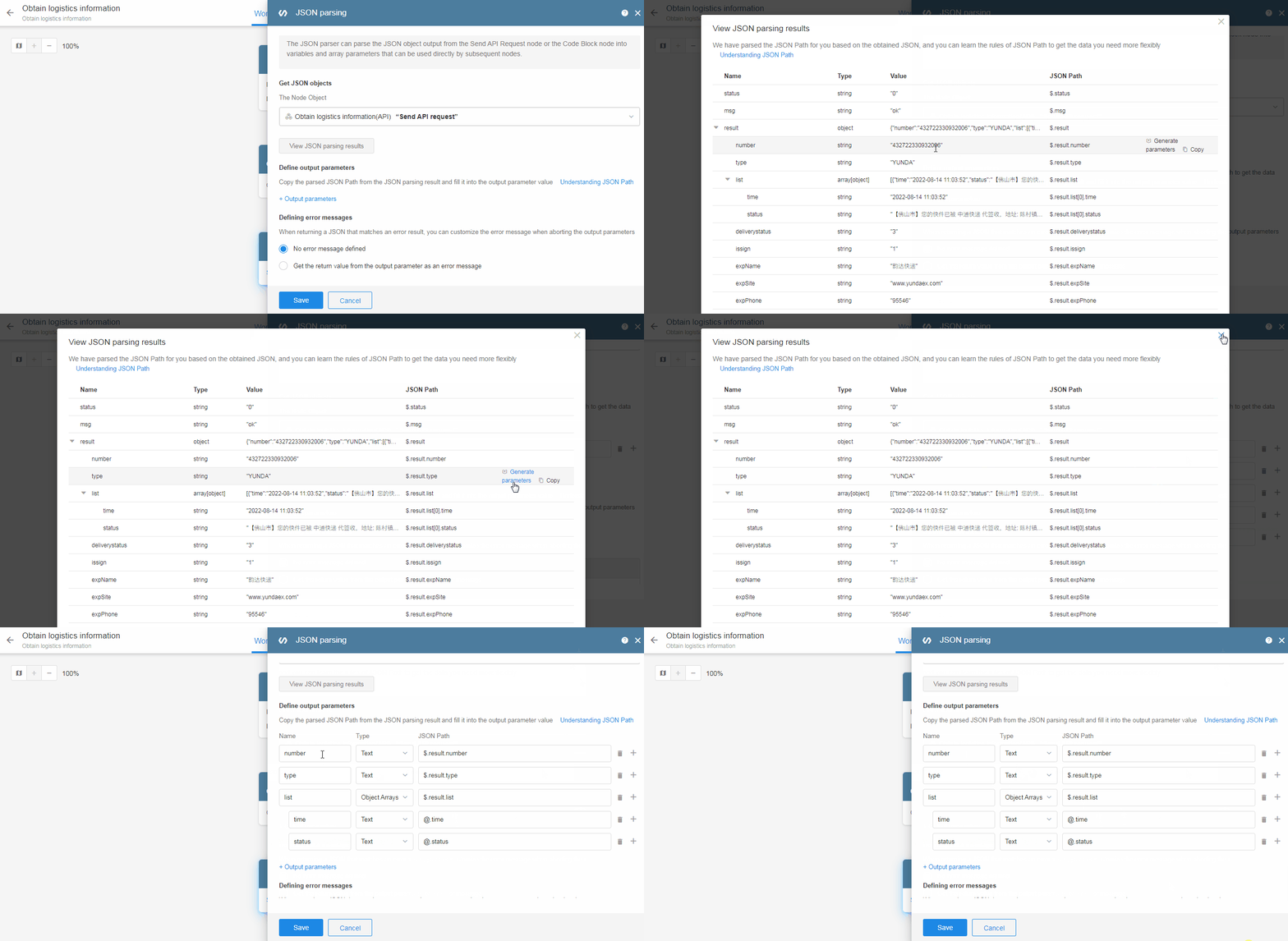
1) Select parameters from parsing results
Click the generate button on the right to automatically add parameters.
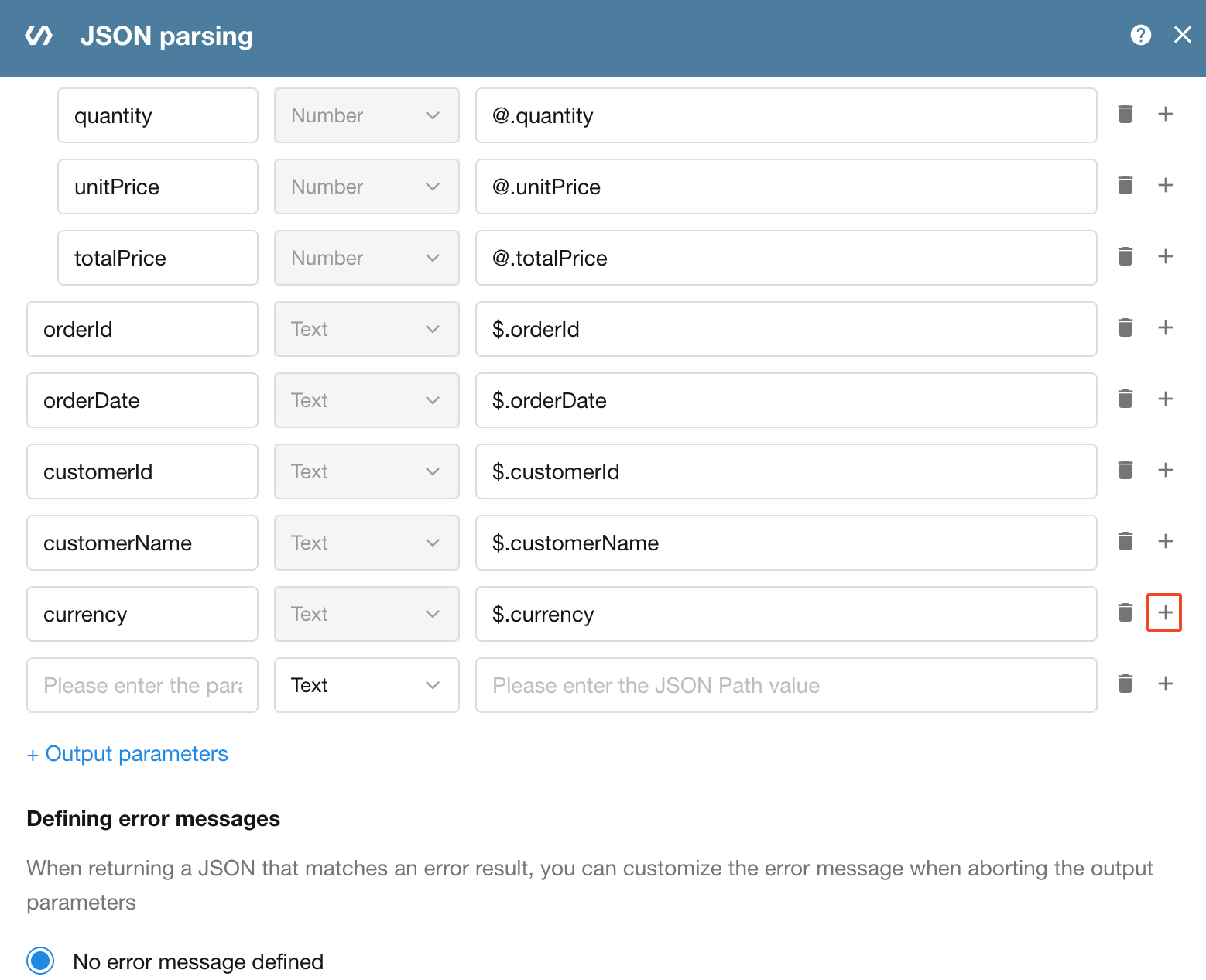
If you are familiar with JSON Path, you can manually add parameters.
-
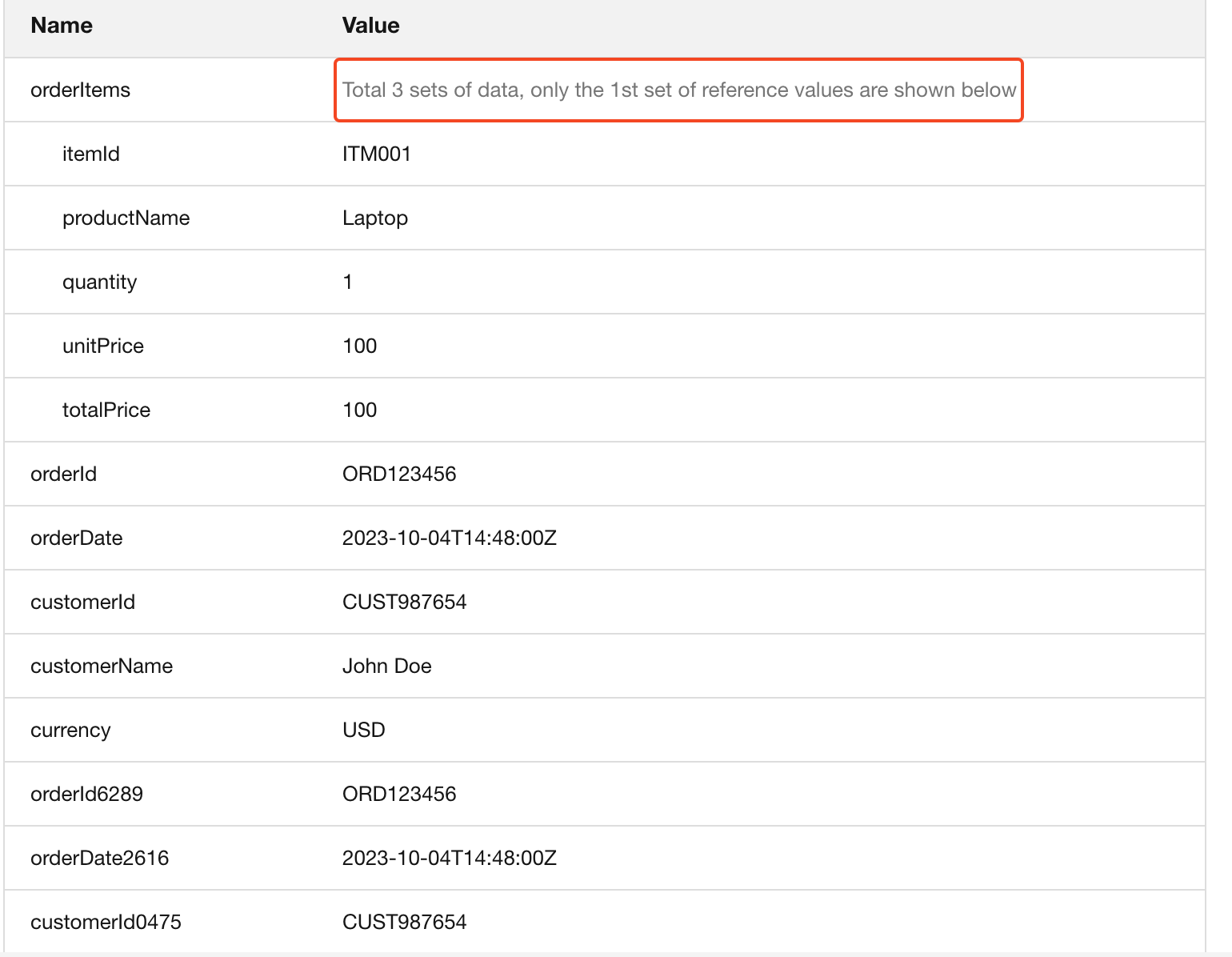
2) Output parameter preview
After defining parameters, example values will be displayed below.
6. Define error messages
When the returned JSON contains unexpected or invalid data, you can configure custom error messages.
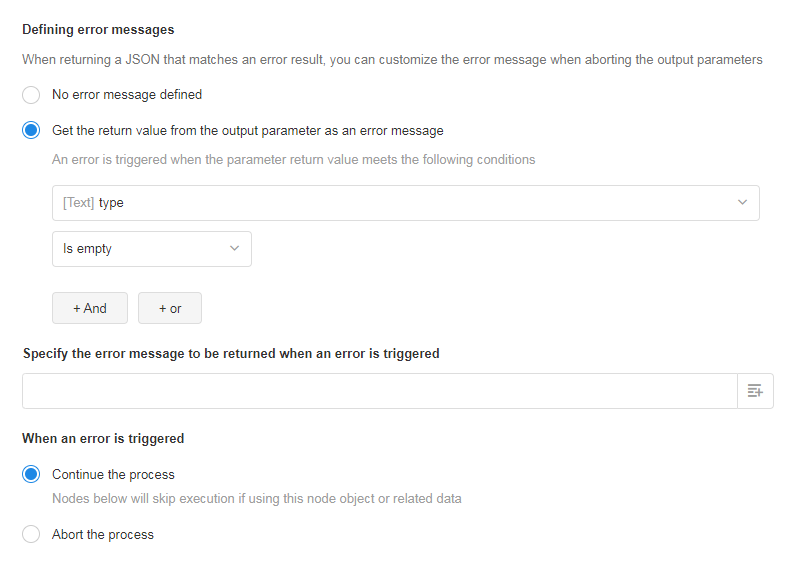
- You can use output parameter values as conditions to determine errors
- Error messages can be static text or dynamic values from other nodes
If an error message is defined, you can configure how the workflow proceeds:
-
Continue execution
Subsequent nodes continue. If later nodes reference this node’s data, only affected fields are skipped (not the entire node).
For example, if an Update Record node updates 5 fields and only 1 depends on this node’s output, only that field is skipped. -
Terminate workflow
The workflow stops at this node and no further nodes are executed.
7. Use output parameters
1) Batch create records from order data
-
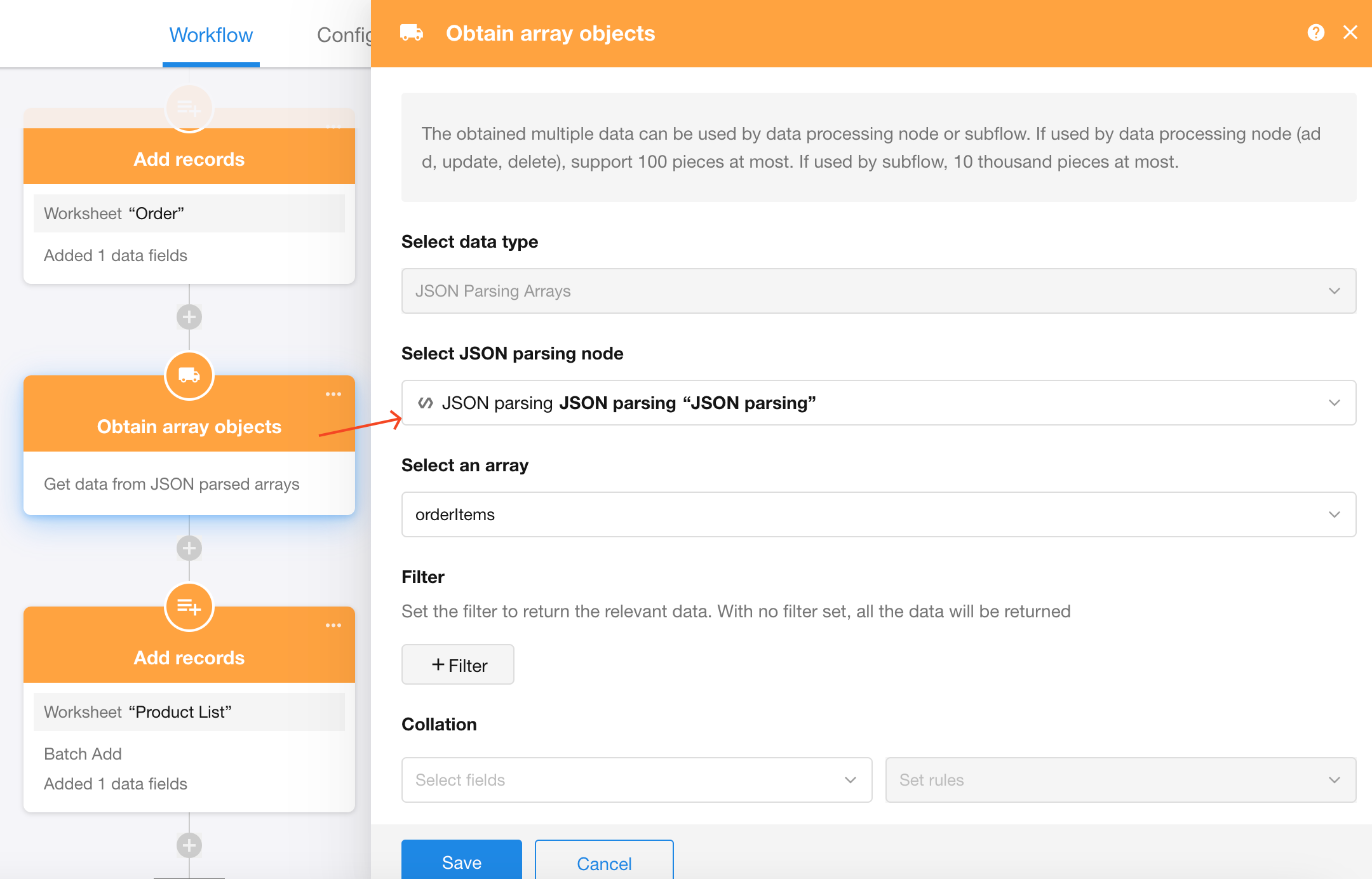
Handle array data
Array outputs must first be processed using a Get Multiple Data node to convert them into workflow-compatible data.
-
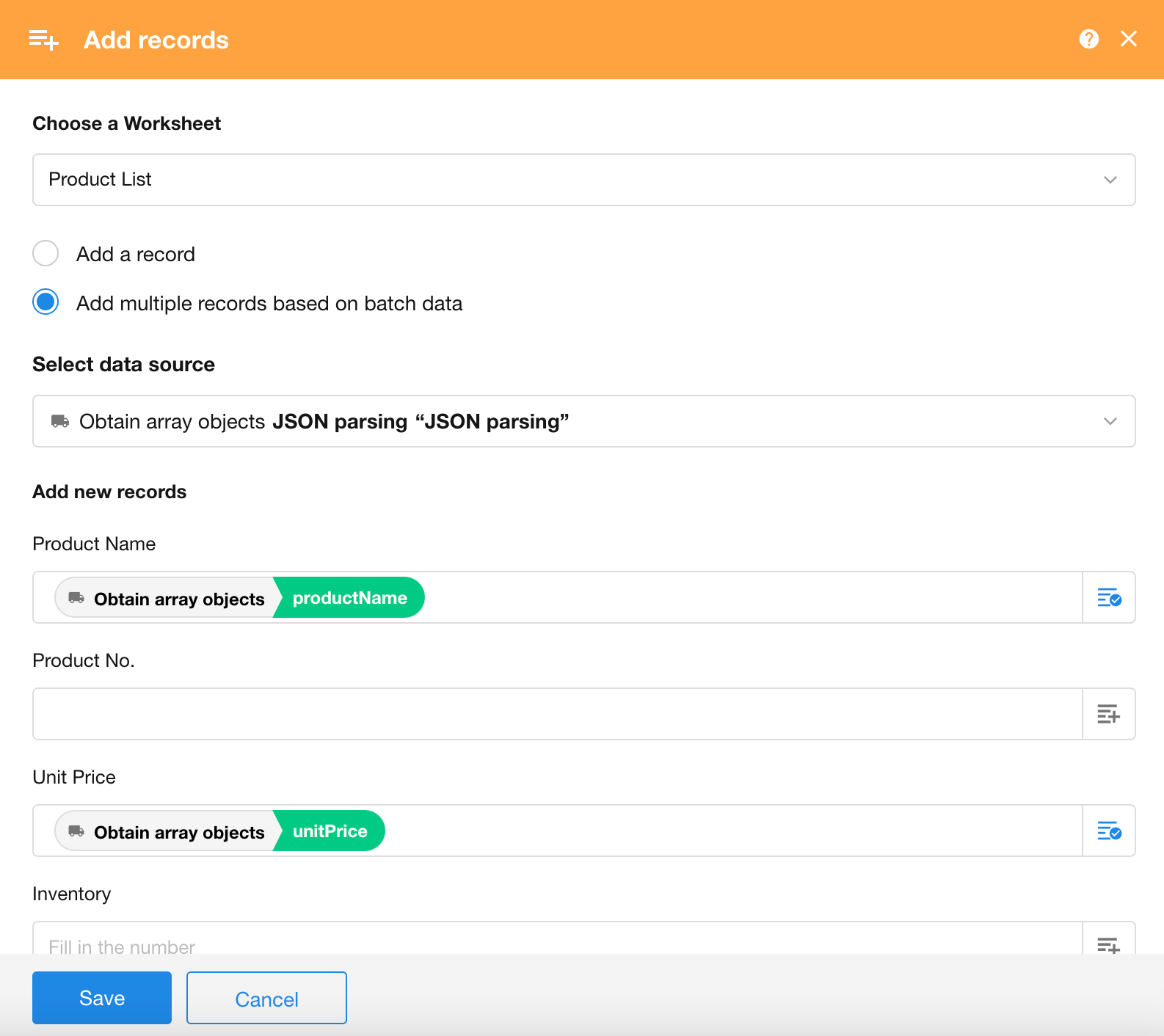
Batch add records
Use an Add Record node to insert the data into a worksheet.
What is JSONPath?
JSONPath is a tool designed for parsing JSON documents, inspired by XPath. With JSONPath expressions, you can easily extract specific data from a JSON structure without manually traversing each level.
In workflows, the JSON Parsing node uses JSONPath to parse incoming JSON data and outputs the extracted values as parameters for subsequent nodes.
JSONPath vs. XPath
For those familiar with XML, one of its key advantages is the availability of powerful tools for analyzing, transforming, and extracting data. XPath is one of the most widely used tools for this purpose.
JSONPath serves a similar role for JSON. It directly describes JSON structures, much like XPath references elements in XML documents.
Since JSON structures typically do not have a named root element, JSONPath uses $ to represent the root object.
For example, using XPath to retrieve the title of the first book under the store node: /store/book[1]/title
The equivalent JSONPath expressions are: $.store.book[0].title
or $['store']['book'][0]['title']
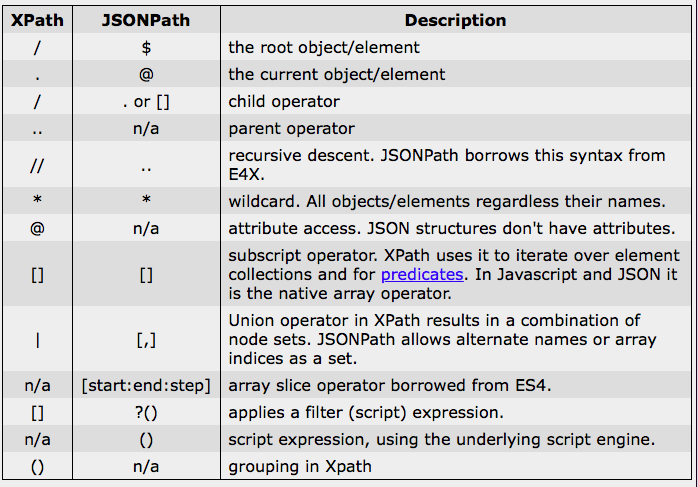
Below is a comparison between JSONPath syntax elements and their XPath equivalents:
Filter Operators
JSONPath supports filter expressions to select nodes that meet specific conditions.
A filter expression must return a boolean value, and JSONPath will return an array of matching nodes.
A typical filter expression:
[?(@.age > 18)]
Here, @ represents the current node being processed.
More complex filters can be built using logical operators && and ||.
Strings must be enclosed in single or double quotes, for example:
[?(@.color == 'blue')] or [?(@.color == "blue")]
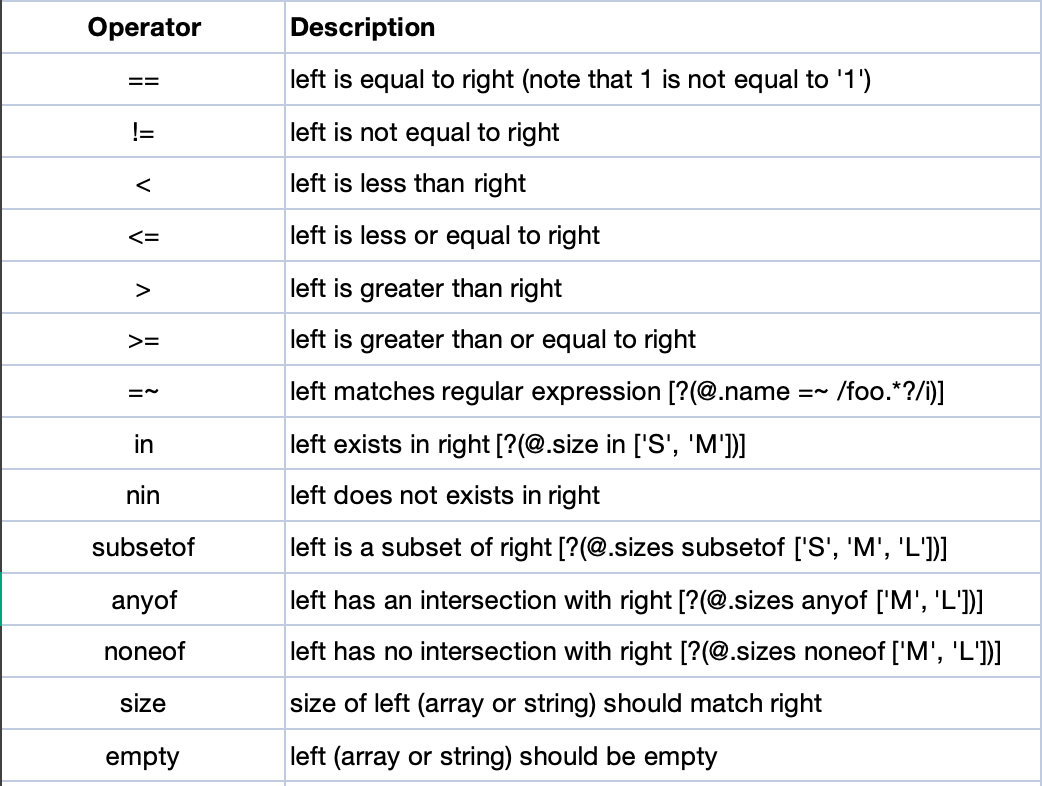
Available operators are shown below:
JSONPath Example
The following JSON represents a store:
- It contains 3 books and 1 bicycle
- Each book includes category, author, title, and price
- The bicycle includes color and price
{
    "store": {
        "book": [
            {
                "category": "reference",
                "author": "Nigel Rees",
                "title": "Sayings of the Century",
                "price": 8.95
            },
            {
                "category": "fiction",
                "author": "Evelyn Waugh",
                "title": "Sword of Honour",
                "price": 12.99
            },
            {
                "category": "fiction",
                "author": "Herman Melville",
                "title": "Moby Dick",
                "isbn": "0-553-21311-3",
                "price": 8.99
            }
        ],
        "bicycle": {
            "color": "red",
            "price": 19.95
        }
    },
    "expensive": 10
}
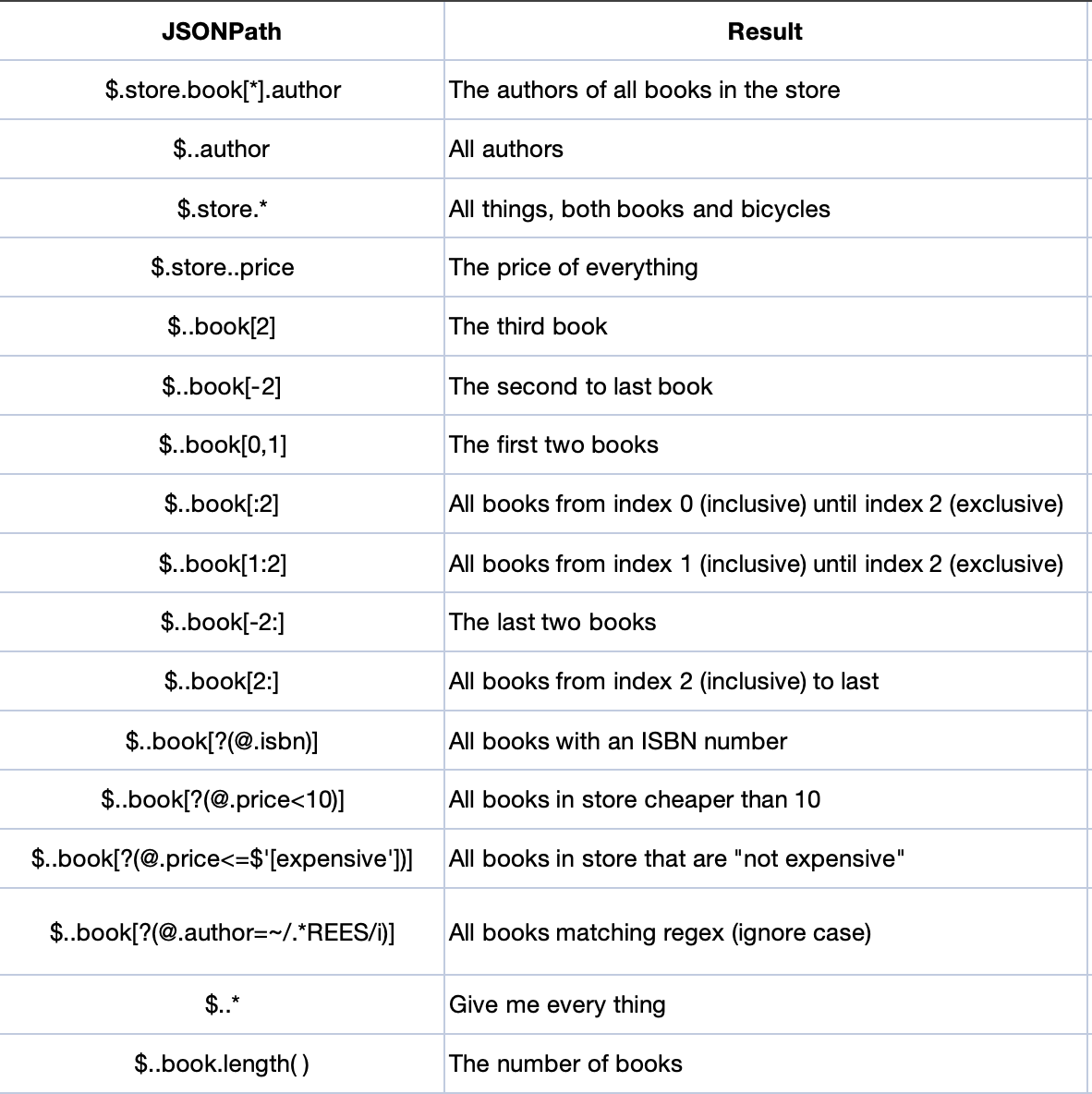
Using JSONPath, you can extract data such as:
Was this document helpful?