Get Approval Details
This method applies to approval processes configured directly with approval nodes.
Click here to learn how to retrieve approval details for approval processes configured using Initiate Approval Flow.
In the Get Multiple Da ta node, you can retrieve approval details from a specific approval node, including:
- Approver
- Approval time
- Approval result
- Approval comments
- Signature
You can also retrieve operation details from Fill-in nodes and Send Internal Notification nodes.
Because an approval node may involve multiple approvers, the returned data is structured as multiple rows. Therefore, you must use the Get Multiple Data node to retrieve the data.
The following information can be retrieved:
- Record ID
- Operator
- Arrival time
- Operation time
- Operation (Approved / Rejected / Submitted)
- Comment (approval opinion)
- Signature
Example
Example: How to retrieve approval details from a specific approval node
(The same method applies when retrieving details from a Fill-in node.)
Configuration Steps
-
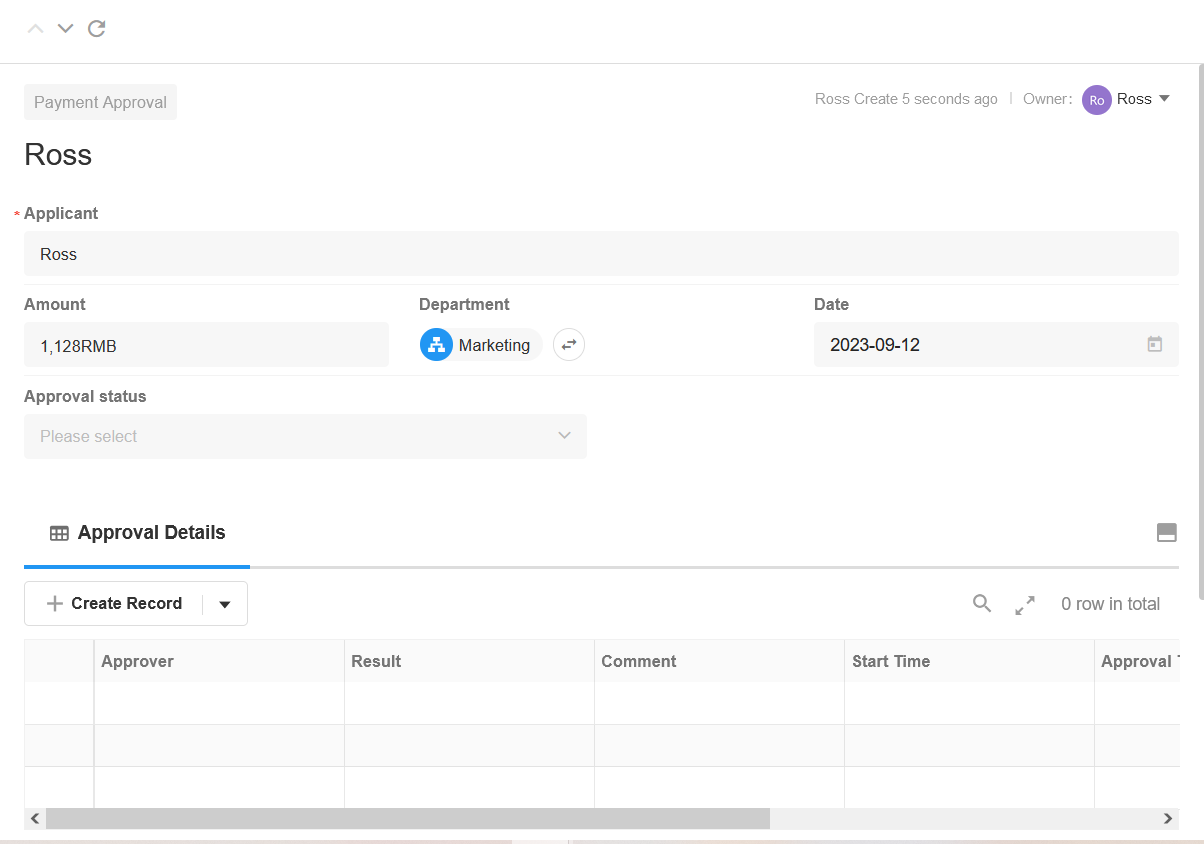
Create an Approval Details Worksheet
Create an Approval Details worksheet and establish a two-way relationship field with the Expense Approval worksheet.
Relationship structure:
- One expense approval record can be associated with multiple approval detail records.
-
Retrieve Approval Results and Comments After Approval
After the approval node is completed, retrieve the approval result and comments.
Add a Branch node (based on the approval result).
Under the Approved branch, add a Get Multiple Data node and choose Get Operation Details.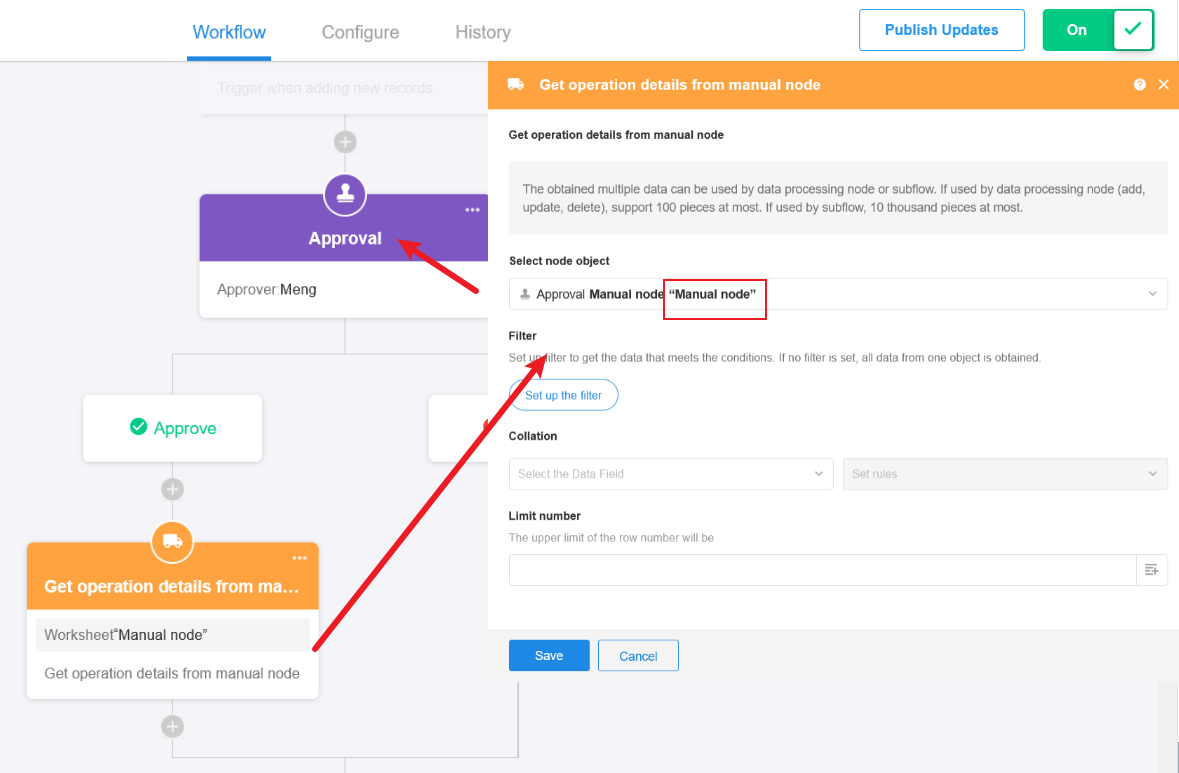
-
Write the Retrieved Approval Details into the Approval Details Worksheet
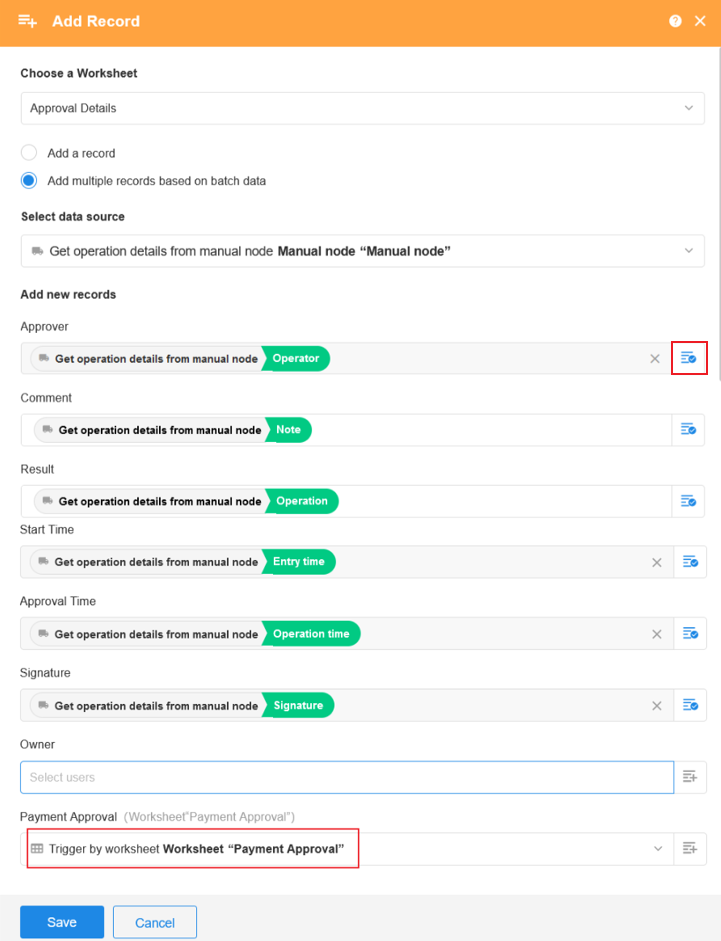
If retrieving details from a Fill-in node, the actual field values entered during the fill-in cannot be retrieved. Only the following information can be obtained:
- Record ID
- Operator (the fill-in user)
- Operation time (submission time)
- Operation (value will be Submitted)
Why Can't the Update Record Node Select the Content?
The retrieved approval details are structured as multiple rows of data (even if there is only one row).
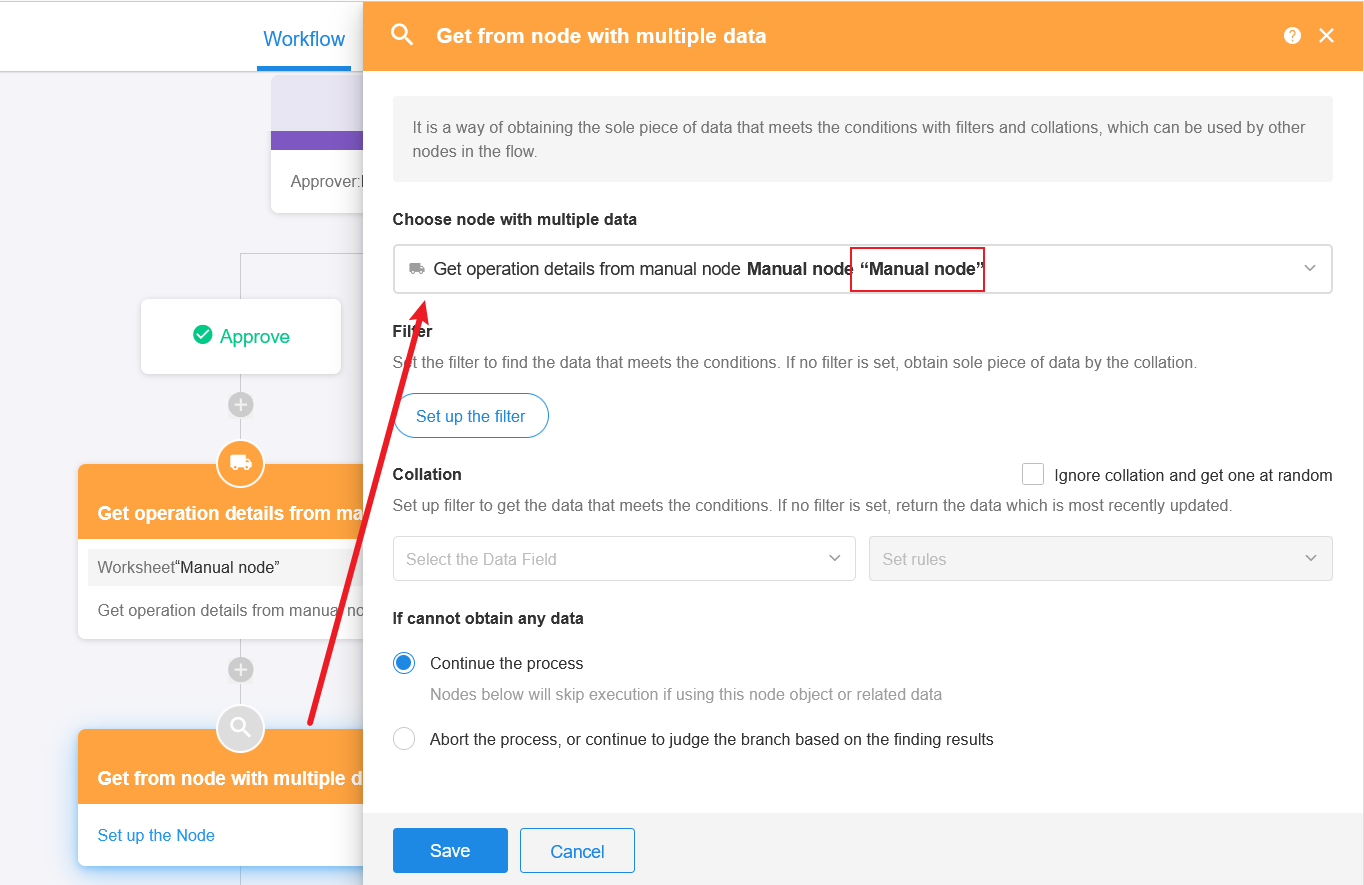
If you do not want to write the approval details to a worksheet but instead want to use the information directly in a field or another node, you can first use a Get Single Data node to retrieve once from the Get Multiple Data node.
This converts the data structure into a single row, which can then be used in an Update Record node.
Configuration example for the Get Single Data node:
-
Publish and Test the Workflow
After configuration is complete, publish the workflow. Once the approval node is completed, the approval details will be automatically written into the Approval Details worksheet.
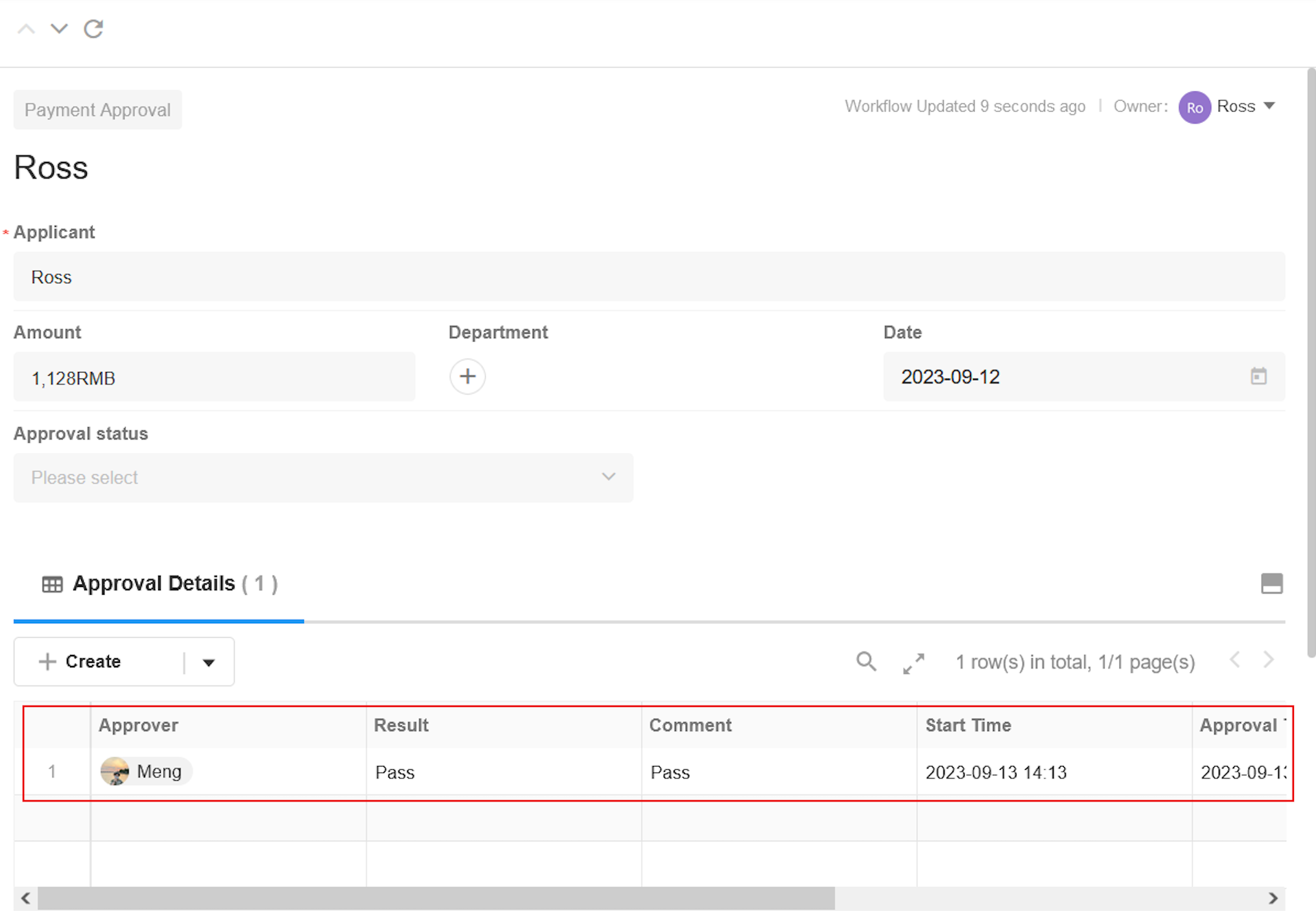
This configuration must be applied to the Approved and Rejected branches for each approval node. For approval nodes involving multiple approvers, the approval details are retrieved only after all approvers have completed their actions.
Was this document helpful?